Best AI Tools to Animate Still Images in 2026: 8 Tools Compared
We compared the best ai tools to animate still images for 2026, covering prices, motion quality, and lawful use, so creators can bring photos to life safely.

- Editor's choice
 Runway
High quality motion and editing
Starts at$15 per monthVisit runwayml.comFull review - Great alternative
 Kling AI
Value for regular creators
Starts at$10 per monthVisit klingai.comFull review - Also consider
 Pika
Fast simple clips
Starts at$10 per monthVisit pika.artFull review
TL;DR:
- Runway is our pick for most creators who want strong motion quality plus editing tools in one place.
- Kling AI offers strong value, with a low-cost standard plan and a free tier for testing motion ideas.
- Pika suits fast, simple image to video clips, especially for social posts and short experiments.
- Only animate photos you own or have permission to use, and never use these tools to create misleading images of real people.
- Credit costs vary a lot by clip length and quality, so test with short clips before buying a larger plan.
Quick comparison
| Tool | Best for | Starts at | Free plan? | |
|---|---|---|---|---|
| Runway | High quality motion and editing | $15 per month | Yes | Visit |
| Kling AI | Value for regular creators | $10 per month | Yes | Visit |
| Pika | Fast simple clips | $10 per month | Yes | Visit |
 Luma Dream Machine | Realistic camera motion | See website | Yes | Visit |
 Hailuo AI | Affordable short clips | $9.99 per month | Yes | Visit |
 Kaiber | Stylized music and art clips | See website | Free trial | Visit |
 LeiaPix Converter | Depth based photo motion | See website | Yes | Visit |
 Motionleap | Easy phone based photo animation | See website | Yes | Visit |
The best AI tools to animate still images
Each tool below turns a still image into a moving clip, but they differ in motion style, control, price, and ease of use. The right pick depends on whether you want realistic motion, stylized art, or a quick social clip.

Runway is a full creative platform, not just a single animation button. Upload a photo, describe the motion you want, and it generates a short clip that can be edited, extended, or combined with other clips in the same workspace. That matters for creators who want a finished video, not just a raw clip to export elsewhere.
The cost model needs care. Credits are spent per generation, and longer or higher quality clips cost more, so a month of heavy testing can use a plan quickly. Start with short clips, save prompts that work, and only move to a higher tier when you know your monthly output.
- Strong image to video quality
- Editing tools in the same platform
- No watermark on paid plans
- Monthly credits run out fast on longer clips
- Higher tiers cost more for heavy use
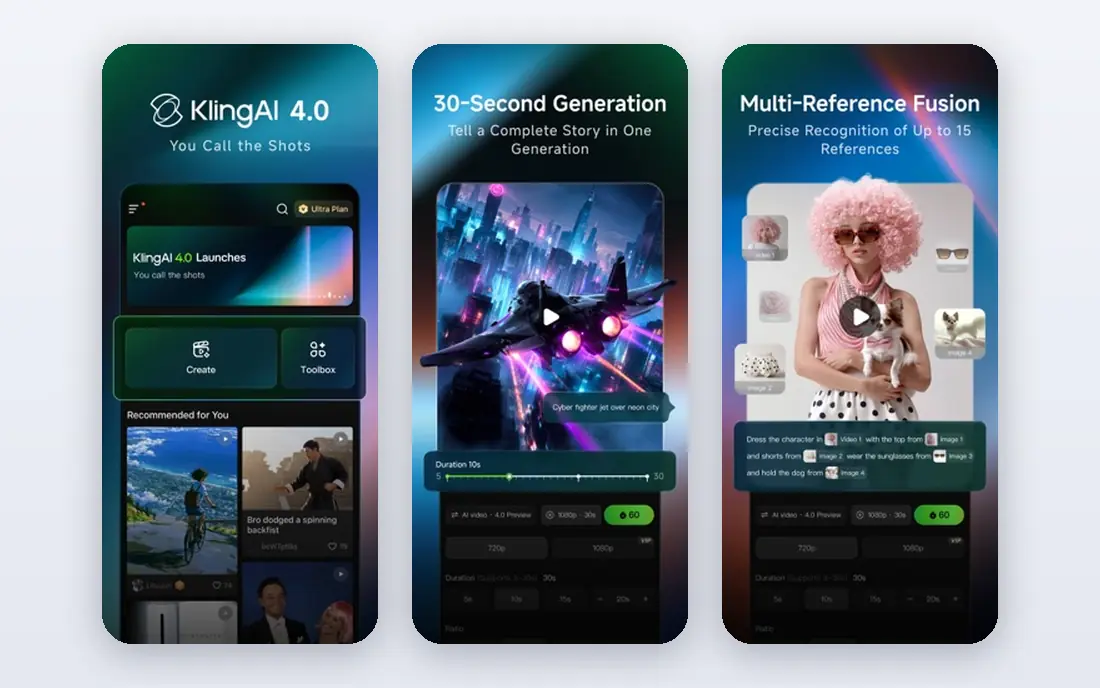
Kling AI has become a popular choice for creators who post often, because its standard plan is priced below several rivals while still producing smooth motion. It handles image to video prompts well, including camera moves and subject motion, and it offers longer clips than many basic tools. For social creators, that balance of price and output is hard to ignore.
The free tier is useful for learning the prompt style, but paid plans give cleaner exports and more credits. As with all tools here, use your own photos or licensed images, and get consent before animating a photo of an identifiable person.
- Good motion for the price
- Longer clip options
- Free tier for testing
- Free tier has limits and watermarks on some outputs
- Interface can feel busy at first

Pika focuses on speed and simplicity. Upload an image, add a short motion prompt, and get a clip without learning a full editing suite. That makes it a good first tool for creators who want to test animation ideas, make social posts, or add motion to product photos and illustrations.
The trade-off is control. Creators who want detailed camera work or long scenes may outgrow Pika faster than Runway or Kling. Check the plan terms for commercial use before using clips in client work or paid ads, since that permission varies by tier.
- Simple interface
- Fast generation
- Good for short social clips
- Commercial use sits on higher plans
- Credit use rises with quality settings
Luma Dream Machine is known for camera motion that feels closer to a real shot, with pans, pushes, and orbit moves that suit scenic photos and product scenes. It works well when the goal is a short, polished clip rather than a long story. Creators often use it for hero shots, ads, and social headers.
The main caution is pricing transparency. Plans and credit amounts have changed over time, so confirm the current plan on the Luma site before budgeting. Test camera prompts on a small set of photos first, since subtle prompt changes can shift the result a lot.
- Strong camera movement and scene motion
- Simple prompt workflow
- Useful for cinematic clips
- Pricing and credit details change often, so check the site before buying
- Longer clips cost more credits
Hailuo AI, from MiniMax, is a budget friendly way to animate still images into short clips. It suits creators who need regular short animations for social posts, presentations, or product pages without paying a premium plan price. The workflow is straightforward: upload, prompt, generate, and download.
Quality varies by image and prompt, and detailed faces or hands can still show flaws. Use it for scenes, objects, and stylized work first, and review every clip closely before publishing. For client work, keep a record of the source image rights and the plan terms.
- Low starting price
- Good for short clips
- Simple image to video workflow
- Free tier sits behind sign-in
- Higher quality clips use more credits
Kaiber takes a different path from the realistic tools above. It leans into stylized, artistic motion, which suits music videos, album art, lyric visuals, and creative brand work. If you want a photo to move like a painting or a music visual, Kaiber is a better fit than a tool built for realistic camera work.
That style is also its limit. A straightforward product photo or family portrait may look better with a realistic tool, while Kaiber shines when the brief asks for mood and art direction. Use only images you have rights to, and be clear with clients about the stylized result.
- Strong stylized looks for music and art
- Audio reactive motion options
- Useful for creative projects
- Less suited to realistic photo motion
- Paid plan needed for regular use
LeiaPix Converter uses depth estimation to add motion to a still photo, creating a sense of parallax and depth rather than full scene animation. It is a good pick for a quick, eye catching social post or a presentation slide, especially when you want motion without a complex prompt. The web tool is easy to learn, which helps non technical creators.
The motion range is narrower than Runway or Kling, so it will not turn a photo into a full video scene. Treat it as a depth effect tool, use your own photos, and keep clips short for the best result.
- Turns photos into depth based animations
- Simple web workflow
- Good for social depth effects
- Motion is more limited than full AI video tools
- Output style suits short loops best
Motionleap, from Lightricks, is a mobile app for animating parts of a photo, such as sky, water, or hair, and adding overlays and camera moves. It suits creators who edit on a phone and want a fast result for social posts. The tools are visual and direct, so you can see which part of the image will move before you export.
It is not a replacement for a full AI video platform, and long or complex scenes are better handled elsewhere. For quick photo animation on the go, though, its simplicity and phone workflow are real advantages. Check the app store listing for current subscription terms before paying.
- Phone friendly
- Simple tools for sky, water, and overlays
- Good for quick social edits
- Full features sit behind a paid plan
- Best for short edits rather than long video projects
How we picked these
We compared official feature pages, pricing pages, and app listings for tools that animate a still image you upload, rather than tools that only generate video from text. We favored tools with a current free tier or trial, clear image to video support, and a lawful use policy, and we left out tools marketed for undressing, face swapping, or creating misleading images of real people. We also checked that each homepage belongs to the named product.
How to animate a photo without crossing a line
Start with rights and consent. Use photos you took, photos you licensed, or artwork you own, and get clear permission before animating a photo of an identifiable person. Do not use these tools to place a real person in a scene they did not agree to, to fake an event, or to create intimate images of anyone. Those uses harm real people and can break platform rules and the law.
Get better motion from a good prompt
Short, concrete prompts work best. Name the subject, the motion, and the camera move, such as a slow push toward a lighthouse while waves move. Keep the first clips short, test one change at a time, and save prompts that produce clean motion. If faces or hands distort, try a simpler motion or a different tool.
Plan for credit costs
Most tools charge credits per clip, and longer clips cost more. A short test set will show your real monthly use better than a pricing page alone. If you post daily, a mid tier plan often costs less per clip than buying small credit packs again and again.
FAQ
What is the best ai tool to animate still image?
The best ai tool to animate still image depends on style. Runway suits high quality editing work, Kling suits regular creators on a budget, Pika suits fast simple clips, and Kaiber suits stylized art. Try the free tier of two tools with the same photo to compare motion before paying.
Can I animate a photo of a real person?
Only with that person permission, and only for a lawful, honest purpose. Do not animate photos of real people into misleading, intimate, or harmful scenes. If you do not have permission, use your own photos, licensed stock, or original artwork instead.
Do free plans add a watermark?
Some free plans add a watermark or limit commercial use, while paid plans usually remove the watermark. Check the plan terms on the vendor site before using a free clip in client work, ads, or a monetized channel.
How long can an animated clip be?
Most tools in this list produce short clips, often around five to ten seconds, with some offering longer or extended options on paid plans. Longer clips use more credits and can show more motion flaws, so plan short scenes and edit them together when needed.
Why does my animated photo look distorted?
Faces, hands, and complex motion are still hard for AI video models. Simpler prompts, shorter clips, and scenes with clear subjects tend to look cleaner. If distortion keeps happening, try a different model or a simpler camera move.