Best AI Tools to Animate Images in 2026: 8 Tools Compared
The best AI tools to animate images in 2026, compared for image to video motion, lip sync, camera control, realistic people and price per clip for creators.

- Editor's choice
 Runway
Cinematic directed clips
Starts at$12 per monthVisit runwayml.comFull review - Great alternative
 Kling AI
Realistic human motion
Starts at$10 per monthVisit klingai.comFull review - Also consider
 Pika
Fast stylized social clips
Starts at$10 per monthVisit pika.artFull review
TL;DR:
- Kling AI is our pick for realistic human motion at a fair price, with native audio and lip sync on many clips.
- Runway is the best choice for directed, cinematic clips where camera control and editing matter most.
- Pika is the fastest route to short, stylized social clips, while PixVerse suits creators who want daily free credits.
- Most tools produce clips of 5 to 15 seconds, so plan animations as short shots, not full scenes.
Quick comparison
| Tool | Best for | Starts at | Free plan? | |
|---|---|---|---|---|
| Runway | Cinematic directed clips | $12 per month | Yes | Visit |
| Kling AI | Realistic human motion | $10 per month | Yes | Visit |
| Pika | Fast stylized social clips | $10 per month | Yes | Visit |
 Luma Dream Machine | Cinematic camera moves | See website | Yes | Visit |
 Hailuo AI | Natural motion with audio | See website | Yes | Visit |
 Kaiber | Music synced video and styles | See website | No | Visit |
 PixVerse | Daily free credits and effects | $10 per month | Yes | Visit |
 Vidu | Affordable multi shot clips | See website | Yes | Visit |
The best AI tools to animate images
Animating an image means turning a still photo or illustration into a short moving clip: a portrait that talks, a product shot that rotates, a scene where clouds drift and a camera pushes in. The tools here all accept an image as a starting frame, plus a text prompt describing the motion. Results vary by model, so expect to generate several takes for each shot you keep.

Runway Gen-4 turns images into 10 to 16 second clips with a level of camera and motion control that suits filmmakers and advertisers. You can direct camera moves, describe character action, and keep a subject consistent across shots better than with most rivals. Its editing workspace also helps when a project needs several clips cut together, rather than one standalone animation.
The Standard plan costs about 12 dollars per month billed annually for 625 credits, with a limited one time free allowance for testing. Audio is the main gap: many Runway generations arrive silent, so plan for music, voice or sound design in your editor. For directed, cinematic image animation, Runway remains the tool to beat.
- Strong camera control and motion direction
- Editing workspace for longer projects
- Consistent results across takes
- Credit costs add up for heavy use
- No native audio on many generations, so sound needs a separate step
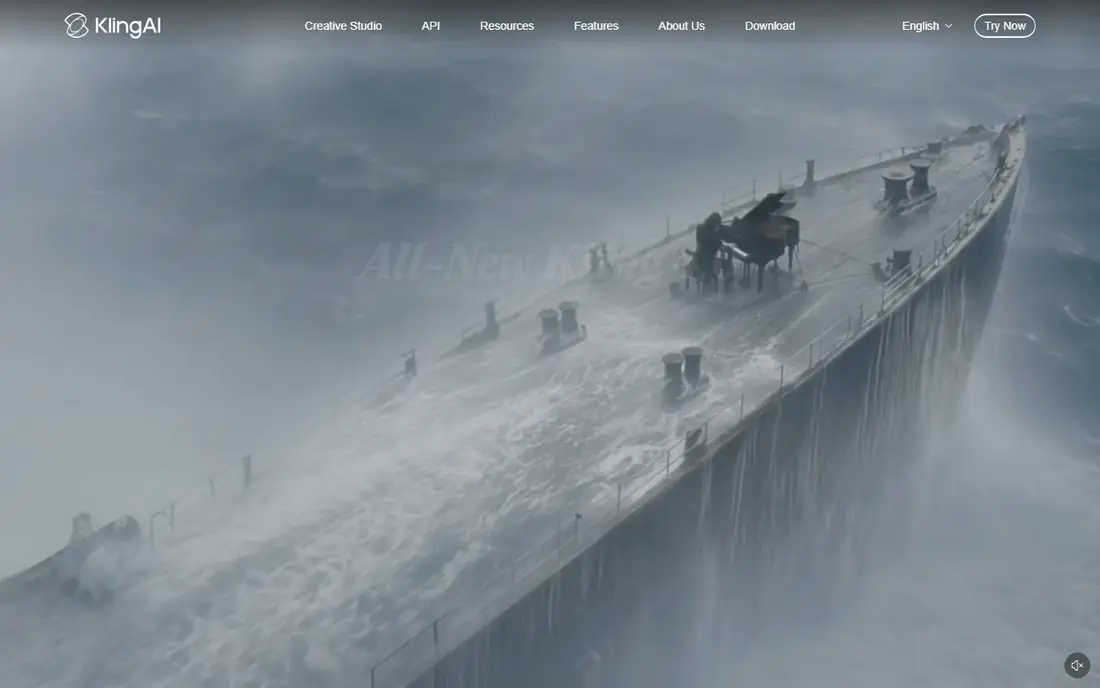
Kling AI has become a favorite for animating people, because its motion looks more natural than most rivals: walking, gestures, facial movement and lip sync hold up better in full view. Its Standard plan costs 10 dollars per month for 660 credits, and newer models support multi shot clips and native audio, which cuts the need for separate sound work.
Free use comes with limits and watermarks, and rendering times of two to five minutes are normal for higher quality settings. For creators who animate portraits, fashion shots or product presenters, Kling offers the best balance of realism and price on this list. Test lip sync on your own face and voice before committing to a long series.
- Realistic human movement and lip sync
- Native audio on many models
- Good value per clip
- Rendering can take several minutes at peak times
- Free exports carry a watermark

Pika is built for speed and social content. Its Starter plan costs 10 dollars per month for 900 credits, and generations often finish in under ninety seconds, which makes it easy to iterate on effects, transitions and playful motion. Pika also offers effects driven templates that suit short form video, ads and memes.
The trade off is realism. Pika clips look stylized and energetic rather than photoreal, and commercial use requires the Creator tier at a higher price. For social creators who need many short, eye catching animations per week, Pika's speed and price are hard to beat. For photoreal human motion, pick Kling instead.
- Fast rendering
- Strong stylized effects and transitions
- Easy for social content
- Realism trails Kling and Runway
- Commercial use needs a higher tier
Luma Dream Machine, from Luma AI, is known for smooth, film like camera moves: slow pushes, orbits and drifts through a scene that keep the starting image coherent. That makes it a good pick for animating environments, architecture, product scenes and title shots where the camera does the work. A free tier with limited credits lets you test the look before paying.
Pricing for Luma has shifted several times, so we list it as See website rather than repeating a figure that may be out of date. Clip lengths also stay short, typically around five seconds on basic settings, so plan to chain shots for longer sequences. For cinematic camera animation, Luma still earns a place on the shortlist.
- Smooth cinematic camera control
- Strong scene coherence
- Good for establishing shots and environments
- Pricing has changed often, so check the current page
- Clip lengths are short
Hailuo AI, from MiniMax, animates images into clips of 4 to 15 seconds with native audio, which is a real advantage for creators who want sound without a second tool. Motion feels natural on characters, animals and scenes, and the model handles prompts for action and camera moves well. A free trial behind sign in lets you test it on your own images.
Pricing starts around 10 dollars per month on published comparisons, but figures vary by region and model, so check the current Hailuo pricing page before budgeting. As with every tool here, expect to re-roll some generations: hands, faces and fast action still break in ways that need a second or third take.
- Natural motion with native stereo audio
- Clip lengths up to 15 seconds on some models
- Good for character and scene animation
- Pricing and free allowance vary by region and model
- Some outputs need several takes
Kaiber takes a different angle: it turns images into music synced video, with visuals that move to a beat and transform through artistic styles. Musicians, labels and creators making lyric videos, visualizers and promo clips get a workflow built for that job, including a canvas and editor for arranging shots to a track. That focus sets it apart from general image to video tools.
Kaiber is less suited to photoreal human animation or corporate explainer clips, and full use requires a paid plan. If your project is a music video, a social promo set to a track, or a stylized brand film, Kaiber's music sync is a genuine advantage. If you need a realistic talking portrait, pick Kling or HeyGen style tools instead.
- Music sync and beat matched visuals
- Strong style transformations
- Canvas and editor for music video work
- No free plan for full use
- Less suited to photoreal human animation
PixVerse offers a practical deal for regular creators: 30 free credits per day on its consumer plans, plus paid plans from about 10 dollars per month, with fast rendering in 30 to 60 seconds for many clips. It supports image to video animation, lip sync, multi shot clips and visual styles from realistic to anime and clay, which suits social creators who publish often.
The main confusion is the PixVerse homepage, which now leans toward enterprise and API products, while consumer creation lives in its app and studio. Check that you are signing up for the creator product, not an enterprise API plan, before paying. For daily, low cost animation with effects, PixVerse is a strong value pick.
- Daily free credits for regular testing
- Fast rendering
- Effects, lip sync and multi shot tools
- Consumer app and enterprise site can confuse buyers
- Quality varies by style
Vidu is an image to video tool from Shengshu Technology that suits creators who want affordable, multi shot animation for ads, product demos and social content. Its Standard plan costs around 8 dollars per month billed annually, and it supports reference based generation, where a supplied image guides character and style across shots. A free tier lets you test the workflow before paying.
Free exports carry a watermark, and like every tool here, Vidu needs prompt care and re-rolls for hands, faces and fast motion. For creators who publish many short product and ad clips and want a low cost plan, Vidu is a credible alternative to Pika and PixVerse. For photoreal human work, Kling still leads.
- Low entry price on annual billing
- Reference based animation
- Useful for ads and product clips
- Free exports carry a watermark
- Quality varies by model and prompt
How we picked these
We compared official product pages, pricing pages and public creator reviews for image to video tools that were live in October 2026. We kept only tools that accept a starting image and produce a moving clip, and excluded text only video tools, avatar only tools and tools that had pivoted away from consumer creation. That excluded Hedra's consumer animation product, since Hedra's site now focuses on model infrastructure rather than a creator animation app. Prices shown are entry paid plans from vendor or verified comparison pages, and tools with fast changing pricing are marked See website.
Getting good motion from a still image
Image animation rewards clear prompts and patient iteration. These habits raise your hit rate fast.
Describe motion, not just the scene
A prompt that only describes the image will produce drifting, vague motion. Say what moves, how fast, and where the camera goes: a slow push in, a head turn, a hand lifting a product, leaves moving in wind. One clear action per clip beats a list of five actions.
Keep the first and last frame in mind
Most tools animate from your image outward, so a clean, well lit starting image with space around the subject gives the model room to move. Crowded edges, cut off hands and busy backgrounds break more often. Crop with margin, and avoid text near the frame edge.
Generate in batches, then pick
Plan on three to five takes per shot, and pick the best. Re-rolling is part of the workflow, not a failure, and credit math should assume it. Budget credits for takes, not just for finished clips, or a project will run out halfway through.
Add sound and cuts in an editor
Most animation tools produce short, often silent clips. Treat them as shots, not finished videos: cut several together, add music, voice and sound effects in a video editor, and trim the first and last frames where motion settles. That edit step is what turns AI clips into a watchable video.
FAQ
What is the best AI tool to animate images?
Kling AI is the best all round pick for realistic motion, Runway is best for cinematic directed clips, and Pika is best for fast social clips. The right tool depends on whether you need realism, camera control or speed. Most creators benefit from trialing two tools on the same image before committing.
Can I animate a photo for free?
Yes, several tools offer free tiers or daily credits, including PixVerse, Kling AI, Pika and Luma Dream Machine, though free exports often carry watermarks and have lower resolution or commercial limits. For client work without a watermark, a paid plan is usually needed.
How long can an AI animated image clip be?
Most tools produce clips of 5 to 15 seconds per generation, with some multi shot modes extending that by chaining shots. For longer videos, generate several clips and cut them together in an editor, rather than expecting one long generation to hold together.
Do these tools keep my face consistent across clips?
Consistency has improved, especially with reference based tools and character features, but it is not perfect. Faces, hands and clothing can drift across takes, so use the same starting image and reference where offered, generate several takes, and pick the most consistent ones for a series.
Is it safe to animate photos of real people?
Animate only photos you own or have permission to use, and be careful with photos of identifiable people, especially for ads or public content. Animating a real person without consent, or making them appear to do or say something they did not, can breach privacy and publicity rules. When in doubt, use your own photos or licensed stock.
Which tool is best for animating product photos?
Kling AI and Vidu suit product animation well, with realistic motion and reference tools that keep a product recognizable across shots. Runway suits cinematic product films where camera moves matter most. For quick social product clips, Pika and PixVerse offer speed and effects at a lower cost.