Best AI Tools for Teacher Productivity in 2026: 8 Tools Compared
Compare the best ai tools for teacher productivity for planning, feedback and grading, with free tiers, privacy safeguards and classroom fit explained.

- Editor's choice
 MagicSchool
Broad teacher toolkit
Starts atSee websiteVisit magicschool.aiFull review - Great alternative
 Brisk Teaching
Feedback in Google Docs
Starts atSee websiteVisit briskteaching.comFull review - Also consider
 Diffit
Leveled reading and differentiation
Starts atSee websiteVisit diffit.meFull review
TL;DR:
- MagicSchool is the broadest toolkit, with dozens of generators for planning, rubrics and feedback in one login.
- Brisk Teaching fits Google Workspace classrooms, because feedback happens inside Docs and Slides.
- Diffit and Eduaide help with differentiation and ready resources, especially for mixed reading levels.
- Curipod and Khanmigo suit live lessons and tutoring, where student interaction matters more than prep alone.
- Check privacy, district approval and free-tier limits before you build a weekly workflow around any tool.
Quick comparison
| Tool | Best for | Starts at | Free plan? | |
|---|---|---|---|---|
| MagicSchool | Broad teacher toolkit | See website | Yes | Visit |
| Brisk Teaching | Feedback in Google Docs | See website | Yes | Visit |
| Diffit | Leveled reading and differentiation | See website | Yes | Visit |
 Curipod | Live interactive lessons | See website | Yes | Visit |
 Eduaide | Pedagogy-first resource creation | See website | Yes | Visit |
 Khanmigo | Tutoring and teacher planning | Free | Yes | Visit |
 Education Copilot | Fast lesson and handout drafts | See website | Yes | Visit |
 Twee | Language teaching resources | See website | Yes | Visit |
The best ai tools for teacher productivity
Teacher productivity tools should save prep time without lowering quality or creating privacy risks. The tools below are built for teachers, with generators for lesson plans, rubrics, feedback and differentiated reading, plus live lesson and tutoring options. We focused on tools that fit a real classroom workflow, offer a free tier or district plan, and describe student data handling clearly.
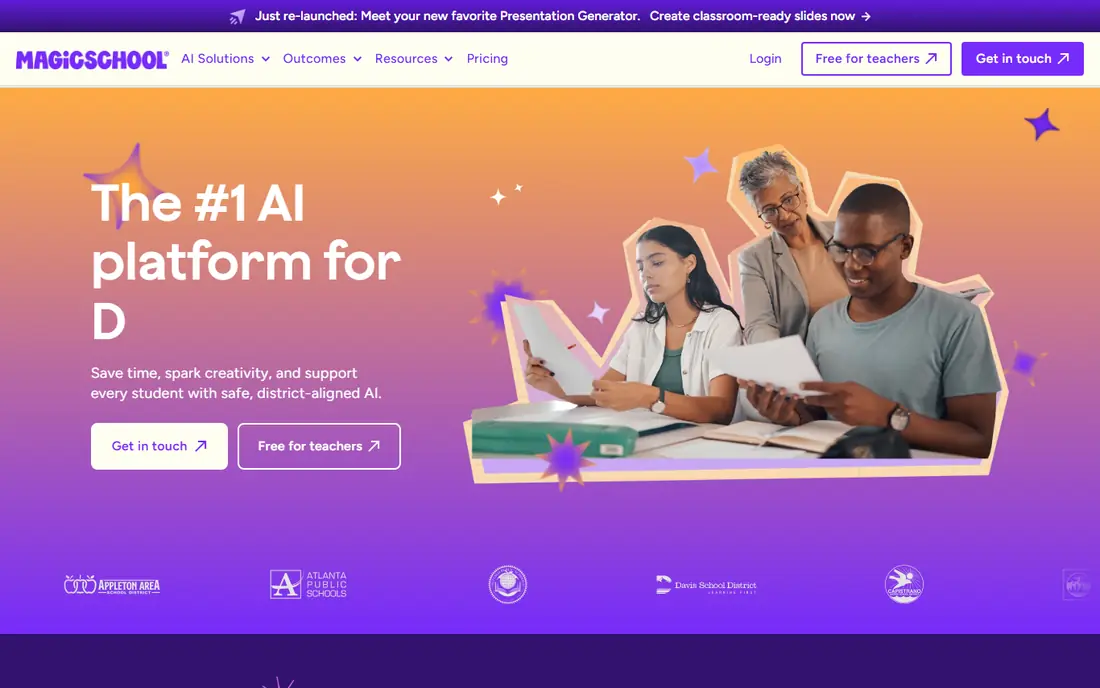
MagicSchool packs a wide teacher toolkit into one login, covering lesson plans, quizzes, rubrics, writing feedback, report comments and differentiation. A teacher describes grade, subject, topic and standards, then gets a structured draft to edit, rather than a vague outline to rebuild. That breadth helps when prep spans several subjects or several class levels in one day.
The free tier covers many teachers for a normal week, with a paid Plus tier for unlimited generations and higher limits. The size of the toolkit is both a strength and a learning curve: start with three tools you use weekly, such as lesson planning, rubric creation and feedback, then expand. Check your district approval and student data rules before using student-facing tools, and always review AI drafts for accuracy and bias before classroom use.
- More than 80 teacher tools in one dashboard
- Lesson plans, rubrics, IEP drafts and feedback tools
- Free tier covers a normal week for many teachers
- Free tier has usage limits
- Tool choice can feel large at first

Brisk Teaching is a Chrome extension that brings AI feedback into the Google tools teachers already use. Instead of copying student work into another app, a teacher can generate rubric-based feedback, adjust reading levels and create resources directly in Docs, Slides or Forms. That in-workflow design saves the tab-switching that kills many productivity tools.
The free educator plan includes many tools, with school and district plans adding admin controls, privacy agreements and advanced features. Brisk fits a Google Workspace school best, where Docs and Classroom are already daily tools. Teachers outside that ecosystem can still use it, but the benefit is smaller. As with all AI feedback, review comments before sending them, because tone and accuracy matter for student trust.
- Works inside Google Docs, Slides and Forms
- Rubric-based feedback without a new tab
- Free educator plan with many tools
- Best fit is Google Workspace schools
- Paid school plans are quote-based
Diffit turns any text, topic or video into a leveled reading passage with questions and vocabulary, in under a minute for many inputs. That speed helps a teacher who must serve several reading levels in one class, or support multilingual learners with adapted text. The tool also generates summaries and question sets tied to the passage, which saves the manual work of rewriting the same content three ways.
The free basic plan covers core generation, with a premium plan adding longer history and more features. Reading level labels are a guide, not a guarantee, so a teacher should read the passage, check vocabulary and adjust questions for the class. Diffit fits differentiation work best, and pairs well with a broader toolkit such as MagicSchool for planning and grading.
- Creates leveled passages, questions and vocabulary fast
- Helps mixed-level and multilingual classes
- Free basic plan for individual teachers
- Paid plan is needed for full history and features
- Output still needs teacher review for reading accuracy
Curipod builds interactive slides where students respond live from devices, with polls, word clouds, drawings and writing practice. AI feedback during writing practice gives students a prompt to improve, while the teacher sees responses in real time and can adjust the lesson. That live loop suits writing, discussion and formative check-ins better than a static slide deck.
The free tier supports weekly writing practice with unlimited student writers, while school and district plans add admin controls and more features. The limit is practical: live lessons need devices, internet and classroom management for response time. Curipod fits a teacher who wants active, visible student thinking during a lesson, not only a faster way to make slides the night before.
- AI slides with live polls, word clouds and writing practice
- Real-time student responses keep lessons active
- Free tier for weekly writing practice
- School and district pricing is quote-based
- Live lessons need reliable student devices and internet
Eduaide offers a large set of generators for worksheets, lesson plans, rubrics, feedback and professional development content, with prompts that encourage sound pedagogy, such as depth of knowledge levels and learning frameworks. That structure helps a teacher who wants more than a generic draft, and who values a resource that follows a clear teaching model.
The free tier gives a limited number of generations per month, with a paid Pro plan for regular use. The interface can feel dense at first, because there are many resource types to explore. Start with one task, such as worksheet or rubric creation, and learn the options for that task before exploring the full library. Eduaide fits a teacher who plans in detail and wants pedagogy built into the prompt, not only speed.
- Many resource types with pedagogy prompts
- Differentiation and standards alignment help
- Free tier for trying core generators
- Free tier has a monthly generation limit
- Interface is denser than simpler tools
Khanmigo, from Khan Academy, offers a tutor that guides students with questions rather than handing over answers, plus teacher tools for lesson planning and class support. For teachers, the free US teacher access is a strong benefit, because it removes a budget barrier for a classroom tool. The tutor model also fits a pedagogy goal: students learn by reasoning, not by copying a solution.
The distinction matters: teacher tools are free for eligible US teachers, while student tutor access for a full class is often a district purchase. Check your district status and eligibility before planning a class rollout. Khanmigo fits a teacher who wants tutoring support tied to a trusted library, and who values guided learning over a general chatbot for students.
- Free for US teachers
- Socratic tutoring guides students rather than giving answers
- Aligned to Khan Academy library and lessons
- Student tutor access is a district purchase in many cases
- Less broad than a general toolkit for admin tasks
Education Copilot focuses on speed and simplicity: lesson plans, handouts, rubrics and worksheets from a few prompts, in a format that prints cleanly. For a teacher who needs a solid draft for tomorrow, that focus is a benefit, because there are fewer tools to learn and fewer settings to adjust. The free plan gives access to core templates without a credit card, which makes it easy to test.
The trade-off is breadth. Education Copilot does not try to cover every teacher task, so a teacher who also wants IEP drafts, feedback tools and live lessons will need another tool alongside it. Paid plans add more templates and unlimited long-form handouts. Education Copilot fits a teacher who wants fast, reliable drafts for planning and handouts, without a large toolkit to manage.
- Fast, print-ready lesson plans and handouts
- Simple templates for rubrics and worksheets
- Free plan with no credit card for core templates
- Smaller toolkit than MagicSchool or Eduaide
- Paid plan needed for full template access
Twee is built for language teachers, with tools that generate reading questions, dialogues, vocabulary exercises and listening tasks by level and language. That specialisation matters, because a general AI tool can miss level, register and cultural notes that matter in language teaching. Twee supports CEFR levels and many languages, which helps a teacher serve mixed-level language classes.
The free tier offers a small number of trial runs, with paid plans for regular use. For a general classroom teacher, Twee is too narrow to be a main toolkit. For an ESL or EFL teacher, it can save hours of resource creation each week, especially for reading and speaking practice. Review generated dialogues and questions for accuracy and appropriateness, as with any AI language output.
- Built for ESL and EFL teaching
- Generates questions, dialogues and vocabulary by level
- Supports many languages and CEFR levels
- Language focus limits general classroom use
- Free trial runs are limited
How we picked these
We compared official product pages, pricing pages and public reviews for AI tools built for teachers, not general chatbots with an education prompt. We kept tools with a free tier or free teacher access, a clear classroom use, and student data information in 2026. We left out general chat tools that lack teacher-specific generators, privacy controls or district plans, because they do not fit a school workflow as directly.
What to check before you buy
Start with district approval and privacy. Confirm whether the tool has a data privacy agreement for your district, whether student data is used for model training, and whether single sign-on is available. A tool that is free for a teacher but not approved for student data should only be used for teacher prep, not for student work.
Build a small, repeatable workflow
Pick two or three tasks where AI saves the most time, such as lesson drafts, rubric creation or feedback, and build a routine around them. Review every AI output before classroom use, and keep a bank of edited prompts that worked well for your subject and grade. A small routine that you trust beats a large toolkit that you rarely open.
Keep AI feedback human
AI feedback should support your voice, not replace it. Read feedback before sending it to students, adjust tone for the student, and add a personal note where it matters. Students trust feedback more when it sounds like their teacher, and when it points to a specific next step they can actually take.
Watch free-tier limits across a term
Free tiers often reset monthly or weekly, and limits can change. Track how many generations you use in a busy week, and budget for a paid plan if you hit limits often. A tool that works in September but runs out in October will disrupt planning at a bad time.
FAQ
Are AI tools for teachers free?
Many offer a free tier or free teacher access, including MagicSchool, Brisk Teaching, Diffit, Curipod, Eduaide and Khanmigo for eligible US teachers. Free tiers usually have usage limits, and paid plans add more generations, history or admin controls. Check the vendor pricing page for your role, because teacher, school and district prices differ.
Is it safe to put student work into AI tools?
It depends on the tool, your district policy and the data agreement. Use only district-approved tools for student work, check whether student data is used for training, and avoid entering sensitive student information. For teacher prep with no student data, the risk is lower, but district approval still matters.
Will AI replace teacher planning?
No. AI can draft a lesson, a rubric or feedback faster, but a teacher still decides learning goals, checks accuracy, adapts for students and manages the classroom. The best use is drafting and differentiation, with teacher review as the final step. A lesson that is not reviewed can contain errors, bias or content that does not fit your class.
Which tool is best for Google Classroom schools?
Brisk Teaching fits Google Workspace schools best, because it works inside Docs, Slides and Forms. MagicSchool and Diffit also work well alongside Google Classroom for planning and resources. Choose based on whether you need in-document feedback, broad planning, or leveled reading most.
Can AI tools help with grading?
Yes, for feedback drafts, rubric-based comments and quiz creation, but final grades should remain a teacher decision. Use AI to draft comments, check against a rubric, and save time on routine feedback, then review and adjust before returning work. AI grading without review risks errors and unfair marks.
How do I choose between a toolkit and a specialist?
Choose a toolkit such as MagicSchool if you need many tasks in one login and want to reduce the number of tools you manage. Choose a specialist such as Diffit for leveled reading or Twee for language teaching if that task is your main pain. Many teachers use one toolkit plus one specialist, rather than many overlapping tools.