Best AI Tools for Proposal Creation in 2026: 8 Tools Compared
Compare the best ai tools for proposal creation, with AI drafting, templates, e-signatures, payments, analytics and pricing options for teams in 2026.
- Editor's choice
 PandaDoc
Proposals, quotes and contracts
Starts at$19 per user per monthVisit pandadoc.comFull review - Great alternative
 Proposify
Approval control and content library
Starts at$35 per user per monthVisit proposify.comFull review - Also consider
 Qwilr
Interactive web proposals
Starts at$35 per user per monthVisit qwilr.comFull review
TL;DR:
- AI proposal tools save the most time on first drafts, reusable sections and pricing tables, not on replacing human review of scope and price.
- Interactive web proposals with tracking often beat static PDFs for sales, since you can see when a client opens, reads and signs.
- E-signatures and payments inside the proposal shorten the gap between approval and deposit, so check both before buying.
- Per-user pricing adds up fast for larger teams, while flat plans suit solo freelancers and small agencies.
- Always review AI generated scope, deliverables and pricing before sending, since an error in a proposal becomes a contract problem.
Quick comparison
| Tool | Best for | Starts at | Free plan? | |
|---|---|---|---|---|
| PandaDoc | Proposals, quotes and contracts | $19 per user per month | Yes | Visit |
| Proposify | Approval control and content library | $35 per user per month | Free trial | Visit |
| Qwilr | Interactive web proposals | $35 per user per month | Free trial | Visit |
 Better Proposals | Low cost proposals with payments | $13 per user per month | Free trial | Visit |
 GetAccept | Deal rooms and video proposals | $25 per user per month | Free trial | Visit |
 Nusii | Agencies wanting flat plans | $29 per month | Free trial | Visit |
 Prospero | Many proposals at low price | $12 per user per month | Free trial | Visit |
 HoneyBook | Solo service businesses | $29 per month | Free trial | Visit |
The best AI tools for proposal creation
We compared proposal tools with AI drafting or AI assisted content features, templates, signing, payments and client tracking.
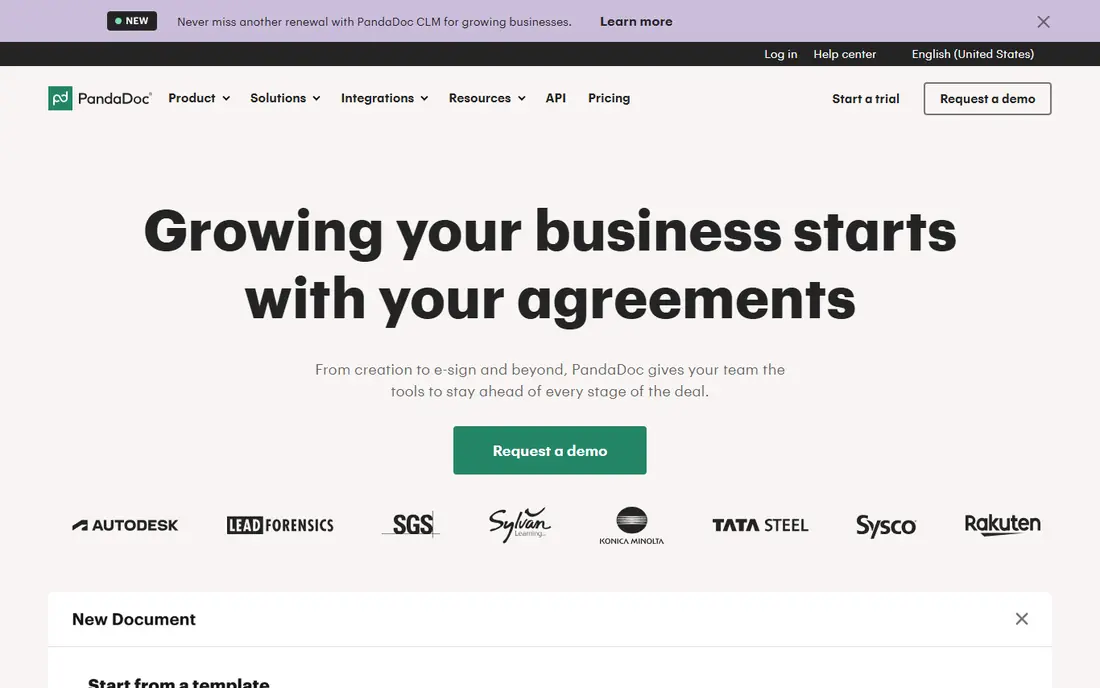
PandaDoc is the broadest document platform in this list, covering proposals, quotes, contracts, e-signatures and payments in one flow. Starter starts at 19 dollars per user per month on annual billing, while Business at 49 dollars adds pricing tables, payments, CRM integrations and approval workflows. A free eSign plan covers signing for simple documents, although it is not a full proposal builder.
The catch is that the most useful proposal features sit above Starter, so a team should budget for Business if pricing tables and payments matter. Per-user pricing also adds up for larger teams. For a sales or agency team that lives in documents and wants one platform from proposal to signature to payment, PandaDoc is a strong, well supported choice.
- Large template library
- Approval workflows
- CRM integrations and payments
- Pricing tables and payments need Business plan
- Per-user cost grows with team size

Proposify is built for sales proposals, with AI proposal generation, a content library, interactive quoting, engagement analytics and e-signatures. Build starts at 35 dollars per user per month on annual billing, with Grow and Scale plans adding more seats, approvals and controls. Role based locking helps stop reps editing pricing or legal terms, which matters for agencies that need brand and price control.
The drawback is price. Proposify starts higher than Better Proposals or Prospero, and some approval features sit on larger plans. Small freelancers may find it more than they need. For a growing sales team that sends many proposals and needs consistent, approved content, Proposify control and analytics justify the cost.
- AI proposal generation
- Content library
- Approval workflows and role controls
- Higher starting price
- Approvals sit on higher tiers in some plans
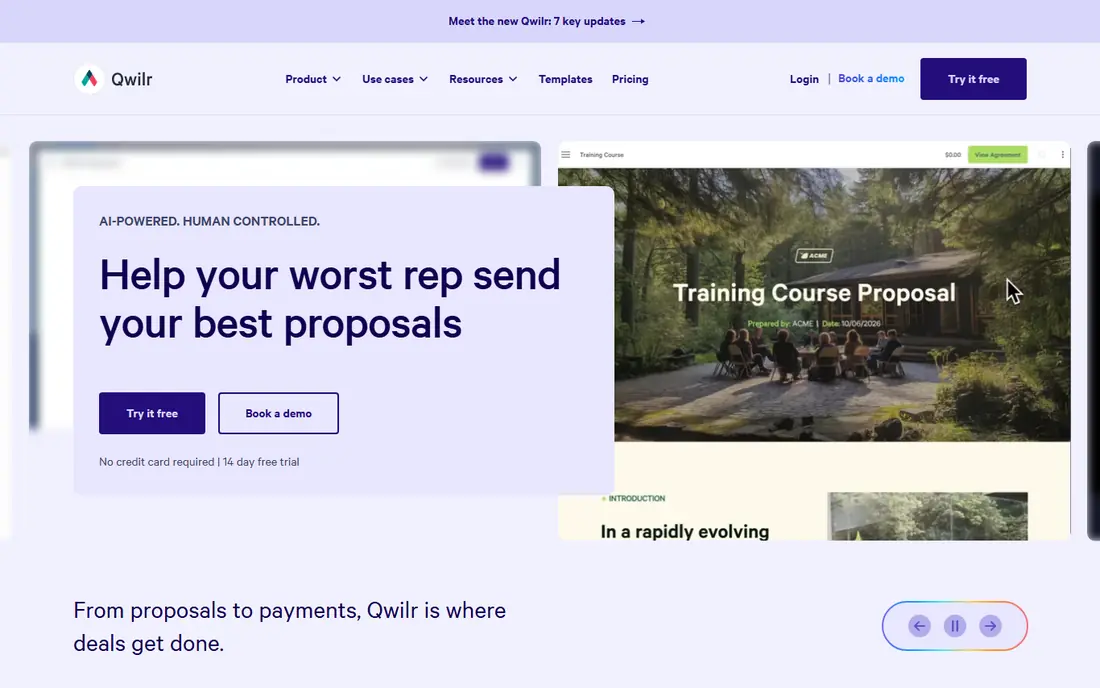
Qwilr turns proposals into interactive web pages built from blocks, rather than static documents. Starter starts at 35 dollars per user per month on annual billing, or 49 dollars month to month, and includes e-signatures, analytics, payments and HubSpot, Zoho and Pipedrive integrations. Clients can accept, sign and pay in the same page, which shortens the sales cycle.
The honest catch is format. Some clients expect a Word or PDF document, and a web page proposal feels different, even when it exports well. Growth also needs a minimum of five seats, so small teams cannot buy it at their own size. For sales teams that want modern, trackable proposals and are happy with a web format, Qwilr is one of the most polished options.
- Web page proposals
- In-proposal payments
- Engagement tracking and e-signatures
- Page format differs from Word or PDF
- Growth needs 5 seats minimum
Better Proposals is a low cost way to send professional proposals with payments, e-signatures and section analytics. Starter starts at 13 dollars per user per month on annual billing, with Premium at 21 dollars and Enterprise at 42 dollars. Templates cover many service businesses, and live chat inside a proposal lets clients ask questions without leaving the document.
The limitation is Starter scope, with one seat and 10 proposal sends per month, so active teams will need Premium. Enterprise controls are also lighter than Proposify or PandaDoc. For freelancers and small agencies that want good looking proposals at a modest price, Better Proposals is hard to beat, provided the team checks send limits against real volume.
- Low starting price
- Many templates
- Payments and live chat in proposals
- Starter limited to one seat and 10 sends
- Fewer enterprise controls
GetAccept focuses on closing complex, multi-stakeholder deals, with deal rooms, embedded video messaging, engagement tracking, CPQ and e-signatures. The eSign plan starts at 25 dollars per user per month, with Pro at 49 dollars adding more deal room and automation features. Video messages inside a proposal help sales teams add a personal note to a document that might otherwise feel generic.
The catch is commitment. Reports note a 12 month agreement on plans, so teams should confirm terms before signing. GetAccept also suits mid-market deal teams more than solo freelancers. For a team selling to buying committees, where several stakeholders need to review, comment and sign, GetAccept deal rooms and tracking are genuinely useful.
- Deal rooms
- Embedded video messaging
- Engagement tracking and CPQ
- Plans carry a 12 month agreement in reports
- Higher plans needed for full deal room features
Nusii is built for agencies and freelancers, with flat monthly pricing rather than per-user pricing. Freelancer starts at 29 dollars per month for five active proposals, Agency at 49 dollars, and Business at 129 dollars. Stripe deposits are available on Agency and above, and a 14 day trial with a 60 day money back guarantee lowers the risk of testing it.
The limitation is caps. Active proposal limits mean busy agencies need to archive or upgrade, and CRM integrations are fewer than PandaDoc or Proposify. For a small agency that wants predictable pricing and does not need enterprise controls, Nusii flat plans are appealing. Solo users should check whether the active proposal cap matches their monthly volume.
- Flat monthly pricing
- Agency focused templates
- Stripe deposits
- Caps on active proposals
- Fewer CRM integrations than larger platforms
Prospero is one of the lowest priced proposal tools in this list, starting at 12 dollars per user per month on annual billing, with a 14 day trial. It offers templates, proposal analytics, e-signatures and a straightforward editor, which suits freelancers and small teams that send many proposals and want to keep costs down. The low price does not mean a bare product, since core proposal, tracking and signing features are present.
The honest weakness is integrations. HubSpot is the main CRM listed in comparisons, so teams on Salesforce, Pipedrive or Zoho should check compatibility before buying. Advanced approval workflows are also lighter than Proposify. For a price sensitive team that mainly needs fast, good looking proposals with tracking, Prospero is a strong value pick.
- Low starting price
- Many templates
- Proposal analytics and e-signatures
- HubSpot is the main CRM listed
- Fewer advanced workflow features
HoneyBook is a client management platform for solo service businesses, with proposals, contracts, invoices, scheduling and payments in one account. Plans start at 29 dollars per month on annual billing, with higher tiers at around 36.75 dollars and 81.75 dollars, priced per account rather than per user. That flat model suits a solo photographer, designer or consultant who also needs invoicing and client communication.
The catch is proposal depth. HoneyBook proposals are good for service businesses, but specialist tools offer deeper quoting, approval and analytics features. CRM integrations are also narrower, with no HubSpot or Salesforce listed in comparisons. For a solo service business that wants proposals plus the rest of client admin in one place, HoneyBook is a practical all-in-one choice.
- Flat per account pricing
- Proposals plus contracts, invoices and payments
- Client portal
- No HubSpot or Salesforce listed in comparisons
- Proposal depth less than specialist tools
How we picked these
We compared official pricing pages, feature pages and independent comparisons from October 2026, and we favoured tools with AI drafting or AI assisted content, templates, e-signatures, payments and client tracking. We included per-user and flat priced tools, since team size changes the best value. Prices shown are annual billing starting rates where vendors publish them, so confirm the current plan and trial terms on the vendor page before buying.
How to get real value from AI proposal creation
AI drafting helps most when it is treated as a first draft and a reusable library, not as a finished proposal.
Build a content library first
Create approved sections for services, process, timelines, case studies and terms, then let AI adapt those sections to each client rather than writing from scratch. That keeps proposals consistent and reduces errors in scope and price. Review the library quarterly, remove outdated claims, and keep pricing tables separate from narrative sections so price changes do not require rewriting every proposal.
Use tracking to follow up at the right time
Check when a client opens a proposal, which sections they read, and how long they spend on pricing. Follow up after a pricing view, not just after a fixed number of days, and use that timing to answer questions while interest is high. If a client never opens a proposal, a short check-in message often works better than resending the same document.
Review scope, price and terms every time
Read AI generated scope, deliverables, timelines and exclusions before sending, and confirm that pricing matches the agreed quote. An AI tool can invent a deliverable, miss an exclusion or use an old price, and that error becomes hard to fix once a client signs. A short checklist for scope, price, timeline, payment terms and signature fields catches most mistakes before they reach a client.
FAQ
Can AI write a whole proposal for me?
AI can draft a strong first version from a brief, template and past proposals, but it should not send a proposal without human review. Scope, pricing, timelines and legal terms need checking against the actual client agreement. The best workflow is AI draft, human edit, then client review, which saves time without giving up control.
Are e-signatures in proposal tools legally binding?
In most cases, yes, when the tool provides an audit trail, signer identity checks and a tamper evident document, and when the signature complies with laws such as ESIGN and UETA in the United States. Check the vendor compliance statements for your country and for high value contracts, and confirm that signed proposals are stored securely and can be exported.
Should I send proposals as PDFs or web pages?
Both work, but web proposals offer tracking, in-proposal payments and easier updates, while PDFs suit clients who need a fixed document for approval or filing. Many teams send a web proposal for review and signing, then export a PDF for the client records. Choose the format your client prefers when the deal is large or formal.
How much should a proposal tool cost?
For a solo freelancer, expect 12 to 29 dollars per month for a basic plan. For a small team, per-user tools often cost 50 to 175 dollars per month in total, depending on seats and plan. Flat plans can be cheaper for solo users, while per-user plans suit teams that need separate seats, permissions and reporting.
Can clients pay from inside a proposal?
Many tools in this list support payments, including PandaDoc on Business, Qwilr on all plans, Better Proposals, Nusii on Agency and above, and HoneyBook. Check which payment providers are supported, what fees apply, and whether deposits, full payments or instalments are available. A deposit option inside the proposal often shortens the time from approval to paid work.