Best AI Tools for Product Design in 2026: 8 Tools Compared
We compared the best ai tools for product design, covering prompt-to-UI generation, wireframes, prototypes, code output and handoff in 2026 for teams.

- Editor's choice
 Figma
AI features inside an existing design workflow
Starts atSee websiteVisit figma.comFull review - Great alternative
 Uizard
Sketch and text to wireframe for non-designers
Starts at$12 per monthVisit uizard.ioFull review - Also consider
 Google Stitch
Free prompt-to-UI from Google Labs
Starts atFreeVisit stitch.withgoogle.comFull review
TL;DR:
- The best ai tools for product design speed up early ideas and wireframes, but final polish still needs a designer.
- Figma with AI features is the safest base for teams already designing in Figma, while specialist generators suit fast ideation.
- Prompt-to-UI tools differ in output: some give editable design files, others give code, and that choice shapes handoff.
- Free tiers are useful for testing, but generation credits and team seats drive the real monthly cost.
- Check who owns AI-generated output and how training data is handled before using a tool for client work.
Quick comparison
| Tool | Best for | Starts at | Free plan? | |
|---|---|---|---|---|
| Figma | AI features inside an existing design workflow | See website | Yes | Visit |
| Uizard | Sketch and text to wireframe for non-designers | $12 per month | Yes | Visit |
| Google Stitch | Free prompt-to-UI from Google Labs | Free | Yes | Visit |
 Framer | Prompt-to-live website prototypes | See website | Yes | Visit |
 v0 by Vercel | Prompt-to-React UI code | $20 per month | Yes | Visit |
 Relume | AI sitemaps and wireframes for web projects | See website | Yes | Visit |
 UX Pilot | Figma-native AI generation and revisions | $16 per month | Yes | Visit |
 Adobe Firefly | Commercially safe visuals for product screens | $9.99 per month | Yes | Visit |
The best ai tools for product design
AI product design tools turn a text prompt, a sketch or a screenshot into screens, wireframes or code. They are best for early exploration, fast prototypes and filling a design system with first drafts. The list below covers design-file tools, code-output tools and visual generation, all still available in October 2026.

Figma is the base most product teams should keep, with AI features added on top of its design, prototyping and collaboration tools. Features such as first-draft generation, layer renaming and content replacement speed up early screens without forcing a team to learn a new tool. Designs stay in Figma, so handoff to engineering and design system work does not change.
The honest limit is output quality. AI-generated screens are starting points, not finished product designs, and they need a designer to fix layout, hierarchy and interaction details. AI availability and credits also vary by plan, so check your Figma plan before budgeting. For a team already in Figma, its AI features are the lowest-friction way to add AI to product design.
- AI inside the tool teams already use
- Collaborative design and prototyping
- Strong design system support
- AI depth varies by plan
- Generated screens still need human polish
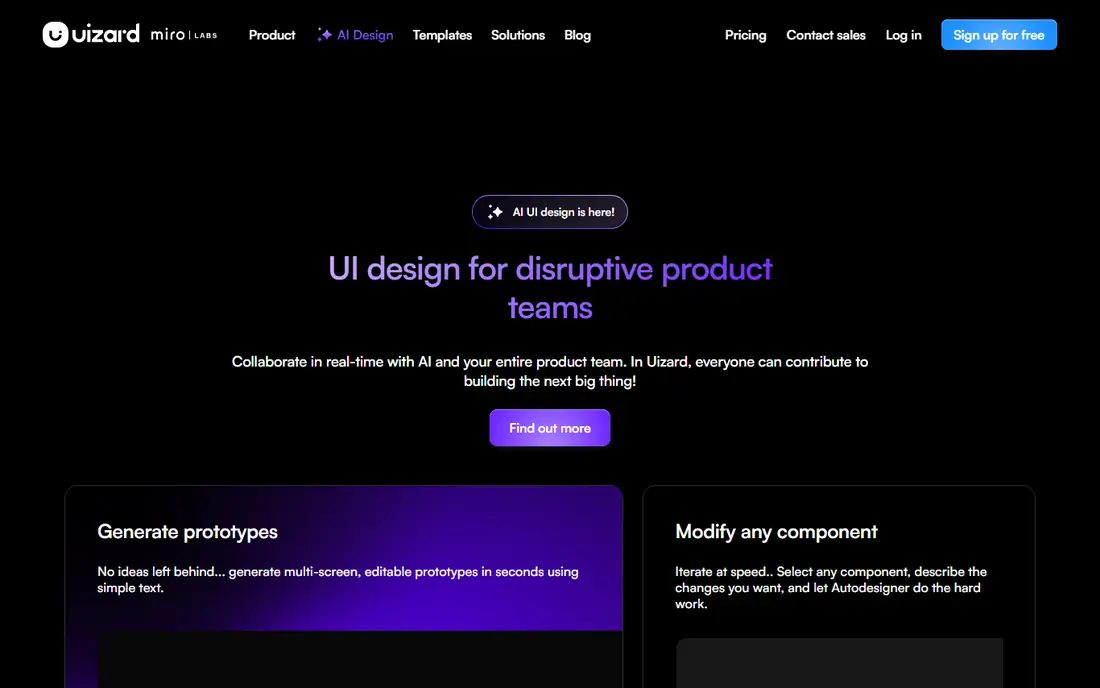
Uizard, now part of Miro, is built for people who are not designers. Type a prompt, upload a sketch or drop in a screenshot, and Uizard turns it into editable screens and a clickable prototype. That makes it ideal for product managers, founders and early-stage teams who need to test an idea before a designer is hired.
The trade is finish. Uizard output is good for ideation and user testing, but it is not a polished design system file ready for engineering. Paid plans start at 12 dollars per month, with a free tier for a small number of projects. For fast, early product exploration, Uizard is the easiest starting point on this list.
- Easy for product managers and founders
- Sketch and screenshot to UI
- Multi-screen prototypes
- Output needs polish for a design system handoff
- Paid plans start from a low project limit
Google Stitch is the successor to Galileo AI, and it is free in Google Labs as of 2026. Type a brief, pick a theme, and Stitch generates screens you can edit and export to Figma. That free entry point makes it a good test tool for teams that want to try prompt-to-UI without paying for another subscription.
As an experimental tool, Stitch has limits. Multi-screen flows lack the context that a full product design needs, and output still needs human polish. Availability and features may also change as Google develops the product. For free ideation and early screens, Stitch is hard to beat, but do not build a client workflow on an experimental tool alone.
- Free in Google Labs
- Prompt-to-UI with theme control
- Figma export
- Experimental product
- Multi-screen flows are limited
Framer turns a prompt into a live, published website, not just a static mockup. That makes it strong for landing pages, marketing sites and clickable prototypes that stakeholders can open in a browser. Output is polished enough for a real launch in many cases, and custom domains and CMS options support a full marketing site.
The limit is app complexity. Framer is weaker for multi-screen product flows with complex state and logic than a design tool paired with code generation. Pricing is per site, so a team with many projects should model the total. For a product team that needs a live prototype or marketing site fast, Framer is a strong pick.
- Prompt-to-published site
- Polished output for marketing and landing pages
- Custom domains
- Less suited to complex app flows
- Site-based pricing per project
v0 by Vercel turns chat prompts into React components and Next.js interfaces, with editable code output. That suits engineering-led product teams, since the output is working UI code, not just a picture of a screen. Teams can iterate by chat, adjust components, and ship the result inside a real codebase.
The focus is narrow by design. React and Next.js teams get the most value, while teams on other stacks will need to adapt the output. Paid plans start at 20 dollars per month, with a limited free tier. For a team that wants AI design output as code rather than as a design file, v0 is the clearest choice on this list.
- Chat-to-React components
- Editable code output
- Strong for engineering-led teams
- React and Next.js focus
- Non-React stacks get less value
Relume starts where many web projects start: the sitemap. Describe a site, get a sitemap, turn it into wireframes, and export to Figma or Webflow. That structure-first flow helps agencies and product teams plan a site before designing individual screens, and it keeps page structure consistent across a project.
Relume is web-focused, so native mobile app flows are less central than web pages. Custom design systems also need extra work to match generated wireframes to brand components. For a web product or marketing site where structure matters as much as individual screens, Relume planning flow is a real time saver.
- Sitemap to wireframe to Figma flow
- Webflow export
- Good for web project structure
- Web-focused, less suited to native app flows
- Custom design systems need extra work
UX Pilot is an AI design tool that works inside Figma, letting designers generate screens and revise them by chat without leaving their design file. That Figma-native flow suits product teams that already design in Figma and want AI for iteration, not for a separate tool. Revisions by chat make it easy to try layout changes quickly.
Output quality still depends on prompt quality, and the best results come from a designer who can direct revisions. Paid plans start at 16 dollars per month, with a free tier to test. For a Figma team that wants AI generation and revision in place, UX Pilot is a focused and affordable add-on.
- Works inside Figma
- Chat-based revisions
- Iterative UX workflows
- Output quality varies by prompt
- Figma dependency for full value
Adobe Firefly is the visual generation tool on this list, not a UI layout generator. It creates and edits images, illustrations and assets for product screens, with training and licensing designed for commercial use. That matters for teams that need to ship generated visuals to customers without unclear rights. Integration with Adobe apps helps designers bring assets into product work.
Firefly does not design app flows or generate screens on its own, so it pairs with Figma or another UI tool rather than replacing one. Standalone plans start at 9.99 dollars per month, with a free tier and credit limits. For product teams that need safe, on-brand visuals inside their designs, Firefly is the most defensible image choice.
- Commercially safe generation
- Adobe ecosystem integration
- Strong for imagery and assets
- Image tool, not a UI generator
- Credits limit heavy use
How we picked these
We compared official pricing pages, product documentation and public reviews for AI product design tools that are still available in October 2026. We favored tools with real generation output, editable results and a clear handoff path, and we excluded tools that had shut down or been folded into another product without a clear standalone offer. We mixed design-file tools, code tools and visual tools so the list fits different team types.
How to use AI design tools well
Use AI for the first draft, not the final design. Generate three or four directions for a screen, pick the strongest structure, and then have a designer fix hierarchy, spacing, accessibility and interaction details. Test the result with real users early, since a polished-looking AI screen can hide a confusing flow.
Check output rights and data use
Before using a tool for client or commercial work, check who owns the output, how prompts and uploads are used, and whether generated assets are safe to ship. Some tools train on user data by default, and some limit commercial use on free tiers. A short check of the terms page now avoids a rights problem later.
Pick by handoff, not by demo
Ask where the output goes next. If engineering builds in React, a code-output tool like v0 fits. If design owns the system in Figma, a Figma-native tool fits better. If marketing needs a live site, Framer fits. A beautiful demo that exports to a format your team cannot use will slow you down, not speed you up.
FAQ
What is the best ai tool for product design?
For most product teams, Figma with AI features is the safest base, since it keeps design, prototyping and handoff in one place. Uizard is best for non-designers and fast ideation, v0 is best for React code output, and Framer is best for live website prototypes. The right pick depends on whether your next step is a design file, code or a live site.
Can AI replace a product designer?
No, not for finished product work. AI tools speed up first drafts, wireframes and variations, but they still need a designer to fix layout, hierarchy, accessibility and interaction details. They also lack product judgment about user needs, business goals and edge cases. Treat AI as a drafting partner, not a replacement.
What is the best free ai tool for product design?
Google Stitch is free in Google Labs and gives prompt-to-UI screens with Figma export. Figma, Uizard, Framer, v0, Relume and UX Pilot also offer free tiers, but generation credits and project limits vary. Start free to test output quality on your own brief before paying.
How much do AI product design tools cost?
Paid plans generally run from 10 to 20 dollars per month for individual tools, with team seats and generation credits adding cost. Figma and Adobe pricing varies by plan and credits, so check your current plan before adding a new tool. A team using two or three AI tools should model the combined monthly total.
Is AI-generated design safe for commercial use?
It depends on the tool and the plan. Adobe Firefly is designed for commercial use, while other tools have terms that vary by plan and data use. Check ownership, training data and commercial rights on the vendor terms page, and avoid uploading confidential client material to a tool that trains on uploads.
What is prompt-to-UI design?
Prompt-to-UI design turns a text description into interface screens, wireframes or code. You describe the product, audience and key actions, and the tool generates a first draft you can edit. Good prompts name the user, the main task and the screens needed, rather than asking for a generic app.