8 Best AI Tools for Beginners in 2026
We compared the best ai tools for beginners on ease of use, free plans, and everyday tasks, so you can start with AI without confusion in 2026. for readers
- Editor's choice
 ChatGPT
General help, writing, ideas, and learning
Starts atFree, paid plans from See websiteVisit chatgpt.comFull review - Great alternative
 Claude
Long documents and careful writing
Starts atFree, paid plans from See websiteVisit claude.aiFull review - Also consider
 Gemini
People who already use Google apps
Starts atFree, paid plans from See websiteVisit gemini.google.comFull review
TL;DR:
- ChatGPT, Claude, and Gemini all work as a first general assistant, so pick the one whose style and free limits fit you best.
- Perplexity suits research with sources, while NotebookLM suits studying your own documents and notes.
- Canva suits design for non-designers, and Grammarly suits writing polish while you type.
- Microsoft Copilot suits people who already work in Word, Excel, and Outlook each day.
- Start with one assistant, use it daily for two weeks, then add a second tool only for a clear gap.
Quick comparison
| Tool | Best for | Starts at | Free plan? | |
|---|---|---|---|---|
| ChatGPT | General help, writing, ideas, and learning | Free, paid plans from See website | Yes | Visit |
| Claude | Long documents and careful writing | Free, paid plans from See website | Yes | Visit |
| Gemini | People who already use Google apps | Free, paid plans from See website | Yes | Visit |
 Perplexity | Research with linked sources | Free, paid plans from See website | Yes | Visit |
 NotebookLM | Studying your own notes, PDFs, and documents | Free | Yes | Visit |
 Canva | Design for people who are not designers | Free, paid plans from See website | Yes | Visit |
 Grammarly | Grammar, tone, and clarity while you write | Free, paid plans from See website | Yes | Visit |
 Microsoft Copilot | People who work in Microsoft 365 apps daily | Free, paid plans from See website | Yes | Visit |
The best AI tools for beginners
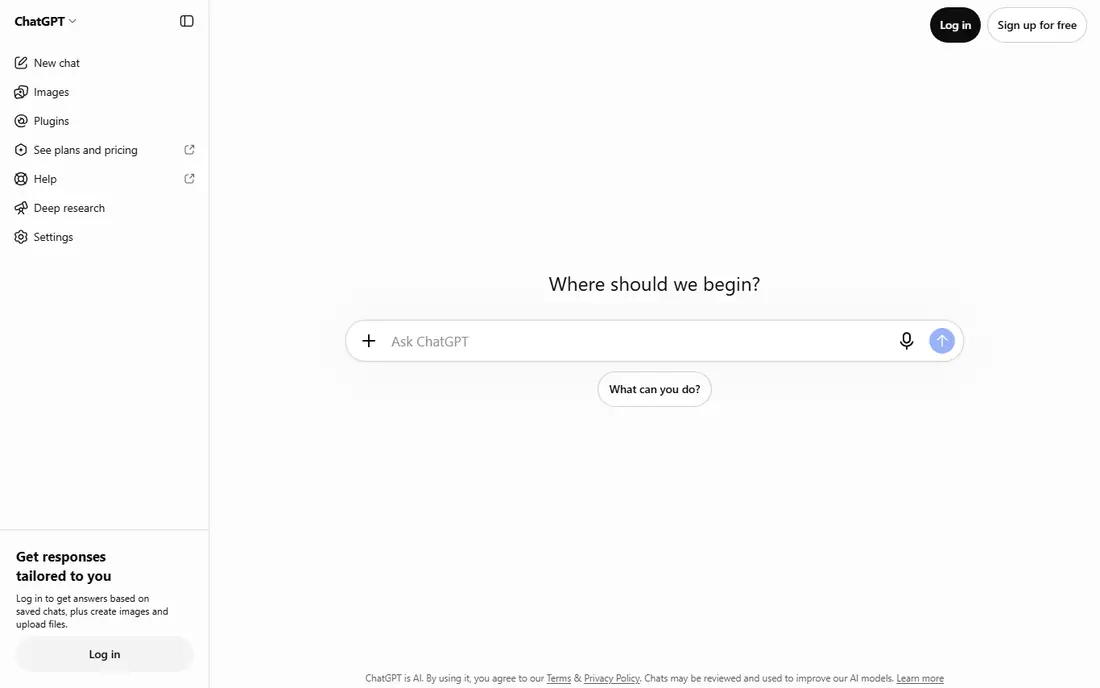
ChatGPT is the easiest first assistant for most beginners. Ask a question in plain language, get a draft, then ask follow-ups to improve it. It handles emails, outlines, explanations, and brainstorming in one chat window, which keeps learning simple.
Free use has limits on advanced models and features, and answers can include errors. Treat output as a draft, check key facts, and rewrite in your own voice. With that habit, ChatGPT becomes a daily helper rather than a source of confusion.
- Very flexible, conversational, image and voice options on supported plans
- Free limits apply, answers need fact-checking, quality varies by prompt
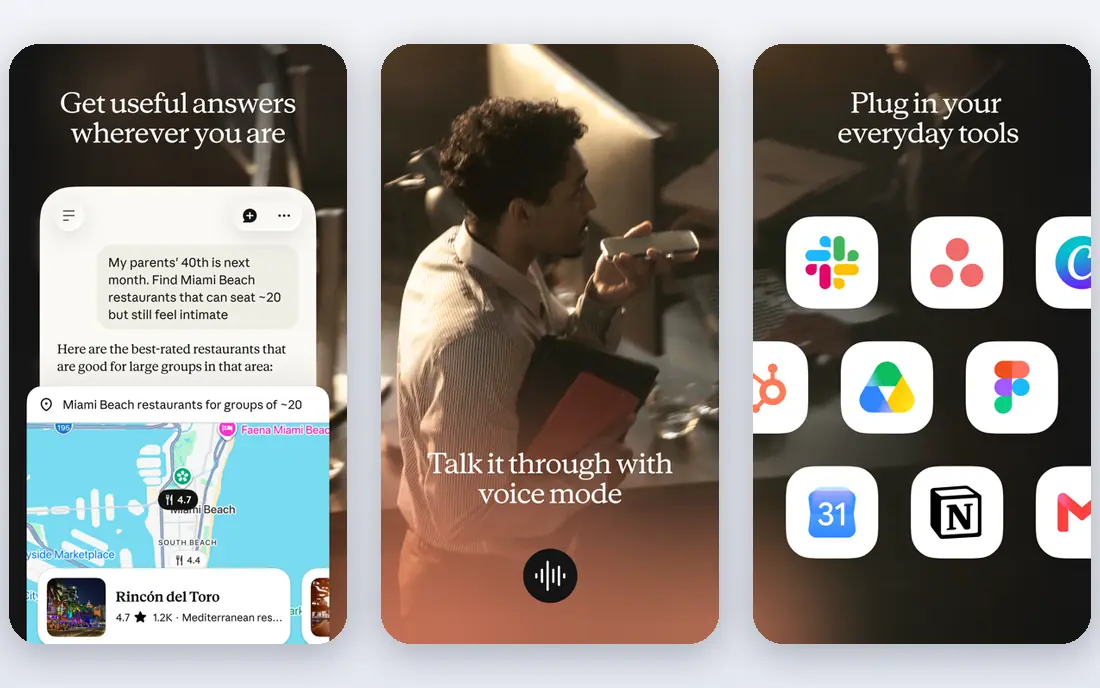
Claude suits readers and writers who work with longer text. Upload a report, ask for a summary, then ask questions about specific sections. The tone tends to be clear and measured, which helps for work emails and study notes.
It is less of an all-in-one app hub than some rivals, so users who want deep Google or Microsoft links may prefer Gemini or Copilot. For writing and document work, Claude is a strong, beginner-friendly second choice.
- Clear summaries, strong long-document handling, calm writing tone
- Free limits apply, fewer built-in app links than some rivals
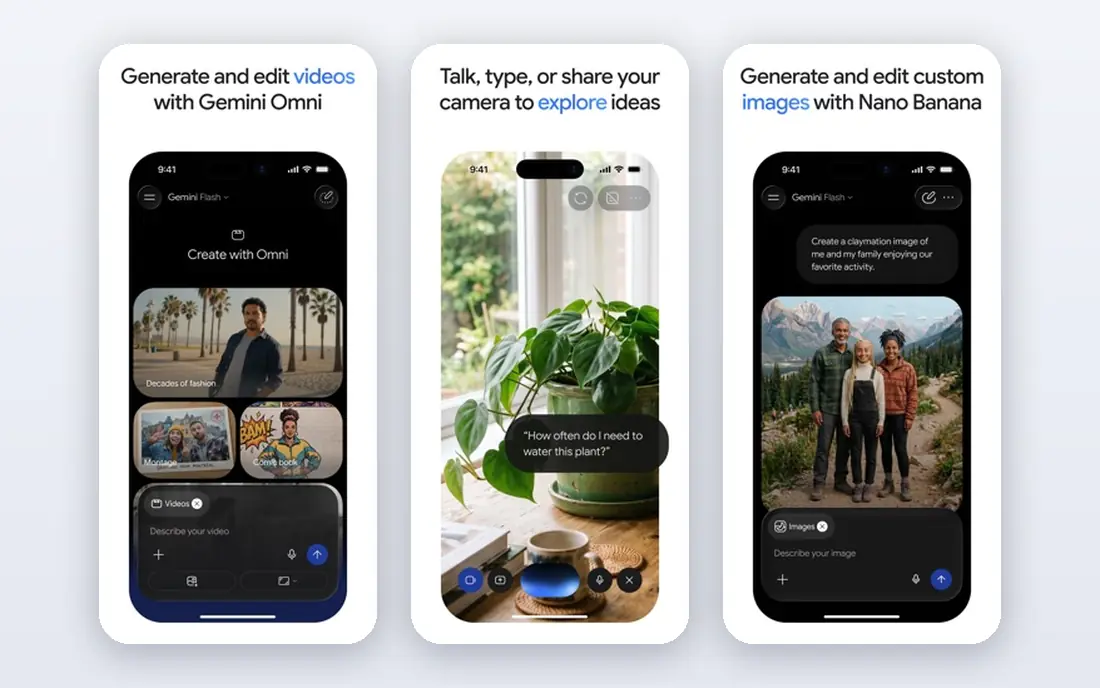
Gemini fits naturally if you live in Gmail, Docs, and Drive. You can ask for help with a doc, plan a trip, or brainstorm ideas without learning a new system. Image tools and research features add value for everyday tasks.
As with any assistant, verify facts and prices before you rely on them. If you do not use Google apps, ChatGPT or Claude may feel more neutral. For Google households, Gemini is the lowest-friction start.
- Google app links, image generation, research tools, simple chat start
- Free limits apply, answers need checking, Google account required
Perplexity answers questions with links to sources, which helps beginners learn to check claims. Ask about a product, a place, or a news topic, then open the cited pages to confirm. That habit builds trust in a way that a plain chat answer does not.
Free users get limited advanced searches per day, so save those for harder questions. Always open at least one source for important facts, since a citation does not guarantee the source is current or correct.
- Answers with citations, web search focus, follow-up questions
- Free Pro searches are limited, source quality still needs your judgment
NotebookLM is different from a general chatbot. You upload your own files, then ask questions that draw on those files. That makes it ideal for students, researchers, and small business owners who need to study manuals, reports, or class notes.
If you have no files to upload, a general assistant is a better start. With source material, NotebookLM reduces guesswork, since answers link back to your documents. Check the cited passages before you quote them.
- Works from your uploaded sources, summaries and Q and A, audio overviews on supported plans
- Needs a Google account, best value comes when you have source files to upload
Canva makes design feel doable. Pick a template for a poster, social post, or presentation, swap text and images, and export. AI tools can generate images, rewrite text, or resize a design for another format, all inside the same editor.
Free AI uses are limited, and brand kits sit on paid plans. For occasional posts and flyers, the free tier is enough. For regular business design, compare the paid plan cost with hiring help for key pieces.
- Templates for social, print, and video, AI image and text tools, easy drag and drop
- Free AI uses are limited, advanced brand tools need a paid plan
Grammarly works in the background while you type. It flags grammar, spelling, and clarity issues in email, docs, and web forms, so you learn as you write. Tone hints help when a message needs to sound more formal or more friendly.
It is not a substitute for judgment. Technical terms, brand names, and intentional style choices can trigger false flags. Accept suggestions that improve clarity, ignore those that change your meaning.
- Works in browser and docs, instant suggestions, tone hints
- Suggestions can be wrong for style or jargon, full AI features need paid plans
Microsoft Copilot suits office workers who already use Word, Excel, and Outlook. You can draft emails, summarize documents, and get help inside familiar apps, rather than switching to a separate chat tool. The free chat version covers general questions too.
Full document and meeting AI features sit on paid Microsoft 365 plans, so check what your work or school account includes. If you mainly use Google apps, Gemini is the closer match. For Microsoft households, Copilot saves switching time.
- Fits Word, Excel, Outlook, and Teams workflows, chat and document help
- Full 365 AI features need a paid plan, best value comes inside Microsoft apps
How we picked these
We compared official feature pages, pricing pages, app store listings, privacy policies, and public reviews. We kept tools that are available today, that offer a free plan or trial, and that a beginner can use without coding or design training. We favored ease of use, everyday value, and clear free limits, and we left out developer tools and complex pro platforms. We did not claim hands-on testing.
How to start with AI in two weeks
Pick one assistant and use it daily
Choose ChatGPT, Claude, or Gemini, and use it for one real task each day. Draft an email, summarize an article, or plan a week of meals. Daily use teaches prompting faster than reading guides.
Add tools only for a clear job
Add Perplexity when you need sources, NotebookLM when you have files to study, Canva when you need a design, and Grammarly when writing polish matters. Each tool should solve a job you already have, not a job you imagine.
Build a checking habit
Verify dates, prices, laws, and medical or financial claims in a second source. Keep private data out of prompts, save prompts that work well, and rewrite AI drafts in your own words. Those habits keep AI useful and safe.
Save examples that worked well
When an answer, draft, or design turns out well, save the prompt and the result in a notes app. That small library helps you repeat good results without starting from scratch each time. Over a month, those saved examples become a personal guide to what each tool does best for you.
FAQ
What is the best ai app for beginners?
ChatGPT is a strong default because it handles writing, ideas, and learning in one chat. Claude suits long writing, while Gemini suits Google users. Try one free assistant for a week, then keep the one you return to most.
Are AI tools free for beginners?
Many tools in this list offer free plans with limits, including ChatGPT, Claude, Gemini, Perplexity, NotebookLM, Canva, and Grammarly. Paid plans add higher limits and advanced features. Start free, then pay only for a tool you use weekly.
Can beginners use AI without coding?
Yes. All tools here work through chat, uploads, or drag-and-drop design, with no coding needed. Prompting is plain language, and templates guide most tasks. Coding tools exist, but beginners do not need them for everyday work.
Is it safe to paste personal data into AI tools?
Avoid pasting passwords, bank details, health records, or private client files unless you understand the privacy terms and need to do so. Use general examples instead, and check each tool privacy policy before you upload sensitive documents.
How do I write a good prompt as a beginner?
State the job, the audience, and the format you want, then give context. For example, ask for a short email to a client about a delayed delivery, in a polite tone. If the first answer misses, add detail and ask for a revision.
Sources
https://chatgpt.com https://claude.ai https://gemini.google.com https://www.perplexity.ai https://notebooklm.google.com https://www.canva.com https://www.grammarly.com https://copilot.microsoft.com