Best AI Tool to Create PowerPoint Presentation: 8 Tools Compared
Find the best AI tool to create PowerPoint presentation decks, from prompt-to-deck builders to AI inside PowerPoint and Google Slides, with export rules.
- Editor's choice
 Gamma
Fast prompt to deck creation
Starts atFreeVisit gamma.appFull review - Great alternative
 Beautiful.ai
On-brand corporate decks
Starts atSee websiteVisit beautiful.aiFull review - Also consider
 Canva
Visual decks inside a design suite
Starts atFreeVisit canva.comFull review
TL;DR:
- Gamma is the fastest prompt to deck tool, while Beautiful.ai is best for consistent corporate decks.
- PowerPoint export is not always on the free plan, so check export rules before you build a client deck.
- Tome is excluded because it shut down in April 2025, so older lists that still recommend it are out of date.
Quick comparison
| Tool | Best for | Starts at | Free plan? | |
|---|---|---|---|---|
| Gamma | Fast prompt to deck creation | Free | Yes | Visit |
| Beautiful.ai | On-brand corporate decks | See website | Free trial | Visit |
| Canva | Visual decks inside a design suite | Free | Yes | Visit |
 Pitch | Collaborative team decks with sharing | Free | Yes | Visit |
 SlidesAI | Text to slides inside Google Slides | Free | Yes | Visit |
 Plus AI | AI inside PowerPoint and Google Slides | See website | Free trial | Visit |
 Decktopus | Beginner friendly prompt to deck | Free | Yes | Visit |
 Microsoft Copilot in PowerPoint | AI inside PowerPoint for Microsoft 365 users | See website | No | Visit |
The best AI tools to create PowerPoint presentations
We left out Tome, which shut down in April 2025, and we only included tools that can still generate a deck and export it to PowerPoint or PDF today.
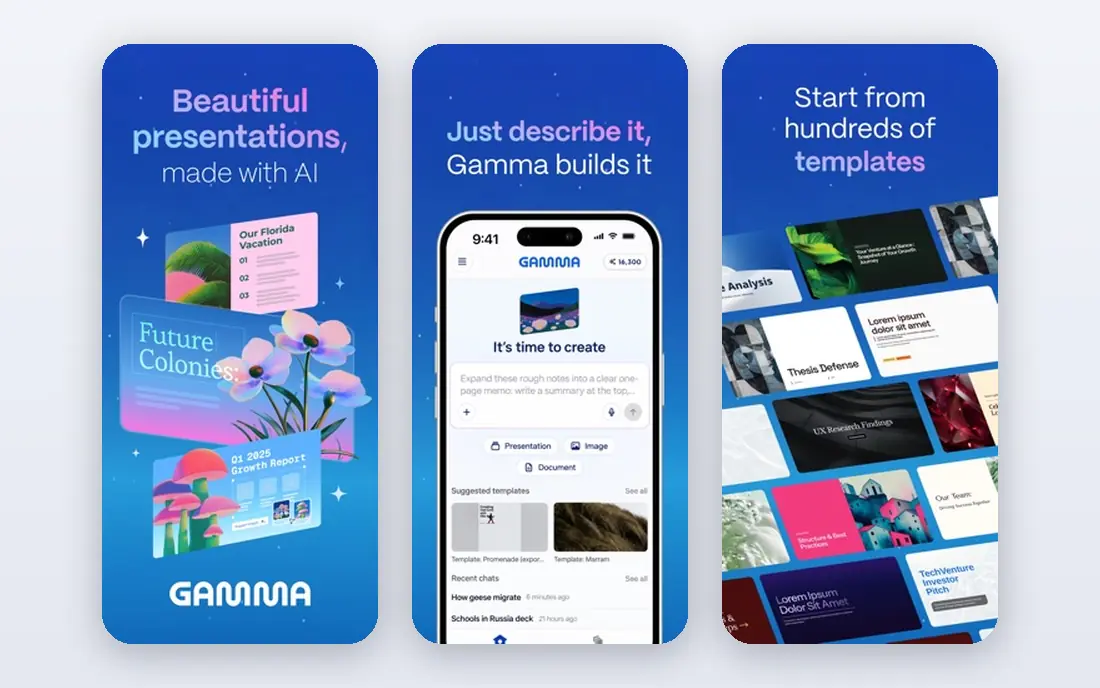
Gamma is the fastest route from an idea to a presentable deck, because you type a prompt or paste content and receive a structured, styled deck in under a minute. Web sharing adds interactivity and viewer analytics, which suits internal updates and client sharing. For a solo creator or a small team that needs decks often, that speed is a genuine advantage. The free tier runs on one-time credits rather than a monthly allowance, so heavy users will need a paid plan sooner than expected. PowerPoint export also sits on paid plans, so check that detail before you promise a client a .pptx file. Choose Gamma when speed and web sharing matter most.
- Fast generation from a prompt or document
- Web sharing with analytics
- PDF and PPT export on paid plans
- Free tier uses one-time credits
- PPT export needs a paid plan

Beautiful.ai is the corporate pick, because its Smart Slides adjust layout automatically as you add or remove content, so slides stay balanced without manual fiddling. Team plans enforce brand colours, fonts, and layouts, which helps large teams produce consistent decks. Consultants and corporate teams will value that discipline. There is no permanent free plan, only a trial, and the design system can feel restrictive for creative work that needs a freeform layout. Team pricing is also higher than solo tools. Pick Beautiful.ai when consistency across many authors matters more than creative freedom.
- Smart Slides that rebalance as you edit
- Team brand controls
- PPT and PDF export
- No free plan, only a trial
- Less flexible for creative, freeform design
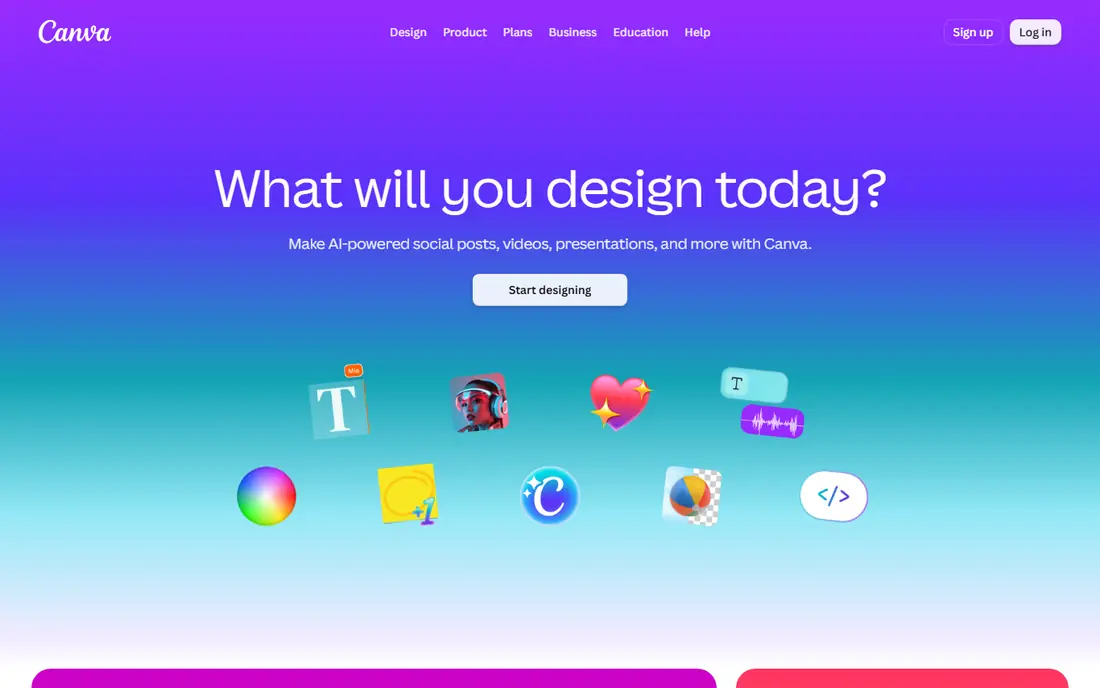
Canva suits teams that already design in Canva, because AI presentation help sits alongside templates, images, and brand kits in one account. You can move from a social post to a deck without learning a new tool, and export to PowerPoint or PDF is straightforward. For visual-first decks, the template range is a real strength. AI generation is less narrative driven than Gamma, so you may need to shape the story yourself. Free AI uses are limited each month, and premium elements need a paid plan. Choose Canva when your deck lives inside a wider design workflow.
- Huge templates
- AI design help
- PPT and PDF export including on free plans for many files
- AI uses limited on free plan
- Deck structure is less narrative than Gamma
Pitch is built for teams that share decks by link and want to know who viewed them. Collaboration, comments, and analytics sit at the centre, which suits startups and sales teams that iterate on a pitch deck together. The free plan is useful for a small team testing the workflow. Free exports carry Pitch branding, and PowerPoint export needs a paid plan, so budget for that if .pptx delivery is required. Design control is also more structured than Canva. Pick Pitch when team sharing and analytics are central to your deck workflow.
- Team collaboration and link sharing
- Analytics on shared decks
- PPT export on paid plans
- Free plan includes Pitch branding on exports
- PPT export needs a paid plan
SlidesAI is the simplest pick for Google Workspace users, because it turns pasted text into a Google Slides deck you can edit in the familiar Slides editor. Teachers, students, and small teams who already live in Google Drive will find the workflow natural. The free plan covers a limited number of presentations per year, which is enough to test it properly. Design range is narrower than Gamma or Canva, and you will still need to polish slides for a high stakes presentation. Paid plans raise the presentation limit and add features. Choose SlidesAI when Google Slides is your required destination.
- Turns text into Google Slides decks
- Simple workflow for Workspace users
- PDF export
- Design options narrower than Gamma or Canva
- Higher limits need a paid plan
Plus AI is different from the standalone builders here, because it works inside PowerPoint and Google Slides rather than asking you to learn a new editor. You can generate a deck, rewrite a slide, or reformat existing content while staying in the file your company already uses. For corporate users with strict file requirements, that native fit matters. There is no permanent free plan, only a trial, and per user pricing adds up for large teams. It also depends on the host app, so a team that does not use PowerPoint or Slides gains less. Pick Plus AI when the deliverable must stay a real .pptx or Google Slides file.
- Generates and edits slides inside PowerPoint or Google Slides
- Keeps your existing files and workflow
- No free plan, only a trial
- Per user pricing adds up for large teams
Decktopus suits beginners and solo founders who want a guided path from a prompt to a finished deck without design decisions at every step. The workflow asks for your topic and audience, then builds a structured deck you can edit. For a first pitch or a class presentation, that guidance removes a lot of blank page anxiety. Template and brand depth are narrower than Canva or Beautiful.ai, and advanced teams may outgrow it quickly. Check which export options sit on each plan before you rely on PowerPoint delivery. Choose Decktopus when simplicity and speed beat deep customisation.
- Prompt to full deck in minutes
- Guided workflow for beginners
- PPT and PDF export
- Smaller template and brand range than Canva
- Advanced teams may outgrow it
Microsoft Copilot in PowerPoint
Best for: AI inside PowerPoint for Microsoft 365 users
Microsoft Copilot in PowerPoint is the natural pick for companies already standardised on Microsoft 365, because AI generation, rewriting, and summarising happen inside the PowerPoint file itself. It can draw on your documents where your admin permits, and enterprise controls fit IT requirements that standalone tools struggle to meet. For regulated teams, that native position is decisive. Cost is the drawback, since Copilot needs an eligible Microsoft 365 plan plus an add-on or bundle, priced per user. Small teams without Microsoft 365 will find Gamma or Canva far cheaper. Pick Copilot when PowerPoint native delivery and company IT rules lead the decision.
- Native PowerPoint generation and rewriting
- Uses your documents and company data where permitted
- Enterprise controls
- Needs an eligible Microsoft 365 plan plus a Copilot add-on or bundle
- Cost adds up per user
How we picked these
We compared official pricing, free plans, export options, and AI generation features for presentation tools that work in October 2026. We checked whether PowerPoint export is included on free plans, whether a free tier uses one-time credits or a monthly allowance, and whether the tool works inside PowerPoint, Google Slides, or as a standalone builder. Tools that have shut down, including Tome, were excluded.
Getting a PowerPoint file you can actually present
Decide the final file format first
A web deck, a PDF, and a .pptx file are different deliverables, even if they start from the same prompt. If a client or a conference requires PowerPoint, choose a tool that exports .pptx on a plan you can afford, such as Plus AI, Microsoft Copilot, or a paid Gamma or Pitch plan. Building a beautiful web deck and then discovering export is blocked is a frustrating waste of time.
Treat AI output as a first draft
AI decks often include generic claims, invented statistics, or images that do not match your message, so check every slide before you present. Replace vague wording with your own numbers, verify any facts the AI added, and cut slides that repeat the same point. A short, honest deck beats a long, polished deck full of filler.
Keep branding and readability in check
Use your brand colours and fonts where the tool allows, keep text short on each slide, and test the deck on the screen size you will present on. Small text that looks fine on a laptop can be unreadable in a meeting room. Export a PDF backup as well as the .pptx file, in case fonts or layouts shift on another computer.
FAQ
What is the best AI tool to create a PowerPoint presentation?
Gamma is the best overall pick for speed, thanks to fast prompt to deck generation and web sharing. Beautiful.ai suits corporate teams that need consistent, on-brand decks, while Plus AI and Microsoft Copilot suit users who must deliver a native PowerPoint file. Canva is the best choice if you already design in Canva.
Can AI tools export to PowerPoint?
Yes, most tools here export to PowerPoint, but the plan matters. Gamma and Pitch require paid plans for .pptx export, while Canva exports to PowerPoint on many plans. Plus AI and Microsoft Copilot work inside PowerPoint itself, so the file is native from the start.
Is there a free AI presentation maker?
Yes, Gamma, Canva, Pitch, SlidesAI, and Decktopus all offer free plans, though AI uses, credits, and export options are limited. Beautiful.ai, Plus AI, and Microsoft Copilot use trials or paid plans instead. Test export and watermark rules on the free plan before building an important deck.
Is Tome still available?
No, Tome shut down in April 2025, so it should not appear on a current best list. Older articles that still recommend Tome are out of date. Gamma, Beautiful.ai, Canva, and Pitch are the current alternatives for most Tome use cases.
Will AI replace my presentation work entirely?
No, AI handles the first draft and layout well, but your message, numbers, and judgement still decide whether a deck persuades anyone. Use AI to save formatting time, then edit the story, verify facts, and practise delivery. A deck that sounds generic usually means the human edit was skipped.