8 Best AI Tools for Resume Building in 2026
We compared the best ai tool for resume building for ATS scoring, AI writing and pricing, so you can pick a builder that fits your search in October 2026.

- Editor's choice
 Teal
Job seekers managing many applications
Starts at$29 per monthVisit tealhq.comFull review - Great alternative
 Rezi
ATS scoring against a specific job posting
Starts at$29 per monthVisit rezi.aiFull review - Also consider
 Kickresume
Designed templates on a budget
Starts at$24 per monthVisit kickresume.comFull review
TL;DR:
- Teal and Kickresume give the most useful free starting points, with unlimited resumes on their free tiers and paid AI help when you need it.
- Rezi and Jobscan are the strongest picks when a specific job posting matters, because they score a resume against the wording in that posting.
- Enhancv and Novoresume suit candidates who want a polished, readable layout without turning a resume into a design project.
- Check the export format before you pay, since some builders only give a plain text file for free and charge for PDF or Word downloads.
- A good AI draft still needs your own editing, so keep numbers, job titles and dates accurate and in your own voice.
Quick comparison
| Tool | Best for | Starts at | Free plan? | |
|---|---|---|---|---|
| Teal | Job seekers managing many applications | $29 per month | Yes | Visit |
| Rezi | ATS scoring against a specific job posting | $29 per month | Yes | Visit |
| Kickresume | Designed templates on a budget | $24 per month | Yes | Visit |
 Enhancv | Visual resumes for senior and creative roles | $24.99 per month | Trial | Visit |
 Jobscan | Finding keyword and skills gaps against a posting | $49.95 per month | Yes | Visit |
 Novoresume | Clean one page resumes | $23.99 one time | Yes | Visit |
 Resume.io | Fast guided building for first time writers | $29.95 per month | Yes | Visit |
 Zety | Step by step writing help with many examples | $25.95 per 4 weeks | Trial | Visit |
The best AI tools for resume building

Teal works best as a job search hub rather than a single document maker. You can build unlimited resumes, save postings from major job boards with its Chrome extension, and track each application in one place. That structure helps when you are applying to ten or more roles at once, since each version stays tied to the job it was made for. The paid plan adds unlimited AI generation, a match score against saved postings, and readability checks. The trade-off is that the free AI allowance runs out quickly if you rewrite many bullets. Templates are clean and professional, but they are less varied than those from Kickresume or Enhancv. Teal is still the pick we would start with for an active search, because the tracker alone saves time and the free builder is genuinely usable without paying first.
- Unlimited resumes and job tracking on the free plan, Chrome extension for saving jobs
- AI credits are limited on the free plan, template choice is narrower than design-led rivals
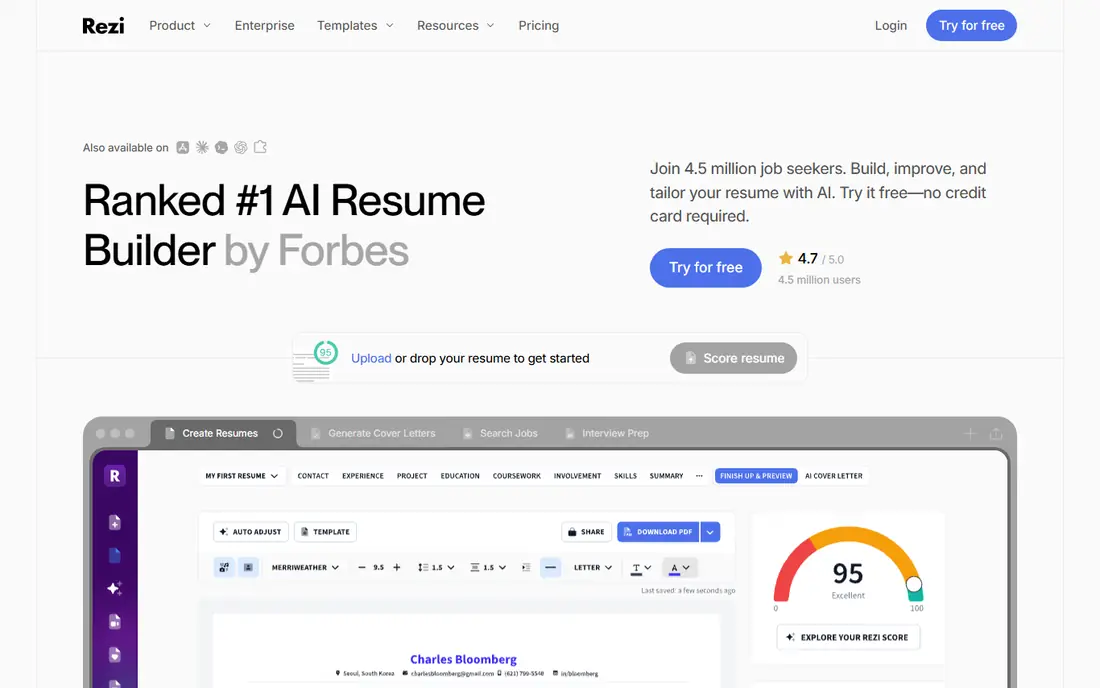
Rezi focuses on one job: getting a resume past automated screening and in front of a person. You paste a job description, and Rezi scores your resume against it, points out missing keywords, and suggests edits in real time. That feedback loop is useful when you are targeting a narrow set of roles and want each application tailored rather than generic. The lifetime plan, listed at $149, can also make sense if you expect a long search. The free plan is tight, with one resume and three PDF downloads, so treat it as a trial rather than a long term home. Design choice is also limited compared with visual builders. If your main worry is screening software rather than layout, Rezi earns its place near the top of this list.
- Real time scoring against a pasted job description, lifetime plan option
- Only one resume on the free plan, design options are limited
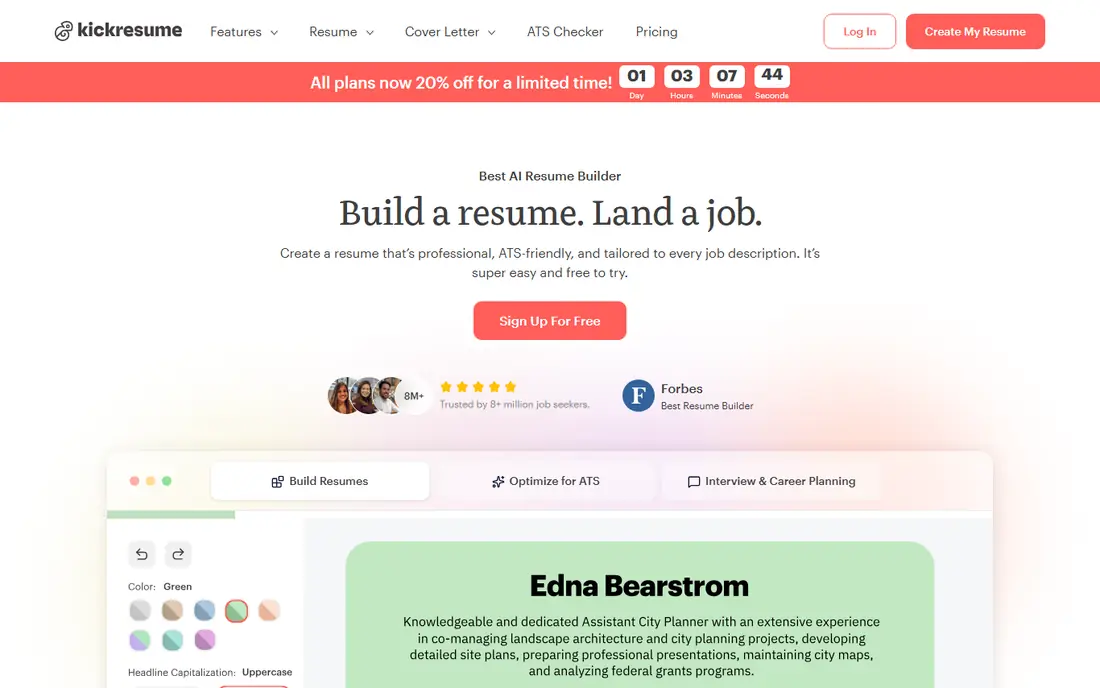
Kickresume is the easiest way to get a resume that looks considered without hiring a designer. It offers more than 40 templates, a large library of prewritten phrases, and cover letters that match your chosen design. The AI writer can draft a full resume from a job title, which helps when you are staring at a blank page. Annual billing brings the cost down to about $8 per month, which is strong value for the design range. Free users get four basic templates for resumes and cover letters, with unlimited downloads, which is more generous than most rivals. The catch is that the deeper AI tools and the full template set need a paid plan. Kickresume suits applicants who care about presentation and want a coordinated set of documents for each application.
- Many templates, matching cover letters, unlimited free downloads on basic templates
- Best AI features sit behind the paid plan, monthly price is higher without annual billing
Enhancv stands out for people whose story does not fit a plain list of jobs. It offers sections for achievements, skills graphs, and short narrative blocks, which help senior managers, marketers, and creative candidates show impact rather than duties alone. The layouts look modern without feeling gimmicky, and the AI suggestions help turn vague duties into clearer accomplishment statements. The main drawback is access. There is no lasting free plan, only a trial, and some export options sit behind higher tiers. That makes Enhancv harder to recommend as a casual try-before-you-buy option. It is worth the cost when the visual impression matters and you have a clear career story to tell.
- Distinctive section types for achievements and skills, strong visual layouts
- No lasting free plan, only a 7 day trial, Word export is limited on lower tiers
Jobscan takes a diagnostic approach. Instead of starting with a template, it compares your resume with a job description and shows which skills, keywords, and phrases are missing. That report is often more useful than a generic score, because it tells you exactly what to change. It also checks LinkedIn profiles, which matters when recruiters find you before you apply. The price is the highest in this group, so Jobscan makes most sense during a focused sprint on high priority roles rather than as a year round subscription. The resume builder itself is functional but plain. Use Jobscan when you already have a solid resume and need to sharpen it for specific postings.
- Detailed match reports, LinkedIn profile checks, five free scans per month
- Highest monthly price here, builder is less design focused than rivals
Novoresume is built around restraint. Its editor helps you fit a strong resume onto one page, which is still the right length for most early and mid career applicants. The layouts are simple, well spaced, and designed to parse cleanly in applicant tracking systems. A one time premium purchase, rather than a rolling subscription, is a welcome change for people who dislike monthly bills. Template variety is smaller than at Kickresume or Enhancv, and the free plan covers a single page basic resume. That focus is also its strength. If you tend to overwrite, or your resume has grown to two crowded pages, Novoresume will force the edits that matter most.
- Strict one page layout help, ATS safe formatting, one time purchase option
- Fewer templates than Kickresume, premium features are limited on the free tier
Resume.io is the fastest route from blank screen to finished document in this group. The guided flow asks for each section in turn, suggests role specific wording, and keeps formatting consistent as you go. Most users can finish a presentable resume in about twenty minutes, which helps when a deadline is close. Templates are clean and cover most industries. The free plan is limited in one important way. You can build for free, but the free download is a plain text file, and PDF or Word exports need payment. The trial also converts to a monthly plan, so set a reminder if you only need a short spell. Resume.io is best for first time writers who want guidance more than advanced AI analysis.
- Very fast setup, clear step by step flow, many templates
- Free export is text only, trial converts to a monthly plan if you forget to cancel
Zety guides you through each section with examples drawn from real roles, which helps when you know what you did but struggle to phrase it. The wizard suggests bullet points, checks your resume score as you go, and offers templates that stay readable for screening systems. That hand holding is useful for career changers and recent graduates. Like Resume.io, Zety lets you build for free but charges for a formatted download, and billing runs every four weeks rather than monthly, so check the total over a year. Zety is a solid choice if you want writing prompts at every step and do not mind paying for the final file.
- Thousands of bullet examples, guided wizard, resume score
- Free creation does not include a formatted download, billing runs every four weeks
How we picked these
We compared official feature pages, pricing pages, app store listings, privacy policies, and public reviews for each tool. We looked for tools that still work in October 2026, offer a usable free tier or trial, export to PDF or Word, and tailor content to a job description rather than only changing fonts. We favored tools with clear pricing and a real export path, and we left out tools that only reformat text or hide all downloads behind a paywall with no trial. We did not claim hands-on testing that did not happen. Prices change, so check the vendor site before you pay, and read the cancellation terms on any trial.
What to check before you choose
Start with the job, not the template
A striking design will not fix a resume that misses the skills in the posting. Pick two or three target postings, list the repeated skills and tools, and make sure those words appear in your experience bullets where they are true. Use an AI tool to suggest phrasing, then rewrite each bullet in your own words and add a result or number where you can. Recruiters and screening systems both respond better to specific outcomes than to lists of duties.
Check formatting for screening systems
Simple layouts parse best. Avoid tables, text boxes, graphics with embedded text, and unusual fonts in the version you submit through a portal. Save a designed version for email or a portfolio link, and submit a clean single column version to applicant tracking systems. Export to PDF only when the posting asks for it, and keep a Word version ready, since some systems parse Word files more reliably.
Watch trial and billing terms
Several builders in this group use short trials that convert to paid plans. Before you start a trial, note the end date, the renewal price, and whether billing is monthly or every four weeks. If you only need one resume, a one time purchase or a single month is usually cheaper than a year of a tool you stop using. Cancel as soon as the search sprint ends, and keep your exported files somewhere safe.
Keep your data private
Resume builders hold sensitive details, including your work history, contact details, and sometimes salary history. Read the privacy policy before you upload a full resume, and avoid pasting identity numbers, home addresses, or references with personal contact details into any tool. Use a professional email address, and remove personal data from drafts you no longer need.
FAQ
What is the best ai app for resume building if I am applying to many jobs?
Teal is a strong starting point, because it pairs unlimited resumes with a job tracker and a browser extension for saving postings. Kickresume is also useful if you want a fresh design for each application. Choose Teal when organisation matters most, and Kickresume when presentation matters most.
Are the best ai tools for resume building good for ATS screening?
Rezi and Jobscan are the most focused on screening, because they compare your resume directly with a job description and show gaps. Novoresume and Teal also use ATS safe layouts. No tool can guarantee a pass, since employers set their own filters, so tailor each version and keep the format simple.
Can I build a good resume for free with AI help?
Yes, up to a point. Teal and Kickresume offer usable free builders, and Jobscan gives five free scans per month. Free AI credits are usually limited, so expect to do some writing yourself. Check whether the free download is a formatted PDF or only plain text before you invest time in a template.
Should I let AI write my whole resume?
We would not recommend it. AI is good for first drafts, stronger verbs, and keyword suggestions, but it can invent duties or soften real achievements. Use it to draft, then edit every line for accuracy, add real numbers, and read the result aloud. A resume that sounds like you will hold up better in an interview.
How long should my resume be?
One page suits most early and mid career applicants, and two pages can work for senior roles with long, relevant histories. Novoresume is helpful if you need to cut down to one page. Focus on the last ten to fifteen years, and leave off short or unrelated roles unless they show a skill the posting asks for.
Do I need a cover letter as well?
A short, tailored cover letter still helps when the posting asks for one or when you are changing fields. Kickresume and Teal both support matching cover letters. Keep it to three or four short paragraphs, name the role, and explain one or two results that fit the job, rather than repeating the resume.
Sources
https://www.tealhq.com https://www.rezi.ai https://www.kickresume.com https://www.enhancv.com https://www.jobscan.co https://www.novoresume.com https://www.resume.io https://www.zety.com