Best AI Tool for Research Papers in 2026: 9 Tools Compared
Looking for the best ai tool for research papers? We compared 9 legitimate tools for search, synthesis, and citation checks for students and researchers.
- Editor's choice
 Elicit
Structured literature tables
Starts atSee websiteVisit elicit.comFull review - Great alternative
 Consensus
Evidence backed answers
Starts at$12 per monthVisit consensus.appFull review - Also consider
 Scite
Smart citation checking
Starts at$12 per monthVisit scite.aiFull review
TL;DR:
- Elicit is our pick for structured literature extraction, while Consensus is best for fast evidence backed answers to a research question.
- Scite is the best citation checker on this list because it shows whether later papers support or contrast a claim.
- ResearchRabbit and Semantic Scholar are free starting points for discovery, and they pair well with one paid synthesis tool.
- Generated text must be checked against the original papers and cited properly, and it should never be submitted as is.
- Prices changed often in 2026, so confirm the current plan on each vendor site before you pay, especially for student budgets.
Quick comparison
| Tool | Best for | Starts at | Free plan? | |
|---|---|---|---|---|
| Elicit | Structured literature tables | See website | Yes | Visit |
| Consensus | Evidence backed answers | $12 per month | Yes | Visit |
| Scite | Smart citation checking | $12 per month | Free trial | Visit |
 Semantic Scholar | Free paper search | Free | Yes | Visit |
 ResearchRabbit | Citation network discovery | Free | Yes | Visit |
 SciSpace | Paper reading copilot | $12 per month | Yes | Visit |
 Litmaps | Citation timelines and maps | $10 per month | Yes | Visit |
 Connected Papers | Visual field mapping | $3 per month | Yes | Visit |
 Scholarcy | Summary cards from papers | $9.99 per month | Yes | Visit |
The best AI tools for research papers
These tools search real paper databases, summarize findings, map citations, or extract data into tables. They are research aids, not authors. We compared official feature pages, pricing pages, and public reviews, and we list only legitimate tools.

Elicit is the strongest tool here for turning a pile of papers into a structured table. You ask a research question, add custom columns for methods, sample size, outcomes, or limitations, and Elicit extracts comparable data across papers. That structure saves hours in a systematic review or a thesis literature chapter, where consistent columns matter more than a single paragraph summary.
Pricing is the main thing to verify. Recent comparisons list Elicit Pro around $49 per month billed yearly, with lower Plus tiers reported earlier in 2026, so check the current pricing page before you budget. The free Basic plan is useful for a small project, but larger reviews will need a paid plan and careful checking of every extracted cell against the source paper.
- Custom extraction columns for systematic reviews
- Large paper database
- Exports for screening and review work
- Paid pricing changed several times in 2026
- Learning curve for complex extraction setups
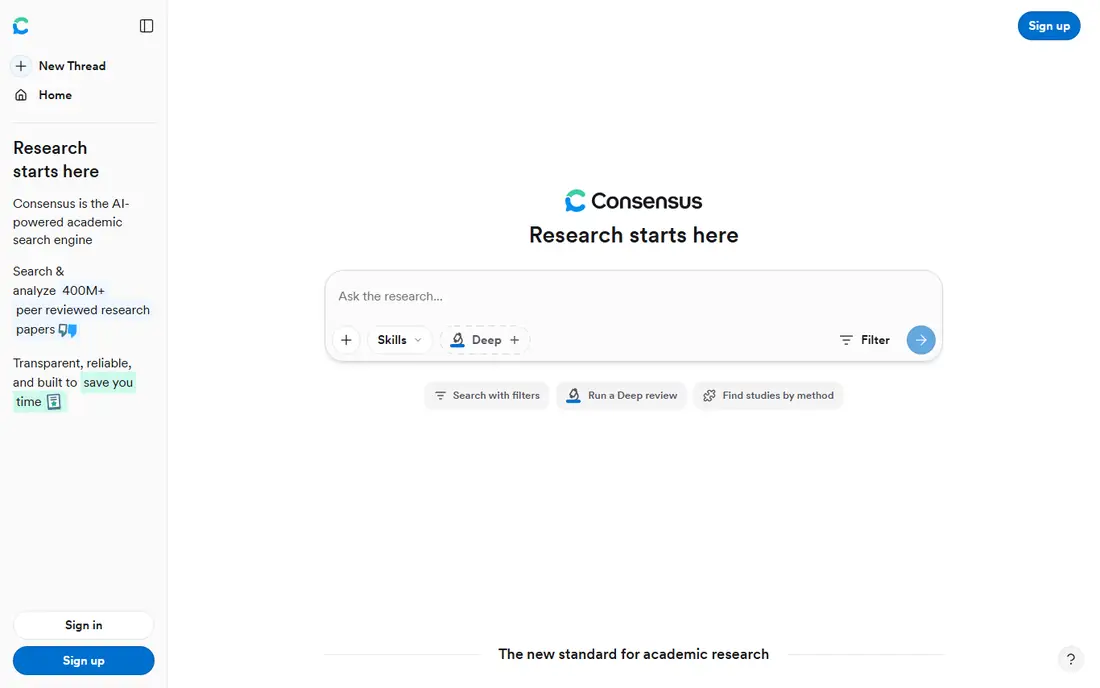
Consensus answers a plain language research question with a synthesis drawn from peer reviewed papers, plus a Consensus Meter that shows how many studies lean yes, no, or mixed. That format is ideal when you need a quick orientation, such as whether evidence supports a treatment, a policy, or a teaching method. Free searches cover basic use, and Pro has been listed around $12 per month billed yearly.
The tool is less useful for deep extraction tables or for topics with few published papers, where a synthesis can look stronger than the evidence warrants. Always open the cited papers and check study quality, sample size, and date before you rely on a Consensus answer in your own writing.
- Consensus Meter shows agreement across studies
- Fast synthesized answers with citations
- Generous free search tier
- Weaker on very niche topics
- Less strong on structured extraction than Elicit

Scite does one job better than any other tool here: it shows how later papers cite a given paper, and whether those citations support, mention, or contrast the original claim. That context helps you avoid citing a paper that later work overturned, and it helps you find the strongest evidence for or against a position. A 7 day trial is available, and Basic has been listed around $12 per month billed yearly in recent comparisons, though other sources list higher rates, so verify on the vendor site.
Scite is not a writing tool, and it will not draft your literature review. Pair it with Elicit or Consensus for synthesis, then use Scite to verify the key citations in your draft. Many universities offer library access, so check that route before paying personally.
- Smart Citations classify supporting and contrasting evidence
- Large citation database
- Useful for checking a claim before you cite it
- No narrative synthesis like Consensus
- Price can feel high for students without library access
Semantic Scholar is the free starting point every researcher should know. It indexes a very large paper collection, offers short TLDR summaries, and recommends related papers based on your library. It is also the database behind several tools on this list, which tells you how central it is to research search.
The limit is workflow. Semantic Scholar does not build extraction tables or draft syntheses, so you will still need Elicit, Litmaps, or a reference manager for the next step. For search and discovery alone, though, it is hard to beat, and it costs nothing.
- Free access to a large paper index
- TLDR summaries and recommendations
- API for research workflows
- No extraction tables
- No deep AI synthesis workflow
ResearchRabbit turns a collection of seed papers into a visual network of related work, authors, and citations. You add papers you already like, and it recommends earlier, later, and similar papers you may have missed. That visual approach helps you spot clusters, missing strands, and authors who publish often in your area.
It does not synthesize findings or extract tables, and a paid ResearchRabbit Plus tier has been reported, so check current pricing if you need extra features. The core discovery features remain free in recent comparisons. Pair ResearchRabbit with Semantic Scholar for search and Elicit for extraction, and you have a strong low cost research stack.
- Free visual citation networks
- Good recommendations from a seed collection
- Useful for finding gaps in a literature search
- No AI synthesis
- Interface takes time to learn
SciSpace is best when you are already reading a paper and need help understanding it. Its copilot can explain a dense method section, a formula, or a table, and it can compare papers in a review matrix. That reading help is valuable for students moving into a new field, where jargon and methods slow down every page.
Free use is limited, and Premium has been listed around $12 per month billed yearly in recent comparisons. Treat every AI explanation as a draft, not a fact. Open the relevant section of the paper, confirm the claim, and cite the paper itself, not the copilot output.
- Interactive copilot for reading PDFs
- Explains formulas and methods in plain language
- Review matrices for comparison
- Paid pricing varies by plan
- AI explanations still need checking against the paper
Litmaps maps how citations connect over time, so you can see when a topic took off, which papers became central, and where later work diverged. That timeline view helps with a thesis introduction or a grant background section, where you need to tell the story of a field, not just list papers. A free map tier is available, and Pro has been listed around $10 per month.
The free allowance is small, so a large project will need a paid plan. Litmaps is also a discovery and mapping tool, not a citation checker like Scite. Use it to plan your reading, then verify key claims with Scite and the original papers.
- Chronological citation maps show how a field developed
- Real time monitoring options
- Good for gap spotting
- Free map limits are small
- Less strong for single paper deep reading
Connected Papers builds a similarity graph from a single seed paper, showing prior work and derivative work in clusters. It is the fastest way to answer a simple question: what else is close to this paper, and what came before and after it. Free graphs are limited each month, and a paid plan has been listed around $3 per month billed yearly.
That low price makes it an easy add on to a free stack of Semantic Scholar and ResearchRabbit. The graph shows similarity, not quality, so a large cluster does not mean strong evidence. Read the papers in a cluster before you cite them, and use Scite to check how they were received.
- Very low paid price
- Clear similarity graphs from one seed paper
- Quick way to map a field
- Small free allowance
- No synthesis or extraction features
Scholarcy turns a paper into a structured summary card with key findings, methods, limitations, and references. That format helps when you need to triage dozens of papers quickly and decide which ones deserve a full read. A free tier covers a limited number of summaries per day, and paid plans have been listed around $9.99 per month.
Summary quality depends on the paper layout, and some cards need correction, especially for complex methods or tables. Use Scholarcy for triage and note taking, not as a replacement for reading the papers you actually cite. For a full systematic review, Elicit tables remain stronger.
- Structured summary flashcards from PDFs
- Good for quick triage of many papers
- Export options for review work
- Quality varies with paper format
- Less strong for full literature synthesis
How we picked these
We compared official feature pages, pricing pages, and public reviews for AI research tools that draw on real paper databases and are actively available in October 2026. We excluded general chatbots that generate references without a paper database, and we favored tools with a distinct job, from search and discovery to synthesis, citation checking, and extraction. We did not claim hands on testing. We weighed database coverage, citation handling, export options, price, and how clearly each tool shows its sources.
Using AI research tools honestly
AI tools can speed up search and drafting, but they do not remove your responsibility for accuracy. Every generated summary, table cell, and citation must be checked against the original paper before you use it. If a tool invents a reference or misstates a finding, that error becomes yours the moment you submit it.
Cite the paper, not the tool output
Cite the original peer reviewed paper for any claim in your writing, and follow your university or journal rules on disclosing AI use. Do not submit generated text as is, and do not present an AI summary as if you read a paper you did not read. Use the tool to find and organize papers, then read the key sections yourself and write in your own words.
Build a checking routine
For each paper you cite, confirm the authors, year, journal, and main finding in the source PDF or publisher page. For contested claims, check Scite for supporting and contrasting citations. Keep a note of which papers you read in full, which you skimmed, and which you only saw summarized, so your bibliography reflects real reading.
FAQ
What is the best AI tool for research papers?
Elicit is best for structured extraction tables, Consensus is best for fast evidence answers, and Scite is best for citation checking. Most researchers benefit from combining a free discovery tool with one paid synthesis tool.
Are AI research tools safe for academic work?
They are safe as aids when you verify every claim and cite original papers, and when you follow your institution rules on AI disclosure. They are not safe as authors, and submitting unchecked generated text can lead to academic misconduct findings.
Can AI tools find papers for a literature review?
Yes, tools such as Semantic Scholar, ResearchRabbit, Litmaps, and Connected Papers are built for discovery. They help you find related work, but you still need to screen papers against your inclusion criteria yourself.
Do these tools work with PDFs I already have?
SciSpace and Scholarcy work well with uploaded PDFs, while Elicit and Consensus focus more on their paper databases. Check upload limits and privacy terms before uploading unpublished drafts or sensitive data.
Which AI research tool is free?
Semantic Scholar and ResearchRabbit offer strong free discovery features. Elicit, Consensus, SciSpace, Litmaps, and Connected Papers also offer free tiers with limits, which suit small projects.
How do I avoid fake citations from AI tools?
Use tools tied to real paper databases, open each cited paper, and confirm the reference in the publisher page or Crossref record. Never copy a bibliography from a general chatbot without checking every entry.