Best AI Tool for Proposal Writing in 2026: 8 Tools Compared
Find the best AI tool for proposal writing in 2026. We compare 8 proposal tools on AI drafting, templates, pricing, and signing features for your team.
- Editor's choice
 PandaDoc
Small teams needing proposals and signatures
Starts at$19 per user per monthVisit pandadoc.comFull review - Great alternative
 Proposify
Agencies and sales teams wanting branded proposals
Starts atSee websiteVisit proposify.comFull review - Also consider
 Qwilr
Consultants wanting web page proposals
Starts at$35 per user per monthVisit qwilr.comFull review
TL;DR:
- PandaDoc and Better Proposals give small teams the lowest priced entry points, at 19 dollars and 13 dollars per user per month on annual billing.
- Loopio and Responsive are built for formal RFP responses and large content libraries, not for simple one page sales proposals.
- Qwilr and Proposify stand out for proposals that look like web pages and can be tracked, signed, and paid from one link.
- AI drafting helps most when you already have approved content to reuse, and every draft still needs a human check before it goes to a client.
Quick comparison
| Tool | Best for | Starts at | Free plan? | |
|---|---|---|---|---|
| PandaDoc | Small teams needing proposals and signatures | $19 per user per month | Yes | Visit |
| Proposify | Agencies and sales teams wanting branded proposals | See website | Free trial | Visit |
| Qwilr | Consultants wanting web page proposals | $35 per user per month | Free trial | Visit |
 Better Proposals | Freelancers and small teams on a budget | $13 per user per month | Free trial | Visit |
 Loopio | Teams answering many RFPs | See website | No | Visit |
 Responsive | Enterprises running high volume RFP programs | See website | No | Visit |
 GetAccept | Sales teams managing multi-stakeholder deals | $25 per user per month | Free trial | Visit |
 Bidsketch | Small teams wanting simple proposals with upsells | $23 per month | Free trial | Visit |
The best AI tools for proposal writing
We compared tools that cover the full proposal job, from AI drafting and reusable content to branded design, tracking, and signatures, so you can pick by team size and proposal type rather than by hype alone.

For small teams, this is often the first place to look. PandaDoc fits small sales teams that want one place to draft, send, track, and sign a proposal, with more than 1,000 templates to start from and a free tier for a small number of documents each month. Its AI drafting and content tools work best when you feed them your own approved language, pricing tables, and terms, which keeps new proposals consistent with past work.
The catch is that the most useful proposal features sit above the entry plan, so check which tier your team actually needs before you compare its headline price with a simpler rival. Check the current pricing page before you buy, since limits and plan names change, and use a free plan or trial first when one is offered so you can judge the fit on your own work.
- Large template library
- Built-in e-signatures
- CRM integrations
- Full proposal toolkit sits on higher plans
- Pricing rises with seats
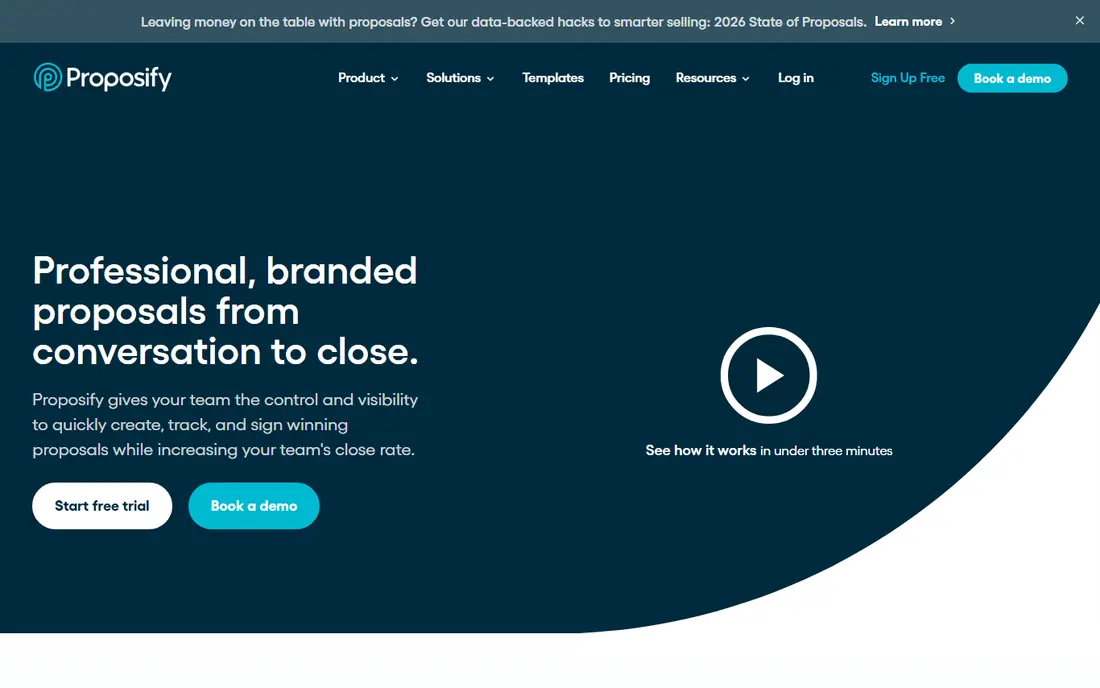
If you want a safe default, start here. Proposify fits agencies and sales teams that care about how a proposal looks, since its editor, templates, and brand controls make it easy to keep every document on brand. Its AI proposal generator can draft a starting structure from your inputs, and its analytics show when a client opens a proposal and which sections hold attention.
The drawback is that pricing and some workflow controls differ by plan, so confirm the current plan details and send limits on the vendor site before you commit. Check the current pricing page before you buy, since limits and plan names change, and use a free plan or trial first when one is offered so you can judge the fit on your own work.
- Strong branding and templates
- Interactive quoting
- Engagement analytics
- Entry pricing varies by billing term
- Approvals sit on higher plans

This one suits a narrower brief, and that focus is its appeal. Qwilr fits consultants and agencies that want a proposal to feel like a modern web page, with video, interactive pricing, and payment options built into the document itself. Its pages tend to read well on phones, which matters when a client forwards a proposal to a colleague who opens it on a mobile device first.
The catch is the entry price, which is higher than a basic document tool, and some automated features use separate credits, so read the plan notes closely. Check the current pricing page before you buy, since limits and plan names change, and use a free plan or trial first when one is offered so you can judge the fit on your own work.
- Interactive web proposals
- In-proposal payments
- Engagement tracking
- Higher entry price than simpler editors
- Automated creation uses separate credits
For buyers who value control over flash, this deserves a close look. Better Proposals fits freelancers and small teams that need a polished proposal quickly, without paying for enterprise workflow features they will never use. Its template range covers common service proposals, and live chat inside a proposal lets a prospect ask a question without leaving the document.
The trade-off is depth, since larger teams that need complex approvals and deep CRM automation may outgrow it sooner than a larger platform. Check the current pricing page before you buy, since limits and plan names change, and use a free plan or trial first when one is offered so you can judge the fit on your own work.
- Low entry price
- Many templates
- Live chat inside proposals
- Fewer enterprise workflow controls
- Smaller integration range than large suites
This is the option to shortlist when budget is the deciding factor. Loopio fits bid, presales, and proposal teams that answer repeated questions across many formal RFPs, since its content library keeps approved answers in one searchable place. Its AI tools surface relevant past answers for a new questionnaire, which can cut the time spent hunting through old documents and shared drives.
The catch is cost and scope, since it is priced as an enterprise platform and is more tool than a small team needs for occasional sales proposals. Check the current pricing page before you buy, since limits and plan names change, and use a free plan or trial first when one is offered so you can judge the fit on your own work.
- Structured content library
- AI content surfacing
- Approval workflows
- Quote-based pricing
- Built for RFPs rather than simple sales proposals
For larger teams, this is where the shortlist usually starts. Responsive, formerly RFPIO, fits enterprises that run a high volume of RFPs, RFIs, and security questionnaires and need a single system to manage them. Its AI drafting draws on an approved content library, and its portal tools help teams handle submissions that arrive through buyer portals rather than email alone.
The drawback is that it is a platform purchase, not a quick document editor, so expect a sales conversation, setup work, and a named owner inside your team. Check the current pricing page before you buy, since limits and plan names change, and use a free plan or trial first when one is offered so you can judge the fit on your own work.
- AI drafting for RFPs
- Large content library
- Portal integrations
- Quote-based pricing
- Implementation takes time and internal ownership
This pick trades breadth for depth, and does that trade well. GetAccept fits mid-market sales teams that sell to several stakeholders at once, since its deal rooms gather the proposal, chat, video, and signing steps in one shared space. Its engagement tracking shows which stakeholders opened the proposal and when, which helps a seller follow up with the right person at the right time.
The catch is that some plans require a minimum number of users, so a very small team should confirm the current minimum before budgeting. Check the current pricing page before you buy, since limits and plan names change, and use a free plan or trial first when one is offered so you can judge the fit on your own work.
- Deal rooms
- Video messaging
- Engagement tracking
- Higher tiers need several users
- Some payment features cost extra
If the first options feel too broad, this more focused tool may fit better. Bidsketch fits small teams that want a simple, affordable proposal tool with a clear upsell feature, so a client can add optional services to a proposal without a rewrite. Its reusable sections save time on repeat proposals, and its e-signature support keeps the signing step inside the same workflow.
The drawback is design range, since teams that want highly custom layouts may find its editor plainer than Qwilr or Proposify, even though it covers the basics well. Check the current pricing page before you buy, since limits and plan names change, and use a free plan or trial first when one is offered so you can judge the fit on your own work.
- Simple editor
- Reusable sections
- Optional fee upsells
- Fewer design options than larger rivals
- Smaller template range
How we picked these
We compared official product pages, pricing pages, help documentation, and app store listings, and we kept only products that are live and available in October 2026. We checked what each product actually does, what its entry plan includes, and where its limits sit, rather than relying on marketing claims alone.
We also weighed who each product serves best, how clear its pricing is, and what reviewers and users commonly praise or complain about. Where a price could not be confirmed on the vendor site, we wrote See website instead of guessing, and we note that openly in the product fields.
Choosing the right proposal tool for your team
Match the tool to the document type
A sales proposal, a consulting proposal, and a formal RFP are different jobs, and the best tool for one can be a poor fit for another. For short sales proposals, a document editor with templates, signatures, and tracking is usually enough. For formal RFPs, a content library and approval workflow matter far more than page design, since accuracy and reuse drive the win rate. Write down the document types you send most often before you shortlist anything, and judge each tool on those documents first.
Also check how your team actually works today. If proposals live in shared drives and past answers are hard to find, a library tool like Loopio or Responsive may save more time than a prettier editor. If your problem is slow sign-off, tracking and in-document payments may matter more than AI drafting.
Use AI drafting as a starting point, not a final draft
AI drafting is useful for turning rough notes, past proposals, and product details into a structured first draft, and it can suggest section order, headings, and plain language. It is less reliable for pricing, legal terms, delivery dates, and client-specific claims, and those details must be checked by a person who knows the deal. Set a rule that no AI draft goes to a client without a human review of numbers, names, scope, and promises.
Keep a library of approved paragraphs for common sections, such as company background, security notes, and terms, and feed the AI that language where the tool allows it. That habit improves consistency and reduces the risk of an AI tool inventing a feature, a price, or a timeline that your team cannot deliver.
Check pricing, limits, and signing before you buy
Proposal pricing varies by seat, by document, and by feature tier, so compare the total cost for your team size rather than the headline monthly figure alone. Confirm how many users, documents, templates, and signatures are included, and ask what happens when you exceed a limit. Also confirm that e-signatures are legally accepted for your use case and that clients can sign without creating an account, since friction at signing can delay a deal.
Run a real proposal through a trial, from draft to signature, and time each step. Test it on a phone, check how it looks when forwarded, and confirm that notifications and reminders work as expected. A short trial on a real deal tells you more than a demo on a sample document.
FAQ
What is the best AI tool for proposal writing for a small business?
For most small businesses, PandaDoc or Better Proposals are sensible starting points, since both offer templates, signatures, and tracking at a lower entry price than enterprise RFP platforms. Qwilr is a strong choice when presentation matters most. Pick by the proposal type you send most often, and trial the tool on a real proposal before you commit.
Are AI proposal writing tools accurate?
They are useful for structure and first drafts, but they can invent details, so pricing, dates, scope, and legal terms always need a human check. Accuracy improves when you give the tool approved content, past proposals, and clear inputs, and when you keep a reviewed library of standard sections.
What is the difference between proposal software and RFP software?
Proposal software focuses on creating, sending, tracking, and signing sales proposals, while RFP software focuses on answering formal questionnaires from a reusable content library with approvals. Tools like Loopio and Responsive sit in the RFP group, while PandaDoc, Proposify, and Qwilr sit in the sales proposal group.
Can I use AI to write a whole proposal?
You can use AI for a first draft, but a whole proposal still needs human input on scope, pricing, timelines, and client-specific needs. Use AI to save drafting time, then edit the draft for accuracy, tone, and terms before it reaches a client.
Do these tools include e-signatures?
Many do, including PandaDoc, Proposify, Qwilr, and GetAccept, though signature limits and plan availability vary. Confirm that signatures are included on the plan you plan to buy, and test the signing flow from the client side during a trial.
How much does proposal software cost?
Entry prices in this guide range from 13 dollars per user per month for Better Proposals to quote-based enterprise pricing for Loopio and Responsive. Always compare the total cost for your team size, including seats, document limits, and any add-ons you need.