Best AI Tool for Making Worksheets in 2026: 8 Tools Compared
We compared the best ai tool for making worksheets for teachers, from free generators to full classroom suites, so you can pick the right fit for your class.
- Editor's choice
 MagicSchool AI
Widest teacher toolkit
Starts atSee websiteVisit magicschool.aiFull review - Great alternative
 Diffit
Differentiated reading
Starts atSee websiteVisit diffit.meFull review - Also consider
 Eduaide.AI
Lesson-linked worksheets
Starts atSee websiteVisit eduaide.aiFull review
TL;DR:
- MagicSchool AI and Eduaide.AI cover the widest range of worksheet types, while Diffit leads on reading levels and differentiation.
- Brisk Teaching is the strongest pick if you already work in Google Docs and want worksheets without leaving your documents.
- Canva for Education is the best choice when the finished worksheet needs to look polished enough to print and display.
- Free plans are genuinely usable for trying a tool, but regular classroom use usually needs a paid plan or a school license.
- Always read AI output before handing it out, since questions can contain errors, odd wording, or reading levels that miss the mark.
Quick comparison
| Tool | Best for | Starts at | Free plan? | |
|---|---|---|---|---|
| MagicSchool AI | Widest teacher toolkit | See website | Yes | Visit |
| Diffit | Differentiated reading | See website | Yes | Visit |
| Eduaide.AI | Lesson-linked worksheets | See website | Yes | Visit |
 Brisk Teaching | Google Docs workflow | See website | Yes | Visit |
 Canva for Education | Polished printable design | Free | Yes | Visit |
 Twee | Language teaching | See website | Yes | Visit |
 QuestionWell | Questions from source texts | See website | Yes | Visit |
 TeachTools | No-signup quick worksheets | Free | Yes | Visit |
The best AI tools for making worksheets
A good worksheet tool should save time without handing you work you still have to rebuild. The eight tools below all generate worksheets from a topic, a passage, or an uploaded document, and each one suits a different kind of classroom.

MagicSchool AI is our pick for most teachers because worksheets are only one part of what it does. Alongside the worksheet generator you get tools for lesson plans, quizzes, rubrics, and parent communications, so one account can cover much of your weekly prep. You enter a topic or standard, pick a grade level, and get a structured worksheet you can edit before printing or sharing.
The catch is that breadth comes with limits on the free plan, and heavy users will likely need a paid plan or a school license. Output quality is generally solid for straightforward topics, but we recommend checking every question against your source material, especially for history dates, science facts, and math answers. For a teacher who wants one tool for many jobs, it is hard to beat.
- More than 80 teacher tools in one place
- Worksheet generator works from topics, standards, or uploaded material
- Output can be adjusted by grade level
- Free tier has usage limits
- The sheer number of tools can feel busy at first
- Some output needs editing for tone and accuracy
Diffit starts from a different place than most worksheet generators. Instead of asking only for a topic, it can take a real text and rewrite it at several reading levels, then build questions, vocabulary work, and summaries around it. That makes it especially useful for mixed-ability classes, where one passage needs to reach students reading at very different levels.
Teachers who need math practice sheets or highly visual worksheets may find Diffit narrower than MagicSchool or Canva. But for English, social studies, and science reading, the differentiation is the point, and it does that job well. The free tier lets you try the core workflow before deciding whether the paid plan is worth it for your class.
- Adjusts reading passages to different levels
- Builds vocabulary lists and comprehension questions automatically
- Works from any text, topic, or video link
- Focused mainly on reading-based worksheets
- Paid plan needed for full use
- Layout options are simpler than a design tool
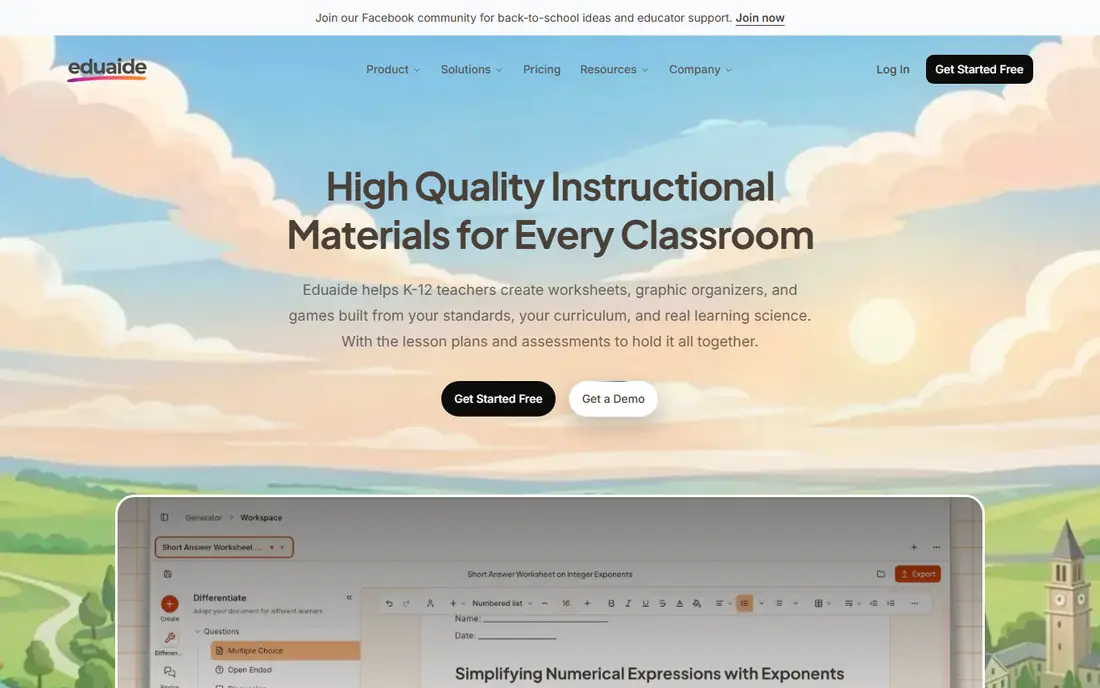
Eduaide.AI appeals to teachers who plan lessons first and build worksheets second. Its generator sits alongside lesson plan and assessment tools, so a worksheet can follow the same objectives and structure as the lesson it supports. The interface is calm and focused, which helps when you want to get a usable sheet quickly rather than browse dozens of tools.
It does not try to be a design studio, so if you want colorful, highly visual printables you will probably export and restyle elsewhere. The free basic tier is enough to test whether the question style fits your students. For teachers who value coherent planning over flashy layouts, Eduaide.AI is a strong, steady choice.
- Worksheet generator tied to lesson planning tools
- Supports common teaching frameworks
- Clean output that is easy to edit
- Smaller tool set than MagicSchool
- Free tier is limited
- Fewer design and layout controls
Brisk Teaching wins on convenience for Google Classroom schools. Rather than opening a separate website, you generate worksheets and quizzes from within the document you are already editing. That small difference matters when you are building materials during a short planning period, since there is nothing new to learn and nothing to copy across.
The tradeoff is dependence on Google's ecosystem. If your school uses Microsoft tools or paper-first workflows, much of the appeal fades. Brisk also offers feedback and grading help, which can speed up marking, though final grades should always stay with the teacher. For Google-based classrooms, it is one of the most practical options here.
- Works inside Google Docs and Slides
- Generates worksheets, quizzes, and feedback without switching apps
- Useful for schools already on Google Workspace
- Requires Google Workspace to shine
- Free plan has limits
- Design control is limited to Docs formatting
Canva for Education is not primarily an AI worksheet generator, and that is exactly why it belongs on this list. Many teachers use AI elsewhere to draft questions, then build the final sheet in Canva because the result looks professional and students actually want to read it. Templates for worksheets, flashcards, and classroom posters give you a strong starting point without design skills.
Verified teachers and schools can use Canva for Education free, which makes it one of the best-value options here. The AI writing help inside Canva is general purpose, so it will not match Diffit for reading levels or MagicSchool for standards alignment. Use it as your finishing tool, and pair it with a dedicated generator when the content itself needs more care.
- Huge template library
- Drag-and-drop design
- Free for verified teachers and schools
- Easy to print or share digitally
- AI worksheet generation is less subject-specific than dedicated tools
- Requires school verification for the education plan
- Can tempt you to spend too long on design
Twee is the specialist on this list, and specialists often do one job better than generalists. It is built for teachers of English and other languages, with tools that turn a text or video into dialogues, gap-fill exercises, discussion questions, and vocabulary practice. That focus shows in the exercise types, which fit language lessons more naturally than generic quiz formats.
If you teach math, science, or history, Twee is probably not your tool. But language teachers will find its templates save real time, especially for reading and listening lessons built around authentic material. Try the free tier with a text you already teach, and judge it on whether your students find the exercises natural and useful.
- Built specifically for language teachers
- Generates dialogues, vocabulary exercises, and comprehension tasks
- Works from topics, texts, or videos
- Narrow focus outside language teaching
- Free tier has limits
- Output needs checking for natural phrasing
QuestionWell does one thing and does it plainly. You paste in a reading passage or source text, and it generates questions you can use for a worksheet or quiz. That simplicity suits teachers who already have their material and only need the assessment part done faster. There is little to learn, and the output is easy to review and edit.
The narrow scope is both the strength and the limit. You will not get lesson plans, differentiation, or polished layouts here, so QuestionWell works best alongside another tool or a template you already like. For reading-heavy subjects where the text matters most, it earns its place by staying out of the way.
- Turns source texts into questions quickly
- Supports multiple question types
- Simple interface focused on assessment
- Narrower than full lesson platforms
- Limited design options
- Free tier has usage limits
TeachTools is the fastest way to get a worksheet when you need one now. It offers a set of generators that work without creating an account, and the output is designed to print cleanly. For a substitute plan, a quick homework sheet, or a one-off practice page, that lack of friction is genuinely valuable.
It will not replace a platform that stores your lessons, tracks classes, or differentiates reading levels. Think of it as a handy drawer of quick tools rather than a full system. Its privacy approach also deserves a note, since no signup means no student accounts to manage. Keep it bookmarked for the days when speed matters most.
- Many generators with no signup required
- Print-ready output in under a minute
- Privacy-friendly approach with no student data collected
- Simpler output than full platforms
- No classroom management features
- Fewer options for saving and organizing work
How we picked these
We compared official feature pages, pricing pages, and app listings for worksheet tools aimed at teachers, and we favored tools that generate worksheets from a topic, text, or uploaded document rather than generic chatbots. We looked for a usable free tier or free education plan, a range of subjects and grade levels, and output that a teacher can review and edit before use. Tools were left out when they had closed, changed focus, or could not show a working worksheet generator on their own site.
What to check before you hand out an AI worksheet
A worksheet that looks finished is not the same as one that is correct. AI tools can invent facts, write questions with two right answers, or pitch the reading level too high or too low. Build a quick review step into your routine, and the time you save on drafting will not be lost on fixing errors in class.
Check the answers, not just the questions
Read the answer key first. Math problems, science facts, and dates are where errors hide most often, and a wrong key teaches the wrong thing with confidence. If a question feels ambiguous, rewrite it or drop it. A shorter worksheet with correct answers beats a longer one you have to apologize for.
Match the reading level to your students
A worksheet pitched two grades too high will frustrate students who know the content but cannot get past the wording. Diffit and similar tools help here, but any tool benefits from a quick read-through with one of your actual students in mind. Simplify vocabulary, shorten sentences, and add a worked example when a new question type appears.
Keep student data out of the prompt
Avoid pasting student names, grades, or personal details into AI tools unless your school has approved the tool and its privacy terms. Most worksheet generation works fine with topics and texts alone. Check your district policy before using any tool that asks students to sign in, and prefer tools that publish clear privacy and data processing information.
FAQ
Is there a free best ai tool for making worksheets?
Yes. MagicSchool AI, Diffit, Eduaide.AI, Brisk Teaching, and TeachTools all offer free tiers, and Canva for Education is free for verified teachers and schools. Free tiers usually limit how many worksheets you can generate each month, so test one with your real lessons before relying on it for a full term.
Can AI worksheets match my state standards?
Some tools let you enter a standard or topic and shape questions around it, but the match is approximate rather than guaranteed. Always compare the output against the standard yourself, and adjust questions that drift off topic. The tool drafts, and you decide what meets the standard.
Do these tools work for math worksheets?
They can generate math practice problems, but answers need careful checking, especially for multi-step problems. Tools built around reading and writing tend to be stronger than tools claiming full math coverage. For math, generate the problems, work a few yourself, and only then print the set.
Can I print AI-generated worksheets?
Yes. Most tools on this list export to PDF or Word, or print directly from the browser. Canva gives the most control over how the printed page looks, while TeachTools and Diffit focus on clean, print-ready layouts. Check the page breaks before printing a class set.
Are AI worksheet tools safe for student privacy?
It depends on the tool and how you use it. Tools that only the teacher uses, with no student accounts, carry less risk than tools where students sign in. Avoid entering student personal information into prompts, and check for privacy documentation and a data processing agreement before school-wide use.