Best AI Text to Image Tool in 2026: 8 Generators Compared
Searching for the best AI text to image tool in 2026? We compare 8 generators on image quality, text rendering, licensing, free tiers and price. for today.
- Editor's choice
 Midjourney
Artistic and editorial imagery
Starts at$10 per monthVisit midjourney.comFull review - Great alternative
 ChatGPT
Everyday image making inside a chat plan
Starts at$20 per month for PlusVisit chatgpt.comFull review - Also consider
 Adobe Firefly
Commercial work and Creative Cloud users
Starts at$9.99 per month for StandardVisit firefly.adobe.comFull review
TL;DR:
- Midjourney leads on stylised, art directed imagery, while ChatGPT suits everyday image making inside a chat plan you may already pay for.
- Ideogram stands out when an image must carry readable words, and Adobe Firefly suits commercial work where licensing safety matters.
- Leonardo AI and Recraft suit creators who need consistent characters, game assets or editable brand graphics.
- Stable Diffusion and Flux suit technical users who want control, local running or API based generation.
- Free tiers help you test a tool, but paid plans usually widen commercial rights, higher resolution and faster generation.
Quick comparison
| Tool | Best for | Starts at | Free plan? | |
|---|---|---|---|---|
| Midjourney | Artistic and editorial imagery | $10 per month | No | Visit |
| ChatGPT | Everyday image making inside a chat plan | $20 per month for Plus | Yes, limited | Visit |
| Adobe Firefly | Commercial work and Creative Cloud users | $9.99 per month for Standard | Yes, limited credits | Visit |
 Leonardo AI | Game art and consistent characters | $12 per month | Yes, daily free tokens | Visit |
 Ideogram | Posters, logos and images with readable text | $20 per month for Plus | Yes, limited | Visit |
 Recraft | Vector graphics and brand assets | $12 per month | Yes, limited for personal use | Visit |
 Stable Diffusion | Technical users, local running and API pipelines | See website | Yes, open weights available | Visit |
 Flux | High quality open model output and API use | See website | Yes, via community and trial access in some products | Visit |
The best AI text to image tools
We tested the shortlist on the jobs people actually bring to these tools, from art directed images and posters with words to brand graphics and local generation.

Midjourney remains the reference point when the image itself must carry the piece, from editorial illustration to moodboards. You prompt in Discord or on the web editor, refine with style and version controls, and upscale the results you like best.
The clear strength is visual quality, since its stylised output often needs less editing than plainer generators. For a buyer or user weighing this option, that strength shows up in daily use, not just on a feature list, and it is the reason this product earns a place here.
The honest weakness is access, since there is no free tier and new users must learn its workflow before they feel fluent. If that trade-off matters to you, compare it directly with the next option on this list before you commit time or money.
- Distinctive art directed style, strong style controls
- No free tier, workflow can feel unfamiliar at first
ChatGPT suits the user who already writes, plans and brainstorms in chat and wants images in the same place. You describe an image, ask for changes in plain words, and iterate without learning a separate interface or prompt syntax.
The clear strength is convenience, since conversational edits make it easy to fix a detail, change a style or try a new composition. For a buyer or user weighing this option, that strength shows up in daily use, not just on a feature list, and it is the reason this product earns a place here.
The honest weakness is control, since specialist tools still offer finer style, model and output settings for demanding art direction. If that trade-off matters to you, compare it directly with the next option on this list before you commit time or money.
- Conversational editing, easy prompt refinement, no separate image app needed
- Image limits on free and lower plans, less fine style control than specialist tools
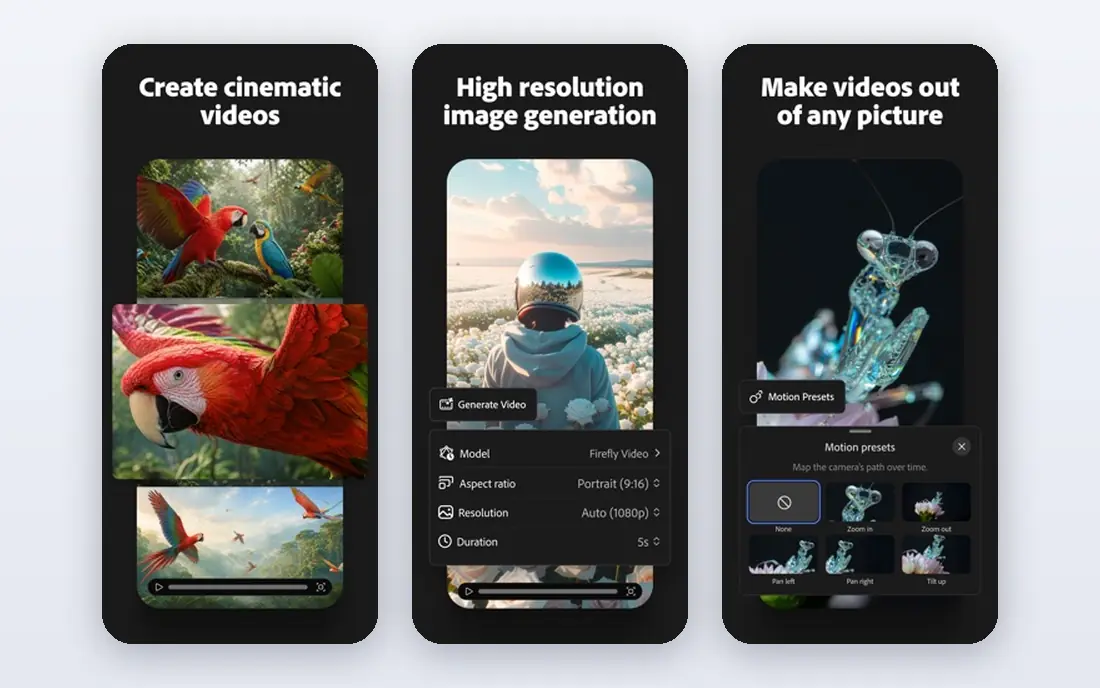
Adobe Firefly is the cautious choice for teams that must answer licensing questions from clients. It generates images, fills and extends photos in Photoshop, and works inside Express and other Adobe apps with a shared credit system.
The clear strength is licensing safety, since licensed training data and indemnification reduce legal worry for commercial publishing. For a buyer or user weighing this option, that strength shows up in daily use, not just on a feature list, and it is the reason this product earns a place here.
The honest weakness is credits, since heavy monthly generation can run through an allowance and require a higher plan or extra packs. If that trade-off matters to you, compare it directly with the next option on this list before you commit time or money.
- Trained on licensed content, commercial indemnification on eligible plans, Photoshop integration
- Credit limits shape heavy use, best value sits inside Adobe plans
Leonardo AI speaks directly to game artists and creators who need the same character to appear again and again. You can train or tune models, keep style references, and generate characters, environments and props in a consistent visual language.
The clear strength is consistency, since character and style tools help a series of images feel like one project rather than separate one offs. For a buyer or user weighing this option, that strength shows up in daily use, not just on a feature list, and it is the reason this product earns a place here.
The honest weakness is complexity, since model choice and token limits take time to learn and can limit a busy production week. If that trade-off matters to you, compare it directly with the next option on this list before you commit time or money.
- Character and style consistency tools, game asset workflows, custom model training
- Paid credits shape output volume, quality varies by model choice
Ideogram earns its place the moment words must appear inside the image and spell correctly. You prompt for a poster, label or social graphic, and the tool renders text as part of the design rather than as an afterthought.
The clear strength is typography, since readable words in images save the editing time other tools often require. For a buyer or user weighing this option, that strength shows up in daily use, not just on a feature list, and it is the reason this product earns a place here.
The honest weakness is breadth, since pure illustration and photorealistic scenes may feel less varied than in art first generators. If that trade-off matters to you, compare it directly with the next option on this list before you commit time or money.
- Accurate readable text, strong poster and logo layouts
- Higher starting price than some rivals, artistic style range is narrower than Midjourney
Recraft suits designers who need graphics they can edit after generation, not just a finished picture. You generate icons, illustrations and mockups as vectors, adjust colours and shapes, and export assets that fit a brand system.
The clear strength is editability, since vector output lets a designer fix a shape or colour without regenerating the whole image. For a buyer or user weighing this option, that strength shows up in daily use, not just on a feature list, and it is the reason this product earns a place here.
The honest weakness is photographic work, since realistic photos and complex scenes are better handled by photo focused generators. If that trade-off matters to you, compare it directly with the next option on this list before you commit time or money.
- Editable vector output, brand colour and style controls, icon and illustration sets
- Raster photo realism is not its focus, free tier limits commercial use
Stable Diffusion is the open route for users who want to own the whole pipeline. You can run models locally, fine tune them, or call them through an API, and you control privacy, cost and output settings.
The clear strength is control, since local running and open weights remove subscription limits and keep images on your own machine. For a buyer or user weighing this option, that strength shows up in daily use, not just on a feature list, and it is the reason this product earns a place here.
The honest weakness is effort, since setup, hardware and model selection fall on you, and results vary until you learn the settings. If that trade-off matters to you, compare it directly with the next option on this list before you commit time or money.
- Full local control, huge community model choice, no subscription required to run locally
- Needs hardware and setup skill, out of the box quality depends on model and settings
Flux gives builders and advanced creators a modern open model family with strong detail and prompt following. It is available through APIs and partner apps rather than as one simple consumer editor, so you pick the interface that fits your workflow.
The clear strength is quality for an open model family, since detail, hands and text handling compare well with hosted rivals. For a buyer or user weighing this option, that strength shows up in daily use, not just on a feature list, and it is the reason this product earns a place here.
The honest weakness is onboarding, since beginners must choose a provider, model version and licence rather than just signing up and typing. If that trade-off matters to you, compare it directly with the next option on this list before you commit time or money.
- Strong image quality, flexible licensing options by model version, API availability
- No single consumer app for beginners, pricing varies by provider
How we picked these
We looked for tools that are live in October 2026, accept text prompts, and produce images a normal user can download and use. We weighed image quality across portraits, scenes and text heavy designs, licensing terms for paid and free plans, price and free tier limits, and how much editing skill each tool demands. Tools that were discontinued, invitation only, or limited to a single narrow filter did not make the list.
How to choose an AI text to image tool
Match the tool to the job
Start by naming what the image must do. A hero image for a blog post needs a strong look and quick turnaround, a poster needs readable text, and a product mockup needs consistent colours and layout. Artistic tools do well on mood and style, text focused tools do better on posters and logos, and vector focused tools do better when you need to edit shapes after generation.
Check the licence before you publish
Free tiers often limit commercial use, keep images public, or add watermarks, so read the terms for the plan you actually use. Paid plans usually widen commercial rights, but the details still vary by vendor and by model. If client work is involved, keep a note of the tool, plan and date for each final image so you can answer a licensing question later.
Judge output on your own prompts
Run the same three prompts in each tool you shortlist, covering a portrait, a scene with text, and a product style shot. Compare how often text spells correctly, how consistent faces and hands look, and how much editing each result still needs. A tool that wins on one prompt type may not win on the next, so test with your real work rather than demo images.
FAQ
Which AI text to image tool is best overall? Midjourney is a strong overall pick for artistic and editorial images, while ChatGPT is a strong everyday pick for users who already pay for a chat plan. The best choice depends on whether you value pure image quality, readable text, licensing safety or low cost most.
Which tool is best for text inside images? Ideogram is built for readable text in posters, logos and memes, and it handles longer phrases better than most artistic generators. ChatGPT image generation and Adobe Firefly also handle short text well, but always check spelling before publishing.
Can I use AI generated images commercially? In many cases yes on paid plans, but free tiers may restrict commercial use or keep images public. Adobe Firefly is often chosen for commercial work because it is trained on licensed content and offers indemnification on eligible plans. Read the current terms for your plan.
Is there a good free AI image generator? Stable Diffusion can be run locally at no licence cost if you have suitable hardware, and several paid tools offer limited free tiers for testing. Free tiers usually cap daily generations, resolution or commercial rights, so they suit trials more than daily production.
What is the difference between Midjourney and Stable Diffusion? Midjourney is a hosted service with a curated, art focused style and no free tier, while Stable Diffusion is an open model family you can run locally or through many apps and APIs. Midjourney is simpler to start, while Stable Diffusion gives more control over models, settings and privacy.
Sources
https://midjourney.com https://chatgpt.com https://firefly.adobe.com https://leonardo.ai https://ideogram.ai https://recraft.ai https://stability.ai https://blackforestlabs.ai