Best AI-Powered Writing Tools in 2026: 9 Tools Compared
Compare the best ai-powered writing tools for blogs, ads, fiction, and editing. We review pricing, free plans, and strengths of 9 top tools for 2026 use.
- Editor's choice
 Jasper
Marketing teams
Starts atSee websiteVisit jasper.aiFull review - Great alternative
 Copy.ai
Sales and marketing workflows
Starts atSee websiteVisit copy.aiFull review - Also consider
 Writesonic
SEO articles
Starts atSee websiteVisit writesonic.comFull review
TL;DR:
- Jasper and Copy.ai suit marketing teams that need brand voice controls and repeatable workflows.
- Grammarly and QuillBot are better as editing help than as first-draft generators.
- Sudowrite is the clearest pick for fiction, while Rytr offers the lowest-cost way to start.
- Free plans vary a lot, so check word limits and prompt limits before you commit.
Quick comparison
| Tool | Best for | Starts at | Free plan? | |
|---|---|---|---|---|
| Jasper | Marketing teams | See website | Free trial | Visit |
| Copy.ai | Sales and marketing workflows | See website | Free trial | Visit |
| Writesonic | SEO articles | See website | Free trial | Visit |
 Grammarly | Editing and polish | Free | Yes | Visit |
 Sudowrite | Fiction writing | See website | Free trial | Visit |
 Rytr | Budget short-form copy | Free | Yes | Visit |
 Anyword | Ad and marketing copy | See website | Free trial | Visit |
 QuillBot | Paraphrasing | Free | Yes | Visit |
 Wordtune | Rewriting sentences | Free | Yes | Visit |
The best ai-powered writing tools
We compared drafting tools, editing tools, and specialist tools side by side, so you can match a tool to the kind of writing you actually do.
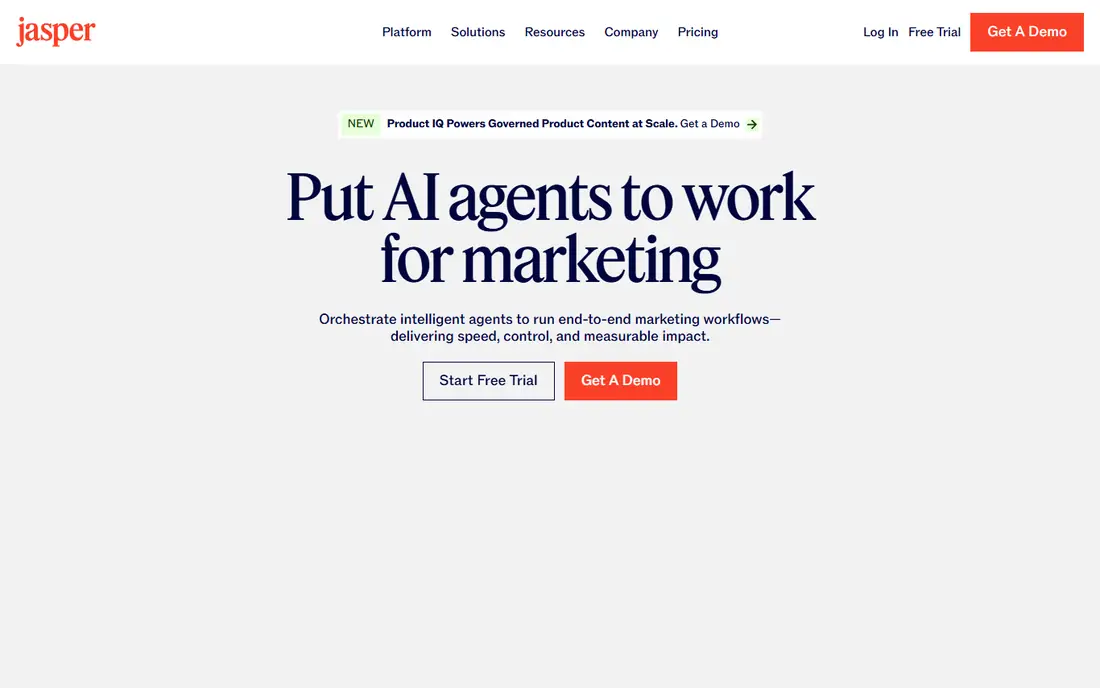
Jasper works best when a team produces a steady stream of marketing copy and needs it to sound consistent. You can set a brand voice, store product details, and reuse templates for blog posts, ads, and emails. That structure saves time once the setup is done, and it keeps tone closer across writers.
The catch is price and setup. A solo writer who only needs a few posts a month may find the workflow more than they need. Drafts still need human editing for facts, claims, and nuance. Treat Jasper as a drafting partner for volume work, not as a replacement for a final read.
- Strong brand voice controls
- Many marketing templates
- Team collaboration features
- Higher cost than simpler tools
- Can feel heavy for one-off writing tasks
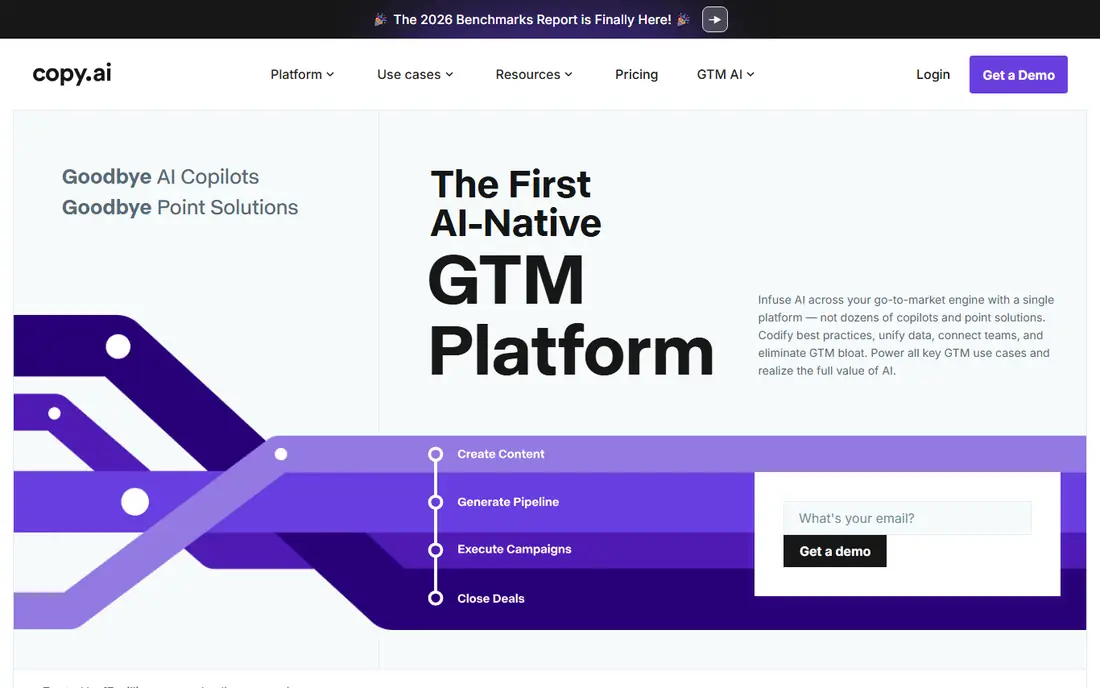
Copy.ai leans toward go-to-market work, with workflows that turn a brief into many related pieces. That helps sales and marketing teams who repeat the same kinds of posts, emails, and product descriptions. The templates give a starting point fast, which matters when deadlines pile up.
Long, nuanced articles still need more shaping than short copy does. Prompts matter a great deal here, and vague briefs produce generic results. If your main need is short, repeatable copy, Copy.ai earns its place. If you write long essays, pair it with a stronger editor.
- Workflow automation for repetitive copy
- Useful for outreach and social posts
- Team workspaces
- Output quality varies by prompt
- Less suited to long-form fiction

Writesonic aims at people who publish search-focused content at scale. It can help with outlines, headings, and first drafts, and it includes tools aimed at AI search visibility as well. For a small content team, that combination can shorten the path from idea to publishable draft.
Accuracy is the limit to watch. Search-focused drafts can sound confident while getting details wrong, so verify names, dates, and claims before publishing. Use Writesonic for structure and speed, then edit with care. It works best as part of a workflow that includes a human editor.
- SEO-focused article workflows
- Research and outline help
- Many content types
- Pricing has changed often
- Long drafts need fact checking
Grammarly is the tool most writers in this list will actually use every day, because it sits where writing already happens. It catches grammar slips, awkward phrasing, and tone mismatches in email, documents, and web forms. The free plan covers a lot of everyday editing, which makes it an easy first step.
Do not judge Grammarly only as a generator. Its drafting help exists, but its real value is in revision. Paid plans add more AI prompts and style help, yet the core editing remains the draw. If you already draft well and need a second pair of eyes, start here.
- Works across browsers, docs, and email
- Clear grammar and tone suggestions
- Free plan is genuinely useful
- AI drafting is not its main strength
- Advanced features require a paid plan
Sudowrite feels different from the marketing tools above because it was built around stories. It helps writers brainstorm plot turns, expand a scene, and rework a passage in a new tone. For novelists and short-story writers, those features match the real sticking points of creative work.
It is less useful for ads, product pages, or business email. Fiction writers should also watch credit limits on lower plans, since long manuscripts use credits quickly. Used as a brainstorming partner, Sudowrite can unstick a draft without taking over the voice of the author.
- Built for novels and stories
- Brainstorming and expansion tools
- Helps with writer's block
- Not built for marketing copy
- Credit limits can bind heavy users
Rytr is a practical choice when budget matters more than advanced team features. The interface is simple, the tone options are clear, and short pieces like captions, emails, and product blurbs come out quickly. Beginners can learn the tool in minutes rather than hours.
The free plan caps characters each month, so heavy users will need a paid plan. Long articles also need more editing than short copy does, and Rytr does not replace a dedicated SEO or fiction tool. For affordable, everyday short-form writing, though, it is hard to beat.
- Low cost
- Simple interface
- Many use cases and tones
- Limited long-form depth
- Free plan has a small character limit
Anyword focuses on copy that has a job to do, such as ads, landing pages, and emails. It scores variants and helps teams test different angles, which suits marketers who care about response as much as wording. Brand voice controls help keep campaigns consistent across channels.
That business focus shows in pricing and in scope. A casual writer will find simpler and cheaper options elsewhere. Marketers who test copy regularly, however, may value the scoring and variant tools more than a plain generator. Check the trial against a real campaign before paying.
- Performance scoring for copy variants
- Brand voice tools
- Useful for ads and landing pages
- Priced for business users
- Less useful for personal or creative writing
QuillBot shines when you already have text and need to rework it. Paraphrasing modes let you shift a sentence toward formal, simple, or creative wording, and the summarizer helps condense long passages. Students, researchers, and editors often use it alongside a main drafting tool.
It is not the best choice for writing a long article from scratch. Free use is limited per pass, so longer passages need splitting or a paid plan. As a revision tool, though, QuillBot is clear and focused. Use it to improve wording, not to invent facts.
- Strong paraphrasing modes
- Summarizer and grammar tools
- Easy to use
- Free paraphrasing has word limits
- Not a full long-form drafting tool
Wordtune works at sentence level, which is exactly where many writers get stuck. You can rewrite a clunky sentence, shorten a long one, or shift tone without rewriting a whole paragraph. That makes it useful for emails, essays, and professional messages where wording matters.
The tool does not draft long pieces, and free use has limits. Paid plans open more rewrite options and features. If your drafts are already written and you want them to read better, Wordtune is a focused, low-friction helper. Pair it with Grammarly for grammar checks and a drafting tool for first versions.
- Sentence-level rewrites in several tones
- Works in browsers and docs
- Helpful for non-native writers
- Limited to shorter passages
- Full features need a paid plan
How we picked these
We compared official feature pages, pricing pages, app store listings, privacy policies, and public reviews for each tool. We favored tools that are still actively sold in October 2026, that fit a clear writing job, and that offer a free plan or trial so readers can test them. We did not claim hands-on testing, and we left out tools that had closed or that did not clearly fit general writing work.
What to check before you pay
A writing tool should match your output, not just your budget. Start by naming the job: marketing copy, SEO articles, fiction, or editing. Then test two or three tools on the same brief and compare the editing time each draft needs, since a fast draft that needs heavy rewriting is not actually fast.
Check limits and ownership
Read the free plan limits, credit rules, and terms on data use before you paste sensitive work. Some tools train on inputs only under certain plans, and others keep different rules for business accounts. If you write client work, confirm who owns the output and how your text is stored.
Keep facts and voice human
AI drafts often sound fluent while missing facts, dates, or brand details. Build a short checklist for every piece: verify claims, check names, read the draft aloud, and cut filler. Your voice should survive the edit. The best tool in this list is the one that leaves you with less cleanup, not the one with the longest feature list.
FAQ
What are the best ai writing tools for beginners?
Start with Grammarly for editing and Rytr or QuillBot for low-cost drafting and rewriting. These tools are simple to learn and offer free plans, so you can learn prompting and editing without a large subscription. Move to Jasper or Copy.ai only when you need team features or high-volume marketing work.
What are the best ai writing apps for free use?
Grammarly, Rytr, QuillBot, and Wordtune all offer free plans with real everyday value. Free limits differ, though, with caps on characters, words per pass, or AI prompts. Test the free plan on your normal workload for a week before deciding whether a paid plan is worth it.
What is the best ai software for writing long articles?
For long marketing or SEO articles, Jasper and Writesonic offer structure and templates that help with outlines and sections. For fiction, Sudowrite is the stronger specialist. In both cases, plan to edit in sections and verify facts, since long AI drafts drift more than short ones.
Are best ai writing tools free options good enough for work?
Free tools can be enough for short, everyday writing and for polishing drafts. They often fall short for high-volume publishing, team collaboration, or advanced brand controls. If writing is a core part of your job, a paid plan usually pays for itself in saved editing time.
How do I choose between Jasper and Copy.ai?
Choose Jasper when brand consistency across many writers matters most. Choose Copy.ai when you want workflows that turn one brief into many sales and marketing pieces. Both offer trials, so run the same campaign brief through each and compare which draft needs less rewriting.