Best AI-Powered Help Desk Software in 2026: 10 Tools Compared
We compared the best AI-powered help desk software in 2026 on AI replies, ticket automation, pricing, and human handoff, to help support teams choose well.
- Editor's choice
 Zendesk
Large teams needing AI plus scale
Starts atSee websiteVisit zendesk.comFull review - Great alternative
 Freshdesk
Midsize teams wanting AI on a budget
Starts atSee websiteVisit freshworks.comFull review - Also consider
 Intercom
Chat-first teams
Starts atSee websiteVisit intercom.comFull review
TL;DR:
- AI is most useful for drafting replies, summarizing tickets, and resolving repeat questions, not for every case.
- A clean handoff to a human agent matters more than a clever bot, especially for billing and account issues.
- Ticket automation should cut busywork, not hide problems from agents who need to see them.
- Check AI limits, data use, and seat pricing before you pick, since those three shape total cost.
Quick comparison
| Tool | Best for | Starts at | Free plan? | |
|---|---|---|---|---|
| Zendesk | Large teams needing AI plus scale | See website | Free trial | Visit |
| Freshdesk | Midsize teams wanting AI on a budget | See website | Free trial | Visit |
| Intercom | Chat-first teams | See website | Free trial | Visit |
 HubSpot Service Hub | HubSpot CRM users | See website | Free trial | Visit |
 Zoho Desk | Budget teams in Zoho | See website | Free trial | Visit |
 Help Scout | Small teams wanting a simple inbox | See website | Free trial | Visit |
 Salesforce Service Cloud | Enterprises on Salesforce | See website | Free trial | Visit |
 Tidio | Small businesses and online stores | See website | Free trial | Visit |
 LiveAgent | Small teams needing many channels | See website | Free trial | Visit |
 Freshservice | IT and internal help desks | See website | Free trial | Visit |
The best AI-powered help desk software
We compared current plans, core features, and limits for each option below, and we ordered the list by overall fit for most buyers rather than by brand size alone.
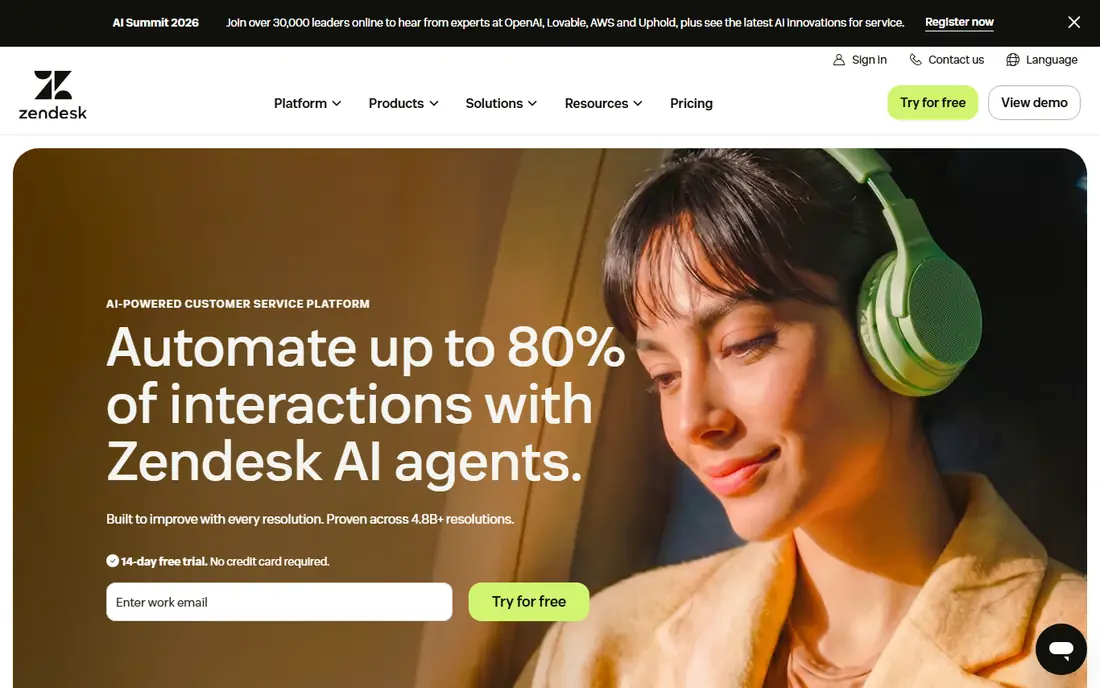
Zendesk fits large teams that need AI across email, chat, and phone. Zendesk pairs a full help desk with AI copilots and agents that can draft, summarize, and resolve common tickets. That mix helps large teams keep quality steady as volume grows. That clarity makes it easier to judge whether it matches your volume, your channels, and your staffing.
The honest catch is cost and setup time, since AI features and channels often sit on higher tiers. Before you commit, check which AI features are included in your tier, and run a short trial with real work from your own tasks. If that trial feels calm, Zendesk is a sensible shortlist pick.
- AI copilot and agents
- Wide channels
- Strong automation
- Higher tiers and add-ons can be costly
- Setup takes time
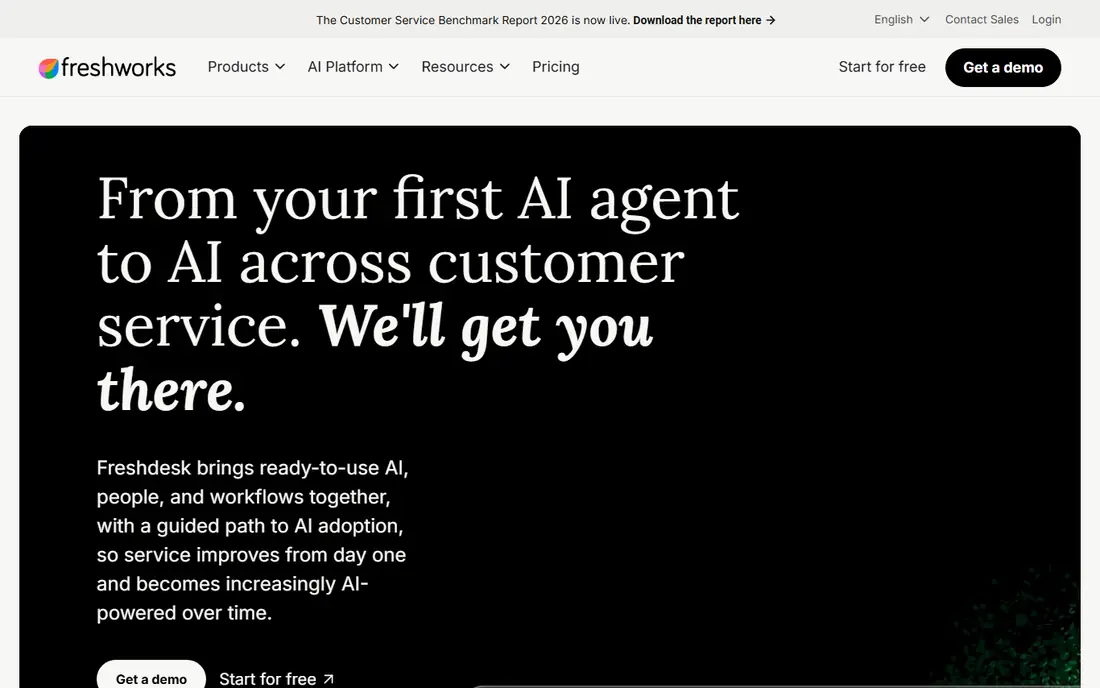
Freshdesk fits midsize teams that want useful AI without enterprise cost. Freshdesk offers Freddy AI for ticket summaries, reply drafts, and suggested articles, inside a ticket view that stays readable. That balance suits teams that want AI help without a large admin burden. That clarity makes it easier to judge whether it matches your volume, your channels, and your staffing.
The honest catch is tier limits that keep some AI and reporting on higher plans. Before you commit, check which Freddy features your tier includes, and run a short trial with real work from your own tasks. If that trial feels calm, Freshdesk is a sensible shortlist pick.
- Freddy AI for summaries and replies
- Clear tickets
- Fair pricing
- Some AI needs higher tiers
- Advanced reporting is tiered

Intercom fits chat-first teams that want an AI agent in the messenger. Intercom centers on chat, with Fin answering common questions from help content and handing over full context to agents. That flow cuts wait times for simple chats. That clarity makes it easier to judge whether it matches your volume, your channels, and your staffing.
The honest catch is pricing that grows with contacts and AI resolutions. Before you commit, check how Fin resolutions are counted on your plan, and run a short trial with real work from your own tasks. If that trial feels calm, Intercom is a sensible shortlist pick.
- Fin AI agent for chat
- Strong messenger
- Self-service tools
- Pricing scales with contacts and AI use
- Email is secondary
HubSpot Service Hub fits teams that already use HubSpot and want support in the CRM. HubSpot Service Hub ties AI replies and tickets to contact records, so agents see past activity before they answer. That context helps with repeat customers and service follow-up. That clarity makes it easier to judge whether it matches your volume, your channels, and your staffing.
The honest catch is tier limits on AI and automation that can frustrate larger teams. Before you commit, check whether your tier includes the AI tools you plan to use, and run a short trial with real work from your own tasks. If that trial feels calm, HubSpot Service Hub is a sensible shortlist pick.
- AI replies tied to CRM records
- Shared inbox
- Automation
- AI and automation limits on lower tiers
- Phone varies
Zoho Desk fits budget teams that already use Zoho apps. Zoho Desk uses Zia AI to summarize tickets, flag sentiment, and suggest replies, inside a multichannel inbox. That value suits teams that need AI help at a lower price. That clarity makes it easier to judge whether it matches your volume, your channels, and your staffing.
The honest catch is AI limits on lower tiers and an interface that feels dated in places. Before you commit, check which Zia features are in your tier, and run a short trial with real work from your own tasks. If that trial feels calm, Zoho Desk is a sensible shortlist pick.
- Zia AI summaries, sentiment, and replies
- Multichannel inbox
- Some AI needs higher tiers
- Interface is less polished in places
Help Scout fits small teams that want a clean inbox with light AI help. Help Scout keeps the shared inbox simple, with AI drafts and summaries that help small teams reply faster. Its docs tools support self-service without a complex setup. That clarity makes it easier to judge whether it matches your volume, your channels, and your staffing.
The honest catch is less automation depth than large enterprise suites. Before you commit, check whether its automation covers your routing needs, and run a short trial with real work from your own tasks. If that trial feels calm, Help Scout is a sensible shortlist pick.
- Clean shared inbox
- AI drafts and summaries
- Good docs tools
- Smaller automation depth than enterprise suites
- Phone is limited
Salesforce Service Cloud fits enterprises that already run Salesforce and need deep AI case work. Service Cloud uses Einstein AI to summarize cases, suggest replies, and route work, with full CRM context for agents. That depth suits large teams with complex case rules. That clarity makes it easier to judge whether it matches your volume, your channels, and your staffing.
The honest catch is complexity and cost, since setup often needs admin time. Before you commit, check implementation scope and which Einstein features your edition includes, and run a short trial with real work from your own tasks. If that trial feels calm, Salesforce Service Cloud is a sensible shortlist pick.
- Einstein AI summaries and replies
- Deep CRM and case automation
- Complex and costly to set up
- Needs admin time
Tidio fits small businesses and online stores that need chat AI fast. Tidio offers live chat plus an AI agent that can answer store questions and collect leads. Setup is quick, which suits small shops that need chat help without a large help desk project. That clarity makes it easier to judge whether it matches your volume, your channels, and your staffing.
The honest catch is limited ticket depth compared with full help desks. Before you commit, check whether chat volume and AI answers fit your store questions, and run a short trial with real work from your own tasks. If that trial feels calm, Tidio is a sensible shortlist pick.
- Chat and AI agent for stores
- Simple setup
- Live chat tools
- Best fit is chat and small stores
- Ticket depth is limited
LiveAgent fits small teams that need email, chat, phone, and social in one inbox. LiveAgent covers many channels in one inbox, with AI chat tools and automation rules for routine tickets. That breadth suits small teams that cannot afford several tools. That clarity makes it easier to judge whether it matches your volume, your channels, and your staffing.
The honest catch is AI depth that is lighter than premium AI suites. Before you commit, check which AI features are included and how channels are priced, and run a short trial with real work from your own tasks. If that trial feels calm, LiveAgent is a sensible shortlist pick.
- Multichannel inbox
- AI chat and automation
- Fair pricing
- AI depth is lighter than premium suites
- Interface varies
Freshservice fits IT teams that need an AI help desk for staff and internal users. Freshservice is built for IT service work, with incident, asset, and change tools plus Freddy AI for summaries and replies. That focus suits internal help desks and IT teams. That clarity makes it easier to judge whether it matches your volume, your channels, and your staffing.
The honest catch is an IT focus that fits general customer support less well. Before you commit, check whether its IT workflows match your internal service needs, and run a short trial with real work from your own tasks. If that trial feels calm, Freshservice is a sensible shortlist pick.
- IT service workflows
- Freddy AI
- Asset and incident tools
- IT focus means less fit for general customer support
- Tiers matter
How we picked these
We compared official feature and pricing pages for each help desk, and we checked that each product is still sold in 2026. We favored tools with AI reply or copilot features, clear automation, and a usable ticket view. We did not claim hands-on testing. Where a current price could not be confirmed, we wrote See website.
How to get value from AI in a help desk
Use AI for drafts and summaries first
Let AI draft replies and summarize long threads, but keep a human review step for sensitive topics. That approach saves time without letting the bot send a wrong refund or account answer. Track edit rates to see whether drafts are actually helping.
Automate the boring parts, not the judgment calls
Auto-assign, tag, and route tickets by topic, but keep account changes, refunds, and complaints with agents. Good automation clears the queue so agents can focus on cases that need judgment.
Measure deflection and satisfaction together
A high deflection rate means little if customers leave unhappy or reopen tickets. Track resolution rate, reopen rate, and satisfaction side by side. If deflection rises while satisfaction falls, tighten the bot rules.
FAQ
What is AI-powered help desk software?
AI-powered help desk software adds AI replies, summaries, and automation to a normal ticket system. It can answer common questions, draft agent replies, and route tickets by topic. Agents still handle complex, sensitive, or high-value cases.
Can AI replace help desk agents?
No, AI works best as a helper for repeat questions and busywork, while agents handle cases that need judgment, empathy, or account access. Teams that use AI this way usually see faster replies without losing quality. Full replacement tends to fail on edge cases.
How accurate are AI help desk replies?
Accuracy depends on the quality of your help articles, ticket history, and bot rules. A bot trained on clear, current articles does far better than one left with old content. Review bot answers weekly at first, and fix the source articles when answers go wrong.
What should small teams look for?
Small teams should look for a tidy ticket view, a simple AI assistant, and clear pricing. Avoid tools that need a large admin team to run. A short trial with your real tickets will show whether the AI helps or adds work.
How much does AI help desk software cost?
Pricing varies by seat, ticket volume, and AI usage, and some AI features are add-ons. Check the vendor pricing page for your team size, and ask how AI replies are counted. See website is shown where a current price could not be confirmed.