Best AI Design Tool in 2026: 8 Tools Compared
Compare the best AI design tool options for 2026, from Canva and Firefly to Midjourney, Figma, Designer, and Looka, with prices and free plans for creators.
- Editor's choice
 Canva
Everyday marketing graphics
Starts atSee websiteVisit canva.comFull review - Great alternative
 Adobe Firefly
Commercially safe image generation
Starts at$9.99 per monthVisit adobe.comFull review - Also consider
 Midjourney
Artistic and editorial images
Starts at$10 per monthVisit midjourney.comFull review
TL;DR:
- The best AI design tools split into editable design editors, image generators, and narrow tools for logos and interfaces.
- Canva and Microsoft Designer suit everyday marketing graphics, while Midjourney and Firefly suit image creation.
- Figma suits interface teams, Looka suits new business logos, and Uizard suits app and web mockups.
- Check AI credits, commercial use terms, and export options, since those limits decide the real cost.
Quick comparison
| Tool | Best for | Starts at | Free plan? | |
|---|---|---|---|---|
| Canva | Everyday marketing graphics | See website | Yes | Visit |
| Adobe Firefly | Commercially safe image generation | $9.99 per month | Yes | Visit |
| Midjourney | Artistic and editorial images | $10 per month | No | Visit |
 Figma | Interface design with AI help | See website | Yes | Visit |
 Microsoft Designer | Free everyday graphics | Free | Yes | Visit |
 Looka | AI logos and brand kits | See website | No | Visit |
 Uizard | AI app and web mockups | See website | Yes | Visit |
 Designs.ai | All-in-one marketing creative | See website | Free trial | Visit |
The best AI design tools
We compared official feature pages, pricing pages, app store listings, privacy policies, and public reviews to find AI design tools that help non-designers and professionals create graphics, images, logos, and interfaces in October 2026.
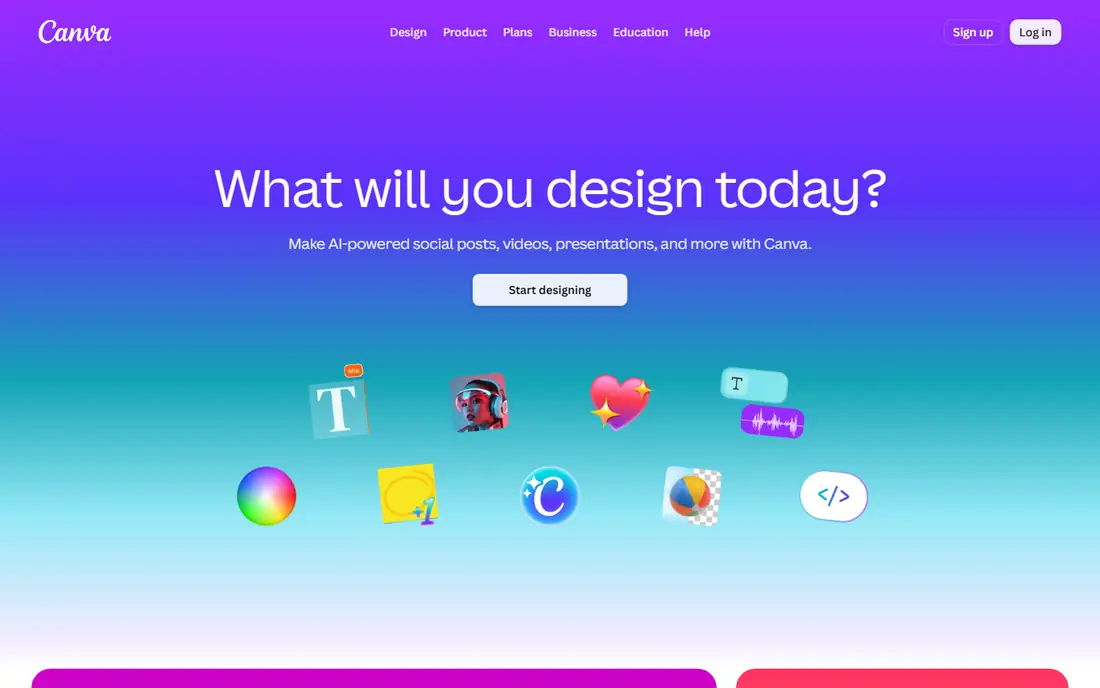
Canva is the best all-round AI design tool for most people, because AI output lands inside an editable design. You can generate an image, then change text, colours, layout, and size for social posts, ads, decks, and print. That editable step matters more than raw image quality for daily marketing work. The catch is AI allowances. Free and Pro plans limit AI uses, and heavy users may need extra credits or an add-on. Check your monthly design volume before you rely on AI generation for every post. For everyday graphics, Canva remains the simplest, most practical choice.
- Editable designs, not just flat images
- Huge template library
- Brand kits and resizing on Pro
- AI usage uses allowances that need a check
- Heavy AI use may need an add-on
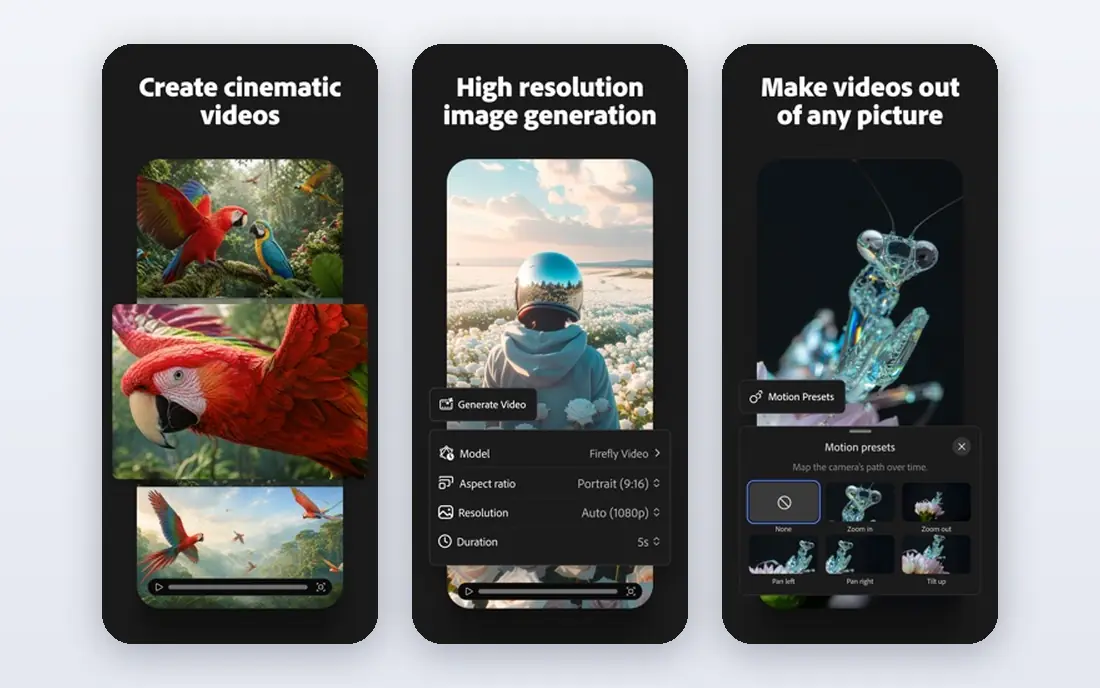
Adobe Firefly suits teams that need commercial safety and a clear licensing story. Its models are trained on licensed content, which helps brands that worry about rights and indemnity. Firefly also connects to Adobe Express and Creative Cloud, so generated images can move into wider design work. Credit rules are the detail to watch. Free generations are limited, and paid plans use credits that vary by model and output type. Check commercial use terms for the exact model you use, since partner models can differ. For brand-safe commercial work, Firefly is a strong pick.
- Models trained on licensed Adobe Stock content
- Fits Adobe Express and Creative Cloud
- Image and video generation tools
- Credits govern paid use and need tracking
- Some partner models have different terms
Midjourney remains the favourite for artistic, cinematic, and editorial images, where style matters more than editable layers. Prompts produce a set of variations, and the community and style controls help creators refine a look. For book covers, editorial art, and concept work, its output stands out. The workflow is the trade-off. Midjourney has a Discord history, and new users need time to learn prompt and parameter habits. There is also no free plan, so you pay from the start. If you need editable marketing layouts, pair Midjourney with Canva or Figma, rather than using it alone.
- Distinctive artistic style and quality
- Strong for editorial and concept work
- Clear plan ladder
- No free plan on its website
- Discord-based workflow takes adjustment
Figma suits product, web, and interface teams that need AI help inside a professional design tool. AI can draft screens, generate content, and help turn an idea into a prototype, while the team edits, comments, and hands off to developers in the same file. That workflow is why many design teams centre their work in Figma. Non-designers may find Figma heavier than Canva for a quick social graphic. AI credits and seat pricing also vary, so check which plan includes the AI features you need. For interface work, Figma is the clear leader, with AI as a useful accelerator rather than a replacement for design judgement.
- Industry-standard interface design
- AI tools for first drafts and prototypes
- Strong team collaboration
- AI features sit on paid seats in many cases
- Learning curve for non-designers
Microsoft Designer is the best free starting point for everyday graphics. You can type a prompt, get social graphics and images, and edit them in a simple editor, all without a subscription. For personal projects, school work, and quick social posts, it removes cost as a barrier. Commercial use needs a careful read of current terms, since free use has personal-use limits in some listings. Microsoft 365 users get extra AI credits, which helps for regular work. For business graphics at scale, Canva Pro or Firefly usually offer clearer commercial terms and more control.
- Free with a Microsoft account
- Simple prompts for social graphics
- Fits Microsoft 365 workflows
- Personal, non-commercial use limits on free use in some terms
- Less control than Canva Pro
Looka suits new businesses that need a logo and basic brand kit quickly, without hiring a designer for a first version. You answer questions about style, colours, and industry, then refine logo options and download a brand kit with templates for social and print. One-time packages suit a tight startup budget. The risk with any AI logo tool is originality and trademark fit. Check that your logo does not clash with an existing brand in your market, and consider a designer review before you invest in signage or packaging. For a fast, affordable start, Looka gives a professional-looking result.
- Fast logo generation from preferences
- Brand kit with colours, fonts, and templates
- One-time logo packages
- No free plan for full logo files
- Logo originality needs a human check
Uizard suits founders, product managers, and early-stage teams that need to show an app or website idea quickly. You can prompt a screen, upload a sketch, or start from a template, then edit the result into a clickable mockup. That speed helps in pitches, user tests, and early feedback sessions. A mockup is not a finished product design. Visual polish, accessibility, and developer handoff still need a designer or Figma work for production. For the idea stage, Uizard saves days of work, and the free plan lets you test whether the output style fits your product.
- Turns prompts and sketches into interface mockups
- Editable screens and components
- Good for early product ideas
- Mockups need designer polish for production
- Pricing is per creator on paid plans
Designs.ai suits small marketing teams that want several AI creative tools in one subscription, covering logos, videos, images, and social designs. That breadth helps a team that needs a little of everything, without buying separate tools for each format. Templates speed up routine marketing work. Quality varies by tool, so trial each one with a real brief before you commit to the suite. A dedicated tool such as Midjourney for images or Looka for logos may beat the suite on a single job. For a small team that values one login and many formats, Designs.ai is a practical bundle.
- Logo, video, and design tools in one suite
- Marketing templates for many formats
- Useful for small teams
- Output quality varies by tool
- Suite pricing needs a check for your volume
How we picked these
We compared official feature pages, pricing pages, app store listings, privacy policies, and public reviews. We looked for AI design tools that are active in October 2026, produce usable output for a real job, and publish pricing or free terms. We included editors, image generators, interface tools, and narrow logo and mockup tools, so readers can match a tool to the design job they actually have.
How to choose an AI design tool
Start with the output you need, not with the model name. An editable graphic, a flat image, a logo, and an interface mockup are different jobs, and the best tool changes with each one. Test with a real brief, and check credits, rights, and exports before you pay.
Match the tool to the output type
For social and marketing graphics, Canva and Microsoft Designer give editable layouts. For standalone images, Firefly and Midjourney give stronger art. For logos, Looka gives a brand kit. For interfaces, Figma and Uizard give screens and prototypes. Using one tool for every job usually produces weaker results than a small, focused pair.
Check credits, commercial rights, and exports
AI tools meter use by credits, generations, or allowances, and those limits decide monthly cost. Check commercial use terms, especially for client work, and confirm export formats, sizes, and transparency options. A tool that looks free can become costly if credits run out mid-campaign or exports need a paid plan.
Keep a human check on quality and originality
AI output needs review for spelling, object counts, hands, logos, and brand fit, since small errors slip through easily. For logos and brand marks, check trademark risk and originality. For client work, keep source files and prompts, so you can revise or prove how an asset was made if a question arises later.
FAQ
What is the best AI design tool for beginners?
Canva is the best AI design tool for most beginners, since it combines templates, AI generation, and editable layouts in one editor. Microsoft Designer is a strong free alternative for simple graphics. Start with a real project, such as a social post or flyer, and choose the editor you find easiest to revise.
What are the best AI design tools for logos?
Looka leads for AI logos with a brand kit, while Designs.ai also offers logo tools inside a wider suite. For a unique, trademark-ready logo, a human designer still adds value, especially for a business that will invest in packaging and signage. Use AI logos as a fast start, then review originality before launch.
Is Midjourney or Adobe Firefly better for commercial work?
Firefly is usually safer for commercial work, since its models are trained on licensed content and Adobe offers clearer commercial terms. Midjourney excels on artistic style, but commercial teams should check current licence terms for their plan. For client work with rights concerns, Firefly is the more cautious choice.
Can AI design tools replace a graphic designer?
For routine graphics, social posts, and early mockups, AI tools save time and cost. For brand identity, complex layouts, print production, and original illustration, a designer still adds judgement, originality, and quality control. Most teams get the best result by using AI for drafts and a designer for final, high-stakes work.
Are AI design apps free?
Several offer free plans, including Canva, Microsoft Designer, Figma, and Uizard, with limits on AI uses, exports, or features. Firefly offers limited free generations, while Midjourney and Looka are paid for full use. Check free limits and commercial terms, since a free plan may not cover business use.
What is the best AI design software for social media?
Canva is the best AI design software for social media for most teams, thanks to templates, resizing, brand kits, and scheduling-friendly exports. Microsoft Designer is a good free option for quick posts, while Firefly and Midjourney help when you need original images to place inside a Canva layout.