Best AI Collaboration Tools in 2026: 9 Tools Compared
Best ai collaboration tools in 2026: compare 9 tools for docs, tasks, chat and meetings, with AI summaries, pricing, a buying guide and FAQs to choose well.
- Editor's choice
 Notion AI
Teams that live in docs, wikis and databases
Starts atFreeVisit notion.comFull review - Great alternative
 ClickUp AI
Teams that want tasks, docs and AI in one workspace
Starts atFreeVisit clickup.comFull review - Also consider
 Asana AI
Cross-team projects with clear owners and deadlines
Starts atFreeVisit asana.comFull review
TL;DR:
- The best AI collaboration tool is usually the one your team already uses daily, since AI helps most where work already lives.
- Notion AI suits doc and wiki teams, ClickUp AI suits all-in-one task teams, and Asana AI suits cross-team projects with clear owners.
- Check whether AI is included or a paid add-on, because that changes the true per-user cost by a wide margin.
- AI summaries save time only if channels, docs and tasks stay organised, so set ownership rules before you scale AI features.
Quick comparison
| Tool | Best for | Starts at | Free plan? | |
|---|---|---|---|---|
| Notion AI | Teams that live in docs, wikis and databases | Free | Yes | Visit |
| ClickUp AI | Teams that want tasks, docs and AI in one workspace | Free | Yes | Visit |
| Asana AI | Cross-team projects with clear owners and deadlines | Free | Yes | Visit |
 Miro AI | Visual teams that plan on boards and canvases | Free | Yes | Visit |
 Slack AI | Teams that already coordinate in chat channels | Free | Yes | Visit |
 Microsoft 365 Copilot | Microsoft 365 organisations that want AI across Office apps | See website | Free trial | Visit |
 Google Workspace with Gemini | Google Workspace teams that collaborate in Docs and Meet | See website | Free trial | Visit |
 Confluence | Teams that need a shared knowledge base next to Jira | Free | Yes | Visit |
 Zoom AI Companion | Teams that meet on Zoom and need meeting follow-up | See website | Free trial | Visit |
The best AI collaboration tools
AI collaboration tools are meant to cut the busywork between people, by drafting notes, summarising threads, finding answers and keeping shared work up to date, so teams spend more time deciding and less time chasing updates. We compared official feature pages, pricing pages and public documentation for each option below, and we note where pricing is quote-based so you can judge the comparison fairly.
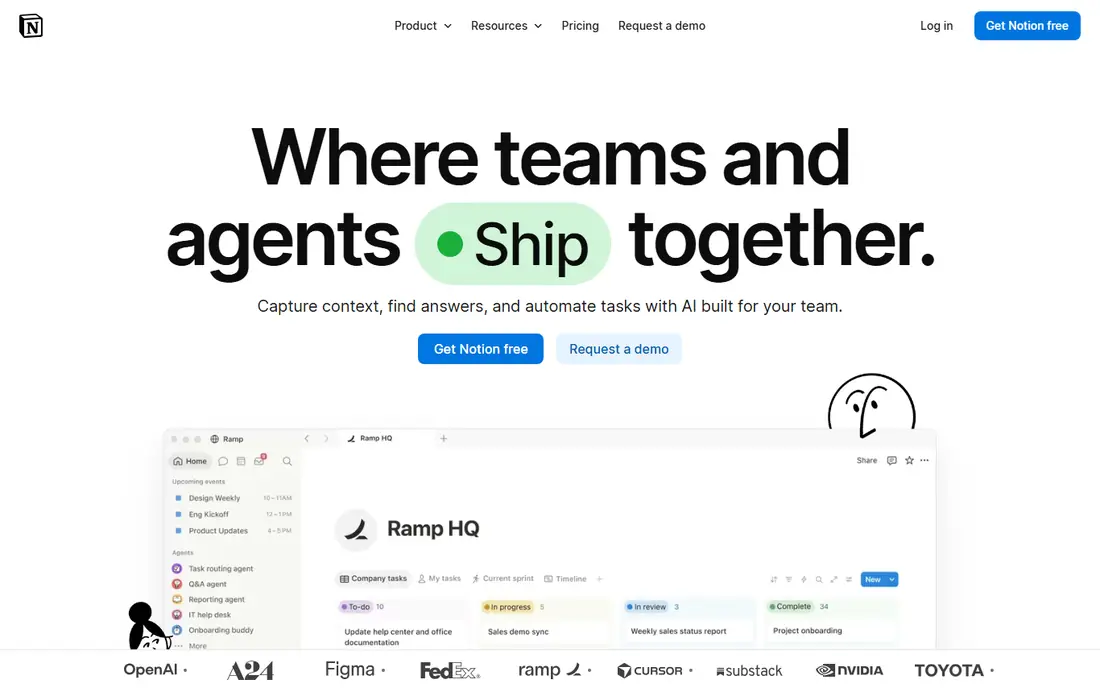
Our first pick for doc-centred teams is Notion AI, because its AI sits where the work already lives, so a team can ask questions across its own pages instead of hunting through folders. In daily use, that strength shows up in drafting, summarising notes and autofilling databases, all inside the same workspace. We also looked at templates and databases, and they help a team turn a wiki into a working system for projects, hiring or product notes.
The honest catch is that full AI features sit on higher plans, and large workspaces need setup discipline to stay tidy. That weakness does not make it a poor product, but it does change who should choose it. If that catch matches your situation, try a task-first option on this list instead, and use the trial to test the exact workflow you will rely on, not just a demo.
- AI writing, search and meeting notes inside docs
- Flexible databases
- Strong templates
- Full AI features sit on higher plans
- Large workspaces need setup discipline
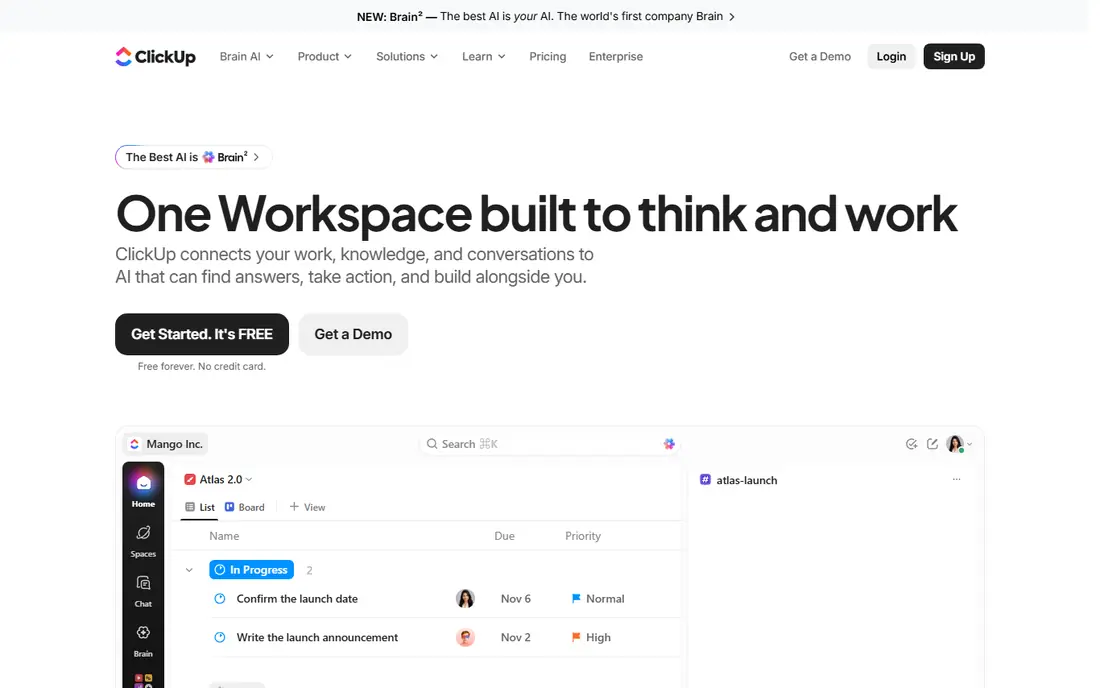
Next, consider ClickUp AI, because its all-in-one workspace suits a team tired of paying for separate task, doc and chat tools, with AI layered on top of that work. In daily use, that strength shows up in tasks, docs, goals and chat sharing one workspace, so AI summaries draw on the work itself. We also looked at views, and list, board, timeline and calendar views help different teams work in the way they prefer.
The honest catch is that the AI add-on cost sits on top of the base plan, and new users should expect a setup period before the workspace feels tidy. That weakness does not make it a poor product, but it does change who should choose it. If that catch matches your situation, try an option with AI included on this list instead, and use the trial to test the exact workflow you will rely on, not just a demo.
- Task, doc, chat and goal tools in one place
- AI add-on for summaries and drafting
- Many views
- AI is a paid add-on
- The range of features can feel busy at first

A different kind of buyer will prefer Asana AI, because its AI Studio automations handle routine status work, like drafting updates and routing tasks, which frees project leads for decisions. In daily use, that strength shows up in cross-team projects, where owners, deadlines and approvals need to stay clear. We also looked at reporting, and it helps managers see progress without chasing every team for an update.
The honest catch is that advanced AI sits on higher tiers, and the per-user price adds up as headcount grows. That weakness does not make it a poor product, but it does change who should choose it. If that catch matches your situation, try a lower-priced option on this list instead, and use the trial to test the exact workflow you will rely on, not just a demo.
- AI teammates and Studio automations
- Strong project views
- Approvals and reporting
- Advanced AI sits on higher tiers
- Pricing rises with team size
For teams that want a simpler path to visual planning, Miro AI offers a canvas that suits workshops, mapping and planning sessions where a linear doc hides how ideas connect. In daily use, that strength shows up in brainstorming, journey mapping and product planning, with AI help to summarise and organise board content. We also looked at templates, and they help a team start a workshop quickly instead of building a board from scratch.
The honest catch is that a team that mainly writes documents will find a board-first tool awkward for everyday drafting and record keeping. That weakness does not make it a poor product, but it does change who should choose it. If that catch matches your situation, try a doc-first option on this list instead, and use the trial to test the exact workflow you will rely on, not just a demo.
- Infinite canvas for workshops and planning
- AI summaries and diagram help
- Many templates
- Text and doc work is weaker than dedicated tools
- Larger boards need organisation
Another strong choice is Slack AI, because its AI summaries help a returning team member catch up on a long thread without reading every message in order. In daily use, that strength shows up in channel search, huddles and workflow tools that keep day-to-day coordination in one place. We also looked at integrations, and the huge range helps a team connect chat to tasks, docs and support tools.
The honest catch is that chat-first work can still bury decisions, and the AI helps only if channels are kept reasonably organised. That weakness does not make it a poor product, but it does change who should choose it. If that catch matches your situation, try a doc or task option on this list instead, and use the trial to test the exact workflow you will rely on, not just a demo.
- AI thread summaries and search across channels
- Huddles and workflow tools
- Huge integration range
- AI features need paid plans
- Chat history can still overwhelm without channel discipline
Microsoft 365 Copilot
Best for: Microsoft 365 organisations that want AI across Office apps
If your organisation runs on Microsoft, Microsoft 365 Copilot offers coverage across the Office apps a Microsoft shop already uses, from drafting in Word to summaries in Teams. In daily use, that strength shows up in meetings, email and documents sharing one AI layer, with enterprise admin controls behind it. We also looked at security, and the enterprise controls suit organisations with strict data and compliance needs.
The honest catch is that an organisation that does not use Microsoft 365 widely will get little from it, and the licensing needs a careful quote. That weakness does not make it a poor product, but it does change who should choose it. If that catch matches your situation, try a Google or standalone option on this list instead, and use the trial to test the exact workflow you will rely on, not just a demo.
- AI across Word, Excel, Teams and Outlook
- Enterprise security and admin controls
- Meeting summaries
- Pricing is enterprise-style
- Value depends on full Microsoft 365 use
Google Workspace with Gemini
Best for: Google Workspace teams that collaborate in Docs and Meet
For larger or more complex needs in Google Workspace, Gemini offers real-time co-editing plus drafting help that suits teams that already live in Docs, Sheets and Meet every day. In daily use, that strength shows up in shared documents, meeting notes and email drafts that stay in one ecosystem. We also looked at sharing controls, and they make it simple for a team to collaborate with guests and clients.
The honest catch is that a team on Microsoft Office or with strict enterprise admin needs may find the controls and pricing less straightforward. That weakness does not make it a poor product, but it does change who should choose it. If that catch matches your situation, try a Microsoft or standalone option on this list instead, and use the trial to test the exact workflow you will rely on, not just a demo.
- Gemini help in Docs, Sheets, Gmail and Meet
- Real-time co-editing
- Simple sharing controls
- AI pricing varies by plan
- Admin controls are lighter than some enterprise suites
A practical middle ground for Atlassian teams comes from Confluence, because its structured spaces give a team one place for decisions, guides and project notes, with AI help to find and summarise them. In daily use, that strength shows up when a new joiner searches for a decision and finds it in a team space, rather than in chat history. We also looked at Jira integration, and it links knowledge to the work it describes.
The honest catch is that a team without Jira gets less from the integration, and a wiki without clear owners can still grow messy over time. That weakness does not make it a poor product, but it does change who should choose it. If that catch matches your situation, try a standalone doc option on this list instead, and use the trial to test the exact workflow you will rely on, not just a demo.
- Structured team spaces
- AI search and summaries
- Tight Jira integration
- Best for Atlassian shops
- Page organisation needs ownership
Finally, a specialist option for meeting-heavy teams is Zoom AI Companion, because its meeting summaries turn a long call into notes and action items without someone typing them up afterwards. In daily use, that strength shows up in follow-up, where action items from a call flow into the next steps. We also looked at recordings and whiteboards, and they help a team keep meeting work in one place.
The honest catch is that a team that collaborates mainly in docs and tasks, rather than meetings, will get less daily value from a meeting-centred tool. That weakness does not make it a poor product, but it does change who should choose it. If that catch matches your situation, try a doc or task option on this list instead, and use the trial to test the exact workflow you will rely on, not just a demo.
- Meeting summaries and action items
- Smart recordings
- Chat and whiteboard tools
- Best value inside Zoom plans
- Non-meeting collaboration is thinner
How we picked these
We started from the topic itself, best ai collaboration tools, and kept only products that exist, work today and truly fit that job. We compared official pricing pages, feature pages and public documentation, and we used See website where a vendor does not publish a clear entry price, rather than guessing a number. We mixed well-known leaders with smaller options, and we favoured products with clear pricing, support and limits, while noting honest weaknesses for each one.
We did not claim hands-on testing that did not happen. Our comparison rests on vendor pages, pricing and public documentation, plus the practical fit of each product for a specific kind of buyer. That method keeps the list honest, and it also means you should run your own trial before committing, since your data, team and workflow will surface issues no list can predict.
How to choose the right option
Start with your must-have job
Write down the one job this tool must do well in its first month, then judge every option against that job alone. A tool with a long feature list that handles your core job poorly will cost more time than a focused tool that handles it well. Trials should test that job with real data, not a sample project.
Check the true cost, not just the headline price
Add up seats, add-ons, usage limits and any AI add-on charges before you compare prices. A low headline price can grow quickly once AI features, seats or data volume grow. Ask for a written quote where pricing is not published, and check renewal terms before you pay annually.
Plan for growth and exit
Check how easy it is to add users, raise limits and export your data if you later switch tools. A tool that locks your work inside its own format creates a costly move later. Also check support hours, onboarding help and documentation, since a good tool with weak support can still slow a team down.
FAQ
What is the best ai collaboration tool for most teams?
There is no single winner for every buyer, since the best ai collaboration tool choice depends on where your team already works, whether that is docs, tasks, chat or meetings. Start with the options whose best-for description matches your situation, then trial two of them on real work. That short trial usually reveals which interface, limits and price fit your team better than a longer list can.
Is AI included or an add-on?
It depends on the product. Some tools include AI on higher plans, while others charge a separate AI add-on per user. Check the plan you would actually buy, and add the AI cost to the base price before you compare tools.
Is there a free option worth trying?
Several tools on this list offer a free plan or a free trial, and those are a good way to test the core workflow before paying. Free plans usually limit seats, volume or AI features, so check those limits against your real workload. A free trial with your own work is more useful than a demo with sample data.
How do I keep AI summaries accurate?
Give AI clear source material, such as a well-structured doc or a focused meeting, rather than a messy chat history. Review AI summaries before sharing them, and assign owners for docs and tasks so the source material stays current. AI helps most when the underlying work is already organised.
Should I pay annually or monthly?
Monthly billing suits a trial period and a team whose size may change, while annual billing usually lowers the monthly rate. Pay annually only after a trial has confirmed the tool fits your workflow and your team will use it for a full year. Check the renewal and cancellation terms in writing before you commit.