Best AI Coding Tools for Large Existing Codebases in 2026: 9 Tools Compared
Best AI coding tools for large existing codebases, compared across 9 assistants for context, refactoring, and safe changes in big repos and team workflows.
- Editor's choice
 GitHub Copilot
Most large repos
Starts atSee websiteVisit github.comFull review - Great alternative
 Cursor
AI-first editing
Starts atSee websiteVisit cursor.comFull review - Also consider
 Sourcegraph Cody
Repo-wide search and context
Starts atSee websiteVisit sourcegraph.comFull review
TL;DR:
- GitHub Copilot and Cursor lead for most teams, since they combine broad language support with editor integration and repo context.
- Sourcegraph Cody and Augment Code stand out for very large codebases, where search across repos matters more than simple completion.
- JetBrains Junie and Amazon Q Developer suit teams already inside JetBrains IDEs or AWS, where native integration saves setup time.
- Tabnine and Gemini Code Assist appeal to firms with strict privacy or Google Cloud requirements.
- No AI tool should merge large refactors without tests, review, and a clear rollback plan.
Quick comparison
| Tool | Best for | Starts at | Free plan? | |
|---|---|---|---|---|
| GitHub Copilot | Most large repos | See website | Yes | Visit |
| Cursor | AI-first editing | See website | Free trial | Visit |
| Sourcegraph Cody | Repo-wide search and context | See website | Yes | Visit |
 Augment Code | Very large enterprise codebases | See website | Free trial | Visit |
 JetBrains Junie | JetBrains IDE users | See website | Free trial | Visit |
 Amazon Q Developer | AWS-heavy teams | See website | Free trial | Visit |
 Tabnine | Privacy-conscious teams | See website | Yes | Visit |
 Gemini Code Assist | Google Cloud teams | See website | Free trial | Visit |
 Windsurf | Agentic editing and teams | See website | Yes | Visit |
The best AI coding tools for large existing codebases
A large existing codebase is a different test from a fresh project. The tool must understand many files, follow your patterns, avoid breaking hidden dependencies, and explain its changes. The tools below were judged on context handling, refactoring help, and controls for enterprise use, not just on code completion speed.

GitHub Copilot is the safe default for large codebases because it works in the editors most teams already use and it understands GitHub repos, pull requests, and issues. Its chat and agent modes can explain code, suggest refactors, and draft tests, while completion speeds up routine work. For teams with many repos, the GitHub link also helps with permissions and audit trails.
The limit is context. On a very large monorepo, Copilot can miss distant dependencies or propose a pattern that conflicts with another module. Treat its suggestions as a skilled junior contributor: useful, fast, but in need of review, tests, and a human who knows the system. With that discipline, it is a strong all-round pick.
- Broad IDE support
- Strong completion and chat
- GitHub integration
- Context limits on huge repos
- Review still essential for complex changes
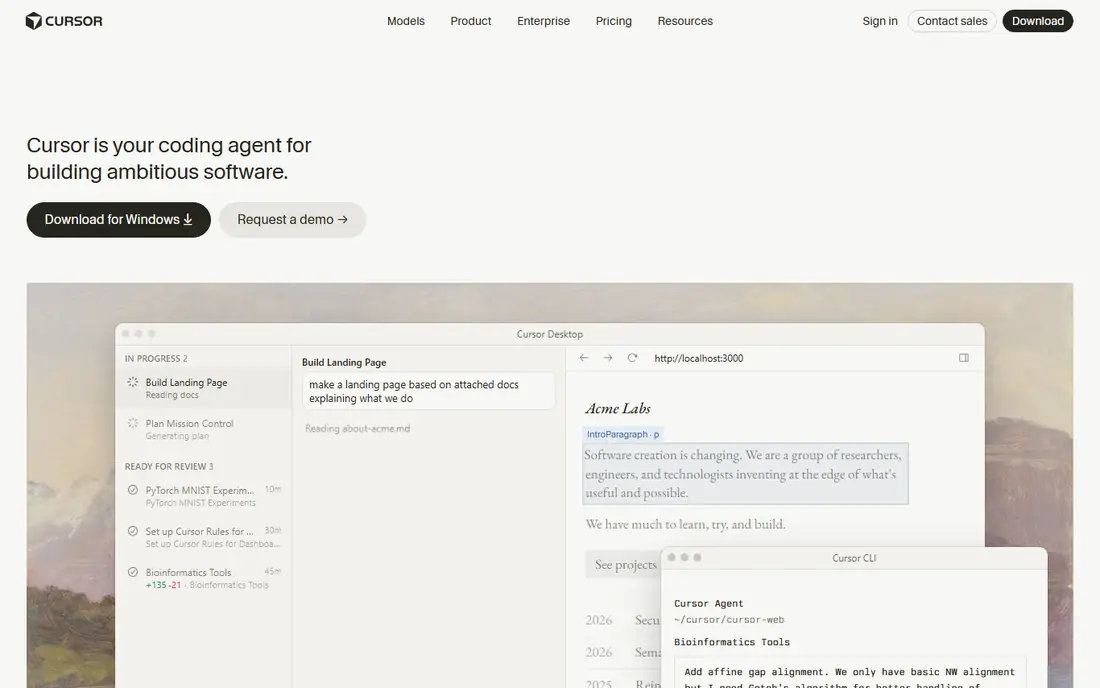
Cursor is built around AI editing from the start, not as an add-on. Its agent mode can plan a change across files, apply edits, run checks, and report what it changed, which helps when a refactor touches many modules. Codebase indexing lets it pull relevant files into context, and its chat can answer questions about how a feature actually works in your repo.
Usage-based pricing means costs vary with agent use, so teams should set budgets and monitor heavy agent runs. Enterprise admin features are also newer than GitHub or JetBrains. For teams that want an AI-first editor and are willing to manage usage, Cursor is one of the most productive tools in this list.
- Agent mode for multi-file changes
- Good codebase indexing
- Fast editing workflow
- Pricing is usage-based
- Enterprise controls are newer than rivals
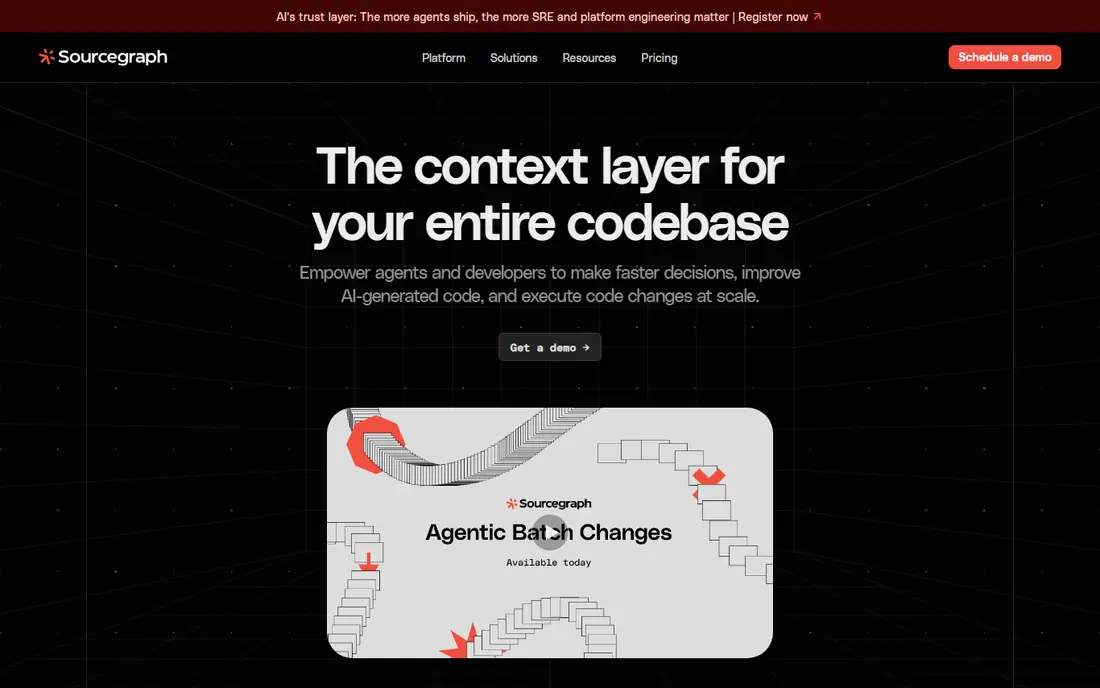
Sourcegraph Cody stands out where search is the bottleneck. Sourcegraph has long indexed large codebases, and Cody uses that index to answer questions, explain functions, and draft changes with context from across repos, not just the open file. For a firm with dozens of services, that cross-repo awareness prevents the classic error of fixing one service while breaking another.
Self-hosted setup and indexing take more effort than a simple editor plugin, and the daily editing feel depends on which IDE you use. If your main pain is understanding a huge, old codebase, Cody is worth that setup cost. If you mainly want fast completion, a simpler tool may be enough.
- Excellent code search
- Context across many repos
- Enterprise controls
- Setup for self-hosted search takes effort
- Editor experience varies
Augment Code is designed specifically for large enterprise codebases, with a context engine that aims to understand a whole repo, its dependencies, and team patterns. It offers chat, completion, and agent workflows inside common IDEs, with an emphasis on accuracy for complex, long-lived code. That focus makes it a serious option for firms where a small change can have wide effects.
The trade-off is market presence and pricing transparency. Augment is less widely adopted than Copilot, so community guides are fewer, and enterprise pricing needs a sales conversation. For large firms that have tried generic tools and found context lacking, Augment is a targeted alternative worth a pilot.
- Built for large codebases
- Strong context engine
- Enterprise focus
- Less known than Copilot
- Pricing is quote-led for large firms
JetBrains Junie, the AI coding agent from JetBrains, works inside IntelliJ IDEA, PyCharm, WebStorm, and other JetBrains IDEs, where many enterprise teams already live. It can take on coding tasks, run tests, and explain changes in the context of the project, with the IDE knowledge that JetBrains has built over years. For Java, Kotlin, and other JVM-heavy codebases, that native fit is a real advantage.
Outside JetBrains IDEs, the case weakens, since Junie is tied to that ecosystem. It is also newer as a product than Copilot, so teams should test it on their own large project rather than trusting demos. For JetBrains shops, it is a natural, low-friction AI agent to evaluate first.
- Native JetBrains integration
- Agent tasks for refactoring
- Good Java and Kotlin support
- Best inside JetBrains IDEs
- Newer than Copilot in market terms
Amazon Q Developer is the AI assistant for teams building on AWS. It offers completion, chat, and agent help in IDEs and the AWS console, plus features for transforming code, such as upgrading Java versions, and for scanning for security issues. For a firm migrating or modernizing AWS workloads, those transformation tools are genuinely useful.
For general, non-AWS development, Q is less broad than Copilot or Cursor, and its best features assume AWS services. Teams that run a mixed stack should test Q on AWS work and keep another tool for general coding, or choose a broader tool as the default. Inside AWS, Q is a strong, well-integrated pick.
- AWS integration
- Code transformation help
- Security scanning features
- Strongest inside AWS
- General coding breadth is narrower than Copilot
Tabnine has long focused on privacy, offering private and self-hosted deployment options that appeal to regulated firms and large enterprises with strict code handling rules. It provides completion, chat, and code review help, with controls over where code is processed. That privacy stance is often the deciding factor for banks, healthcare firms, and government suppliers.
Agent and multi-file refactoring features are less deep than Cursor or Augment, so Tabnine suits teams that prioritize safe completion and chat over autonomous refactors. If your security team must approve any AI coding tool, Tabnine is often the easiest to get through review, which is a practical advantage.
- Private deployment options
- Good completion
- Enterprise privacy controls
- Agent features are less deep than Cursor
- Model quality varies by plan
Gemini Code Assist, from Google Cloud, brings Gemini models into IDEs and Google Cloud workflows, with completion, chat, and code transformation help. It fits teams already using Google Cloud, BigQuery, and Google developer tools, where its cloud context and enterprise controls add value. It also offers a free tier for individual use, which helps teams test it.
IDE coverage and general adoption are narrower than Copilot, so teams using a wide mix of editors should check support first. For Google Cloud firms, though, Gemini Code Assist is a credible, well-supported option that keeps AI coding close to cloud deployment and review workflows.
- Google Cloud integration
- Strong chat and completion
- Enterprise controls
- Best inside Google Cloud
- IDE coverage is narrower than Copilot
Windsurf, formerly Codeium, offers an AI editor and plugins with an agentic workflow that can plan and apply multi-file changes, run terminal commands, and track context across a project. It appeals to teams that want Cursor-style agent editing with team management and deployment options. A free tier helps individuals and small teams try it.
Buyers should check current ownership, pricing, and support terms in 2026, since Windsurf went through ownership changes during that year. With those terms confirmed, it remains a capable agent editor for large codebases, especially for teams that want a managed team plan rather than only individual seats.
- Agentic Cascade workflow
- Team features
- Fast multi-file editing
- Ownership changes in 2026 need checking
- Usage pricing can vary
How we picked these
We compared official feature pages, pricing pages, and public documentation for AI coding tools, and we favored products that are actively sold in 2026, support large repo context, and offer enterprise controls such as permissions and private deployment options. We judged completion, chat, agent refactoring, and search separately, since a tool can be strong in one and weak in another, and large codebases punish that weakness.
What to check before you buy AI coding tools for a large codebase
Start with a real repo, not a demo project. Give each tool the same task: explain a complex module, refactor a small but tangled function, and add tests for an edge case. Check whether suggestions follow your naming, error handling, and test patterns, and whether the tool cites the files it used. A tool that invents APIs or ignores your patterns will cost review time.
Next, check privacy and data handling in writing. Ask where code is sent, how long it is kept, whether it trains models, and whether private deployment is available. Confirm IDE support for your team, since a tool that only works well in one editor will fragment adoption. Finally, set a review rule: no AI change merges without tests passing and a human review, especially for security, payments, and data handling code.
Context and indexing
Ask how the tool indexes your repo, how often that index updates, and whether it can use context from other repos. Stale indexes lead to suggestions based on old code, which is a common failure in large systems. Test with a recently changed file to see if the tool notices.
Cost control
Agent tools can consume credits fast on large refactors. Set per-user budgets, monitor agent runs during the pilot, and compare total cost per active developer, not just seat price. A cheaper seat with high usage cost can end up more expensive than a flat plan.
FAQ
What is the best AI coding tool for a large existing codebase?
For most teams, GitHub Copilot or Cursor is the best starting point, with Sourcegraph Cody or Augment Code as strong options when cross-repo search and context are the main problem. The right pick depends on your IDEs, cloud stack, and privacy rules.
Can AI tools safely refactor a large codebase?
They can help, but they should not refactor alone. Use AI to draft changes, run tests, and explain effects, then require human review and a rollback plan for any change that touches shared modules, data models, or security code.
Does AI coding expose our source code?
It can, depending on the vendor and plan. Check data handling terms, choose private or self-hosted options where needed, and avoid sending secrets or regulated code to a tool without approved terms. Tabnine and enterprise plans from other vendors offer stronger controls.
Is Cursor better than GitHub Copilot for large repos?
Cursor often feels stronger for agentic, multi-file edits, while Copilot offers broader adoption, GitHub integration, and enterprise maturity. Test both on the same repo task before choosing, since team workflow matters as much as model quality.
How do we measure AI coding tools?
Measure time saved on routine tasks, review time, test pass rates, and defect rates, not just suggestions accepted. If review time rises or defects increase, the tool is not helping, even if completion feels fast.