Best AI Code Completion Tools in 2026: 10 Tools Compared
We compare the best ai code completion tools across 10 options, covering inline suggestions, agents, model choice, privacy and current pricing in 2026.

- Editor's choice
 GitHub Copilot
Most developers, GitHub users
Starts at$10 per monthVisit github.comFull review - Great alternative
 Cursor
AI-first editing and agents
Starts at$20 per monthVisit cursor.comFull review - Also consider
 Tabnine
Privacy-focused teams
Starts at$39 per user per monthVisit tabnine.comFull review
TL;DR:
- GitHub Copilot remains the lowest-cost paid starting point for most developers, with a free tier for limited use.
- Cursor and Windsurf suit developers who want an AI-first editor with agent features for multi-file work.
- Tabnine and Amazon Q Developer suit regulated or AWS-heavy teams that need stronger privacy or cloud controls.
- Continue and Cody appeal to developers who want model choice and codebase search without editor lock-in.
Quick comparison
| Tool | Best for | Starts at | Free plan? | |
|---|---|---|---|---|
| GitHub Copilot | Most developers, GitHub users | $10 per month | Yes | Visit |
| Cursor | AI-first editing and agents | $20 per month | Yes | Visit |
| Tabnine | Privacy-focused teams | $39 per user per month | No | Visit |
 Amazon Q Developer | AWS development | $19 per user per month | Yes | Visit |
 Windsurf | Agentic IDE with free tier | Free | Yes | Visit |
 Sourcegraph Cody | Large codebase search | $9 per month | Yes | Visit |
 JetBrains AI | JetBrains IDE users | See website | Free trial | Visit |
 Supermaven | Fast inline completions | $10 per month | Yes | Visit |
 Continue | Open, model-flexible setup | Free | Yes | Visit |
 Replit AI | Browser-based building | See website | Free trial | Visit |
The best AI code completion tools
We compared official pricing pages, feature pages and public reviews to find tools that offer real inline completion, chat and agent help in October 2026. Our pick for most developers is GitHub Copilot on value, with Cursor as the pick for developers who want deeper agent workflows.

GitHub Copilot is the default for a reason. It offers inline completions, chat, multi-file edits and agent features across VS Code, JetBrains, Neovim and other editors, and it works naturally with GitHub pull requests and repositories. The Pro plan is listed at $10 per month, with a free tier offering limited completions and chat.
The newer credit model deserves attention. Paid plans include an AI credit allowance for premium requests, and heavy agent use can consume credits faster than simple completions. For most solo developers, the Pro allowance is enough, but teams running agents all day should check credit limits before standardizing.
- Low paid price
- Wide IDE support
- Deep GitHub integration
- Free tier limits completions and model choice
- Agent usage runs on credits on newer plans
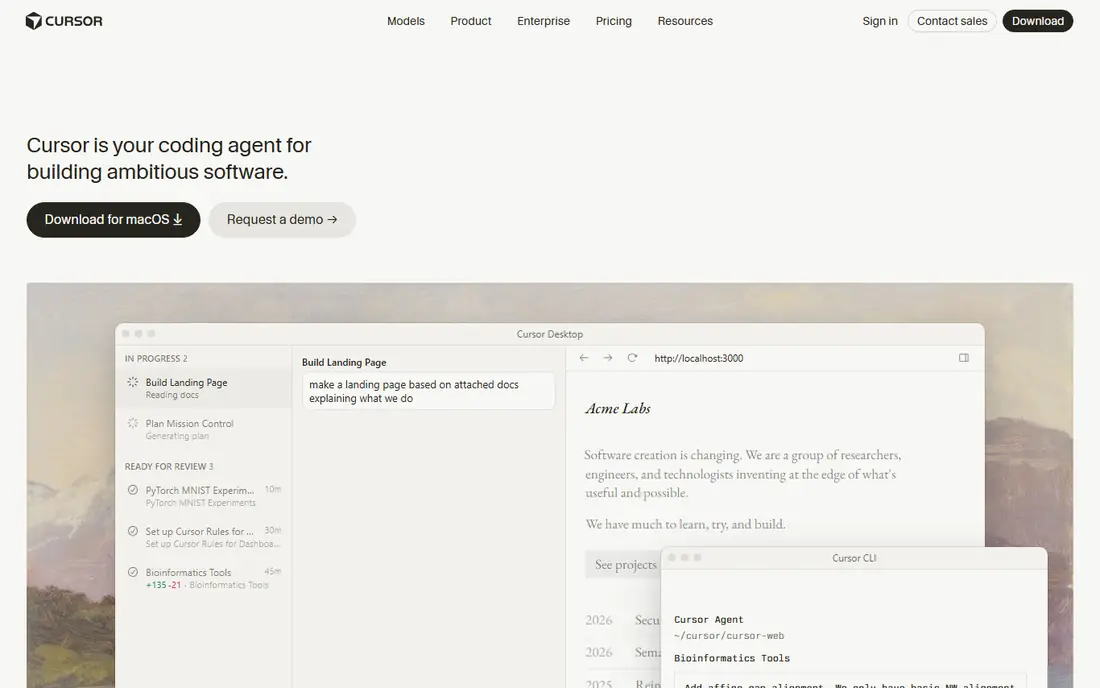
Cursor is a VS Code-based editor built around AI from the start. Tab completions, inline edits, chat with codebase context and an agent mode for larger refactors live in one place, and developers can switch between models from different providers. That combination suits developers who refactor, migrate or build features across many files each day.
The free Hobby plan is limited, and the Pro plan at $20 per month includes capped agent usage, with higher tiers for heavier use. Developers who love their current editor setup may also prefer a plugin such as Copilot or Continue over switching editors, but for AI-first work, Cursor sets a high bar.
- Agent mode for multi-file tasks
- Model choice across providers
- Familiar VS Code workflow
- Pro usage is capped for heavy agent work
- Business tier costs more per seat

Tabnine appeals to teams that cannot send code to a public cloud without controls. It offers private deployment options, including self-hosted and air-gapped setups, plus team models trained on approved code. Support spans VS Code, JetBrains, Eclipse, Vim and other editors, so teams are not forced onto one IDE.
Pricing has moved up in recent listings, with the developer plan listed at $39 per user per month and an agentic tier higher. That price makes sense for regulated teams that need deployment control, but solo developers will likely find Copilot or Windsurf better value.
- Self-hosted and air-gapped options
- Strong privacy controls
- Broad IDE support
- Higher starting price in 2026 listings
- Agent features cost more on higher tiers
Amazon Q Developer, the successor to CodeWhisperer, helps developers write, transform and review code with a focus on AWS services. It suggests code for Lambda, S3, DynamoDB and other services, helps upgrade language versions and reviews code for common issues. The Pro plan is listed at $19 per user per month, with a free tier offering limited agent requests.
Developers who rarely touch AWS will get less unique value here than from Copilot or Cursor. For teams building mainly on AWS, the service knowledge and transformation tools can save real time during migrations and modernization work.
- Strong AWS service knowledge
- Code transformation and review help
- Free tier for individuals
- Best value is tied to AWS work
- Less broad outside cloud projects
Windsurf, formerly Codeium, offers an AI editor and plugins with a free tier that includes completions and limited agent use. Its Cascade agent can work across files, run commands and reason about a codebase, which puts it close to Cursor for agentic work. The Pro plan is listed at $20 per month in recent comparisons.
The main caution is usage caps on premium agent requests, which heavy users can hit. For developers who want to try agentic coding without paying first, Windsurf offers one of the most generous free starts on this list.
- Generous free tier with completions
- Agent mode called Cascade
- Multi-model support
- Pro plan usage caps apply to premium requests
- Newer brand history than Copilot
Cody stands out for developers working in large, multi-repository codebases. Sourcegraph search helps the assistant find the right files and symbols before answering, which reduces guesses on unfamiliar code. Chat, completions and editing features are available in VS Code, JetBrains and other editors, with a Pro plan listed at $9 per month in recent listings.
Smaller projects may not need that search depth, and teams get the most from Cody when repositories are indexed properly. For large organizations with code spread across many repos, that search-first approach is a genuine advantage over generic chat tools.
- Strong search across many repositories
- Chat grounded in codebase context
- Broad model choice
- Full value needs Sourcegraph indexing setup
- Enterprise pricing is quote-based
JetBrains AI is built into the JetBrains IDE family, so developers who live in IntelliJ IDEA, PyCharm, WebStorm or GoLand get completions, chat and refactoring help without leaving their editor. It understands project context well, and local model options suit teams with privacy concerns.
The drawback is scope. If your team mixes VS Code and JetBrains editors, a cross-editor tool such as Copilot or Continue may be simpler to standardize. Pricing also varies, so check the current JetBrains AI page for your region and plan before budgeting.
- Native integration with IntelliJ, PyCharm and other JetBrains IDEs
- Local model options
- Code-aware chat
- Pricing varies by plan and region
- Less useful outside JetBrains tools
Supermaven focuses on speed. Its completions use a long context window, so suggestions often match the style and patterns of the surrounding file, and latency feels low even in large files. The Pro plan is listed at $10 per month, with a free tier for basic use.
Supermaven is less of an agent platform than Cursor or Windsurf. Developers who want multi-step agent tasks may need another tool alongside it, but for pure inline completion speed, Supermaven is a strong, affordable pick.
- Very fast suggestions with long context
- Simple setup
- Generous free tier
- Fewer agent features than Cursor or Windsurf
- Smaller ecosystem
Continue appeals to developers who want control over models and data. It is open source, works in VS Code and JetBrains, and lets you connect models from many providers or local models. That flexibility suits teams with specific model policies or developers who already pay for a model API.
The trade-off is effort. Continue needs more setup than a one-click plugin, and free users rely on docs and community help. The Team plan is listed at $10 per developer per month for shared configuration, which helps teams standardize without losing model choice.
- Open source core
- Use your own models and API keys
- Works in VS Code and JetBrains
- Setup takes more effort
- Support depends on community and docs for free users
Replit AI combines a browser-based workspace with an AI agent that can build, edit and deploy apps. That makes it strong for prototypes, learning projects and small apps where setup speed matters more than deep IDE customization. No local install is needed, and sharing a live app is simple.
Large, existing codebases with complex local tooling fit less well in a browser workspace, and pricing depends on the Replit plan and AI credits. For quick builds and experiments, Replit AI is a fun and practical option, while production teams often pair it with a desktop editor tool.
- Full browser workspace with AI agent
- Instant deployment
- Good for prototypes
- Less suited to large existing codebases
- Pricing depends on workspace plan
How we picked these
We reviewed official pricing and feature pages plus public comparisons from October 2026, favoring tools with working completions, chat or agent features and clear pricing. We included editors, plugins and open tools because developers differ on whether they want to switch editors or keep their current setup. Where pricing varies by plan, we list the starting paid price and note credit limits.
How to choose an AI code completion tool
Start with your editor and your privacy needs. If you use VS Code and GitHub daily, Copilot is the path of least resistance. If you want agent work across files, try Cursor or Windsurf. If code cannot leave your network, Tabnine, JetBrains local options or Continue with local models deserve a closer look.
Test on your own code
Run a trial on a real task, such as a refactor or a bug fix in your own repository, not a demo project. Measure suggestion acceptance, review time and whether the agent breaks tests. A tool that looks fast on a sample app can struggle on a large, older codebase with unusual patterns.
Watch credits and data policies
Check how credits, premium requests and training policies work before rolling a tool out to a team. Review each vendor privacy page for code retention and training statements, and set rules for pasting secrets, customer data or licensed code into any AI tool.
FAQ
What is the best AI code completion tool for beginners?
GitHub Copilot is a strong beginner pick because it is affordable, widely supported and easy to install. Windsurf and Supermaven also offer free tiers that let beginners learn AI-assisted coding without paying first.
What are the best AI code completion tools for large codebases?
Sourcegraph Cody and Cursor stand out for large codebases, since both use codebase context and search to ground answers. Copilot also handles multi-file work well, especially in GitHub-hosted repositories.
Is AI code completion safe for private code?
It depends on the vendor and plan. Tabnine offers self-hosted options, JetBrains offers local models, and Continue lets you use your own models. Always read the privacy policy for training and retention, and avoid sending secrets or regulated data into tools without approved controls.
How much do AI code completion tools cost?
Free tiers exist for Copilot, Cursor, Windsurf, Cody, Supermaven, Continue and Amazon Q Developer. Paid plans commonly start at $9 to $20 per month per user, while Tabnine and enterprise plans cost more.
Do AI code tools replace developers?
No, they speed up writing, refactoring and searching, but they still produce errors and miss business context. Human review, tests and code review remain essential, especially for security-sensitive or production code.