8 Best AI Chatbot Apps for Small Business in 2026
Looking for the best ai chatbot apps for small business? We compare eight platforms with clear safety, privacy and moderation controls for small teams.

- Editor's choice
 Tidio
Small ecommerce and support
Starts at$29 per monthVisit tidio.comFull review - Great alternative
 HubSpot
CRM centred teams
Starts atFreeVisit hubspot.comFull review - Also consider
 Intercom
AI first support teams
Starts at$29 per seat per monthVisit intercom.comFull review
TL;DR:
- Tidio and HubSpot are the easiest starts for small teams, with free tiers and clear setup for website chat.
- Intercom Fin and Zendesk AI suit teams with higher support volume, but per resolution pricing needs careful budgeting.
- Every tool in this list should offer human handoff, data controls and content limits. If a vendor cannot explain those controls, do not use it for customer chat.
- Test the bot on your own help pages first. A bot trained only on generic text will give confident but wrong answers about your products.
Quick comparison
| Tool | Best for | Starts at | Free plan? | |
|---|---|---|---|---|
| Tidio | Small ecommerce and support | $29 per month | Yes | Visit |
| HubSpot | CRM centred teams | Free | Yes | Visit |
| Intercom | AI first support teams | $29 per seat per month | Free trial | Visit |
 Zendesk AI | Larger support operations | See website | Free trial | Visit |
 Freshchat | Budget omnichannel support | $19 per agent per month | Yes | Visit |
 ManyChat | Social and messaging automation | $15 per month | Yes | Visit |
 Crisp | Simple shared inbox plus AI | See website | Yes | Visit |
 Chatbase | Knowledge base chatbots | See website | Yes | Visit |
The best ai chatbot apps for small business
A small business chatbot should answer common questions, collect leads and hand off to a person when it cannot help. These eight platforms do that job, and each one publishes safety, privacy and moderation information you can check before you buy.

Tidio is our pick for most small businesses, because it pairs live chat with an AI agent called Lyro in one simple dashboard. You can train Lyro on your help pages, set its tone, and limit it to approved sources, which reduces made up answers. Human handoff is built in, so a customer can reach a person without starting over.
The free plan covers basic live chat, while Lyro quotas and advanced features need a paid plan starting at $29 per month in many listings. Check how many AI conversations your plan includes, since a busy month can use a quota fast. For a small store or service business, Tidio is the easiest safe start.
- Free plan to start
- Lyro AI for support answers
- Strong Shopify integration
- AI conversation quotas sit behind paid tiers
- Advanced automation needs higher plans

HubSpot offers free chatbot tools that build simple flows for lead capture, meeting booking and common questions, with AI features on paid Service Hub plans. Because chats link to CRM contacts, your team sees past orders, tickets and notes in one place. That context helps staff follow up without asking the customer to repeat details.
The trade off is scope. The free chatbot is rule based in large part, and fuller AI support needs a paid plan. If your team already uses HubSpot, the chatbot is a natural add on. If you do not use a CRM, Tidio or Crisp may be quicker to launch.
- Free chatbot tools
- CRM records for every chat
- Strong lead routing
- Advanced AI and service features need paid Hubs
- Setup takes time if you are new to HubSpot
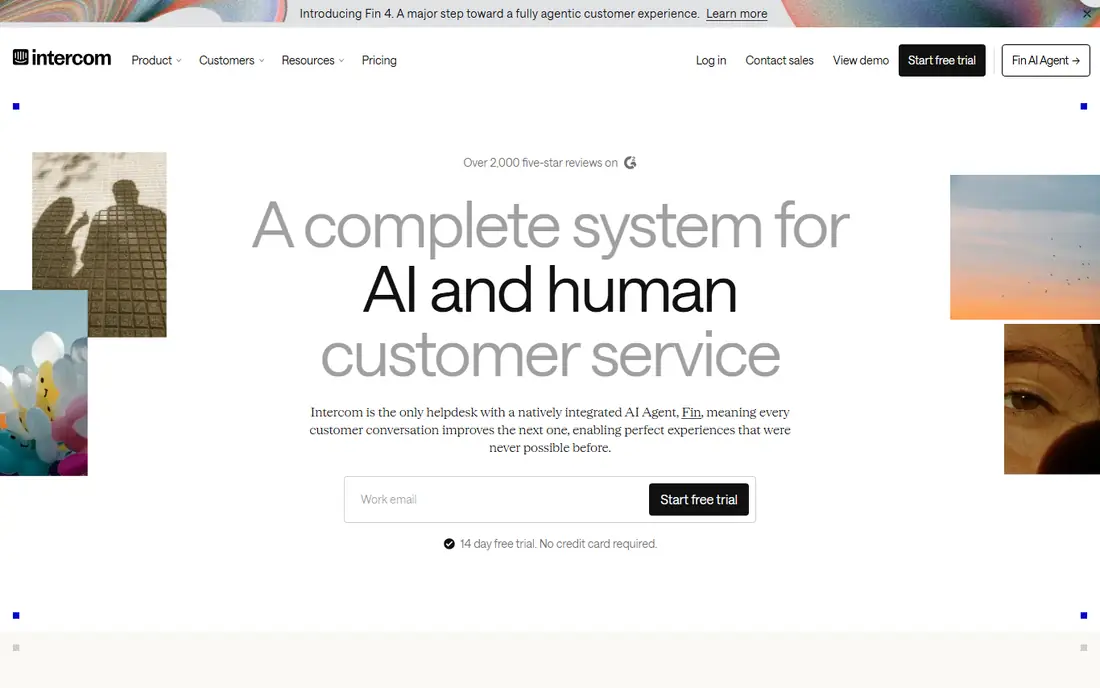
Intercom, with its Fin AI agent, suits teams that handle many support chats and want the bot to resolve a large share on its own. Fin answers from your help centre, docs and past resolutions, and it hands off with full context when it cannot resolve a case. Controls for sources, tone and escalation are clear in the admin panel.
Pricing needs care. Seats start at $29 per seat per month in many listings, plus $0.99 per Fin resolution in published comparisons. That model is fair for low volume teams but costly at high volume. Model your monthly resolutions before you commit, and set escalation rules for refunds, safety and account issues.
- Fin AI agent with high resolution rates
- Strong knowledge base tools
- Clear handoff to staff
- Per resolution pricing for Fin adds up
- Total cost needs modelling
Zendesk AI adds AI agents, auto replies and triage to the Zendesk helpdesk, so tickets, chats and emails share one queue. AI can classify intent, suggest replies and resolve common cases, while staff handle complex work in the same workspace. Reporting helps managers see where the bot helps and where it fails.
For a very small team, Zendesk can feel large and its pricing complex, with per agent and per resolution elements in many listings. It suits teams that already use Zendesk or expect to grow into a full helpdesk. Smaller teams should compare total cost with Tidio and Freshchat first.
- Deep helpdesk integration
- AI triage and auto replies
- Strong reporting
- Pricing is tiered and complex
- May be more than a tiny team needs
Freshchat, from Freshworks, gives small teams a shared inbox for website chat, email and messaging apps, with Freddy AI to answer common questions. The free plan covers up to ten agents in many listings, which is generous for a tiny team. Paid growth plans add more AI sessions and automation.
AI sessions are metered, so check how many are included and what extra sessions cost. For a budget team that wants omnichannel support without a large contract, Freshchat is strong value. It is less AI focused than Intercom, but its human first inbox is a benefit for many small businesses.
- Free plan for small teams
- Freddy AI for answers
- Website, email and messaging in one inbox
- AI session limits apply
- Advanced bots need higher tiers
ManyChat suits businesses whose customers message on Instagram, Facebook Messenger or WhatsApp. Its visual builder creates flows for FAQs, lead capture, comments and broadcasts, with AI features available as add ons or on higher plans. That social focus makes it ideal for creators, local shops and ecommerce brands with active social channels.
It is not a full helpdesk. Ticketing, knowledge base search and complex support workflows are thinner than Zendesk or Intercom. Use ManyChat when social messaging is your main channel, and pair it with email or a helpdesk for deeper support cases.
- Free plan to start
- Strong Instagram, Messenger and WhatsApp flows
- Easy visual builder
- Social focused, not a full helpdesk
- AI features are add ons in some plans
Crisp offers a clean shared inbox for website chat, email and messaging, with AI tools on paid plans to draft replies and answer from your help pages. The interface is simple, which helps small teams adopt it fast, and the free tier covers basic live chat.
AI pricing and limits vary, so check the current plan page for AI conversation allowances. Crisp suits a small team that wants a tidy inbox first and AI help second, rather than a large AI platform. For CRM heavy work, HubSpot remains the stronger pick.
- Clean shared inbox
- AI features on paid plans
- Good for small teams
- Pricing and AI limits vary by plan
- Smaller integration library than HubSpot
Chatbase builds a chatbot from your own documents, website pages, Notion pages and files, then embeds it on your site or in Slack and messaging apps. That source first design helps small businesses that already have clear help pages but no time to write bot flows by hand. You can set the bot to say it does not know an answer rather than guessing.
The quality of answers depends on the quality of your source docs, so outdated help pages will produce outdated answers. Chatbase is lighter on ticketing and live chat than Intercom or Zendesk. Use it when a website Q and A bot is the main need, and keep a clear path to a human for anything sensitive.
- Trains on your docs, URLs and files
- Embeddable website bot
- Simple setup
- Needs good source docs to work well
- Support features are lighter than a helpdesk
How we picked these
We compared official pricing pages, privacy pages, safety documentation and product pages for chatbot platforms that serve small businesses in October 2026. We kept only tools with stated safety, privacy and moderation practices, including human handoff, source controls, data handling terms and content limits, and we excluded tools that lacked those basics. We weighed ease of setup, AI quality, handoff, price, channels and reporting, because a bot that cannot hand off cleanly will frustrate customers.
How to launch a safe small business chatbot
Start with a narrow job, such as opening hours, shipping, returns and booking. Write short, accurate answers for those topics, link them to your help pages, and let the bot use only those sources at first. A narrow bot that answers correctly is far better than a broad bot that guesses.
Set clear guardrails before launch. Block the bot from handling refunds, medical or legal advice, account security changes and complaints about harm, and route those cases to a person at once. Review bot conversations weekly at first, fix wrong answers at the source, and publish a short privacy note that explains what data the bot collects and how long you keep it.
Measure what matters
Track resolution rate, handoff rate, customer satisfaction and the topics that fail most often. A high resolution rate with low satisfaction often means the bot is closing chats without truly helping. Use failed topics to write better help pages, not just to add more bot rules.
Keep a human in reach
Every bot flow should offer a clear way to reach a person, with expected wait times shown honestly. Staff should see the full bot transcript when they take over, so customers do not repeat themselves. A bot that hides the human option will damage trust faster than any time it saves.
FAQ
What is the best AI chatbot for a small business?
For most small businesses, Tidio is the easiest start, with a free plan and a clear AI agent for support. HubSpot suits teams that already use its CRM, while Intercom suits higher volume support teams. The best pick depends on your channels, volume and budget, not on a single ranking.
How much does a small business chatbot cost?
Costs range from free for basic live chat to $15 to $29 per month for entry AI plans, plus per resolution or per session charges on some platforms. Intercom Fin charges per resolution in many listings, so model your monthly volume. Check AI quotas, seat prices and overage fees before you sign.
Can an AI chatbot replace customer service staff?
No, and it should not try. A good bot resolves routine questions and collects details, while staff handle complex, sensitive and high value cases. Keep human handoff visible, review bot chats regularly, and treat the bot as a first responder, not a replacement for your team.
How do I keep customer data safe with a chatbot?
Choose a vendor with clear data processing terms, data retention controls and security documentation. Limit the data the bot collects, avoid asking for passwords or payment details in chat, and delete transcripts on a schedule. Review the vendor privacy page and your own privacy policy together before launch.
What should a chatbot never handle alone?
A chatbot should not handle refunds beyond a clear policy, account security resets, medical or legal advice, harassment reports or complaints about harm. Route those cases to a trained person at once, with a clear escalation path and a record of the conversation. Safety and trust matter more than automation in those cases.