Best AI Art Generation Tools in 2026: 10 Tools Compared
Compare the best ai art generation tools for illustration, concept art, posters and product visuals, with current pricing and honest limits for creators.
- Editor's choice
 Midjourney
Stylised artistic imagery
Starts at$10 per monthVisit midjourney.comFull review - Great alternative
 Adobe Firefly
Commercially safe creative work
Starts at$9.99 per monthVisit adobe.comFull review - Also consider
 Leonardo AI
Game and concept art with a free tier
Starts at$12 per monthVisit leonardo.aiFull review
TL;DR:
- Midjourney still leads for stylised, artistic images, while Ideogram leads when an image must contain readable text.
- Adobe Firefly is the safest pick for commercial client work, thanks to its training approach and indemnity on qualifying plans.
- Leonardo and Recraft offer the best free tiers for regular creators, with daily credits or free plans to test styles.
- Check commercial rights for your exact plan before selling or publishing art, since free and paid terms differ.
Quick comparison
| Tool | Best for | Starts at | Free plan? | |
|---|---|---|---|---|
| Midjourney | Stylised artistic imagery | $10 per month | No | Visit |
| Adobe Firefly | Commercially safe creative work | $9.99 per month | Yes, limited | Visit |
| Leonardo AI | Game and concept art with a free tier | $12 per month | Yes, limited | Visit |
 Ideogram | Posters, logos and readable text | $20 per month | Yes, limited | Visit |
 Stable Diffusion | Open, self-hosted art generation | Free | Yes | Visit |
 FLUX | Flexible open-weight art models | See website | No | Visit |
 ChatGPT Images | Everyday image creation in chat | See website | Yes, limited | Visit |
 Recraft AI | Vector art, icons and brand graphics | $12 per month | Yes, limited | Visit |
 Canva | Finished social and marketing art | Free | Yes | Visit |
 NightCafe | Easy art styles for beginners | See website | Yes, limited | Visit |
The best AI art generation tools
AI art tools differ in look, text handling, licensing and control. Some excel at painterly illustration, others at clean product visuals, and a few at editable vectors. We compared official feature and pricing pages, then picked tools that produce strong art in October 2026 for different kinds of creators.

Midjourney remains our pick for pure artistic quality. Its images have a cohesive, illustrated feel that suits concept art, book covers, mood boards and stylised brand imagery. Style references and mood boards help keep a series of images consistent, which matters for a project with many pieces.
The limits are access and privacy. There is no free tier, and private generations need a Pro plan or higher, since lower plans create in shared spaces. Larger companies also need higher plans, so check the revenue threshold in its terms before commercial use.
- Distinctive, polished artistic look
- Strong style and mood controls
- Editor for varying and extending images
- No free tier
- Private generation needs higher plans
- No API for app building
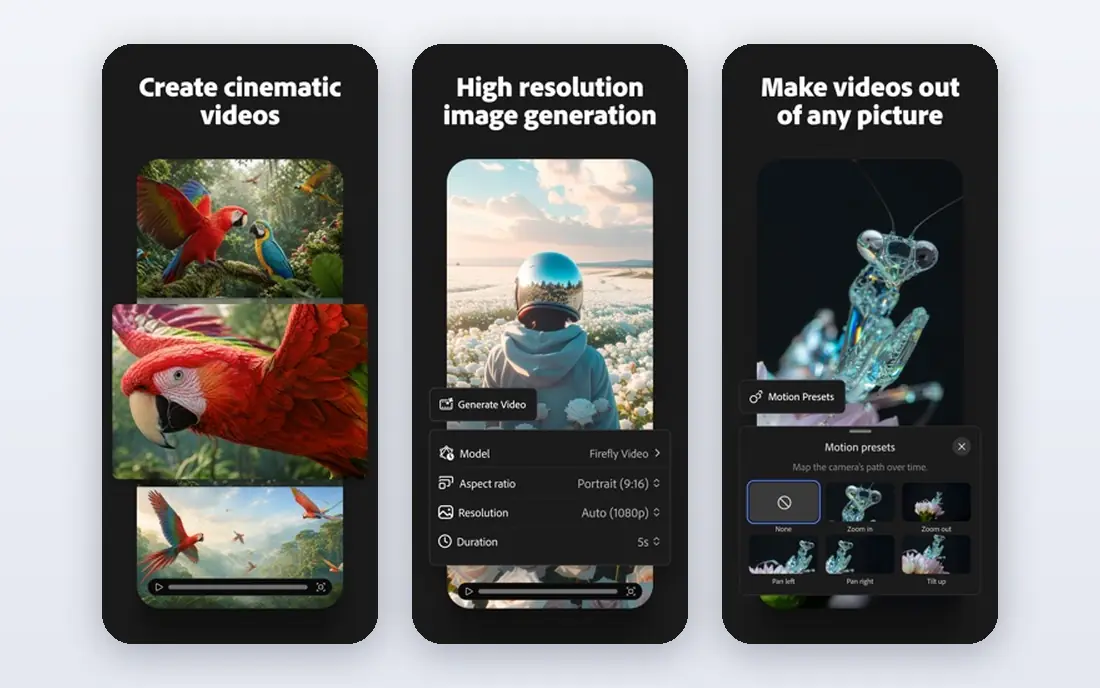
Firefly is the safest choice when art will go to clients or into paid advertising. Adobe positions its Firefly models as commercially safe, and qualifying plans include IP indemnity, which reduces legal worry for agencies. Its tools also connect directly to Photoshop and Express for editing.
Credit rules need reading. Standard features such as Generative Fill are unlimited on paid plans, while some image models spend credits. Free credits let you test it, but regular commercial work needs a paid plan with enough credits for your volume.
- Models trained with a commercial-safety focus
- Generative Fill in Photoshop
- Indemnity on qualifying plans
- Credit limits on some models
- Enterprise indemnity needs a qualifying entitlement

Leonardo is a strong all-round pick for game artists, concept artists and creators. Its free tier gives daily tokens, its model library covers many styles, and its canvas editor lets you refine part of an image. Custom model training on paid plans helps keep characters and styles consistent.
Free plan rights are the catch. Paid subscribers retain broader ownership and commercial rights, while free outputs carry limits. If you plan to sell work, pay for a plan and confirm its terms before publishing.
- Generous free tier with daily tokens
- Many models and styles
- Canvas editor and custom model training
- Free plan outputs have ownership limits
- Photo-realistic text handling is weaker than Ideogram
Ideogram wins when words must be right. Posters, logos, memes and social graphics with headlines come out with far fewer spelling errors than most rivals. Its text placement tools let you control where words sit, which helps for layout work.
The price is higher than Leonardo or Firefly at entry level, and free credits are limited. For pure illustration without text, Midjourney may suit you better. For design work where text matters, Ideogram is worth the extra cost.
- Best readable text in images
- Precise text placement tools
- Clean design-focused interface
- Higher entry price than some rivals
- Slow queue when credits run out on lower plans
Stable Diffusion is the open path to AI art. You can run models on your own computer, try community models for different styles, and use tools such as ComfyUI for detailed control. Local use costs nothing beyond hardware and electricity, which suits high-volume experimentation.
That freedom needs skill. Results depend heavily on the model, prompt and settings you choose, and setup takes time. Beginners should start with a hosted tool, then move to Stable Diffusion when they want deeper control or private local work.
- Open-weight models to run locally
- Huge community of models and tools
- No subscription for local use
- Needs technical skill and capable hardware
- Quality depends on model and settings chosen
FLUX, from Black Forest Labs, powers many art apps and APIs. Its models produce strong, detailed images, and open-weight versions allow self-hosting for developers and studios. If you build products or pipelines, FLUX is a flexible foundation.
There is no one FLUX app to learn. You use it through a host, and each host sets its own price, interface and rules. Compare hosts on cost per image, model version and commercial terms before committing a project to one of them.
- Strong image quality
- Open-weight versions for self-hosting
- Used by many apps and APIs
- No single simple app
- Price and moderation vary by host
ChatGPT Images suits everyday art needs. Describe an image, get a result, then ask for changes in plain language, such as a different colour or composition. That chat loop is fast for brainstorming, mockups and social graphics.
For finished, highly stylised art, Midjourney or Leonardo give more control over look and consistency. ChatGPT Images also has rate limits, so heavy daily production needs a paid plan. If you already pay for ChatGPT, its image tool may cover most casual art needs.
- Easy prompt-and-edit workflow in chat
- Good prompt accuracy and editing
- Useful for quick ideas and mockups
- Rate limits on free and lower plans
- Less stylistic control than Midjourney for finished art
Recraft stands out for vector work. Unlike most art tools that output only raster images, Recraft can produce editable vector graphics, which scale cleanly for logos, icons and brand assets. Its style controls help keep a brand set consistent across many pieces.
Painterly, photographic illustration is not its strength, so concept artists may prefer Midjourney or Leonardo. Credit rules also need checking, since bought top-ups and plan credits behave differently. For brand graphics, though, Recraft fills a gap other tools leave open.
- Native vector output for logos and icons
- Brand style controls
- Clean, scalable graphics
- Less suited to painterly illustration
- Credits do not always carry over
Canva is best when the art is only part of a finished design. Generate an image, then add text, a logo and a layout in the same workspace, and export for social or print. For small businesses and social teams, that end-to-end speed matters more than fine artistic control.
Dedicated art tools beat Canva on style depth and consistency for a series. Free AI uses are also limited, so regular art production needs a paid plan. If your goal is finished marketing assets, not gallery art, Canva is a practical pick.
- Art generation inside a full design tool
- Templates for social and ads
- Easy text and layout on top of art
- Less artistic control than dedicated art tools
- AI uses limited on the free plan
NightCafe is a friendly entry point to AI art. Its interface is simple, its style presets cover many looks, and daily free credits let beginners experiment without paying. Community galleries and challenges help new creators learn what prompts and styles work.
Professional control is limited. Advanced users will miss the fine tuning, model choice and editing depth of Leonardo, Stable Diffusion or Midjourney. For a first art tool, or for casual creative play, NightCafe is easy and fun to use.
- Simple interface with many styles
- Daily free credits
- Community challenges and galleries
- Less control than professional tools
- Output quality varies by model and style
How we picked these
We compared official feature pages, pricing pages and public documentation, and kept tools that are actively available in October 2026. We favoured tools with a clear strength, such as text handling, vector output, commercial safety or a strong free tier, and we left out tools with no working official site or only vague art claims. Each pick had to produce usable art for a real job, not just a demo image.
How to choose by job
Pick by output first. For illustration and concept art, start with Midjourney or Leonardo. For posters and logos with text, start with Ideogram or Recraft. For client work where licensing matters, start with Adobe Firefly and confirm indemnity for your plan. For local control and high volume, look at Stable Diffusion or FLUX through a trusted host.
Check rights before you sell
Read the commercial terms for your exact plan, including who owns outputs and whether free outputs can be sold. Keep a record of the tool, plan and date for client work, since terms change. If a client needs indemnity, choose a plan that provides it in writing, rather than assuming a free tier covers it.
Build a consistent style
Use the same model, style reference and prompt structure across a series, and save successful prompts with their settings. Consistency matters more than a single striking image when art supports a brand, a game or a book. Test a small set first, then scale the style that works.
FAQ
What is the best AI art generator overall?
Midjourney is the best pick for artistic quality, while Adobe Firefly is best for commercial safety and Ideogram is best for readable text. There is no single winner, since the best tool depends on whether you need style, safety, text or vector output. Start with the job, then pick the tool that leads for that job.
Can I sell AI-generated art?
It depends on the tool and plan. Many paid plans grant commercial rights, while free plans may limit commercial use. Adobe Firefly offers indemnity on qualifying plans, and Leonardo grants broader rights on paid plans. Check your exact plan terms before selling, and keep a record for client work.
Which AI art tool is best for beginners?
NightCafe and Canva are the easiest starting points, with simple interfaces and free credits or plans. Leonardo is the next step when you want more styles and control without a steep setup. Stable Diffusion suits advanced users who want local control and are comfortable with technical setup.
Which tool handles text in images best?
Ideogram handles readable text best, with precise placement tools for posters and logos. Recraft also handles sized text well for vector graphics. Midjourney has improved text handling, but it still suits short words better than long headlines. Test your exact headline before committing to a tool.
Do I need a powerful computer for AI art?
No, if you use a hosted tool such as Midjourney, Firefly, Leonardo or Ideogram, since generation runs on their servers. You need a capable computer only for local tools such as Stable Diffusion, where models run on your own hardware. A basic laptop and a browser are enough for hosted tools.
How much does AI art generation cost per month?
Entry plans range from free tiers to about $10 to $20 per month for popular tools, including Midjourney at $10, Firefly at $9.99 and Leonardo at $12. Higher plans with more credits, private generation and API access cost more. Start on a free tier, then pay only when credit limits block real work.