Best AI Agent Platforms for Business Automation in 2026: 8 Compared
Compare the best ai agent platforms for business automation on governance, integrations, pricing models, and fit for Microsoft, Salesforce, and app teams.

- Editor's choice
 Microsoft Copilot Studio
Microsoft 365 teams
Starts at$200 per monthVisit microsoft.comFull review - Great alternative
 Salesforce Agentforce
Salesforce sales and service
Starts atSee websiteVisit salesforce.comFull review - Also consider
 UiPath
Enterprise automation estates
Starts at$25 per monthVisit uipath.comFull review
TL;DR:
- Microsoft Copilot Studio and Salesforce Agentforce suit teams already invested in those ecosystems, while Zapier Agents and Lindy suit faster, smaller rollouts.
- UiPath and Automation Anywhere suit firms with existing automation estates and strict controls, while n8n suits technical teams that want self hosting.
- Pricing is hard to compare directly, because vendors bill by credits, actions, seats, or executions, so model your real volume before signing.
- Governance, audit logs, and human approval matter more than demo speed when agents touch customers, money, or records.
- Start with one contained workflow, measure time saved and error rates, and only then expand to customer facing work.
Quick comparison
| Tool | Best for | Starts at | Free plan? | |
|---|---|---|---|---|
| Microsoft Copilot Studio | Microsoft 365 teams | $200 per month | Free trial | Visit |
| Salesforce Agentforce | Salesforce sales and service | See website | No | Visit |
| UiPath | Enterprise automation estates | $25 per month | Yes | Visit |
 Automation Anywhere | Large process automation | See website | Yes | Visit |
 Zapier Agents | Fast no code agents | $33.33 per month | Yes | Visit |
 Workato | Governed enterprise integrations | See website | No | Visit |
 Lindy | Email, meetings, and CRM agents | $29.99 per month | Yes | Visit |
 n8n | Technical self hosted workflows | $20 per month | Yes | Visit |
The best ai agent platforms for business automation
An AI agent platform should do more than answer a prompt. It should connect to your systems, follow rules, keep an audit trail, and hand off to a person when it is unsure. Here are eight platforms that meet that bar in different ways.

Copilot Studio lets teams build agents that work inside Teams, SharePoint, and other Microsoft tools without writing a full app. A low code builder covers common flows, while developers can extend agents with connectors and code. For firms already on Microsoft 365, that fit cuts setup time and keeps access controls in a familiar place.
The pricing model needs care. A capacity pack of 25,000 Copilot Credits costs $200 per month, and usage depends on how agents are designed. A chatty agent can burn credits faster than a tight, task focused one. Pilot with a small credit pool and track consumption per workflow before you roll out widely.
- Deep Microsoft 365 and Teams integration
- Low code builder
- Enterprise controls through Microsoft
- Credit based pricing is hard to forecast
- Best value needs Microsoft licensing
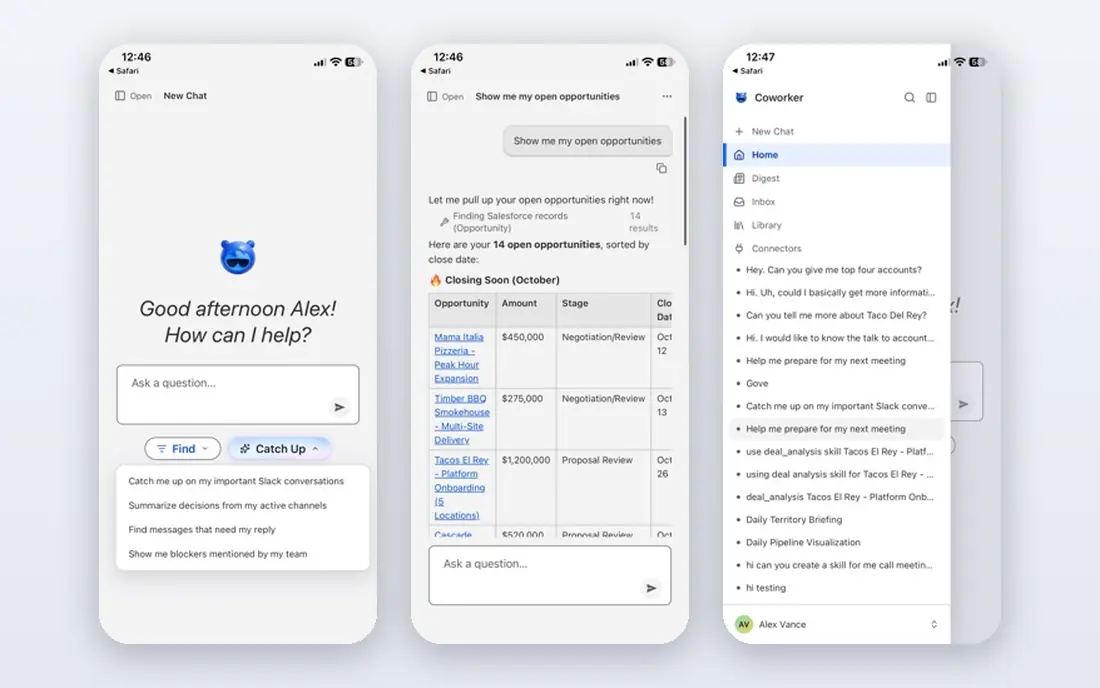
Agentforce is built for teams whose customer, pipeline, and service data already live in Salesforce. Agents can qualify leads, resolve cases, and follow up on sales tasks using live records, which avoids a separate data copy. That native fit is its main strength, and it shows in service and sales workflows.
Pricing needs a model, not a guess. Flex Credits are sold in blocks, with each standard action drawing credits, and per user add ons are a separate route. A multi step workflow costs more than a single answer, so count actions per case before you commit. Agentforce suits firms with clean Salesforce data and a clear customer facing use case.
- Works directly on Salesforce records
- Flex Credits and per user options
- Strong service and sales use cases
- Action counts are hard to forecast
- Mixing pricing models is restricted
UiPath started in robotic process automation and now adds agent building and orchestration on top of that base. That history matters for firms with many existing bots, legacy systems, and strict controls. Agents can hand tasks to bots, bots can hand exceptions to people, and the whole flow stays visible.
The basic plan starts at $25 per month, but agent capacity and enterprise features need a larger contract. UiPath is not a quick small team tool; it is a platform for firms that already treat automation as a core system. If you have no existing UiPath estate, a lighter tool may get you live faster.
- Mature automation platform
- Agent builder plus orchestration
- Strong governance and audit options
- Entry price covers limited agent use
- Full enterprise pricing is quote based
Automation Anywhere suits large firms with complex, multi system processes and a need for controls, audit, and scale. Its AI Agent Studio sits inside the wider Automation 360 platform, so agents can work alongside bots that handle legacy apps and documents. The community edition gives individuals a free way to learn the platform.
The main drawback is opacity on price and effort. Enterprise pricing is quote based, and a full rollout can take weeks of design and testing. That is normal for this tier, but it makes Automation Anywhere a poor fit for a team that wants a live agent this week. Shortlist it when scale and governance outweigh speed.
- Enterprise process automation
- AI Agent Studio
- Community edition for learning
- Pricing is quote only
- Setup can be a longer project
Zapier Agents lets non technical teams build agents that act across thousands of apps, from email and sheets to CRMs and support tools. The free tier covers a few hundred activities per month, and the Pro plan adds a larger pool when billed annually. For a small team, that speed is the main selling point.
Limits appear when workflows get complex. Agents work best for clear, repeatable tasks with clean inputs, such as triaging leads, drafting replies, or updating records. Deep branching, strict audit needs, or heavy data work may need Workato, UiPath, or a custom build. Start with one workflow and watch activity use in the first month.
- Huge app connector library
- No code setup
- Free tier for testing
- Activity limits need watching
- Complex logic suits a dedicated platform better
Workato is an integration platform that now supports governed agents across business systems. Recipes connect apps, move data, and trigger actions, while controls cover who can build, approve, and run each flow. That governance suits mid size and large firms where an agent error could affect customers or finance.
Pricing is quote based, so budget talks start with a sales conversation and a volume estimate. Workato also rewards skilled owners: simple flows are easy, but complex, multi system agents need design care. Shortlist it when you already need enterprise integration and want agents under the same controls.
- Strong integration and governance controls
- Recipe based automation
- Enterprise scale
- Quote only pricing
- Needs skilled owners for complex work
Lindy targets business teams that want agents in email, meetings, and CRM work without building workflows from scratch. Templates cover scheduling, follow ups, lead handling, and inbox triage, and credits are pooled across the team on paid plans. That makes it easy to test value in a week.
The watch point is credit consumption. Long or frequent tasks use more credits, so a busy inbox agent can cost more than the seat price suggests. Lindy suits teams with clear, repeatable tasks and a willingness to tune prompts and rules. Firms with strict data or audit needs should check security terms before connecting core systems.
- Ready templates for common business tasks
- Pooled team credits
- Fast setup
- Credit use varies by task
- Deep custom work may need a developer platform
n8n gives technical teams a visual builder for agents and workflows, with the option to self host for data control. That combination suits firms with data residency needs, custom logic, or a wish to avoid per seat agent pricing. The community edition is free, and paid cloud plans start from a modest monthly price in euros.
The trade off is ownership. You maintain updates, security, and scaling if you self host, and you need staff who can design reliable workflows. n8n is not a business user tool in the same way as Lindy or Zapier Agents. For technical ops teams, it is one of the most flexible and cost aware options here.
- Self hosting option
- Visual workflow builder
- Fair code pricing for technical teams
- Needs technical skill
- Self hosting adds maintenance work
How we picked these
We compared official product pages, pricing pages, and documentation for platforms that build agents for business work, not chatbots alone. We looked for live integrations, governance and audit features, a clear pricing or trial route, and current availability in October 2026. We excluded pure model APIs and closed tools, since this guide is for business buyers who need a working platform, not a coding library alone.
How to buy an agent platform
Start with one workflow that has clear inputs, a clear output, and a safe failure mode. Examples include lead triage, meeting notes to CRM updates, or internal helpdesk answers with a human review step. Measure time saved, error rate, and user feedback for a month before you expand.
Next, check governance before you scale. Ask who can build agents, what data an agent can read and write, how actions are logged, and how a person approves high risk steps. Agents that touch payments, contracts, or customer records need approval gates and rollback plans. A fast demo without those controls is a risk, not a win.
Finally, model total cost in your own units. Convert vendor credits, actions, and executions into your expected monthly volume, then add seat costs, integration work, and staff time. A low seat price can hide a high usage bill, and a high platform price can be cheap if it replaces several tools. Get a written estimate for your volume before signing an annual deal.
FAQ
What is the best ai agent platform for business automation for small teams?
Zapier Agents and Lindy are the fastest starts for small teams, because both offer templates, free tiers, and no code setup. Pick Zapier Agents for broad app coverage and Lindy for email and meeting heavy work.
How much do AI agent platforms cost?
Costs range from free community tiers to quote based enterprise deals, with mid tier plans from about $20 to $200 per month plus usage. Model your volume in the vendor unit, whether credits, actions, or executions, before you compare prices.
Are AI agents safe for customer service?
They can be safe with guardrails, such as approved answers, human review for sensitive cases, and clear audit logs. Avoid letting an agent change orders, refunds, or account access without a human approval step until you have tested it well.
Do I need developers to use these platforms?
No for Zapier Agents and Lindy, which suit business users. UiPath, Workato, and n8n suit technical owners for complex work, while Copilot Studio and Agentforce sit in between, with low code builders plus developer options.
What is the difference between an AI agent and a chatbot?
A chatbot mainly answers questions in a chat window. An agent can plan steps, use tools, update systems, and complete a task, such as qualifying a lead or filing a ticket, with rules and oversight.
Which platform is best for Microsoft or Salesforce users?
Copilot Studio is the natural fit for Microsoft 365 teams, and Agentforce is the natural fit for Salesforce teams. Both reduce integration work, but both also tie you more closely to that vendor ecosystem.