8 Best Accounts Receivable Software Tools for Faster Payment
Compare the 8 best accounts receivable software tools, with invoicing, reminders, portals, cash application, and fit for small firms to large enterprises.
- Editor's choice
 BILL
Small and midsize teams that want AP and AR together
Starts atSee websiteVisit bill.comFull review - Great alternative
 FreshBooks
Small businesses that invoice clients directly
Starts atSee websiteVisit freshbooks.comFull review - Also consider
 QuickBooks Online
Businesses already running QuickBooks accounting
Starts atSee websiteVisit quickbooks.intuit.comFull review
TL;DR:
- Accounting-led tools suit simple invoicing, while dedicated AR platforms suit high-volume collections.
- Automated reminders plus a payment portal cut chasing time more than reminders alone.
- Cash application matters most when payments arrive with messy or missing remittance details.
- Check ERP and accounting integrations first, since a poor sync creates more work than it saves.
Quick comparison
| Tool | Best for | Starts at | Free plan? | |
|---|---|---|---|---|
| BILL | Small and midsize teams that want AP and AR together | See website | No | Visit |
| FreshBooks | Small businesses that invoice clients directly | See website | Free trial | Visit |
| QuickBooks Online | Businesses already running QuickBooks accounting | See website | Free trial | Visit |
 Xero | Small businesses that want clean invoicing and bank reconciliation | See website | Free trial | Visit |
 Sage Intacct | Midsize firms that need multi-entity AR control | See website | No | Visit |
 Versapay | Mid-market firms with dispute-heavy AR | See website | No | Visit |
 HighRadius | Large firms with high-volume order-to-cash work | See website | No | Visit |
 Chaser | Growing firms on Xero, QuickBooks, or Sage that need chasing | See website | Free trial | Visit |
The best best accounts receivable software
The best accounts receivable software is the one that gets invoices paid with less manual chasing and cleaner reconciliation. The best account receivable software for a freelancer is not the same as the top accounts receivable software for a global manufacturer. This list covers both ends, from simple invoicing to full AR automation software and best accounts receivable software solutions for growing firms.
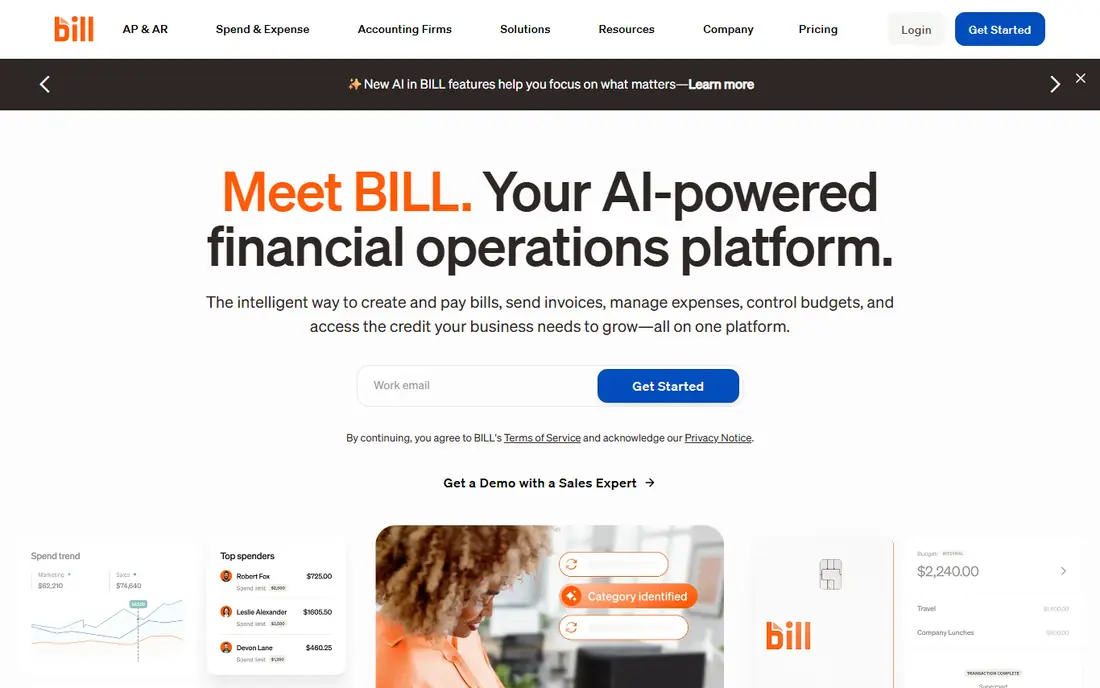
BILL covers both sides of the cash cycle, helping finance teams that do not want separate tools for paying bills and collecting payments. In daily use, that means invoicing with reminders and accounting sync stays close at hand, and you spend less time hunting for the right option or fixing a basic step. For someone who matches small and midsize teams that want ap and ar together, that practical fit matters more than a long feature list. Per-user pricing can add up as more staff need access, and deeper AR automation sits on higher tiers. Before you commit, check current pricing, limits, and coverage on the official site, since plans change often. If that limit affects your main use, test the free or trial option first, or shortlist a second option from this list that handles that case better.
- Invoicing and payment reminders
- Accounting sync
- Auto-pay options for customers
- Per-user pricing can rise with team size
- Advanced AR features need higher plans

FreshBooks is best known as accounting software for small businesses, but its AR strengths are practical and easy to use for direct client billing. In daily use, that means simple invoicing with late reminders and a client portal stays close at hand, and you spend less time hunting for the right option or fixing a basic step. For someone who matches small businesses that invoice clients directly, that practical fit matters more than a long feature list. It is not built for large enterprise collections, credit scoring, or complex multi-entity AR. Before you commit, check current pricing, limits, and coverage on the official site, since plans change often. If that limit affects your main use, test the free or trial option first, or shortlist a second option from this list that handles that case better.
- Simple invoicing
- Late payment reminders
- Client portal for payments
- Less depth for enterprise collections
- AR features are tied to accounting plans
QuickBooks Online
Best for: Businesses already running QuickBooks accounting

QuickBooks Online is a natural AR choice when your books already live there, since invoices, payments, and customer balances sit in the same system as accounting. In daily use, that means invoicing built into accounting with payment links stays close at hand, and you spend less time hunting for the right option or fixing a basic step. For someone who matches businesses already running quickbooks accounting, that practical fit matters more than a long feature list. The depth of automation depends on the plan, and add-ons for payments and payroll can raise the total cost. Before you commit, check current pricing, limits, and coverage on the official site, since plans change often. If that limit affects your main use, test the free or trial option first, or shortlist a second option from this list that handles that case better.
- Invoicing built into accounting
- Payment links
- Ageing reports and reminders
- AR automation depth varies by plan
- Add-ons can raise the total cost
Xero gives small businesses a clear invoice-to-cash flow without a heavy enterprise setup, with online invoices, reminders, and bank reconciliation. In daily use, that means online invoicing with bank reconciliation stays close at hand, and you spend less time hunting for the right option or fixing a basic step. For someone who matches small businesses that want clean invoicing and bank reconciliation, that practical fit matters more than a long feature list. On its own, Xero lacks deep dispute, credit, and collections automation, so larger firms may need an add-on. Before you commit, check current pricing, limits, and coverage on the official site, since plans change often. If that limit affects your main use, test the free or trial option first, or shortlist a second option from this list that handles that case better.
- Online invoicing
- Automatic reminders
- Strong bank feeds and reconciliation
- Advanced collections workflows need add-ons
- Plan limits vary by region
Sage Intacct suits finance teams that have outgrown simple invoicing, handling multi-entity, multi-currency, and complex revenue workflows in one system. In daily use, that means multi-entity AR reporting and control stays close at hand, and you spend less time hunting for the right option or fixing a basic step. For someone who matches midsize firms that need multi-entity ar control, that practical fit matters more than a long feature list. Implementation takes more planning than a small-business app, and pricing is quote-based. Before you commit, check current pricing, limits, and coverage on the official site, since plans change often. If that limit affects your main use, test the free or trial option first, or shortlist a second option from this list that handles that case better.
- Multi-entity and multi-currency support
- Strong reporting
- AR automation for growing firms
- Implementation takes planning
- Pricing is quote-based
Versapay focuses on the buyer-seller relationship, which matters when overdue balances often involve questions, short payments, or disputes. In daily use, that means a shared customer portal for invoices and disputes stays close at hand, and you spend less time hunting for the right option or fixing a basic step. For someone who matches mid-market firms with dispute-heavy ar, that practical fit matters more than a long feature list. It is built for mid-market to enterprise firms, with pricing and setup to match, so very small teams will find simpler tools cheaper. Before you commit, check current pricing, limits, and coverage on the official site, since plans change often. If that limit affects your main use, test the free or trial option first, or shortlist a second option from this list that handles that case better.
- Collaborative customer portal
- Dispute handling
- AI cash application on many plans
- Enterprise pricing and setup
- Less suited to very small teams
HighRadius is an enterprise order-to-cash platform, not a simple invoicing app, covering credit, invoicing, cash application, collections, and deductions at high volume. In daily use, that means AI cash application with credit and collections depth stays close at hand, and you spend less time hunting for the right option or fixing a basic step. For someone who matches large firms with high-volume order-to-cash work, that practical fit matters more than a long feature list. Implementation, integration, and cost are enterprise-scale, so a small or midsize firm may not see a return. Before you commit, check current pricing, limits, and coverage on the official site, since plans change often. If that limit affects your main use, test the free or trial option first, or shortlist a second option from this list that handles that case better.
- AI cash application
- Credit management
- Global invoicing and collections depth
- Enterprise cost and implementation
- Overkill for small teams
Chaser is built for one job: getting invoices paid faster without manual chasing, by connecting to your accounting system and sending segmented reminder sequences. In daily use, that means automated reminder sequences with a customer portal stays close at hand, and you spend less time hunting for the right option or fixing a basic step. For someone who matches growing firms on xero, quickbooks, or sage that need chasing, that practical fit matters more than a long feature list. Pricing starts higher than basic invoicing, so it makes sense when overdue balances are a real cost, not an occasional annoyance. Before you commit, check current pricing, limits, and coverage on the official site, since plans change often. If that limit affects your main use, test the free or trial option first, or shortlist a second option from this list that handles that case better.
- Automated reminder sequences
- Customer portal
- Credit and collections escalation options
- Pricing starts higher than basic invoicing tools
- Best value needs an accounting integration
How we picked these
We compared official feature pages, pricing pages, app store listings, privacy policies, and public reviews for each option on this list. We looked at what each product does well, where it falls short, and who it fits best, rather than ranking by popularity alone. We did not claim hands-on testing, lab use, or daily use for months, and we treated vendor claims with care by checking them against public documentation where we could. We also checked that each product is still offered in October 2026 and that its homepage is live. Prices change often, so where a current price was not clear from the vendor site, we wrote See website instead of guessing. That approach keeps the list useful even when a vendor changes a plan, and it lets you confirm the final price before you sign up or buy.
How to choose AR software for your business
Map your invoice volume and complexity
Count monthly invoices, customers, currencies, and dispute types before you shop. A firm with 20 invoices a month needs reminders and a portal. A firm with 2,000 invoices needs cash application, credit checks, and collections workflows. Buying enterprise depth for a simple volume wastes money, while buying a simple tool for complex AR wastes staff time.
Check the payment and reconciliation loop
Good AR software does more than send reminders. It should let customers pay from the invoice, match that payment to the right account, and update your ledger without manual entry. Ask how it handles partial payments, short payments, and payments without remittance advice, since those cases cause most reconciliation delays.
Test integration and reporting
Confirm a live integration with your accounting or ERP system, not just a file export. Test ageing reports, cash flow forecasts, and collector workloads during a trial. If reports are hard to read or the sync lags, follow-up work will stay manual even with a new tool in place.
FAQ
What is the best accounts receivable software?
There is no single best option. BILL and accounting tools suit small to midsize firms, Chaser and Versapay suit growing B2B firms, and HighRadius suits large enterprises. Match volume, ERP, and dispute complexity to the platform.
What are the best AR automation software options?
BILL, Chaser, Versapay, and HighRadius all offer AR automation, with different scale and depth. Look for reminder sequences, a customer portal, and automatic reconciliation. The best AR automation software for you is the one that covers your full invoice-to-cash loop.
Do I need dedicated AR software or just accounting software?
If reminders and a portal cover your needs, accounting software may be enough. If overdue balances, disputes, or cash application take regular staff time, dedicated AR software pays for itself. Start with your accounting tool, then add AR when chasing becomes a bottleneck.
What are the best accounts receivable software solutions for small business?
FreshBooks, QuickBooks Online, Xero, and BILL are strong small-business solutions. They combine invoicing, reminders, and payments with accounting. Choose the one that already matches your books to avoid a second reconciliation step.
How does AR software help cash flow?
It shortens the time between invoice and payment through timely reminders, easy payment links, and faster reconciliation. It also gives clearer ageing reports, so finance teams can focus on the accounts most likely to pay soon and act earlier on risky balances.