Best Accounts Payable Software With AI Features in 2026: 8 Tools Compared
We compared the best accounts payable software with ai features for 2026, covering invoice capture, coding, approvals and pricing for finance teams today.
- Editor's choice
 BILL
Most SMB and mid-market teams
Starts at$49 per user per monthVisit bill.comFull review - Great alternative
 Ramp
Startups wanting AP plus spend
Starts atFreeVisit ramp.comFull review - Also consider
 Tipalti
Global and mass payments
Starts at$99 per monthVisit tipalti.comFull review
TL;DR:
- BILL is our pick for most small and mid-sized teams, with published pricing from 49 dollars per user per month and AI invoice coding.
- Ramp suits startups and growing companies that want AP plus cards and expenses in one free-to-start platform.
- Tipalti is the strongest choice for global payables, with mass payments, supplier portals and tax compliance built in.
- Stampli stands out for teams that live in their ERP, since its AI learns coding from past invoices and keeps approvals on the invoice itself.
- AI coding still needs human review: check AI-extracted fields and vendor matches before payment, especially on unusual invoices.
Quick comparison
| Tool | Best for | Starts at | Free plan? | |
|---|---|---|---|---|
| BILL | Most SMB and mid-market teams | $49 per user per month | No | Visit |
| Ramp | Startups wanting AP plus spend | Free | Yes | Visit |
| Tipalti | Global and mass payments | $99 per month | No | Visit |
 Stampli | ERP-centric collaborative teams | See website | No | Visit |
 Sage Intacct | Multi-entity accounting teams | See website | No | Visit |
 Melio | Simple small-business bill pay | Free | Yes | Visit |
 AvidXchange | Mid-market invoice volume | See website | No | Visit |
 Vic.ai | High-volume autonomous AP | See website | No | Visit |
The best accounts payable software with AI features
AI in accounts payable now reads invoices, extracts fields, suggests coding, flags duplicates and matches purchase orders, often before a human opens the document. The tools below differ in how much they automate, how they price, and which accounting systems they fit. This article is general information only, not financial advice, and payment terms and fees should be confirmed with each vendor.
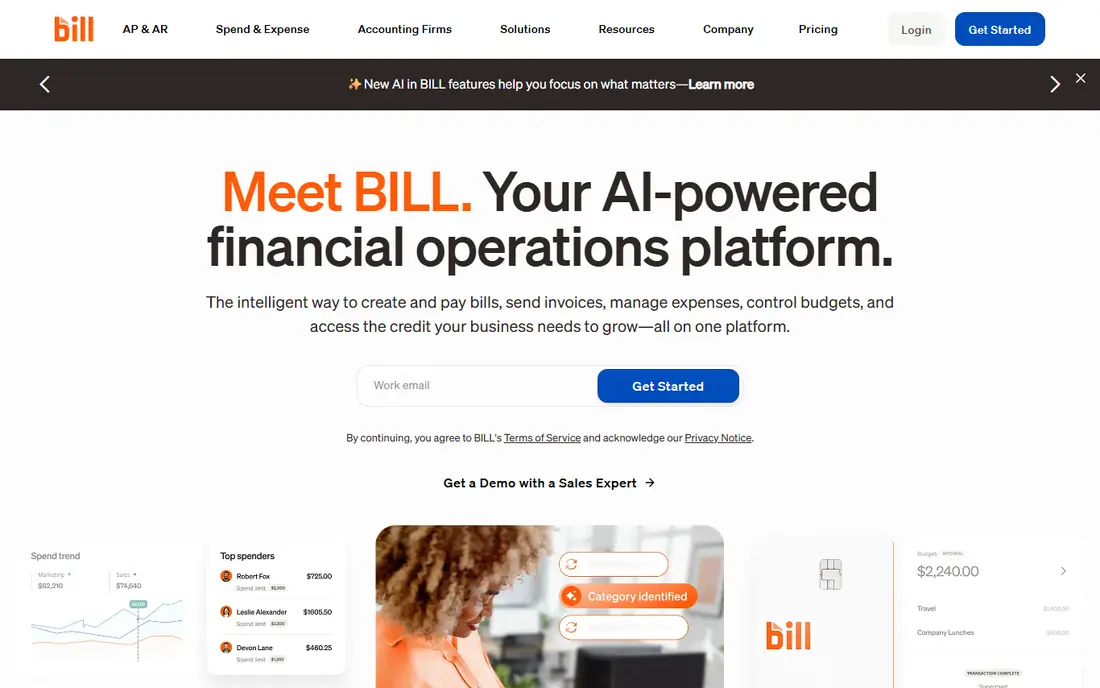
BILL, formerly BILL.com, is the most complete mainstream AP tool here. Its AI reads invoices, extracts header and line data, suggests coding based on past patterns and matches vendors, while approval workflows and payment execution sit in the same system. A large vendor network speeds up payments to suppliers already on BILL.
The honest limit is accuracy. Reviewers note that AI-extracted fields and vendor matches can be incorrect, so finance teams should still review coding before approval, particularly for new vendors or complex invoices. Starting at 49 dollars per user per month, with higher tiers at 55 and 89 dollars in some comparisons, BILL is still the best all-round AP pick for most teams.
- AI invoice reading, coding and vendor matching
- Payments in more than 130 countries
- Published pricing
- AI-extracted fields can be wrong and need checking
- Higher tiers cost more per user
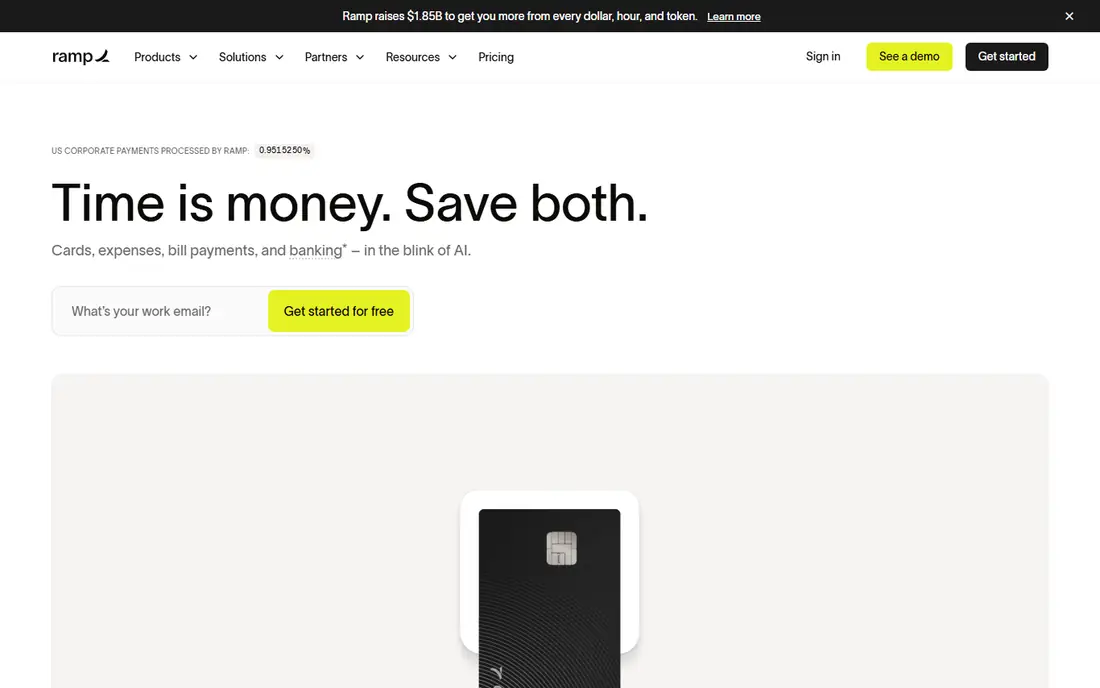
Ramp combines corporate cards, expenses, procurement and bill pay, with AI agents that auto-code invoices, match receipts and check policy at the point of spend. That combination suits venture-backed startups and growing companies that want one spend platform rather than separate tools for cards and AP. Its free tier makes it easy to start, with Plus at 15 dollars per user per month.
The catch is matching accuracy. Auto-matched receipts can pair the wrong documents, and company policies need initial training and adjustment before AI coding feels reliable. For teams that already use Ramp cards, though, the AP addition is a natural fit, and its interface is among the easiest here.
- Free starting tier
- AI auto-coding and receipt matching
- Cards, expenses and AP in one platform
- Receipt auto-matching can pair wrong documents
- Paid tiers start at 15 dollars per user per month
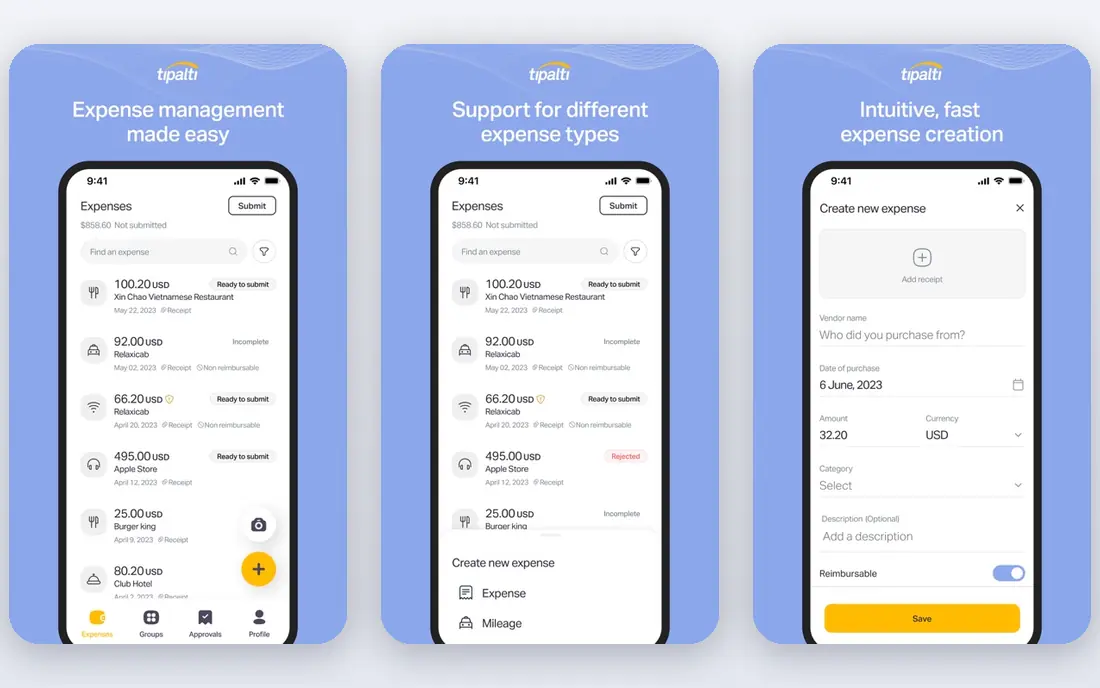
Tipalti is built for organisations paying many suppliers, creators, affiliates or marketplace partners across borders. Its supplier portal collects tax forms and payment details, its AI assists invoice coding, and its payment engine handles more than 120 currencies with fraud and duplicate checks. That depth suits mid-market and enterprise teams with global payables.
For a small domestic business, Tipalti is more tool than needed, and its setup takes longer than BILL or Ramp. Pricing starts at 99 dollars per month, with an Advanced tier at 199 dollars and a custom top tier. If your payables are global, complex or high-volume, Tipalti is the strongest specialist here.
- Mass payments in many currencies
- Supplier self-service portal
- Tax forms and compliance handling
- More complex than SMB tools
- AI reporting does not always preserve custom report structures
Stampli takes an invoice-first approach: the invoice itself is the workspace, with AI coding suggestions, approver comments and audit trail in one place. Billy, its AI assistant, learns from previous coding to pre-fill invoices, suggest routing and flag duplicates, which speeds up repeat supplier invoices. Its ERP integrations are a particular strength for mid-market teams.
Pricing is quote-based, so budgeting needs a sales conversation, and Billy still needs manual help with edge cases, especially PDFs containing several invoices. For teams where approver collaboration and audit clarity matter most, and where the ERP stays central, Stampli is a compelling choice.
- Billy AI learns coding from past invoices
- Approvals and chat live on the invoice
- Deep ERP integrations
- Quote-only pricing
- AI still needs manual help on edge cases such as multi-invoice PDFs
Sage Intacct suits finance teams that want AP inside their accounting system rather than as a bolt-on. Its AI assists with bill capture and coding, while the wider platform handles multi-entity consolidation, dimensional reporting and approvals. That matters for organisations with several subsidiaries or locations that need clean, consolidated books.
The limits are price opacity and AI consistency. Sage Intacct is quote-based, and reviewers note that bill extraction can populate data incorrectly and AI journal help can vary. Teams already running Sage Intacct get the most value; teams on another ERP should compare Stampli or BILL before switching accounting systems for AP alone.
- AI-assisted AP capture and coding inside a full accounting platform
- Strong multi-entity and reporting depth
- Quote-only pricing
- AI assistance can be inconsistent on journal entries and extraction
Melio is the simplest tool here, and that is its appeal. Small businesses can capture bills, set approvals and pay suppliers by ACH or card without a heavy AP platform. Its free tier covers one user, with Core at 25 dollars, Boost at 55 dollars and Unlimited at 80 dollars per month, and a mobile app keeps bill pay manageable away from the desk.
AI features are lighter than in BILL, Ramp or Tipalti: capture and workflow help exist, but autonomous coding and matching are less deep. A business with simple bills and few approvers will not miss that depth. A finance team processing hundreds of invoices a month should pick a stronger AI tool instead.
- Free tier for one user
- Simple bill capture and approval workflows
- Card-to-ACH payment options
- AI depth is lighter than BILL or Ramp
- Higher tiers needed for teams and volume
AvidXchange is a mid-market AP automation platform with AI capture, approval workflows, purchase order matching and payment execution. It suits organisations that outgrew simple bill pay but do not need Tipalti global mass-payment depth. Its invoice processing handles volume well, and its payment network covers many suppliers.
Pricing is quote-based and implementation takes more planning than BILL or Melio, so small teams should look elsewhere. For a mid-market finance team with steady invoice volume and approval complexity, AvidXchange is a proven, specialist option worth a formal demo.
- AI invoice capture and approval workflows
- Payment execution included
- Strong mid-market focus
- Quote-based pricing
- Implementation is heavier than SMB tools
Vic.ai aims for autonomous AP: its AI, trained on a very large set of invoices, codes, matches and routes documents with minimal human touch, targeting high straight-through processing rates for teams handling a thousand or more invoices a month. That focus makes it different from general AP tools that still expect a human on every invoice.
Pricing is custom and enterprise-oriented, so it only makes sense at volume. Smaller teams will find BILL or Ramp cheaper and easier to adopt. For a mid-market or enterprise AP team drowning in invoice volume, Vic.ai is the most automation-first option in this list.
- Autonomous AP trained on large invoice volumes
- High straight-through processing rates
- ERP integrations
- Quote-based enterprise pricing
- Best value only at high invoice volumes
How we picked these
We compared official pricing pages, product documentation and independent AP comparisons, focusing on AI capture accuracy, coding suggestions, duplicate detection, purchase order matching, approval workflows and accounting integrations. We favoured tools with published pricing where possible and flagged quote-based tools honestly. Prices are annual-billing equivalents where vendors publish them, and transaction fees may apply on top.
How to test AI AP before you commit
Run a pilot on your last 100 real invoices, including messy scans, multi-page documents and new vendors. Measure how often AI coding, vendor matching and amounts are correct without edits, and how long approvals actually take. Check duplicate detection by feeding it a known duplicate, and test purchase order matching on partial deliveries. A tool that looks fast on clean invoices but fails on messy ones will cost you more in corrections than it saves.
Controls that keep AI AP safe
Require human approval above a spending threshold, for new vendors and for changed bank details, no matter how confident the AI looks. Lock vendor bank changes behind a second check, since payment fraud often starts there. Review AI coding accuracy monthly by vendor and invoice type, and retrain or adjust rules where errors cluster. AI should speed up your team, not remove the controls that protect payments.
FAQ
What AI features matter most in accounts payable software?
Invoice reading and field extraction, coding suggestions based on past invoices, duplicate detection and purchase order matching matter most. Fraud checks and approval routing help too. Judge each feature on your own messy invoices, not on vendor demos with clean documents, since accuracy on real documents decides the saving.
How much does AI accounts payable software cost?
Published entry points here run from free for Ramp and Melio to 49 dollars per user per month for BILL and 99 dollars per month for Tipalti, with several tools quote-based. Add transaction fees, payment fees and higher tiers for teams. Model seat cost plus per-invoice or payment fees on your real volume.
Can AI fully automate accounts payable?
Not safely for most teams yet. AI handles routine, repeat invoices well, but new vendors, exceptions, partial deliveries and changed bank details still need human review. The best setup uses AI for capture and coding, with humans approving payments above thresholds and all sensitive changes.
Which AP tool is best for a small business?
BILL is the strongest all-round pick for small and mid-sized teams, while Melio suits very simple bill pay and Ramp suits startups that also want cards and expenses. All three have free tiers or trials, so test with your real bills before choosing. Tipalti and Vic.ai suit larger or global volumes instead.
Does AP software replace my accounting system?
No. AP tools capture, approve and pay bills, then sync the results to your accounting system, such as QuickBooks, Xero or Sage Intacct. Sage Intacct is the exception here, since it combines accounting and AP in one platform. Check the sync for your exact accounting system before buying.