Best Accounting Software With Payroll Features in 2026: 9 Tools Compared
Compare the best accounting software with payroll features for small teams, with current pricing, payroll add-ons, and the trade-offs we found for US teams.
- Editor's choice
 QuickBooks Online
Most small businesses
Starts at$38 per monthVisit quickbooks.intuit.comFull review - Great alternative
 Xero
Teams with many users
Starts at$27 per monthVisit xero.comFull review - Also consider
 FreshBooks
Service businesses
Starts at$23 per monthVisit freshbooks.comFull review
TL;DR:
- QuickBooks Online is our pick for most US small businesses because payroll, tax filing, and accountant access sit in one place.
- Xero suits teams that want unlimited users, with payroll handled through a connected partner in the US.
- Free starting points exist, but payroll itself is almost always a paid add-on, so price the full bundle before you commit.
- Check that tax filing covers your state, since payroll features vary by location and plan.
Quick comparison
| Tool | Best for | Starts at | Free plan? | |
|---|---|---|---|---|
| QuickBooks Online | Most small businesses | $38 per month | Free trial | Visit |
| Xero | Teams with many users | $27 per month | Free trial | Visit |
| FreshBooks | Service businesses | $23 per month | Free trial | Visit |
 Zoho Books | Budget-conscious Zoho users | Free | Yes | Visit |
 Wave | Solo owners starting out | Free | Yes | Visit |
 Sage Accounting | Simple books on a budget | $10 per month | Free trial | Visit |
 Patriot Software | Native payroll and accounting | $20 per month | Free trial | Visit |
 FreeAgent | Freelancers and small firms | See website | Free trial | Visit |
 Odoo | Businesses wanting a full suite | See website | Yes | Visit |
The best accounting software with payroll features
Payroll turns accounting from a record of what happened into a job that must happen on time, every pay period. These nine tools handle both sides, though they do it in different ways. Some include payroll from the same vendor, while others connect to a payroll partner.
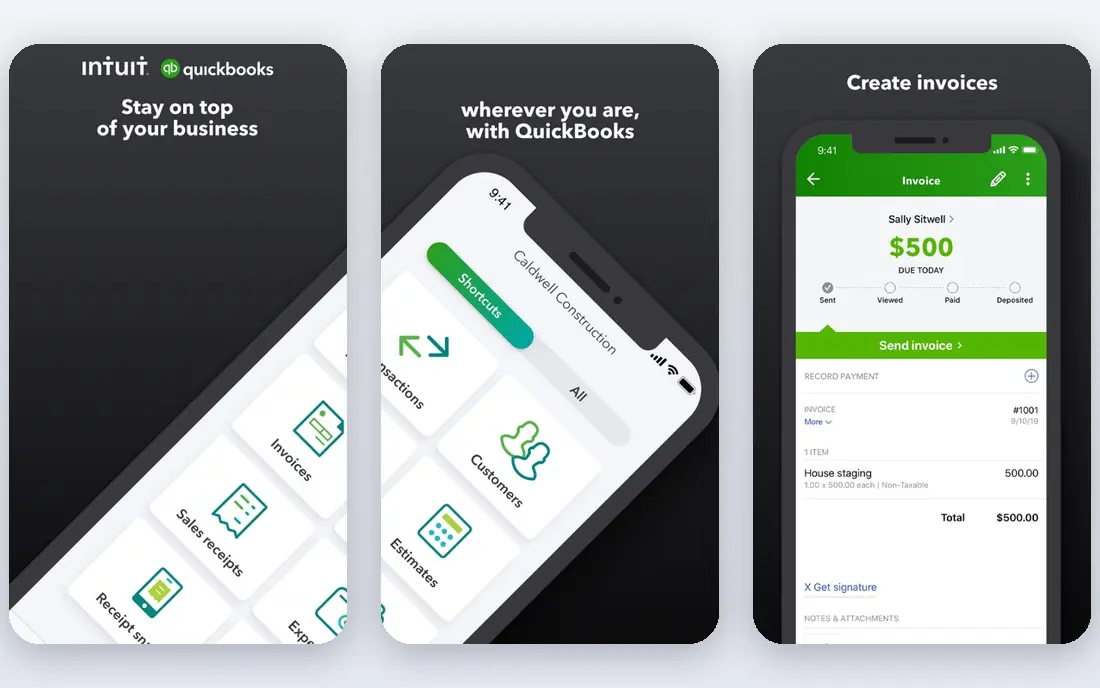
QuickBooks Online is the safe default for a US small business, and that is not a small thing. Your accountant probably already knows it, which makes year-end work smoother and reduces the time spent explaining your books. Invoicing, expense tracking, bank feeds, and reporting all sit in the same dashboard, and payroll can be added without moving your data elsewhere.
The catch is the total price. The base plan starts at $38 per month, and payroll is an extra monthly charge plus a per-employee fee. That still makes sense for many growing businesses, because the payroll add-on handles tax calculations and filings in supported states. Before you sign up, confirm filing coverage for each state where you have staff, and work out the cost at your actual headcount rather than the headline plan price.
- Widely used by accountants
- Payroll and tax filing available as an add-on
- Strong reporting and invoicing
- Per-user limits on lower plans
- Costs climb as you add payroll and users
Xero appeals to owners who hate paying per seat. Every plan includes unlimited users, so a co-owner, a bookkeeper, and an outside accountant can all log in without extra charges. The interface is calm and easy to follow, and bank reconciliation is one of the strongest parts of the product.
In the US, Xero payroll is not built in the same way as QuickBooks payroll. It works through a connected partner, which is fine for many teams but adds a second relationship to manage. If your team is larger, or if several people need access, that trade-off often pays off. If you want one vendor for everything, QuickBooks or Patriot may fit better.
- Unlimited users on every plan
- Clean bank reconciliation
- Large app ecosystem
- US payroll runs through a partner
- Lower plans cap invoices and bills
FreshBooks started as an invoicing tool, and it still shows. Creating an invoice, tracking time against a client, and following up on late payments feels quick and natural. Service businesses that bill by the hour or by the project will feel at home here, and clients tend to find the payment pages simple to use.
Payroll comes through a partner integration rather than a native FreshBooks feature, so the experience is less unified than QuickBooks. The other limit to watch is billable clients: lower plans cap how many you can bill, and growing firms can outgrow them. For a freelancer or a small agency with a stable client list, though, FreshBooks is a pleasant daily tool.
- Excellent invoicing and time tracking
- Easy for non-accountants
- Client-friendly proposals
- Payroll through a partner
- Plans limited by billable clients
Zoho Books is hard to beat on price. There is a free plan for businesses under a revenue threshold, and paid plans start lower than most rivals. If you already use Zoho CRM, Zoho Inventory, or Zoho Mail, the shared login and connected data make the whole setup feel tidy.
Payroll is the part to check carefully. Zoho Payroll is a separate product, and availability and features vary by country and plan. US buyers should confirm exactly what is included before assuming the books plan covers pay runs. If it does fit your location, the combination of low cost and solid accounting features is a strong deal.
- Free plan for small businesses
- Good value on paid plans
- Works with other Zoho apps
- Payroll availability varies by region
- Annual caps on invoices and expenses
Wave is the best starting point when money is tight and the business is small. Accounting and invoicing are free, receipt scanning is included in the free tier in many cases, and setup takes very little time. For a solo owner who just needs clean books and professional invoices, that is often enough.
Payroll is where Wave stops being free. It is a paid add-on with a monthly base fee plus a per-employee charge, and it is available in the US and Canada. That is still reasonable for a tiny team, and it keeps everything under one roof. Larger businesses with inventory, multi-entity needs, or complex reporting will outgrow Wave, but as a first step it is genuinely useful.
- Free accounting and invoicing
- Simple setup
- Payroll add-on available in the US and Canada
- Payroll is a paid add-on
- Fewer advanced features than larger platforms
Sage Accounting keeps things simple, and for many micro-businesses that is the point. You get invoicing, expense tracking, bank connections, and basic reports without a steep learning curve. The entry price is low, which makes it easy to try without a large commitment.
Payroll is the complication. Sage sells payroll products separately in some markets, and the exact combination depends on your country and plan. US buyers should confirm the payroll path during a trial rather than after purchase. If your needs are simple and you mainly want tidy books with a payroll link, Sage is worth a look.
- Low entry price
- Straightforward invoicing and expenses
- Established vendor
- Payroll options vary by product and region
- Less depth for complex businesses
Patriot is unusual in this list because accounting and payroll both come from the same company, at prices that are easy to understand. Accounting starts at $20 per month, and payroll is a separate plan with a base fee plus a per-employee charge. That clarity helps when you are comparing true monthly costs.
The trade-off is breadth. Patriot does not have the huge integration library of QuickBooks or Xero, and inventory features are more basic. For a US small business whose main needs are clean books, accurate pay runs, and tax filings handled in one place, that focus is a strength rather than a weakness. Try the trial with a real pay period in mind.
- Accounting and payroll from one vendor
- Clear published pricing
- US-focused tax filing
- Smaller app ecosystem
- Fewer advanced inventory features
FreeAgent is designed around the way freelancers and small firms actually work. It tracks time, expenses, invoices, and tax deadlines in one calm view, and it explains what is due and when. That guidance is helpful for owners who do not have a finance background.
The honest limit for US readers is payroll depth. FreeAgent is stronger in the UK market, and US payroll features are more limited than the US-first tools on this list. If you are a UK freelancer or a small firm there, it deserves a high place on your shortlist. US buyers with staff should lean toward QuickBooks, Patriot, or Xero with a partner.
- Built for freelancers and small firms
- Clear tax timelines
- Good expense handling
- US payroll support is limited compared with US-first tools
- Pricing varies by region
Odoo is not just accounting software. It is a suite where accounting, payroll, inventory, sales, and CRM can all run together, and you add only the apps you need. For a business that wants one system for operations as well as books, that breadth is attractive, and the free tier for a single app lowers the barrier to trying it.
That breadth comes with setup work. Odoo rewards a careful implementation, and payroll rules vary by country, so you need to confirm local compliance for your location. If you have someone who can own the setup, or a partner to help, Odoo can grow with the business for a long time. If you want payroll running this week with minimal setup, a simpler tool will get you there faster.
- Accounting plus payroll, inventory, CRM, and more in one suite
- Flexible and modular
- Setup takes more effort
- Payroll localization varies by country
How we picked these
We compared official pricing pages, payroll product pages, and public feature lists for accounting tools that also cover payroll, either natively or through a named partner. We kept only tools that are currently offered and that a US small business can actually buy and use. We checked starting prices where vendors publish them and wrote See website where pricing is quoted or varies by region. We did not claim hands-on testing; our comparison rests on vendor documentation, pricing pages, and public reviews.
What to check before you choose
Start with your pay run, not your chart of accounts. Count your employees and contractors, list every state where they work, and note how often you pay. Then ask each vendor whether tax filing is included for those states, whether direct deposit is included, and what happens when an employee joins or leaves mid-period. Those answers matter more than a small difference in the base plan price.
The true monthly cost
Add the accounting plan, the payroll base fee, and the per-employee charge together, then multiply by your headcount. A plan that looks cheap on its own can become the most expensive option once payroll is added. Also check whether contractors cost extra, since some vendors charge differently for employees and contractors.
Switching and accountant access
Ask whether your accountant can access the books without a paid seat, and how easy it is to export your data if you leave. Both points matter more than they seem at first. A tool your accountant already uses can save hours at year end, and clean exports protect you if your needs change.
FAQ
What is the best accounting software with payroll features for a small business?
For most US small businesses, QuickBooks Online is the safest pick because payroll, tax filing, and accountant access come from one widely used system. Xero is a strong alternative if unlimited users matter more, and Patriot is worth a look if you want native payroll at a clear price. The right answer depends on your headcount, your states, and whether your accountant has a preference.
Is the best accounting software with payroll feature the same as a payroll-only tool?
No. A payroll-only tool handles pay runs and tax filings but does not keep your full books. Accounting software with payroll features keeps invoices, expenses, and reports in the same system, so payroll costs flow into your accounts without manual entry. If you only need to pay a handful of people and already have a bookkeeper, a payroll-only tool can work, but most owners prefer the combined view.
Does free accounting software include free payroll?
Almost never. Wave and Zoho Books offer free accounting tiers, but payroll is a paid add-on in both cases. That is normal, because payroll involves tax filings, direct deposit, and compliance work that vendors charge for. Budget for the payroll fee from the start rather than treating the free tier as the full cost.
How much does payroll usually add to the monthly bill?
It varies by vendor and headcount, but most tools charge a monthly base fee plus a per-employee amount. For a team of five, that can add roughly $40 to $90 per month on top of the accounting plan, depending on the vendor. Always price your actual team size, and ask whether contractors are charged at the same rate.
Can I run payroll in multiple states with these tools?
Many of these tools support multi-state payroll, but coverage and filing support differ by vendor and plan. QuickBooks and Patriot are built around US payroll, while others rely on partners or regional products. Confirm filing support for every state where you have staff before you commit, and test the setup during a trial if you can.
Sources
- https://quickbooks.intuit.com/pricing/
- https://www.xero.com/us/pricing/
- https://www.freshbooks.com/pricing
- https://www.zoho.com/books/pricing/
- https://www.waveapps.com/pricing
- https://www.sage.com/en-us/sage-accounting/
- https://www.patriotsoftware.com/pricing/
- https://www.freeagent.com/pricing/
- https://www.odoo.com/pricing