Best Accounting Software for Sole Traders in 2026: 8 Tools Compared
Find the best accounting software for sole traders in 2026. We compare 8 tools for invoicing, expenses, tax filing and Making Tax Digital in one guide today.
- Editor's choice
 FreeAgent
UK sole traders, tax filing
Starts atSee websiteVisit freeagent.comFull review - Great alternative
 QuickBooks
All round sole trader accounting
Starts atSee websiteVisit quickbooks.intuit.comFull review - Also consider
 Xero
Growing sole traders
Starts atSee websiteVisit xero.comFull review
TL;DR:
- FreeAgent is our pick for UK sole traders who want tax filing built in, and it is free with eligible NatWest, RBS, Ulster Bank or Mettle accounts.
- QuickBooks Sole Trader is the best all round choice for sole traders who want a strong mobile app and wide accountant support.
- Wave is the best free accounting option for US and Canadian sole traders who mainly need invoicing and bookkeeping.
- Xero suits sole traders who expect to grow, thanks to its bank feeds, reporting and large app marketplace.
- Check Making Tax Digital readiness if you are in the UK, because quarterly updates and a final declaration need compatible software.
Quick comparison
| Tool | Best for | Starts at | Free plan? | |
|---|---|---|---|---|
| FreeAgent | UK sole traders, tax filing | See website | Free trial | Visit |
| QuickBooks | All round sole trader accounting | See website | Free trial | Visit |
| Xero | Growing sole traders | See website | Free trial | Visit |
 FreshBooks | Invoicing and time tracking | See website | Free trial | Visit |
 Wave | Free US and Canada accounting | Free | Yes | Visit |
 Zoho Books | Free plan and automation | Free | Yes | Visit |
 Sage Accounting | UK compliance and payroll | See website | Free trial | Visit |
 Coconut | Mobile first UK sole traders | See website | Free trial | Visit |
The best accounting software for sole traders
Sole trader accounting is mostly about three jobs: sending invoices, tracking expenses, and knowing what tax you owe. The tools below all cover those jobs, but they differ by country, tax filing, price and how much hand holding they offer. Pick by your country first, then by whether you file your own tax return or work with an accountant. This is general information, not financial advice, and tax rules change, so check the current rules for your country before filing.
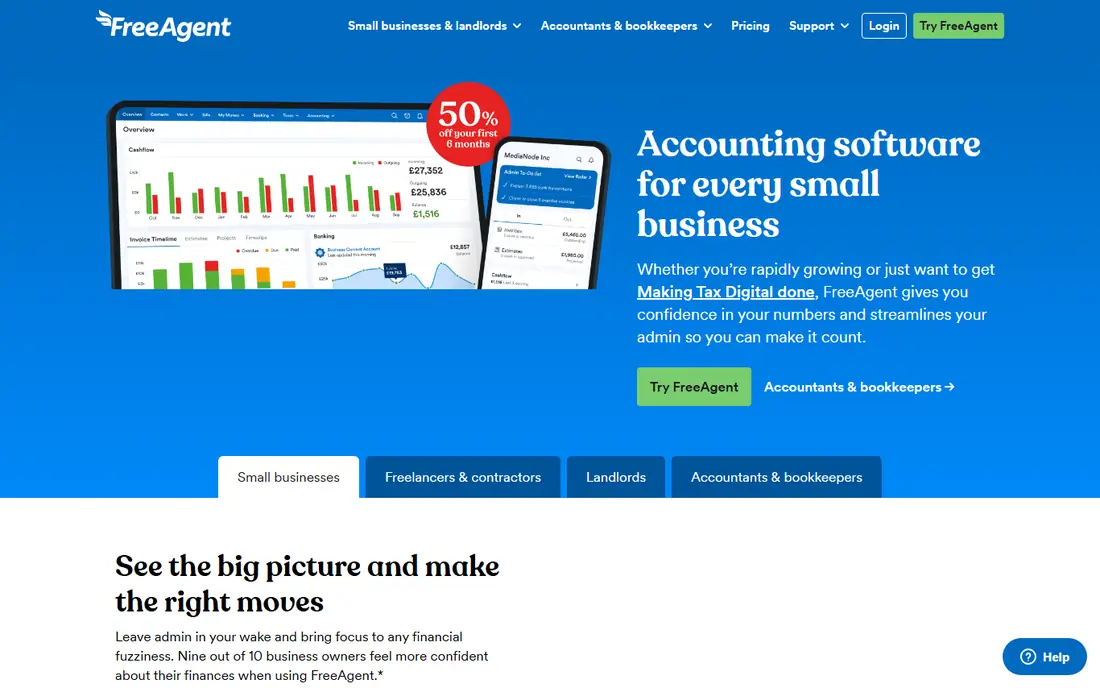
FreeAgent is designed for freelancers and sole traders, and that focus shows in the dashboard. Bank feeds pull in transactions, you categorise expenses, send invoices, and see a running estimate of the tax you owe. For UK users, it handles Making Tax Digital quarterly updates and files Self Assessment, which removes a separate filing step at year end.
The pricing quirk is worth checking first. FreeAgent is free for life with a NatWest, Royal Bank of Scotland or Ulster Bank business account, or a Mettle account with regular activity. Outside those banks, you pay a monthly subscription, so confirm the current price on the vendor site. If you are outside the UK, FreeAgent is not the right tool, and QuickBooks or Wave will fit better.
- Built in Self Assessment and Making Tax Digital filing
- Running tax estimate
- Free with eligible UK bank accounts
- UK only
- Fewer integrations than Xero
- Standard price rises if you are not with an eligible bank
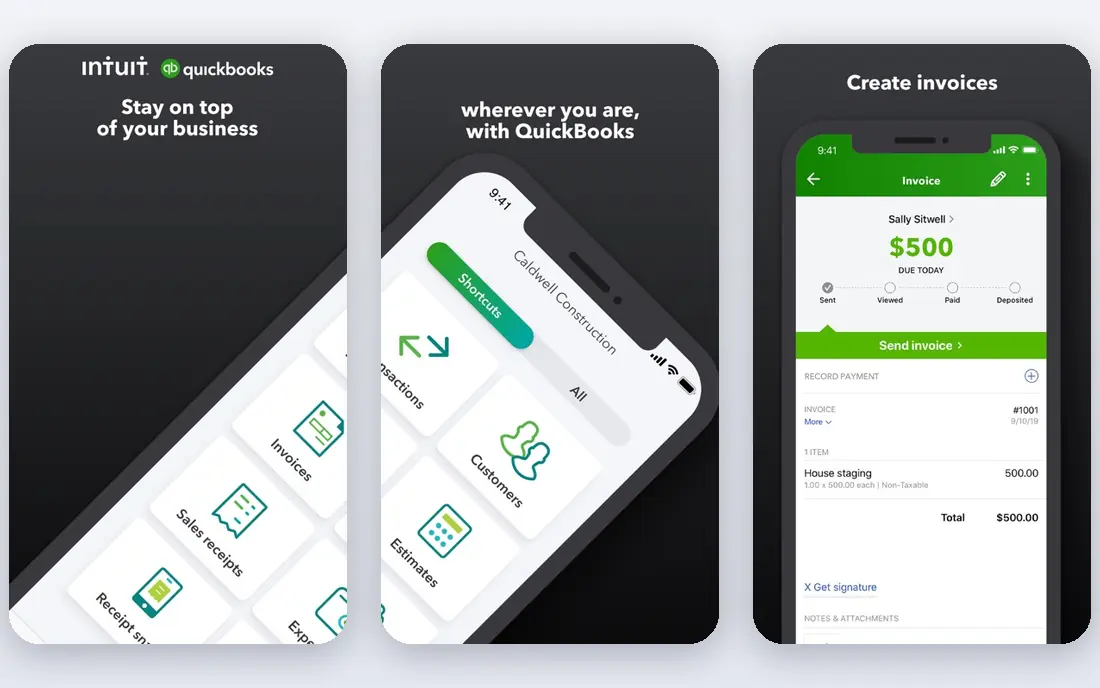
QuickBooks Online is the safe all round pick for sole traders in the US, UK and other markets, with country specific plans and tax features. The Sole Trader plans in the UK focus on income, expenses and tax, while US plans add invoicing, bank sync and tax estimates. The mobile app is genuinely useful, with receipt capture and mileage tracking that save time at tax season.
The main downside is pricing complexity. Plans, promotions and included features differ by country, so the price a friend pays may not match your quote. Check the plan limits on invoices, users and reports before you subscribe. The advantage is support: many accountants and bookkeepers work in QuickBooks daily, so handing over your books is rarely a problem.
- Strong mobile app and mileage tracking
- Many accountants know it well
- Invoicing, expenses and tax estimates in one place
- Prices vary by country and plan
- Entry plans have limits
- Add ons can raise the total

Xero suits a sole trader who plans to grow into a small business, hire help, or work with an accountant long term. Bank feeds reconcile cleanly, reports are clear, and the app marketplace connects payroll, inventory, payments and industry tools. In the UK, Xero plans are Making Tax Digital ready, and VAT returns can be filed from the software.
Entry plans cap the number of invoices and bills, so a busy sole trader may need a higher tier sooner than expected. There is no free tier, though trials and introductory offers appear regularly. If your finances are very simple and you only send a few invoices a month, Wave or Zoho Books may be cheaper. If you want a system that still fits in three years, Xero is a strong bet.
- Clean bank reconciliation
- Strong reporting
- Very large app marketplace and accountant network
- No permanent free plan
- Entry plans cap invoices and bills
- Can feel formal for very simple finances
FreshBooks is best for service based sole traders who live on invoicing. You can send a polished invoice, track time against a client, set automatic payment reminders, and accept online payments. Clients see a simple portal, which reduces chasing and awkward payment conversations. For consultants, designers, writers and coaches, that workflow is often more valuable than a deep general ledger.
Accounting features cover expenses, reports and bank connections, but they are not as deep as QuickBooks or Xero for complex books. The Lite plan caps billable clients, so check that limit against your client list. If invoicing and getting paid on time are your main pains, FreshBooks is our pick. If tax filing and full double entry books matter more, look at FreeAgent or Xero.
- Excellent invoicing and payment reminders
- Time tracking for hourly work
- Client friendly interface
- Less full accounting depth than QuickBooks or Xero
- Lite plan caps billable clients
- Tax filing features vary by country
Wave is the best free accounting software for sole traders in the United States and Canada. Invoicing, accounting, expense tracking and basic reports are free, which is a real saving for a new sole trader. The interface is simple, and you can add payroll or payment processing for a fee if you need them later.
The limits are geographic and functional. Wave does not serve UK sole traders for Making Tax Digital, and it lacks some of the tax filing depth of FreeAgent or QuickBooks. Support is also less hands on than a paid service. For a US or Canadian sole trader with straightforward finances, Wave covers the essentials at no cost, and that is hard to argue with.
- Free invoicing and accounting
- Simple dashboard for sole traders
- Payroll and payments available as paid add ons
- US and Canada only
- No UK Making Tax Digital filing
- Support is thinner than paid rivals
Zoho Books is a good choice if you already use Zoho products, or if you want automation without paying from day one. The free plan covers invoicing, expenses and basic accounting up to set limits, and paid plans add workflows, custom fields, multi currency and deeper reporting. Automation rules can categorise transactions, send reminders and approve expenses with little manual work.
Check the free plan limits for your country before relying on it, because thresholds differ. The interface is powerful but busier than Wave or FreshBooks, so allow time to set it up well. For a sole trader who likes systems and may later add Zoho CRM, inventory or payroll, Zoho Books grows with the business at a fair price.
- Free plan for small volumes
- Strong automation and workflows
- Part of the wider Zoho business suite
- Free plan eligibility and limits vary by country
- Interface takes learning
- US tax features differ from UK ones
Sage Accounting is a long standing UK choice, with VAT filing, Making Tax Digital support and payroll options for sole traders who employ staff. The software tracks income, expenses, invoices and cash flow, and it produces reports an accountant can use directly. For established sole traders already using Sage payroll or other Sage products, staying in one system saves time.
The downside is complexity. Plan names, limits and promotions change, and the interface is less modern than FreeAgent or Xero. A free Sage Sole Trader option exists for some non VAT sole traders, but caps apply, so read the current terms. If you are a UK sole trader who needs payroll and VAT in one place, Sage deserves a trial. If you are starting out, FreeAgent or QuickBooks will feel simpler.
- Strong UK tax and VAT features
- Payroll options
- Free Sage Sole Trader option for some non VAT users
- Interface can feel dated
- Pricing tiers are confusing
- Best value is inside the Sage ecosystem
Coconut is built for UK sole traders who want the simplest possible routine on a phone. Transactions are categorised automatically, expenses are logged with receipt photos, and tax estimates update as income arrives. That mobile first design suits sole traders who do most admin in short gaps between jobs, rather than at a desk once a month.
Coconut combines a business account with bookkeeping, which is convenient but means you should check whether you want your banking and accounting in one product. It is UK only, and complex businesses with inventory or payroll will need a fuller system. For a straightforward UK sole trader who wants low admin and Making Tax Digital filing, Coconut is a calm, easy option.
- Simple mobile app for expenses and tax
- Automatic categorisation
- Making Tax Digital filing on suitable plans
- UK only
- Less depth for complex books
- Account and bookkeeping features are tied together
How we picked these
We compared official pricing pages, tax filing features, app store listings and public reviews for accounting tools that serve sole traders. We kept only tools that support invoicing and expense tracking, that are actively maintained, and that fit at least one major market: the US, Canada or the UK. Where pricing varies by country or promotion, we wrote See website rather than stating a price that may not apply to your location.
Choosing the right accounting app for a sole trader
Start with your country and your tax filing route. UK sole traders should confirm Making Tax Digital readiness and whether the software files the final declaration as well as quarterly updates. US sole traders should check Schedule C reporting, tax estimates and whether their accountant uses the same system. That single filter removes half the list and prevents a costly switch later.
Trial with your real bank and invoices
Connect your bank feed during the trial, send a real invoice, and categorise a month of expenses. Check whether bank rules save time, whether invoice reminders work, and whether reports make sense to you and to your accountant. A tool that feels clear in a demo but confusing with your own data will not get used.
Keep the cost honest
Add up the monthly subscription, payment processing fees, payroll add ons and any accountant time saved. A free tool that creates extra work at tax time can cost more than a paid tool that files cleanly. Set a reminder before any trial or introductory price ends, and review the plan once a year as your income and client count change.
FAQ
What is the best accounting software for sole traders?
FreeAgent is the best accounting software for sole traders in the UK who want tax filing built in. QuickBooks is the best all round choice across countries, and Wave is the best free choice in the US and Canada. The right pick depends on your country, your tax filing route and whether you work with an accountant.
What is the best book keeping app for a sole trader?
For simple bookkeeping, Wave and Zoho Books offer free plans that cover invoicing and expenses. FreshBooks is better if client billing and time tracking matter most. If you want bookkeeping plus tax filing in one place, FreeAgent in the UK and QuickBooks in the US are stronger choices.
Is there a free accounting app for a sole trader?
Yes. Wave is free for accounting and invoicing in the US and Canada, and Zoho Books offers a free plan up to set limits. FreeAgent is free with eligible UK bank accounts. Free plans usually have limits on users, invoices or features, so check those limits before committing.
Does sole trader accounting software handle Making Tax Digital?
In the UK, FreeAgent, Xero, QuickBooks, Sage Accounting and Coconut all offer Making Tax Digital support on suitable plans. Confirm whether the plan handles quarterly updates only, or the final declaration as well. That distinction matters at year end, so check the vendor page for your exact plan.
Should a sole trader use an accountant as well as software?
Many sole traders use software for daily books and an accountant for year end filing and tax advice. Software keeps records clean and gives a tax estimate through the year. An accountant can check the return, spot missed deductions and advise on structure as income grows. Ask your accountant which system they prefer before you subscribe.