Best Accounting Software for Small Churches in 2026: 8 Tools Compared
Compare the best accounting software for small churches, with fund accounting, giving, donor statements, payroll and budgeting explained for 2026 in detail.
- Editor's choice
 Aplos
Small churches wanting fund accounting
Starts at$79 per monthVisit aplos.comFull review - Great alternative
 PowerChurch Plus
Budget churches preferring desktop
Starts at$395 one-timeVisit powerchurch.comFull review - Also consider
 QuickBooks Online
Churches with a QuickBooks bookkeeper
Starts atSee websiteVisit quickbooks.intuit.comFull review
TL;DR:
- Church accounting needs fund accounting, so restricted gifts, building funds and general funds stay separate.
- Aplos is the clearest church-specific pick, while PowerChurch suits budget-conscious churches that prefer desktop software.
- Donor statements, giving integration and clergy payroll rules matter more than generic bookkeeping features.
- Price the seats and contacts your church actually needs, because extra users can change the monthly total quickly.
Quick comparison
| Tool | Best for | Starts at | Free plan? | |
|---|---|---|---|---|
| Aplos | Small churches wanting fund accounting | $79 per month | No | Visit |
| PowerChurch Plus | Budget churches preferring desktop | $395 one-time | No | Visit |
| QuickBooks Online | Churches with a QuickBooks bookkeeper | See website | Free trial | Visit |
 IconCMO | Church management plus accounting | $35 per month | Free trial | Visit |
 ChurchTrac | Small churches wanting all-in-one admin | $29 per month | No | Visit |
 Realm | Churches already using Realm | See website | No | Visit |
 Church Windows | Midsize churches needing deep reporting | See website | No | Visit |
 Wave | Micro-churches on a tight budget | Free | Yes | Visit |
The best accounting software for small churches
Church finances differ from a small business. Tithes, designated gifts, building funds, mission accounts and benevolence funds must be tracked separately, donors need year-end statements for tax purposes, and payroll must handle clergy housing allowances. The tools below handle those needs in different ways, from church-specific fund accounting to general ledgers adapted for church use.
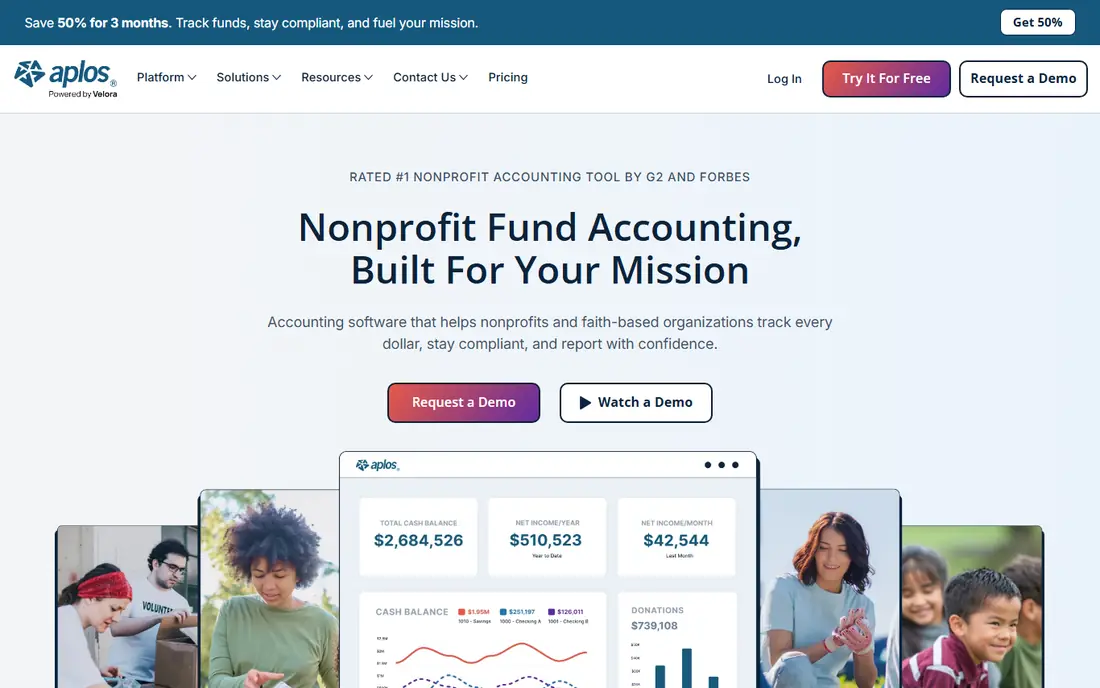
Aplos was founded for churches and nonprofits that could not find simple, affordable fund accounting, and that origin still shows. Fund accounting is native, so each fund gets its own balance sheet and income statement, and even the entry tier covers core reporting. Online giving, text giving and donor records sit in the same system, with contribution statements donors can download. That combination suits a small church where a volunteer treasurer handles the books and the board needs clear fund reports.
The catch is seat and contact pricing. Lite starts at $79 per month and Core at $129 per month in recent published comparisons, with two users included and extra users adding cost, plus contact limits that can add fees. A church should price the treasurer, bookkeeper, pastor and any read-only users it actually needs. For a small church that wants true fund accounting without a steep learning curve, Aplos is our pick for most people.
- True fund accounting
- Giving and donor statements built in
- Easy for volunteer treasurers
- Extra users and contacts add cost
- Higher tiers needed for fuller budgeting

PowerChurch Plus is a complete church administration package covering membership, contributions, accounting, payroll and event scheduling, priced at about $395 as a one-time purchase in published comparisons. That model suits a budget-conscious small church that prefers to pay once rather than monthly, and unlimited users help when several volunteers share the books. Fund accounting, contribution tracking and payroll with clergy considerations sit together, so a small church does not need several tools.
The trade-off is that PowerChurch is desktop-focused and its interface feels dated compared with cloud tools such as Aplos. There is no free trial, and remote access is less simple than a cloud system. For a small church with a stable office computer and a tight budget, the one-time price and breadth are hard to beat.
- Low one-time price
- Fund accounting, membership and payroll together
- Unlimited users
- Desktop focus
- Interface feels dated
- No free trial

QuickBooks Online can work for a small church, especially if the bookkeeper already knows QuickBooks. Class and location tracking can mimic fund separation, payroll can be added, and the integration list covers giving tools, payment processors and reporting add-ons. A church with simple restrictions and a disciplined bookkeeper can run clean books in QuickBooks, and accountants are easy to find.
The limit is that QuickBooks does not offer true fund accounting, and native year-end donor statements are not built in the way Aplos provides them. Donations recorded as sales receipts need careful handling, and multi-fund reporting takes manual work. For a church with complex restricted funds, a church-specific tool will save time. For a church with a QuickBooks-savvy bookkeeper and simple funds, QuickBooks remains practical.
- Familiar to bookkeepers
- Huge integration list
- Class tracking for funds
- No true fund accounting
- Donor statements need workarounds or add-ons
IconCMO combines church management, accounting and payroll in one system, with plans starting at about $35 per month in published comparisons and a free trial. Membership, contributions, accounting and payroll sit together, which suits a small church that wants one system for admin and finance. Unlimited users on some plans also help volunteer teams, where several people need access without per-seat fees stacking up.
The drawback is polish. IconCMO feels less modern than Aplos or Realm, and accounting depth depends on the plan, so a church should check fund reporting and payroll features for its tier. For a small church that wants church management plus accounting at a low starting price, IconCMO is a solid, budget-friendly option.
- Low starting price
- Church management plus payroll
- Unlimited users on some plans
- Interface is less modern than cloud rivals
- Accounting depth varies by plan
ChurchTrac suits small churches that want people management, giving, communication and accounting in one low-cost system, with plans starting at about $29 per month for smaller congregations in published comparisons. Accounting is included with the plan, so a small church does not need a separate ledger for basic income, expenses and fund tracking. The system is easy for volunteers to learn, which matters when the treasurer changes.
The limit is accounting depth. ChurchTrac accounting is simpler than Aplos fund accounting, and a church with complex restricted funds, multiple campuses or detailed payroll needs may outgrow it. For a small church that values one simple system for admin and basic accounting, ChurchTrac is a good value pick.
- Low starting price
- People, giving and accounting together
- Easy for small teams
- Accounting is simpler than Aplos
- Larger churches may outgrow it
Realm, from ACS Technologies, is an all-in-one church management and accounting system with true fund accounting, cash and accrual options, and giving that posts batches into the general ledger. Churches already using Realm for membership, groups and communication benefit most, because accounting, giving and member data share one database. Multi-campus support on higher tiers helps larger churches roll up campus finances, and donor giving statements are part of the giving workflow.
The catch is pricing. Realm is quote-based, and the best value comes inside the ACS system, so a church that only needs accounting may find Aplos or PowerChurch cheaper. For a church already on Realm, adding Realm accounting keeps data consistent and avoids a separate ledger.
- True fund accounting
- Giving posts to the ledger
- Multi-campus support on higher tiers
- Pricing is quote-based
- Best value inside the ACS system
Church Windows serves midsize to larger churches that need deep fund accounting, payroll, membership and scheduling in one system, with detailed reporting for boards and finance committees. It has a long track record with churches, and its reporting depth suits a church with many funds, departments and staff. Payroll, contributions and accounting sit together, which helps a church with paid staff and complex giving.
The drawback is that pricing is custom, and the system feels heavier to set up than a cloud tool such as Aplos. A very small church may find it more than it needs. For a midsize church that values reporting depth and a complete church system, Church Windows is a proven, if less modern, choice.
- Deep fund accounting and reporting
- Payroll and membership together
- Long track record
- Pricing is quote-based
- Interface and setup feel heavier than cloud tools
Wave offers free accounting for income, expenses, invoicing and basic reports, which suits a micro-church with very simple finances and a tiny budget. A church plant or house church with few transactions can track giving and spending without a monthly fee, and add paid payroll or bookkeeping help if needed. The interface is simple, and a volunteer with basic bookkeeping skills can learn it quickly.
The limit is church specificity. Wave has no true fund accounting, no native donor statements, and limited clergy payroll handling, so a growing church will outgrow it. For a micro-church that needs basic tracking and cannot justify a paid tool yet, Wave is a useful free start, with a clear path to Aplos or PowerChurch as funds grow more complex.
- Free accounting
- Simple income and expense tracking
- Easy for tiny teams
- No true fund accounting
- Payroll and donor tools are limited or paid
How we picked these
We compared official pricing pages, feature pages and public reviews for church accounting tools active in October 2026. We favoured tools with fund accounting or a clear way to track restricted funds, with donor statements, giving connections and payroll support where relevant. We included church-specific tools and general ledgers, because small churches range from a micro-church with simple books to a midsize church with paid staff. Where pricing is quote-based, we say so, and we note one-time versus monthly pricing clearly.
How to choose accounting software for a small church
Start with your fund structure. List every fund, from general operating to building, missions and benevolence, and check that the tool reports each fund separately. If a tool only uses tags or classes, ask how fund balance sheets are produced at year-end. A tool with true fund accounting will save hours at audit and board reporting time, and will keep restricted gifts from being spent on general costs by mistake.
Next, check giving and donor workflows. Confirm how online gifts post to the ledger, how donor statements are generated, and how recurring gifts and text giving are handled. Test payroll for clergy housing allowances and tax rules with your payroll provider, because clergy tax handling differs from normal staff payroll. A tool that handles giving and payroll cleanly will reduce the treasurer workload more than a pretty dashboard.
Finally, price the whole team. Count the treasurer, bookkeeper, pastor, finance chair and any read-only board members, then check user and contact fees. A low headline price can rise fast with extra seats, as with Aplos. Run a trial on one month of real transactions, produce fund reports and donor statements, and ask the board whether the reports are clear. If the board cannot read the reports, the tool is not the right fit, no matter how cheap it is.
FAQ
What is the best accounting software for small churches?
Aplos is the best pick for most small churches, thanks to true fund accounting, giving and donor statements in one cloud system. PowerChurch Plus suits budget churches that prefer a one-time desktop purchase, while ChurchTrac suits small churches that want all-in-one admin at a low price.
Does a small church need fund accounting?
Yes, in most cases. Fund accounting keeps restricted gifts separate from general funds, so a building gift is not spent on operating costs and board reports show each fund clearly. General ledgers such as QuickBooks can mimic funds with classes, but church-specific tools such as Aplos, PowerChurch and Realm handle funds natively.
Can QuickBooks work for a church?
Yes, for a church with simple funds and a QuickBooks-savvy bookkeeper. Use class tracking for funds, add payroll if needed, and connect a giving tool for donor records. For complex restricted funds or native donor statements, a church-specific tool will save time and reduce errors.
How do donor statements work?
Donor statements list gifts by donor for a period, usually the calendar year, for tax purposes. Church tools such as Aplos and Realm generate them from giving records, and donors can often download them from a portal. General tools such as QuickBooks and Wave need workarounds or add-ons for the same result.
What about clergy payroll and housing allowances?
Clergy pay has special tax rules, including housing allowances and self-employment tax treatment that differ from normal staff. Check that your accounting or payroll tool handles those rules, or use a payroll provider familiar with clergy pay. Aplos, PowerChurch, IconCMO and Church Windows include payroll features, but confirm clergy specifics before buying.