Best Accounting Software for Retail Business: 8 Tools Compared
Compare the best accounting software for retail business owners, with inventory, point of sale links, sales tax, and pricing for shops of all sizes today.

- Editor's choice
 QuickBooks Online
Retail accounting with inventory
Starts at$38 per monthVisit quickbooks.intuit.comFull review - Great alternative
 Xero
Multi user retail accounting
Starts at$27 per monthVisit xero.comFull review - Also consider
 Sage Accounting
Established retail accounting
Starts atSee websiteVisit sage.comFull review
TL;DR:
- QuickBooks Online is the strongest retail accounting pick for most shops, with inventory, sales tax, and the widest point of sale and e-commerce integrations.
- Xero suits multi user retail teams, with unlimited users and strong marketplace apps for Shopify, Amazon, and inventory add ons.
- Square fits shops that already sell through Square, since sales, payments, and reports flow into one system with little setup.
- Retail accounting is different from service accounting, because inventory, cost of goods sold, sales tax by location, and channel fees decide whether the books are accurate.
- Price the accounting plan plus inventory and point of sale integrations together, since those add ons often cost more than the base subscription.
Quick comparison
| Tool | Best for | Starts at | Free plan? | |
|---|---|---|---|---|
| QuickBooks Online | Retail accounting with inventory | $38 per month | Free trial | Visit |
| Xero | Multi user retail accounting | $27 per month | Free trial | Visit |
| Sage Accounting | Established retail accounting | See website | No | Visit |
 FreshBooks | Small retail and service shops | $23 per month | Free trial | Visit |
 Zoho Books | Low cost retail accounting | Free | Yes | Visit |
 Wave | Free accounting for tiny shops | Free | Yes | Visit |
 Oracle NetSuite | Larger retail and multi channel | See website | No | Visit |
 Square | Shops selling through Square | See website | No | Visit |
The best accounting software for retail business
We compared accounting tools on retail needs, including inventory tracking, cost of goods sold, sales tax, point of sale and e-commerce integrations, multi location support, and reporting. We used vendor pricing pages and product documentation, and we note where pricing is quote based rather than publishing a number we could not verify.
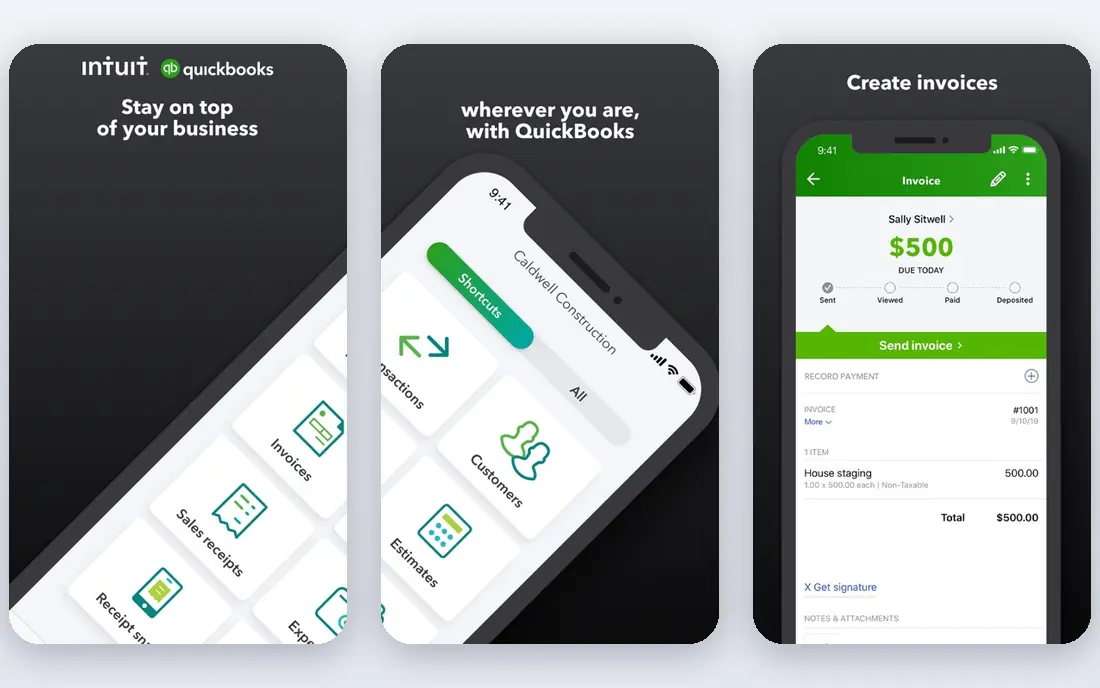
QuickBooks Online is the retail default because it covers the full shop workflow in one place. Invoicing, expenses, bank feeds, and sales tax tracking sit alongside inventory, purchase orders, and project tracking on Plus at $140 a month, while Simple Start at $38 and Essentials at $85 suit smaller shops without stock. Integrations with Shopify, Amazon, Square, Stripe, and PayPal bring sales and fees into the ledger without manual entry, which is essential when a shop sells across several channels.
The cost structure needs care. User caps mean a growing team moves from Essentials to Plus to Advanced at $340 a month, payroll and payments add fees, and introductory discounts end after three months. Inventory depth is also good for small to midsize shops but not a full warehouse system. If you want retail accounting that your accountant already knows, with inventory and channel integrations built in, QuickBooks Online is the safest pick.
- Inventory and purchase orders from Plus
- Sales tax tracking
- Huge integration marketplace
- User caps push teams to higher plans
- Price rises with add ons
- Promotional discounts expire
Xero suits retail teams where several people touch the books, since every plan includes unlimited users at no per seat fee. United States plans cost $27 a month for Early, $59 for Growing, and $97 for Established, with a 30 day free trial. Bank reconciliation is excellent, and the app marketplace connects Shopify, Amazon, Stripe, and inventory tools such as Cin7 and Unleashed, so a retail stack can be built around Xero as the ledger.
Native inventory is basic, so shops with serious stock control need a paid inventory add on, and United States payroll runs through Gusto as a separate charge. Multi currency also requires Established. If your shop sells online and in store, and several staff or an accountant need ledger access, Xero offers strong value, provided you budget for the inventory app your stock levels require.
- Unlimited users on every plan
- Strong e-commerce app marketplace
- Clean bank reconciliation
- Native inventory is basic
- Payroll is a separate Gusto linked charge
- Established needed for multi currency
Sage Accounting gives retail shops a traditional, dependable ledger with invoicing, expenses, bank feeds, cash flow forecasting, and reporting, plus Sage Payroll as a connected product. That combination suits shops that want established accounting software and a clear path to larger Sage systems if they grow into multi location or wholesale operations. Sage's long history in accounting also means many accountants know its reports and workflows.
Pricing varies by product and region, so shops need to check the current Sage Accounting price for their exact plan. The interface can feel less modern than QuickBooks or Xero, and point of sale integrations should be confirmed for your exact system before buying. If your accountant already uses Sage, or your shop plans to scale toward Sage's larger products, Sage Accounting is a dependable retail choice.
- Solid invoicing, cash flow, and reporting
- Payroll products available
- Scales toward larger Sage systems
- Pricing varies by product and region
- Interface can feel dated
- Point of sale integrations need checking
FreshBooks fits small shops that sell services alongside products, such as a salon with retail shelves or a repair shop with parts sales. Lite costs $23 a month for up to 5 clients, Plus $43 for up to 50, and Premium $70 for unlimited clients, with a 30 day free trial. Invoicing, estimates, online payments, and expense tracking are excellent, and the interface is among the easiest in this category.
Inventory is the limit. FreshBooks does not offer the stock tracking, purchase orders, and cost of goods depth that product heavy retailers need, and double entry reports start on Plus, so the real accounting entry point is $43, not $23. Extra team members cost $11 each. For a small shop where invoicing and service billing matter more than stock control, FreshBooks is a good fit. For a stock heavy retailer, QuickBooks or Xero with an inventory app fits better.
- Easy invoicing and payments
- Simple to learn
- Time and project tools for service retail
- Client caps on lower plans
- Inventory support is thin
- Double entry reports need Plus
Zoho Books offers a free plan for businesses under $50,000 in annual revenue, with paid plans from $20 a month for Standard to $275 for Ultimate on monthly billing, and lower rates annually. Inventory, sales orders, and purchase orders appear on higher plans, and Zoho Books connects with Zoho Inventory, Zoho Commerce, and other Zoho apps, which can build a low cost retail stack without many third party subscriptions.
User counts are set per plan, so a growing team may need to step up plans for seats rather than features, and payroll availability varies by region. Advanced inventory and automation also sit on higher tiers. If you want the lowest cost retail accounting with inventory options and you already use Zoho tools, Zoho Books is strong value. Confirm the inventory and point of sale connections for your channels before committing.
- Free plan for small businesses
- Inventory on higher plans
- Wide Zoho ecosystem for retail
- Per organization user limits by plan
- Payroll varies by region
- Learning curve for advanced features
Wave gives micro retailers free accounting, invoicing, and receipt scanning, which is enough for a tiny shop with simple books. Payments can be accepted through Wave, and payroll is available as a paid add on in supported states, so a one person shop can run sales, books, and pay from one account at very low cost.
The limits appear quickly as a shop grows. Wave lacks serious inventory tracking, cost of goods depth, and multi location reporting, and payroll is not available everywhere. Support on the free plan is also limited. Wave suits a market stall, a tiny boutique, or a side shop with simple stock. Once inventory, multiple channels, or staff payroll become central, a paid retail accounting platform will save more time than Wave saves in fees.
- Free accounting, invoicing, and receipts
- Simple for micro retailers
- Payments built in
- No serious inventory tools
- Reporting is basic
- Payroll availability depends on state
Oracle NetSuite is a full enterprise resource planning system, not just accounting software, and that scale is its retail strength. Inventory, order management, warehouse, point of sale, e-commerce, and finance live in one system, with multi location, multi channel, and multi currency support for retailers operating across stores and websites. Reporting can cut across channels, locations, and product lines in ways small business tools cannot.
That power comes with cost and complexity. NetSuite is quote priced, implementation is a major project that needs planning and often a partner, and small shops will find it far more than they need. For a growing retailer with several locations, serious inventory, and wholesale or multi channel sales, NetSuite can replace a patchwork of tools. For a single shop, QuickBooks or Xero will be faster to launch and far cheaper.
- Full ERP with inventory, orders, and finance in one system
- Multi location and multi channel support
- Deep reporting
- Quote based pricing
- Implementation is a major project
- Overkill for small shops
Square is a point of sale and payments system first, but for shops that sell through Square it functions as a practical retail accounting starting point. Sales, payments, inventory, and staff tools live in one Square account, with reports that tie directly to real transactions, and Square integrates with QuickBooks, Xero, and other accounting tools for full double entry books. Setup is fast, since the shop is already ringing sales through Square.
Square alone is not full accounting software. Tax, bank reconciliation, and detailed financial reporting need an accounting integration or a separate ledger, and pricing varies across Square products, so shops should check the exact Square plan they need. If your shop already runs on Square, use Square for sales and inventory and connect it to QuickBooks or Xero for the books. If you do not use Square, choose an accounting platform first and add the point of sale that fits it.
- Sales, payments, and inventory in one Square system
- Easy setup
- Reports tied to real sales data
- Full accounting needs an integration
- Pricing varies by product
- Less suited to shops not using Square
How we picked these
We compared accounting tools on retail specific needs, including inventory, cost of goods sold, sales tax, point of sale and e-commerce integrations, and multi location support. We used vendor pricing pages and product documentation, and we flagged quote based pricing rather than inventing rates. We favored tools with a current product, a real retail user base, and integrations for the channels retailers actually sell through, including Shopify, Amazon, and Square.
Setting up retail accounting correctly
Track inventory and cost of goods from day one
Record purchases, stock levels, and cost of goods sold in the accounting system, not only in the point of sale. When inventory and sales data match, margins, reorder points, and tax reports stay accurate. A shop that tracks sales but not stock costs will overstate profit and miss shrinkage until year end.
Get sales tax right by location
Retail sales tax depends on where the sale happens and where the buyer is located, and rules differ for in store, online, and marketplace sales. Use the sales tax tools in your accounting or point of sale system, review nexus rules for each state you sell into, and reconcile tax collected against tax filed each period. Sales tax errors are a common and costly retail accounting mistake.
Connect every sales channel to the ledger
List every channel, including in store point of sale, your website, Amazon, Etsy, and wholesale orders, and confirm that sales, fees, refunds, and payouts flow into the ledger for each one. Unconnected channels create manual entry, missed fees, and inaccurate revenue, which is why integration quality matters as much as accounting features for retailers.
FAQ
What is the best retail accounting software?
QuickBooks Online is the best general pick for retail accounting, with inventory and channel integrations, while Xero suits multi user teams and Square suits shops already selling through Square. The best retail accounting software for your shop depends on stock levels, sales channels, locations, and headcount.
Does retail accounting software track inventory?
Many retail accounting tools track inventory, though depth varies. QuickBooks Plus and above include inventory and purchase orders, Zoho Books adds inventory on higher plans, and Xero relies on inventory apps for deeper stock control. Product heavy retailers should confirm inventory features, including cost of goods sold and reorder points, before buying.
Can accounting software connect to my point of sale?
Yes, most tools on this list integrate with major point of sale systems, including Square, Shopify POS, and Lightspeed, either natively or through marketplace apps. Confirm that sales, taxes, fees, and refunds sync correctly for your exact point of sale before relying on the connection.
How do I handle sales tax in retail accounting?
Use the sales tax features in your accounting or point of sale system to apply the correct rate by location and channel, and reconcile tax collected against filings each period. Marketplace facilitator rules may mean a marketplace collects tax on your behalf for some sales, so confirm which sales you must report yourself.
Is free accounting software enough for a retail shop?
Free tools such as Wave and Zoho Books free plan suit tiny shops with simple stock and few channels. Once inventory, multiple locations, staff payroll, or several sales channels become central, paid retail accounting with inventory and integrations usually saves more time than free tools save in fees.
When should a retailer move to an ERP such as NetSuite?
Consider an ERP when inventory, orders, warehouses, and finance are spread across too many tools, when multi location or multi channel reporting becomes painful, or when wholesale and retail operations need one system. NetSuite suits that stage, while single shops should stay with QuickBooks or Xero until growth forces the move.