Best Accounting Software for Contractors in 2026: 9 Tools Compared
Find the best accounting software for contractors, from QuickBooks and Xero to Sage, Foundation, and Buildertrend, with job costing and billing help for 2026.
- Editor's choice
 QuickBooks Online
Small contractors getting started
Starts atSee websiteVisit quickbooks.intuit.comFull review - Great alternative
 Xero
Contractors wanting unlimited users
Starts atSee websiteVisit xero.comFull review - Also consider
 FreshBooks
Solo contractors and simple invoicing
Starts atSee websiteVisit freshbooks.comFull review
TL;DR:
- The best accounting software for contractors must handle job costing, retainage, and progress billing, not just invoices and expenses.
- QuickBooks Online and Xero suit small contractors, while Sage 100 Contractor and Foundation suit firms that need deeper construction accounting.
- Buildertrend and Houzz Pro add project management, but they are not a full replacement for a construction general ledger on larger jobs.
- Quote based tools such as Sage, Foundation, and Jonas require a demo to get a real price, so budget time for that step.
- Our pick for most small contractors is QuickBooks Online, with a construction add on when job costing needs grow.
Quick comparison
| Tool | Best for | Starts at | Free plan? | |
|---|---|---|---|---|
| QuickBooks Online | Small contractors getting started | See website | Free trial | Visit |
| Xero | Contractors wanting unlimited users | See website | Free trial | Visit |
| FreshBooks | Solo contractors and simple invoicing | See website | Free trial | Visit |
 Sage 100 Contractor | Established construction accounting | See website | No | Visit |
 Foundation Software | Job costing and payroll depth | See website | No | Visit |
 Sage 300 Construction | Larger multi project firms | See website | No | Visit |
 Buildertrend | Home builders and remodelers | See website | No | Visit |
 Knowify | Trade contractors and AIA billing | See website | Free trial | Visit |
 Houzz Pro | Client facing project workflow | See website | No | Visit |
The best accounting software for contractors
We compared general accounting tools and construction specific systems on job costing, billing, payroll, reporting, and ease of use, and these nine cover solo trades through larger construction firms.
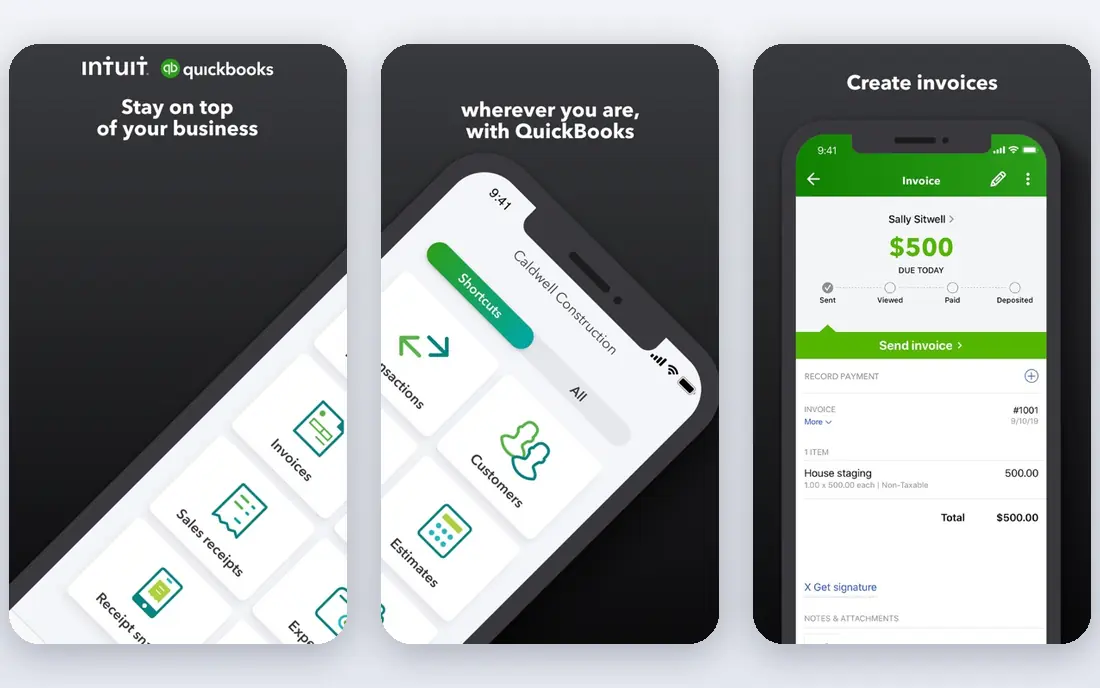
QuickBooks Online is the easiest starting point for most small contractors because accountants know it, bookkeepers can be hired for it, and clients and banks accept its reports without explanation. You can invoice, track expenses, reconcile bank feeds, and tag income and costs by project, which is enough for many small jobs. Its integration library also lets you add estimating, time tracking, or job costing tools later. The limit appears as jobs grow more complex. Progress billing, retainage, certified payroll, and detailed work in progress reporting are not its core strengths, so a growing firm may need an add on or a move to a construction system. Still, starting here keeps your books clean while you learn which construction features you actually need.
- Wide accountant familiarity
- Project tracking and invoicing
- Large integration library
- Limited construction depth without add ons
- Higher tiers needed for project profitability

Xero appeals to contractors who want the whole office in the books without paying per seat for every project manager and admin. Its bank feeds and reconciliation are straightforward, and its app marketplace includes project and time tools that can add job tracking on top of solid general accounting. For a firm with a larger office team, that per user saving adds up. Xero is a general ledger first and a construction system second. You will need add ons or careful project coding to handle retainage, AIA billing, and job level profitability in the way a construction tool does natively. If your jobs are mostly small and your office team is large, that trade can still be worth it.
- Unlimited users on plans
- Clean bank reconciliation
- Strong app marketplace
- Weaker construction specific billing
- US payroll needs a separate setup

FreshBooks is best when your main problem is getting paid quickly and keeping records tidy, rather than managing a large multi month build. Estimates convert to invoices, clients can pay online, and expenses can be attached to a client or project with little effort. A solo electrician, painter, or handyman will often find it faster than a full accounting suite. The weakness shows on larger construction work. Job costing is basic, progress billing and retainage need workarounds, and payroll and inventory are not its focus. Treat FreshBooks as a strong invoicing tool for simple jobs, and move to QuickBooks, Xero, or a construction system when job profitability becomes a weekly question.
- Fast invoicing and estimates
- Simple expense tracking
- Client friendly portal
- Limited job costing
- Not built for complex construction accounting
Sage 100 Contractor is the classic next step for a firm that has outgrown general accounting. Its ledger, job costing, accounts payable, and accounts receivable are built around construction work, so progress billing, change orders, retainage, and work in progress reports fit the way contractors actually bill. Estimating, scheduling, and certified payroll support reduce the number of separate tools you must reconcile. The trade off is age and access. Pricing is quote based, implementation takes planning, and the interface reflects its desktop roots more than a modern cloud app. Firms that accept that learning curve get a system that can carry them through far larger and more complex jobs than a general ledger can.
- Construction general ledger
- AIA progress billing
- Estimating and payroll in one system
- Quote based pricing
- Desktop heritage can feel dated
Foundation Software is built for contractors who live by job cost reports and payroll accuracy. It ties labor, materials, subcontractors, and equipment to each job, so a project manager can see whether a job is on budget before month end, rather than after. Payroll features for construction, including certified payroll and union reporting in supported setups, are a major reason firms choose it. That depth comes with a heavier setup. You will need a demo, a quote, and training time, and a very small firm may find it more system than it needs. For a trade contractor with several crews and tight margins, though, the clarity on job profitability often pays for the extra effort.
- Deep job costing
- Construction payroll and reporting
- US based support focus
- Quote based pricing
- Implementation and training take time
Sage 300 Construction, formerly Sage 300 Construction and Real Estate, suits firms running many concurrent projects with strict ledger control. It handles job costing across projects, reconciles billing to the general ledger, and supports the reporting that bonding agents and lenders expect. Larger contractors that need consistent processes across divisions will appreciate that structure. It is not a quick self serve purchase. Pricing is quoted, setup needs planning, and day to day administration benefits from someone who understands construction accounting. Smaller firms should look at Sage 100 Contractor or QuickBooks first, and move to Sage 300 when project volume and reporting demands justify it.
- Multi project job accounting
- Strong general ledger control
- Scalable for larger firms
- Quote based pricing
- Needs skilled administration
Buildertrend is a project platform first, which is exactly why home builders and remodelers like it. Clients can approve selections, sign change orders, view schedules, and make payments in one portal, while the builder tracks daily logs, budgets, and subcontractor communication. That client experience can win jobs and reduce phone calls during a build. Its accounting is not as deep as Sage or Foundation, so many firms still run a separate ledger for payroll, taxes, and formal financial reporting. Think of Buildertrend as the project and client layer, and pair it with proper accounting software rather than expecting it to replace your books entirely.
- Client communication and scheduling
- Selections and change orders
- Payment tools
- Accounting depth is limited
- Quote based pricing
Knowify fills a useful middle ground for trade and specialty contractors that bill fixed price work or AIA style progress claims. It tracks contracts, change orders, budgets, and job costs, and it can sync with QuickBooks so your project detail and your ledger stay aligned. That combination is practical for firms that like QuickBooks but need construction billing it does not offer alone. The product is narrower than a full ERP, and its higher plans include the features larger firms will want. Still, for a contractor that needs real job costing and AIA billing without a full Sage or Foundation implementation, Knowify is a credible and more approachable option.
- Job costing and AIA billing
- Contract and change order tracking
- QuickBooks integration
- Smaller ecosystem than QuickBooks
- Advanced features sit on higher plans
Houzz Pro helps remodelers and design build firms manage the journey from lead to finished project, with estimates, proposals, schedules, and client messages in one place. Its link to the Houzz marketplace can also help smaller firms win visibility, which matters when most work comes from referrals and local search. The workflow feels built for client facing work, not back office accounting. That focus is also its limit. Houzz Pro will not replace job costing, payroll, or formal construction accounting, so plan to keep QuickBooks, Xero, or a construction ledger alongside it. Used that way, it can improve client communication and project organisation without pretending to be your accounting system.
- Lead and client management
- Estimates and proposals
- Project communication
- Accounting is not its core strength
- Best paired with a separate ledger
How we picked these
We compared official feature pages, pricing pages, app store listings, privacy policies, and public reviews, with extra weight on job costing, progress billing, retainage, payroll, and reporting. A tool made the list only if it was active in October 2026 and clearly served contractors, whether as a general ledger or a construction specific system. Where pricing was quote based, we wrote See website rather than repeating an unverified estimate.
How to choose the right system
Start by listing the jobs you actually run, not the jobs you hope to run in five years. A solo contractor doing short residential work needs invoicing, expenses, and simple project tracking, while a firm running multi month commercial builds needs job costing, retainage, change orders, and work in progress reporting. Buying for the second case when you are in the first only adds cost and training time.
Test job costing on a real job
Ask for a demo using one of your past jobs, with its change orders and partial payments, and watch how the system handles it. Check whether you can see labor, materials, and subcontractor costs by job, how retainage is tracked, and whether a progress claim matches your contract format. If a vendor demo uses only clean sample data, ask to see the messy version.
Check payroll and integrations early
Payroll is where many contractor systems fail in practice, especially with certified payroll, prevailing wage, or union rules. Confirm what the system handles natively, what needs an add on, and how it syncs with your existing ledger, time tracking, and estimating tools. A system that cannot share data cleanly will create double entry, which is where errors creep in.
Plan for the switch, not just the purchase
Budget time to migrate open jobs, train the office and field teams, and run the old and new systems side by side for at least one billing cycle. Keep your chart of accounts simple, agree on how jobs and cost codes will be named, and assign one person to own the setup. A careful switch matters more than a slightly better feature list.
FAQ
What is the best accounting software for small construction business owners?
QuickBooks Online is a strong default for a small construction business because accountants know it, invoicing and bank reconciliation are straightforward, and add ons can extend it. Xero is a good alternative when you want unlimited users, while FreshBooks suits solo contractors with simple invoicing needs. Move to Sage 100 Contractor or Foundation when job costing and progress billing become central to your work.
What is the best accounting software for construction companies with complex jobs?
Sage 100 Contractor and Foundation Software are strong choices for complex construction work because they were built around job costing, retainage, and construction payroll. Sage 300 Construction suits larger firms running many projects at once with strict ledger control. Expect a demo and a quote for these systems, and test them on a real past job before committing.
What is the best construction financial software for progress billing?
Sage 100 Contractor, Foundation Software, and Knowify all support construction billing needs, including progress claims and change order tracking, with Knowify offering AIA style billing for trade contractors. QuickBooks Online can handle basic project invoicing, but it often needs an add on for formal progress billing. Check that the output matches your contract format before you buy.
Is QuickBooks good for contractors?
QuickBooks Online is good for many contractors, especially small firms that need clean books, invoicing, and basic project tracking. Its limits appear on larger construction jobs, where progress billing, retainage, and detailed work in progress reporting need add ons or a construction system. Pair it with a job costing add on if you want to keep QuickBooks while adding construction depth.
What is the best small construction accounting software for a solo contractor?
FreshBooks is often enough for a solo contractor who mainly needs estimates, invoices, and expense tracking, while QuickBooks Online adds stronger reporting and accountant support. If you bill by job and need to track profitability by project, QuickBooks project tracking or Knowify may be a better fit. Choose the simplest tool that still gives you a clear view of profit by job.
Do I need construction software or will general accounting work?
General accounting works when your jobs are short, simple, and billed in full on completion, and when you do not need retainage or detailed job costing. Construction software becomes worth it when jobs span months, involve progress claims, change orders, subcontractors, or certified payroll. If you are guessing at job profit at month end, that is a sign you need construction specific job costing.