Best Accounting Software for Consultants in 2026: 8 Tools Compared
We compared the best accounting software for consultants on invoicing, time tracking, expenses, and pricing, so firms can pick a tool that fits in 2026.
- Editor's choice
 FreshBooks
Hourly billing and time tracking
Starts at$23 per monthVisit freshbooks.comFull review - Great alternative
 QuickBooks Online
Widest accountant support
Starts at$38 per monthVisit quickbooks.intuit.comFull review - Also consider
 Xero
Growing and international firms
Starts at$27 per monthVisit xero.comFull review
TL;DR:
- FreshBooks is the strongest fit for consultants who bill by the hour, thanks to built-in time tracking and clean invoices.
- QuickBooks Online is the safest choice when you work with an outside accountant, since most US accountants already know it.
- Wave gives solo consultants free core accounting, though automatic bank feeds require a paid plan.
- Xero suits consultants with international clients and unlimited users, while Zoho Books suits consultants already using Zoho tools.
- Our pick for most consultants is FreshBooks, while QuickBooks Online is our pick for firms that plan to scale or hand books to an accountant.
Quick comparison
| Tool | Best for | Starts at | Free plan? | |
|---|---|---|---|---|
| FreshBooks | Hourly billing and time tracking | $23 per month | Free trial | Visit |
| QuickBooks Online | Widest accountant support | $38 per month | Free trial | Visit |
| Xero | Growing and international firms | $27 per month | Free trial | Visit |
 Wave | Tightest budget | Free | Yes | Visit |
 Zoho Books | Automation and Zoho users | $20 per month | Yes | Visit |
 Bonsai | Contracts plus invoicing | $25 per month | Free trial | Visit |
 Sage Accounting | Multi-currency and VAT work | See website | Free trial | Visit |
 FreeAgent | Simple books for small firms | See website | Free trial | Visit |
The best accounting software for consultants
Consultants need accounting software that handles invoices, expenses, time, and taxes without turning bookkeeping into a second job. The tools below fit different firm sizes, from a solo consultant to a small practice with staff.

FreshBooks feels built for service work. Consultants can track time against a client or project, turn that time into an invoice in a few clicks, and send a polished invoice that clients can pay online. That flow matters when most of your revenue is hours and expertise rather than products.
The limit is scale and depth. Lower plans cap the number of billable clients, so a growing practice may need to move up a tier sooner than expected. Pure accounting depth is also lighter than QuickBooks or Xero, but for many consultants, the invoicing and time tools outweigh that gap.
- Time tracking built into invoicing
- Clean, professional invoices
- Simple client portal
- Client caps on lower plans
- Lighter on deep accounting reports
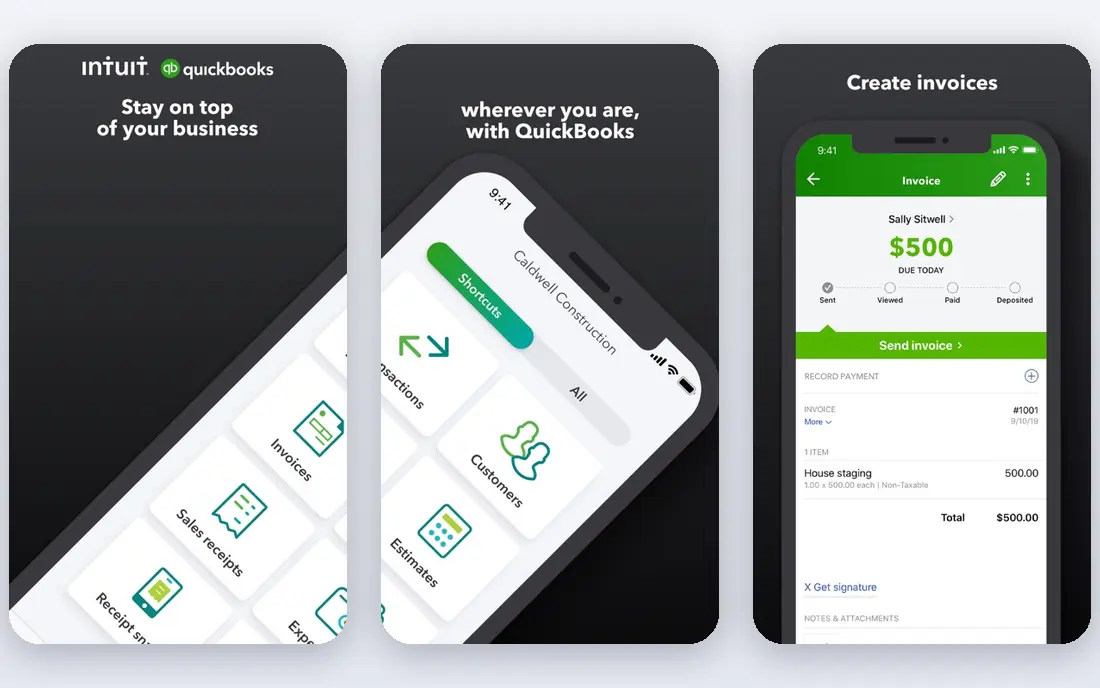
QuickBooks Online is the default for a reason. It covers invoicing, expenses, bank feeds, payroll add-ons, and detailed reports, and it connects to hundreds of other business tools. For consultants, the biggest practical advantage is accountant support, since handing clean QuickBooks books to a CPA at tax time saves back-and-forth.
The cost and complexity are real. At $38 per month for Simple Start, it costs more than FreshBooks or Wave, and new users may need time to set up charts of accounts and categories correctly. Consultants who expect to grow, hire, or work closely with an accountant will usually find that trade worth making.
- Most US accountants already use it
- Strong reporting and integrations
- Mileage and expense tracking
- Higher price and steeper learning curve
- Can feel heavy for a solo consultant

Xero suits consultants who work across borders or plan to add staff. Multi-currency support is strong, users are unlimited on plans, and the add-on ecosystem covers payroll, expenses, and reporting in depth. That combination helps a small firm grow without switching accounting systems midstream.
Entry limits need attention. The lowest plan caps monthly invoices and bills, so a busy consultant may need the next tier quickly. The interface also takes a little learning, but once set up, Xero gives a clean, accountant-friendly set of books.
- Unlimited users on plans
- Strong multi-currency support
- Large add-on ecosystem
- Entry plan caps invoices and bills
- Learning curve for new users
Wave is the best option for a consultant starting out on a tight budget. Core accounting and invoicing are free, and the books use real double-entry accounting, which matters when a CPA reviews them. Solo consultants with simple income and expenses can run clean books without a monthly fee.
Paid features change the picture. Automatic bank imports require the Pro plan, and payment processing and payroll carry fees. Support is also thinner than paid rivals. For a new practice, though, Wave is a sensible place to start, with a clear upgrade path when volume grows.
- Free core accounting and invoicing
- Real double-entry bookkeeping
- Simple for solo consultants
- Automatic bank feeds need a paid plan
- Support and reports are thinner
Zoho Books gives consultants strong automation at a fair price. Recurring invoices, payment reminders, expense rules, and client portals help a small firm run smoothly without manual follow-up. The free plan covers eligible small businesses, which makes it easy to test with real client work.
The free plan has limits tied to revenue, so growing firms will move to paid plans starting at $20 per month. The interface is also less polished than FreshBooks, though it is functional and consistent. Consultants already using Zoho CRM or Zoho Projects will get the most from it.
- Free plan for smaller businesses
- Strong automation and workflows
- Works well with other Zoho apps
- Free plan ends above set revenue limits
- Interface feels less polished than FreshBooks
Bonsai is not a traditional accounting system, but it fits how many consultants actually work. It combines proposals, contracts, time tracking, invoicing, and client management in one place, so a consultant can take a project from proposal to payment without switching tools. That workflow is a real time saver for independents.
The catch is accounting depth. Bonsai does not replace full bookkeeping for a firm that needs detailed reports, balance sheets, and tax preparation in one system. Many consultants pair Bonsai with an accountant or a separate accounting tool, and use Bonsai for the client-facing work it does best.
- Contracts, proposals, and invoices together
- Time tracking and client portals
- Good for independent consultants
- Not a full double-entry accounting system
- Tax features are thinner
Sage Accounting suits consultants with more complex accounting needs, including multi-currency work and VAT or GST handling. It offers proper double-entry books, invoicing, expenses, and reporting, with a depth that lighter tools do not match. Consultants with international clients or product-like revenue streams may benefit from that depth.
Pricing and plans vary by country, so buyers should check the local Sage site rather than assuming a US price. The interface also feels less modern than FreshBooks or Xero. For consultants who need solid accounting first and invoicing second, Sage remains a credible choice.
- Strong accounting depth
- Good multi-currency and tax handling
- Long history in small business accounting
- Pricing varies by region and plan
- Interface can feel dated
FreeAgent is designed for small businesses and freelancers who want clear books without accounting jargon. Invoices, expenses, time tracking, and tax timelines sit in a simple dashboard, which helps consultants see what is owed, what is due, and what tax is coming. That clarity is valuable at year end.
The main limit in the US is accountant familiarity. FreeAgent is more common in the UK, so US consultants should check that their accountant can work with its exports before committing. For a small firm that values simplicity and a clear tax view, it is still worth a trial.
- Simple, clear dashboard for small firms
- Invoicing, expenses, and time tracking
- Good tax timeline views
- Less common among US accountants
- Pricing is quote-based in some regions
How we picked these
We compared official pricing pages, feature lists, and public reviews for accounting tools used by consultants in October 2026. We required invoicing, expense tracking, and reporting, and we favored tools with a clear consultant or service-business fit over generic enterprise accounting. Prices shown are starting list prices where vendors publish them, and See website is used where pricing varies by region or requires a quote. We did not claim hands-on testing; our notes rest on published plans, documented features, and aggregated buyer feedback. This guide is general information, not tax or financial advice, and consultants should check tax rules with a qualified professional.
What to check before you buy
Start with how you bill. If you bill by the hour, time tracking built into invoicing matters more than advanced reporting, which favors FreshBooks or Bonsai. If you bill fixed fees or retainers, recurring invoices and client portals matter more, which favors QuickBooks, Xero, or Zoho Books.
Next, check your accountant. Ask which system they prefer and what export format they need, since a tool your accountant dislikes will cost you in fees and fixes. Check bank feed support for your bank, and confirm whether automatic feeds are included or paid, since Wave and some other tools charge for that feature.
Finally, test invoicing end to end. Create a client, track an hour, send an invoice, and record a payment, then run a profit and loss report. That short test reveals more than a feature list, and it shows whether the tool fits the way you actually run client work.
FAQ
What is the best accounting software for consultants?
FreshBooks is the best fit for most consultants who bill by the hour, while QuickBooks Online is the best fit for firms that work closely with an accountant. Solo consultants on a tight budget should start with Wave, and growing firms with international clients should look at Xero.
How much does accounting software for consultants cost?
Prices in this guide run from free for Wave core accounting to $38 per month for QuickBooks Online Simple Start, with FreshBooks at $23 and Xero at $27 per month. Add-ons for payroll, payments, and automatic bank feeds can raise the total, so check the full cost before choosing.
Do I need time tracking in my accounting software?
If you bill by the hour, yes, since built-in time tracking turns tracked hours into invoices without manual copying. FreshBooks and Bonsai handle this well, while QuickBooks and Xero offer time tracking through built-in tools or integrations.
Can accounting software help at tax time?
Yes, it can organize income, expenses, and mileage, and produce reports your accountant can use. It does not replace a tax professional, though, and consultants should confirm deductions, estimated tax, and filing rules with a qualified advisor.
What is the difference between FreshBooks and QuickBooks Online?
FreshBooks focuses on simple invoicing and time tracking for service businesses, while QuickBooks Online offers deeper accounting, reporting, and accountant tools. FreshBooks is easier to learn, while QuickBooks scales better for larger firms and complex books.
Should a solo consultant start with free software?
Starting free with Wave or Zoho Books makes sense while volume is low, as long as you can export your data later. Move to a paid tool when client caps, bank feed limits, or reporting needs start to slow you down, rather than paying for features you do not yet use.