Best Accounting Software for Analytics in 2026: 8 Tools Compared
Compare the best accounting software for analytics, from built-in reports to dashboards and forecasting, with pricing and honest trade-offs for small teams.

- Editor's choice
 QuickBooks Online
Reports inside bookkeeping
Starts at$38 per monthVisit quickbooks.intuit.comFull review - Great alternative
 Xero
Simple analytics for small firms
Starts atSee websiteVisit xero.comFull review - Also consider
 Zoho Analytics
Dashboards from many sources
Starts at$30 per monthVisit zoho.comFull review
TL;DR:
- QuickBooks Online and Xero suit small teams that want reports inside the bookkeeping tool they already use.
- Zoho Analytics and Microsoft Power BI suit teams that need dashboards built from several data sources.
- Fathom, Syft Analytics and Jirav add management reporting, cash flow analysis and forecasting on top of accounting data.
- Sage Intacct fits larger finance teams with multi-entity reporting needs, while pricing is quoted rather than published.
- Check how each tool connects to your bank, payroll and sales systems before you commit, since a report is only as good as its data.
Quick comparison
| Tool | Best for | Starts at | Free plan? | |
|---|---|---|---|---|
| QuickBooks Online | Reports inside bookkeeping | $38 per month | No | Visit |
| Xero | Simple analytics for small firms | See website | Free trial | Visit |
| Zoho Analytics | Dashboards from many sources | $30 per month | Yes | Visit |
 Fathom | Management reporting | See website | Free trial | Visit |
 Syft Analytics | Affordable financial reports | $23 per month | Yes | Visit |
 Microsoft Power BI | Custom data visualisation | $14 per user per month | Yes | Visit |
 Sage Intacct | Multi-entity finance reporting | See website | No | Visit |
 Jirav | Reporting plus forecasting | See website | No | Visit |
The best accounting software for analytics
Accounting software earns its keep when it turns transactions into answers. The tools below range from bookkeeping apps with solid reports to dedicated analytics platforms that sit on top of your accounts.
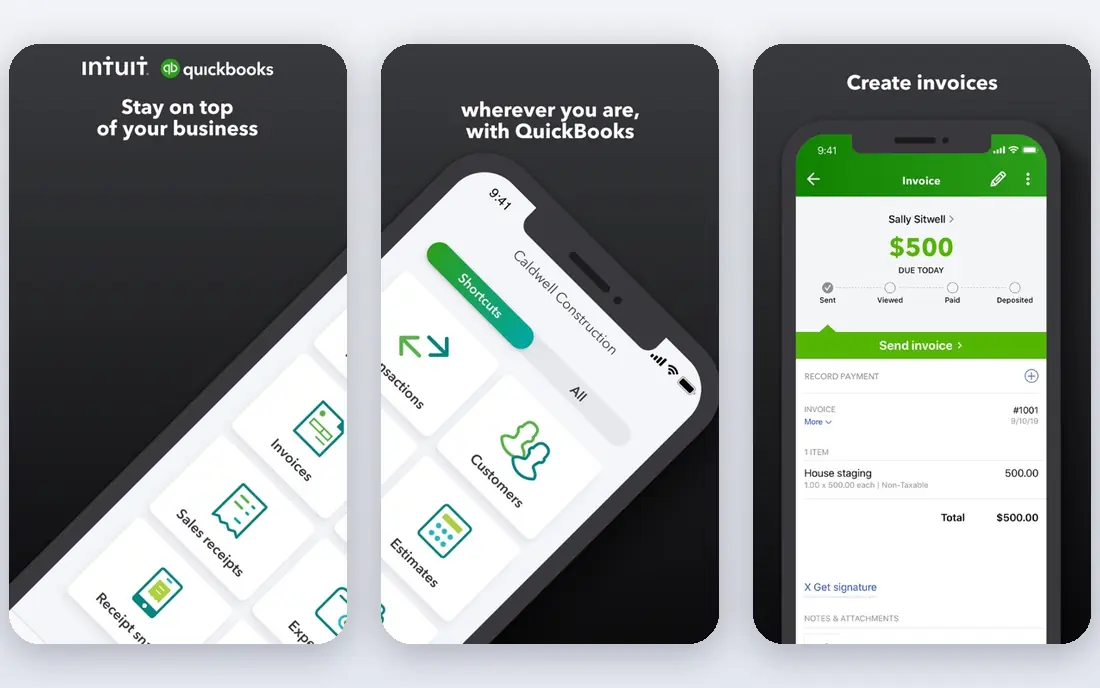
QuickBooks Online is our pick for most small businesses because the analytics live where the bookkeeping happens. You can run profit and loss, balance sheet and cash flow reports, compare periods, and customise columns without exporting to a spreadsheet first. The dashboard gives a fast view of income, expenses and overdue invoices, which helps owners spot problems between month-end closes.
The catch is tiering. The entry plan covers core reports, but deeper tools such as project profitability and advanced custom reports need higher plans. Teams that only need monthly statements will be fine, while finance leads who want detailed segment reporting may find the limits frustrating. Still, for a single business with standard needs, it is hard to beat for convenience.
- Wide report library
- Cash flow tracking
- Large integration catalogue
- Advanced reporting sits on higher tiers
- Costs rise with seats and add-ons
Xero appeals to owners who want clear numbers without a steep learning curve. Its reports are easy to read, bank feeds keep data current, and the short-term cash flow projection helps with timing decisions on bills and hiring. Accountants also like it, since client collaboration and advisor access are built into the workflow.
Where Xero falls short is depth. If you need complex consolidation, detailed departmental reporting or advanced forecasting, you will likely pair it with a reporting add-on. That is not a flaw for a small firm, but larger teams should test the reporting limits during the trial and map any gaps before switching.
- Clean interface
- Strong bank reconciliation
- Useful short-term cash flow view
- Deeper analytics often need add-ons
- Payroll coverage varies by region

Zoho Analytics is a different kind of pick, since it is an analytics platform rather than a bookkeeping app. It pulls data from accounting software, spreadsheets, CRMs and other apps, then turns that data into dashboards and KPI views. For a business that wants sales, marketing and finance numbers in one place, that breadth matters more than any single report.
The trade-off is effort. You need clean source data and a clear idea of which metrics matter, or you can end up with attractive dashboards that answer the wrong questions. Teams willing to spend a few days on setup get a flexible system that grows with them, while teams that want instant reports may prefer a tool with accounting built in.
- Many data connectors
- Flexible dashboards
- AI-assisted insights
- Setup takes time
- Some accounting detail needs careful data modelling
Fathom takes data from QuickBooks, Xero and similar systems and turns it into polished management reports. Owners get trend charts, KPI scorecards and cash flow forecasts that are easier to share with a board or lender than a raw trial balance. Accountants use it to produce consistent client packs without rebuilding reports each month.
Its weakness is dependence. Fathom does not replace bookkeeping, so you still need a solid accounting system underneath it. Pricing also reflects its firm focus, which can feel high for a single small company. For businesses that report regularly to stakeholders, though, the presentation quality is worth the extra step.
- Clear management reports
- Cash flow forecasting
- Benchmarking and KPI tracking
- Needs an accounting connection to work
- Pricing is geared to firms and multi-company users
Syft Analytics stands out on value. It connects to common accounting tools, builds visual financial reports, and handles consolidation for groups with several entities. The basic free plan gives small teams a way to test dashboards before paying, which is rare in this category.
The limits show up at scale. Very large finance teams may want deeper planning models or a wider set of source systems than Syft currently covers. For accountants, bookkeepers and growing small businesses, however, it covers the core reporting jobs at a price that is easy to justify.
- Low entry price
- Consolidation across entities
- Visual reports and forecasts
- Smaller integration list than larger platforms
- Advanced modelling is limited
Power BI is the pick when your analytics need goes beyond standard accounting reports. It lets analysts model data, build interactive dashboards and combine finance data with operations, sales or warehouse data. Teams already using Excel and Microsoft 365 will find the learning curve shorter, since the concepts carry over.
The honest catch is skill. Building a good Power BI report takes more work than running a report in QuickBooks, and casual users may need training. Sharing also requires paid licences for most viewers. If you have an analyst or a data-minded finance lead, it is a strong long-term choice. If not, a simpler reporting tool will serve you better.
- Powerful modelling and visuals
- Deep Microsoft 365 links
- Large template community
- Learning curve for modelling
- Sharing reports needs paid licences
Sage Intacct is built for finance teams that outgrow small business tools. Its dimensional reporting lets you slice results by department, location, project or customer without a maze of separate charts of accounts. Multi-entity consolidation and currency handling make month-end faster for groups with several companies.
That power comes with a heavier buying process. Pricing is quoted, implementation needs planning, and small teams may find it more system than they need. For mid-size and larger organisations with complex reporting requirements, it is one of the most capable options on this list.
- Strong multi-entity and multi-currency reporting
- Dimensional reporting
- Audit trails
- Quote-based pricing
- Implementation takes planning and time
Jirav closes the gap between looking back and looking forward. It connects to accounting and payroll systems, produces financial reports, and lets finance teams build budgets and forecasts from drivers such as headcount or sales growth. Scenario comparisons help leaders see how a hiring plan or price change would affect cash.
The downside is that Jirav rewards active use. Teams that only check reports once a quarter may not get full value, and pricing details vary by plan type. For finance teams that plan monthly and want reporting and forecasting in the same place, it is a practical combination.
- Reporting, budgeting and forecasting in one tool
- Driver-based planning
- Accounting integrations
- Quote and plan structure can be confusing
- Best value comes with regular use
How we picked these
We compared official feature pages, pricing pages and integration lists, plus public reviews that describe day-to-day reporting use. We favoured tools that connect directly to accounting data, produce reports owners can actually read, and are still sold and supported in October 2026. Where a vendor does not publish a price, we say so rather than guessing. We did not claim hands-on testing, and we weighted clarity, connection quality and reporting depth over marketing claims.
What to check before you buy
Start with the question your reports must answer. A cash flow forecast, a departmental profit view and a board pack are different jobs, and the best tool changes with each one. List the three reports you need every month, then check whether each shortlisted tool produces them without a spreadsheet workaround.
Data connections and data quality
Confirm that the tool connects to your accounting system, bank feeds and payroll tool, and that it refreshes on a schedule you can live with. Test with real data during a trial, and watch for duplicate transactions, missing categories or currency errors. Clean source data matters more than any chart style, since a polished dashboard built on messy data will mislead you quietly.
Reporting depth, sharing and cost
Check who can view reports, whether you can schedule them by email, and whether clients or board members can see them without a paid seat. Compare total cost, including seats, add-ons and any reporting platform on top of bookkeeping. A cheaper bookkeeping app plus a reporting add-on can cost more than a single mid-tier system, so price the whole stack, not just the headline plan.
FAQ
What is the best accounting software for analytics for a small business?
QuickBooks Online or Xero usually fit best, since reporting sits inside the bookkeeping tool and setup is fast. Add Fathom or Syft Analytics if you need polished management reports or forecasting on top of those accounts.
Do I need a separate analytics tool if I already use accounting software?
Not always. Many small teams get by with built-in reports, cash flow views and a few custom reports. A separate tool makes sense when you need dashboards from several systems, multi-entity consolidation, or regular board-ready packs.
Can these tools forecast cash flow?
Several can, including Fathom, Jirav and Syft Analytics, and QuickBooks and Xero offer cash flow views of varying depth. Check whether the forecast is driver-based, how far ahead it projects, and whether it updates automatically from bank and invoice data.
Is Microsoft Power BI overkill for accounting analytics?
For a single small business with standard reports, it often is. Power BI earns its place when you combine finance data with sales, operations or warehouse data, or when you need custom models that standard reports cannot handle.
How much should I expect to pay?
Entry prices on this list range from a free plan to about $38 per month for small business tools, while larger platforms are quote-based. Always add seats, integrations and any companion reporting tool to get the true monthly cost.