Best Academic Advising Software in 2026: 8 Tools Compared
Compare the best academic advising software for 2026, with degree planning, early alerts, appointment scheduling and student success tools for colleges.

- Editor's choice
 EAB Navigate360
colleges that want advising, early alerts and student communication in one system
Starts atSee websiteVisit eab.comFull review - Great alternative
 Starfish
colleges that want early alerts and coordinated advising
Starts atSee websiteVisit starfishsolutions.comFull review - Also consider
 Civitas Learning
institutions that want data-informed advising
Starts atSee websiteVisit civitaslearning.comFull review
TL;DR:
- Our pick for most readers is EAB Navigate360, because it covers the core academic advising tools for colleges job well without forcing a complex setup.
- If price is the main concern, check the free or trial options first, since several tools on this list offer a free plan or a free trial.
- The best choice depends on your size and workflow, so test the top two on a real task before you commit to a yearly plan.
- Watch for quote-based pricing and add-ons, since the headline price often excludes features you will actually need.
- Our pick for most colleges is EAB Navigate360 for its breadth, with DegreeWorks as the best degree planning companion.
Quick comparison
| Tool | Best for | Starts at | Free plan? | |
|---|---|---|---|---|
| EAB Navigate360 | colleges that want advising, early alerts and student communication in one system | See website | No | Visit |
| Starfish | colleges that want early alerts and coordinated advising | See website | No | Visit |
| Civitas Learning | institutions that want data-informed advising | See website | No | Visit |
 Ellucian DegreeWorks | colleges using Ellucian systems that need degree audits | See website | No | Visit |
 Watermark Student Success | colleges that want advising plus assessment in one vendor | See website | No | Visit |
 AdvisorTrac | colleges that need appointment scheduling and visit tracking | See website | No | Visit |
 Aviso Retention | colleges focused on retention and student outreach | See website | No | Visit |
 Salesforce Education Cloud | institutions that want advising on a CRM platform | See website | No | Visit |
The best Academic Advising Software
We compared official feature pages, pricing pages and public reviews for academic advising tools for colleges, and we focused on tools that exist and work today. The list below mixes well-known leaders with strong smaller options, so you can find a fit whether you are a solo user or a larger team.
EAB Navigate360
Best for: colleges that want advising, early alerts and student communication in one system
EAB Navigate360 is one of the most widely used student success platforms, and advising sits at its centre. Advisors can schedule appointments, send alerts when a student struggles and track outreach in one place. It covers advising appointments, early alerts, student communication and retention reporting, which keeps the main workflow in one place rather than spread across several tools.
The scale that makes it strong for a university can make it heavy for a small college, and implementation needs real planning. Ask for references from colleges of a similar size, since the experience differs between a large university and a small campus.
- Advising appointments, early alerts and student outreach in one platform
- Widely used in higher education
- Reporting for retention work
- Enterprise pricing is quote based
- Implementation takes planning and staff training
Starfish
Best for: colleges that want early alerts and coordinated advising

Starfish, now within the Hobsons education group, helps faculty raise a flag when a student misses class or struggles, and advisors can follow up from the same system. That shared view helps departments act together instead of in isolation. It covers early alerts, advising appointments, student notes and success tracking, which keeps the main workflow in one place rather than spread across several tools.
Buyers should confirm the current product and support arrangements, since the brand has changed hands over time. Test the faculty flag workflow, because early alerts only help if faculty actually use them.
- Early alert flags from faculty
- Advising notes and appointments
- Student success tracking across departments
- Now part of a larger education group, so buyers should confirm the current product name and support route
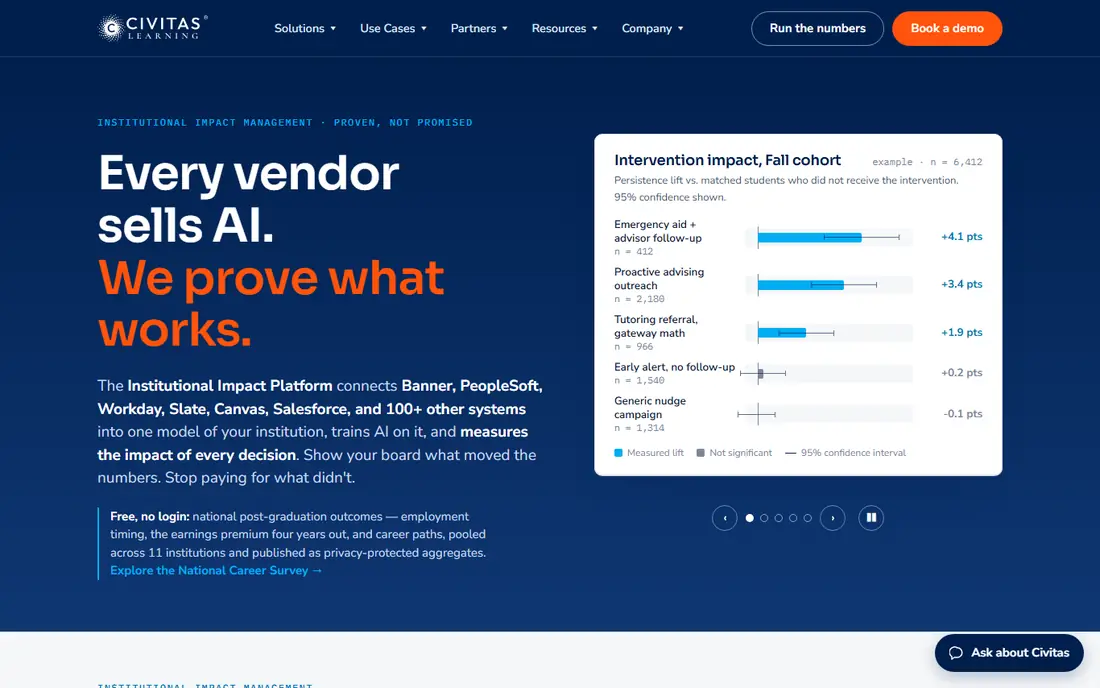
Civitas Learning combines advising tools with analytics that highlight students who may need help. Advisors can see risk indicators and reach out before a small problem becomes a failed term. It covers advising tools, student analytics, risk indicators and outreach, which keeps the main workflow in one place rather than spread across several tools.
The analytics are only as good as the data feeding them, so colleges need clean student records to get full value. Ask how risk indicators are explained to advisors, since a score without context is hard to act on fairly.
- Student success analytics alongside advising tools
- Risk indicators for advisors
- Planning and outreach features
- Analytics depth requires good institutional data
- Pricing is quote based
Ellucian DegreeWorks
Best for: colleges using Ellucian systems that need degree audits
Ellucian DegreeWorks is the degree audit tool many colleges already use, and it helps advisors check progress toward a degree. Students can see what remains, and advisors can run what-if plans for a change of major. It covers degree audits, academic planning, what-if scenarios and progress tracking, which keeps the main workflow in one place rather than spread across several tools.
It is narrower than a full advising platform, so colleges often pair it with an early alert or appointment tool. If your college already runs Ellucian systems, DegreeWorks is a natural fit, but check how it shares data with other advising tools.
- Degree audits and academic planning
- Fits Ellucian student systems
- What-if planning for majors
- Best value inside an Ellucian setup
- Standalone advising features are narrower than a full success platform
Watermark Student Success
Best for: colleges that want advising plus assessment in one vendor
Watermark Student Success, formerly Aviso Retention in part of its history, brings advising and early alerts together with reporting that colleges use for retention work. Advisors can track appointments, notes and outreach in one record. It covers advising appointments, early alerts, student notes and retention reporting, which keeps the main workflow in one place rather than spread across several tools.
Colleges that only need appointment scheduling may find a simpler tool enough, but those doing retention work will use more of it. Confirm how student data is handled and who can see advising notes, since privacy matters in student records.
- Advising, early alerts and student success reporting
- Assessment tools from the same vendor
- Course and program insights
- Pricing is quote based
- The wider suite may exceed a narrow advising need
AdvisorTrac
Best for: colleges that need appointment scheduling and visit tracking
AdvisorTrac, from Redrock Software, focuses on the practical side of an advising centre, with scheduling, walk-in check-ins and visit reports. It suits a centre that needs to manage queues and show usage, rather than a full analytics platform. It covers advising appointments, visit tracking, kiosk check-in and centre reporting, which keeps the main workflow in one place rather than spread across several tools.
The interface is functional rather than modern, but for a busy advising centre the scheduling and reporting matter more than looks. Test the kiosk and walk-in flow during a busy period, since that is where scheduling tools either help or create a queue.
- Appointment scheduling for advising centres
- Visit tracking and reporting
- Kiosk check-in for walk-ins
- Interface is more functional than modern
- Reporting setup takes care
Aviso Retention
Best for: colleges focused on retention and student outreach
Aviso Retention was built around student success coaching, with advisors tracking outreach to students who need support. Today it sits within Watermark, so buyers should confirm the current product name and what is included. It covers advising and coaching, early alerts, outreach tracking and student success indicators, which keeps the main workflow in one place rather than spread across several tools.
The coaching model suits colleges that assign advisors to follow a caseload closely, rather than only booking appointments. Ask how caseloads are managed and how outreach is recorded, since that workflow decides whether advisors adopt it.
- Student success coaching and advising tools
- Early alerts and outreach tracking
- Predictive indicators for at-risk students
- Brand now sits within Watermark, so confirm current product details
- Enterprise pricing is quote based
Salesforce Education Cloud
Best for: institutions that want advising on a CRM platform
Salesforce Education Cloud lets a college run advising on a CRM, with student records, appointments and outreach in one place. Automation can route cases, remind advisors and report on outcomes across departments. It covers advising case management, student records, appointments and automation, which keeps the main workflow in one place rather than spread across several tools.
The flexibility is powerful, but it needs CRM expertise to set up well, and the cost suits larger institutions better than small colleges. Budget for implementation time as well as licences, and ask for an education-specific implementation partner.
- Advising on a flexible CRM
- Student records, appointments and outreach in one system
- Strong reporting and automation
- Implementation needs CRM expertise
- Cost and complexity exceed a standalone advising tool
How we picked these
We started from the main keyword for this article and the related terms readers also search for, then we checked each vendor site for current features, pricing and free options. We kept only products that exist and work today and that truly fit academic advising tools for colleges, and we left out tools that were discontinued, that did not fit the topic, or whose pricing we could not verify without inventing a number.
We also weighed who each tool is really for, not just its feature list. A tool that is excellent for a large team can be a poor fit for a small one, and the write-ups above try to make that distinction clear, including an honest weakness for each product.
How to choose academic advising software
Start with the advising model, because a college that assigns caseloads needs different tools from one that runs a walk-in centre. Then check how the tool handles appointments, notes, early alerts and degree progress, and how it shares data with the student information system. Finally, involve advisors and faculty in a pilot, since a tool they will not use daily will not improve retention even if its reports look strong.
Questions to ask before you pay
Ask about total cost at your actual size, including per-user fees and add-ons. Ask about contract length, data export and support hours, since those details matter when you need help or want to leave. Ask for a trial on your own data, because a demo with sample data can hide problems that show up on real work.
A practical shortlist method
Pick two finalists, run the same real task in both during a trial, and score them on ease of use, accuracy and total cost. Involve the people who will use the tool daily, since their adoption decides whether the purchase pays off. Keep notes from the trial, so the final decision rests on evidence rather than a sales demo.
FAQ
What is academic advising software?
It helps colleges schedule advising, track student progress, raise early alerts and record outreach, so advisors can support students before problems grow.
Which academic advising tool is best for a large university?
EAB Navigate360 and Salesforce Education Cloud suit large institutions for their scale, reporting and integration options.
What is the best tool for degree planning?
Ellucian DegreeWorks is the strongest choice for degree audits and what-if planning, especially for colleges already using Ellucian systems.
Do these tools replace advisors?
No. They organize appointments, alerts and records, but the advising conversation and judgment still come from staff.
How do early alerts work?
Faculty or staff raise a flag when a student misses work or struggles, and an advisor follows up, with the outreach recorded in the student record.