9 Best Alternatives to Salesforce CRM in 2026
We compare top alternatives to salesforce crm, from free HubSpot and Zoho plans to Pipedrive and monday, with pricing and best fits for each team in 2026.

- Editor's choice
 HubSpot CRM
Free all-in-one CRM
Starts atFreeVisit hubspot.comFull review - Great alternative
 Zoho CRM
Value and depth
Starts atFreeVisit zoho.comFull review - Also consider
 Pipedrive
Visual sales pipeline
Starts at$14 per user per monthVisit pipedrive.comFull review
TL;DR:
- HubSpot CRM and Zoho CRM offer the most generous free plans, which makes them the easiest low-risk switches.
- Pipedrive and Close suit sales-led teams that live in a pipeline, while monday sales CRM suits teams that want visual boards.
- Salesforce still leads on deep customization and ecosystem, so switch only if you value simplicity, speed, or lower cost more.
- Count total seats and required add-ons before comparing prices, since per-user fees multiply fast.
Quick comparison
| Tool | Best for | Starts at | Free plan? | |
|---|---|---|---|---|
| HubSpot CRM | Free all-in-one CRM | Free | Yes | Visit |
| Zoho CRM | Value and depth | Free | Yes | Visit |
| Pipedrive | Visual sales pipeline | $14 per user per month | Free trial | Visit |
 monday sales CRM | Flexible visual boards | $12 per seat per month | Free trial | Visit |
 Freshsales | AI-assisted selling on a budget | $9 per user per month | Yes | Visit |
 Close | Outbound calling teams | $35 per user per month | Free trial | Visit |
 Copper | Google Workspace teams | $9 per seat per month | Free trial | Visit |
 Insightly | CRM plus project delivery | $29 per user per month | Free trial | Visit |
 Capsule | Simple contact management | Free | Yes | Visit |
The best alternatives to Salesforce CRM
Salesforce is powerful, but its cost, setup time, and admin overhead push many teams to look elsewhere. We compared official feature pages, pricing pages, and public reviews to find CRMs that cover contacts, pipelines, automation, and reporting without the same complexity.
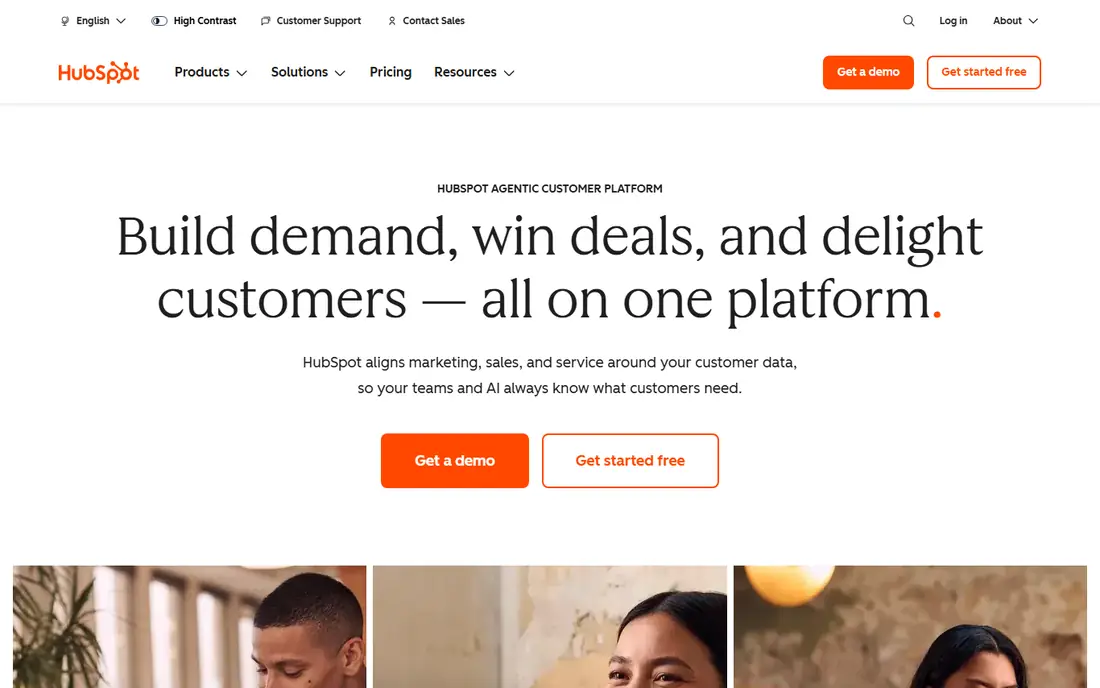
HubSpot CRM is the easiest switch for most small and mid-size teams. The free plan covers contacts, deals, tasks, email tracking, and live chat, which is enough to run a real pipeline without paying. When you grow, Sales Hub, Marketing Hub, and Service Hub sit on the same contact record, so marketing and sales stop working from separate lists. Paid plans rise in cost as you add seats and features, and full automation needs a higher tier. That matters for large teams with complex workflows. For teams leaving Salesforce over cost or complexity, HubSpot gives the smoothest landing and the lowest starting price.
- Generous free CRM
- Marketing and sales tools in one place
- Easy to learn
- Paid hubs get expensive at scale
- Advanced automation sits on higher tiers

Zoho CRM gives you a lot of CRM for little money. The free plan covers up to three users, and paid plans add workflow automation, scoring, forecasting, and an AI assistant called Zia. If your team already uses Zoho Mail, Books, or other Zoho apps, the shared data makes the whole setup more useful. The interface is dense, and new users may need a week to feel comfortable. Standalone users also get less benefit than teams inside the Zoho suite. If budget is your main driver and you want depth without Salesforce pricing, Zoho CRM is a strong contender.
- Low entry price
- Deep automation and customization
- Wide Zoho suite
- Interface takes time to learn
- Best value comes inside the Zoho ecosystem
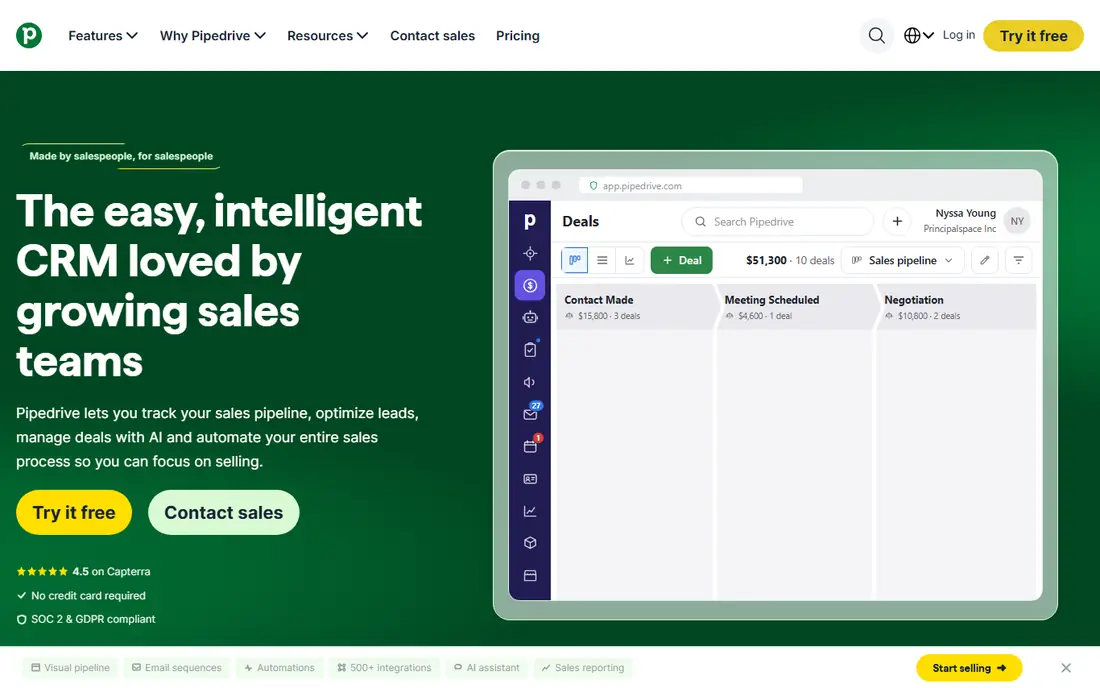
Pipedrive is built around one idea: move deals through a visual pipeline by completing the next activity. That focus keeps sales teams on task without the extra screens and settings that slow down larger CRMs. Setup takes hours rather than weeks, and most reps learn it in a day. Marketing tools are thinner than in HubSpot, and there is no free plan, only a trial. Teams that need heavy marketing automation should look elsewhere. Teams that want a clean pipeline and fast adoption will find Pipedrive hard to beat.
- Clear pipeline view
- Activity-based selling
- Fast setup
- No free plan
- Marketing features are thinner than HubSpot
monday sales CRM turns deals, contacts, and tasks into boards you can shape to your process. That flexibility helps teams with unusual sales steps, since you can add columns, automations, and views without code. The same platform also handles project work, which suits teams that sell and deliver in one place. Paid plans require at least three seats, which raises the floor for solo users. Some sales teams also find the project-tool feel less focused than a pure CRM. If your team already uses monday for work, adding its CRM keeps everything in one workspace.
- Highly customizable boards
- Visual workflows
- Work management included
- Three-seat minimum on paid plans
- Can feel more like a project tool than a CRM
Freshsales, from Freshworks, combines contact management with built-in phone, email, and AI assistance at a low entry price. Its Growth plan adds scoring, forecasting, and automation that small teams actually use, without the admin burden of a large platform. The interface is clean, and setup is quick. The free plan covers basics only, and larger teams will need Pro or Enterprise for deeper control. Support features also live in separate Freshworks products. For budget-conscious teams that want AI help and calling in one CRM, Freshsales is worth a trial.
- Low entry price
- Built-in phone and email
- AI scoring and insights
- Free plan is basic
- Advanced features need higher tiers
Close is built for teams that sell by phone. Calling, SMS, and email live inside the CRM, so reps work from one screen instead of switching to a dialler. Power dialling, call recording, and follow-up reminders help outbound teams move faster through a list. The entry price is higher than simpler CRMs, and call and SMS credits add to the bill. Teams that rarely call will not get value from its core strength. If calling drives your revenue, Close earns its price in saved clicks and faster follow-up.
- Native calling and SMS
- Built for outbound speed
- Clean activity view
- Higher entry price
- Call and SMS credits billed on top
Copper is made for teams that live in Gmail and Google Calendar. It pulls contact and deal details from emails, so reps spend less time typing data into a CRM. The Chrome extension keeps the CRM visible beside the inbox, which helps adoption among teams that resist new tools. Outside Google Workspace, Copper loses much of its appeal, and its feature set is lighter than HubSpot or Zoho. Microsoft-based teams should skip it. For Google-first teams that want a CRM that feels like part of Gmail, Copper is a natural fit.
- Lives inside Gmail
- Automatic contact capture
- Simple setup for Google users
- Weaker outside Google Workspace
- Fewer advanced features than larger CRMs
Insightly links deals to projects, so a sale flows into delivery without a second system. That suits agencies, consultancies, and service firms where the same team sells and delivers the work. Tasks, milestones, and files sit beside the customer record, which keeps handoffs clean. The entry price is higher than simpler CRMs, and the interface is less modern than monday or HubSpot. Pure sales teams may find the project features unnecessary. If delivery matters as much as selling, Insightly saves you from buying a separate project tool.
- CRM and project management in one place
- Good for delivery teams
- Solid reporting
- Higher entry price
- Interface feels dated in places
Capsule suits small teams that found Salesforce far too much. Contacts, tasks, pipelines, and a shared calendar cover the daily work without a long setup or a training course. The free plan supports small teams, and paid plans stay modest in price. Automation and reporting are limited, so growing teams may outgrow Capsule. It is not a replacement for enterprise workflows. If you want a CRM your whole team will actually use, and your process is simple, Capsule is a calm and affordable choice.
- Very easy to learn
- Free plan for small teams
- Clean contact and task views
- Limited automation
- Not built for large or complex sales operations
How we picked these
We compared official feature pages, pricing pages, and public reviews, and we kept only CRMs that are available and working in October 2026. We favoured tools with clear pricing, a usable free plan or trial, and a distinct fit, from free all-in-one tools to calling-led and project-led CRMs. Where pricing varied across sources, we used the most commonly published entry price and wrote See website only where verification was not possible. We did not claim hands-on testing that did not happen.
How to choose a Salesforce replacement
Count the real cost
Multiply the per-user price by your team size, then add required add-ons for calling, marketing, or reporting. A CRM that looks cheap at $14 per user can cost more than a $29 option once you add the tools you actually need. Run a one-month trial with your real team size before you commit.
Test migration, not just features
Import a sample of contacts, deals, and notes from Salesforce, and check that custom fields, owners, and activity history survive. A CRM that imports cleanly will save weeks of cleanup later. Also test the integrations you rely on, such as email, calendar, accounting, and support tools.
Match complexity to your team
Salesforce often fails because teams buy more power than they use. Choose the simplest CRM that covers your pipeline, automation, and reporting needs, and leave room to grow. You can always move up to a larger platform later, but a tool your team avoids helps no one.
FAQ
What is the best free alternative to Salesforce CRM?
HubSpot CRM has the most generous free plan, with contacts, deals, tasks, and email tracking at no cost. Zoho CRM is free for up to three users, and Capsule offers a free plan for small teams. Start free, and upgrade only when you hit a real limit.
Is HubSpot really a good Salesforce alternative?
Yes, for most small and mid-size teams. HubSpot covers CRM, marketing, sales, and service in one place, with a much gentler learning curve. Large enterprises with deep customization needs may still prefer Salesforce, but most growing teams find HubSpot easier to run.
Which Salesforce alternative is cheapest?
Zoho CRM and Freshsales offer the lowest paid entry prices among full CRMs on this list, while HubSpot and Capsule start free. The cheapest option for your team depends on seats, since per-user pricing multiplies with team size. Compare total monthly cost, not just the headline price.
Can I migrate data from Salesforce to another CRM?
Yes. Most CRMs on this list offer import tools for contacts, companies, deals, and notes, and several offer migration help on paid plans. Export a sample first, check custom fields and owners, and run the full import only after the sample looks clean.
Is Pipedrive better than Salesforce for small teams?
Pipedrive is often better for small sales teams that want a clear pipeline and fast setup, since it avoids the admin overhead of Salesforce. Salesforce wins on customization, ecosystem, and enterprise scale. Choose Pipedrive for speed and simplicity, and Salesforce for complex, large-scale needs.
Do these CRMs work for large teams?
HubSpot, Zoho CRM, monday sales CRM, and Insightly all scale to larger teams with higher tiers, permissions, and reporting. Very large enterprises with complex approval chains may still need Salesforce or a similar enterprise platform. Trial the higher tier with your real workflows before deciding.